1. Introduction
The Zuomeng Outdoor Smart WiFi Outlet Box HOSB-01 provides intelligent control for high-power outdoor electrical devices such as pool pumps, water heaters, and outdoor lighting. This device integrates remote control via the Smart Life app, voice control compatibility with Alexa and Google Home, and multiple operational modes to enhance convenience and energy efficiency. Its robust, weather-resistant design ensures reliable performance in outdoor environments.
2. Important Safety Information
WARNING: Electrical shock hazard. Improper installation or use can result in serious injury or death. Always consult a qualified electrician for installation if you are unsure.
- Disconnect power at the circuit breaker before installation, maintenance, or servicing.
- Ensure all wiring complies with local and national electrical codes.
- This device is designed for 240VAC circuits. Verify your power supply matches this requirement.
- Connect 240VAC wires to the designated mechanical lugs, not to fast-on terminals. Ensure all connections are secure to prevent loose wiring and potential hazards.
- The internal components, including connectors, are exposed when the enclosure is open. Exercise extreme caution to avoid contact with live parts.
- The product is UL Listed, indicating compliance with safety standards.
- Do not exceed the maximum electrical ratings specified for this device.
3. Package Contents
- 1 x Zuomeng Outdoor Smart WiFi Outlet Box HOSB-01
- Mounting hardware (screws and anchors)
- User Manual (this document)
4. Product Specifications

Figure 1: Product Dimensions and Electrical Parameters
The image above illustrates the physical dimensions and key electrical specifications of the smart outlet box. These details are crucial for proper installation and ensuring compatibility with your electrical system and connected appliances.
- Model: HOSB-01
- Power Supply: 220/240VAC
- Resistive Load: 50A Incandescent or Resistive Load
- Ballast and General Purpose Load: 40A
- Motor Load: 10HP @240V, 15KW 277VAC
- Material: Copper, Lead (internal components)
- Protection Rating: IP66 (Waterproof, Dustproof, UV-resistant)
- WiFi: 2.4GHz (IEEE 802.11 b/g/n)
- Operating Temperature: Up to 122°F (50°C) Max Ambient Temp
- Recommended Wire Size: 4-14AWG Copper
- Dimensions: Approximately 8.46 in (W) x 6.3 in (H) x 2.95 in (D)
5. Installation
5.1 Mounting the Device
The Zuomeng Outdoor Smart WiFi Outlet Box is designed for secure outdoor mounting. Choose a flat, stable surface that is easily accessible for wiring and operation, yet protected from direct impact. Use the provided mounting hardware to securely fasten the enclosure.
5.2 Electrical Wiring
WARNING: Ensure power is disconnected at the circuit breaker before proceeding with wiring. Incorrect wiring can cause damage to the device, property, or personal injury.

Figure 2: Wiring Diagram for Model HOSB-01
The wiring diagram above illustrates the connections for the HOSB-01 model. Follow these steps carefully:
- Open the enclosure.
- Identify the 'FROM SOURCE 240VAC LINE' terminals and the 'TO APPLIANCE 240VAC LOAD' terminals.
- Connect the incoming 240VAC power supply wires (Red and Black) to the corresponding 'FROM SOURCE' mechanical lugs. Ensure these connections are tight and secure.
- Connect the appliance load wires (Red and Black) to the corresponding 'TO APPLIANCE' mechanical lugs. Ensure these connections are also tight and secure.
- Ensure that the recommended wire size (4-14AWG Copper) is used for all connections.
- After all connections are made and verified, close the enclosure securely.
- Restore power at the circuit breaker.
6. Operation
6.1 Manual Control

Figure 3: Manual Override Switch and LED Indicator
The device features a manual override switch located inside the enclosure. This allows for direct control of the connected appliance without using the app.
- Short press the button: To turn the device ON or OFF manually.
- RED LED: The red LED indicator light turns ON when the connected equipment is running.
6.2 Smart Life App Setup

Figure 4: Smart Life App Interface
To enable remote and smart features, connect the device to the Smart Life app:
- Download the 'Smart Life' app from your smartphone's app store (available for iOS and Android).
- Register or log in to your Smart Life account.
- Ensure your smartphone is connected to a 2.4GHz WiFi network. The device only supports 2.4GHz WiFi.
- Open the enclosure and press and hold the manual override button for 3 seconds until the green WiFi LED flashes rapidly. This indicates pairing mode.
- In the Smart Life app, tap '+' to add a device. The app should automatically detect the new device or guide you through the process.
- Follow the on-screen instructions to complete the pairing process, entering your WiFi network password when prompted.
- Once successfully paired, you can rename the device for easier identification.
6.3 App Features and Modes
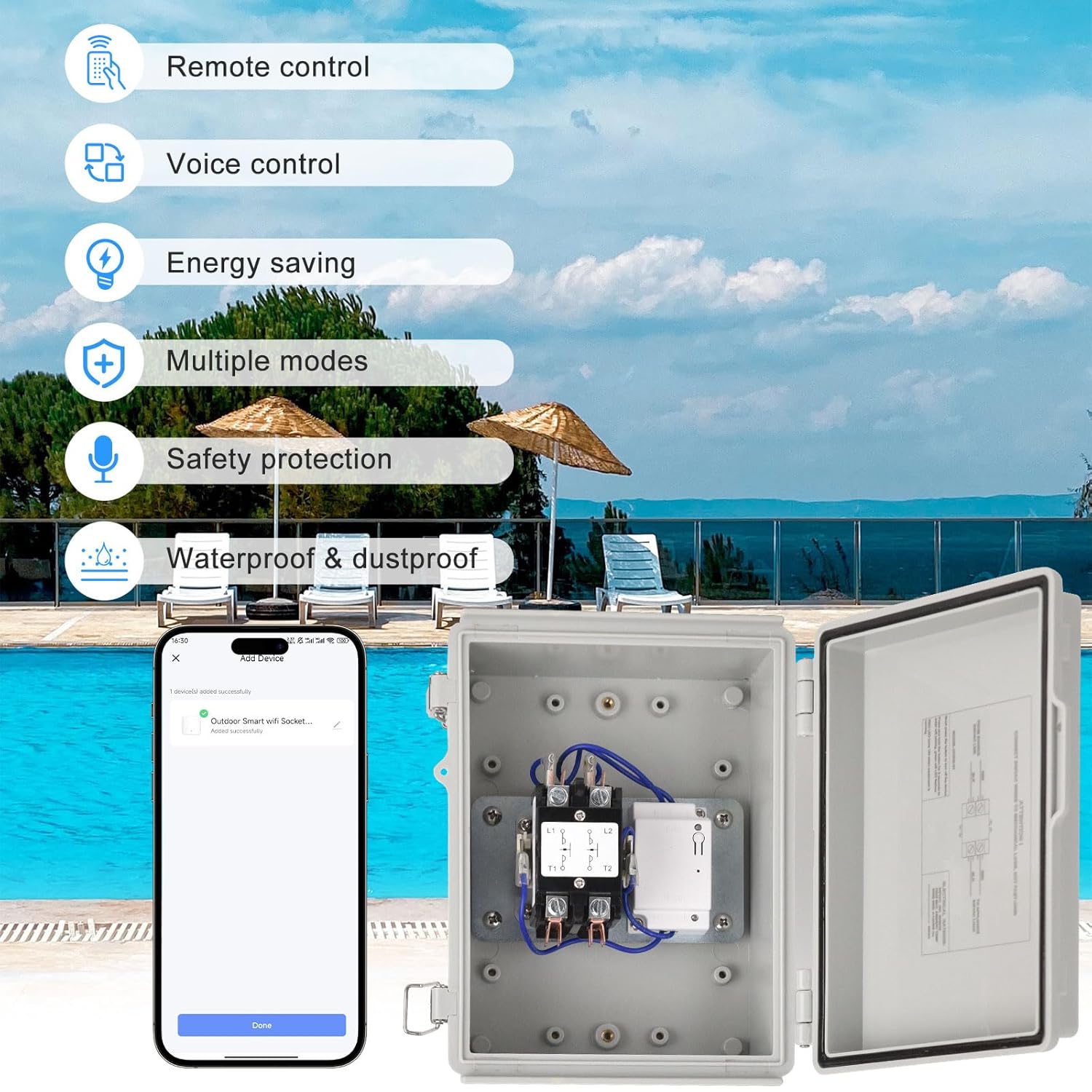
Figure 5: Overview of Smart Features
The Smart Life app provides comprehensive control and scheduling options:
- Remote Control: Turn the connected appliance ON or OFF from anywhere using your smartphone.
- Timer Mode: Set specific ON/OFF times for daily operation.
- Sunrise/Sunset Sync: Automate operation based on local sunrise and sunset times.
- Cyclic Operation: Program repetitive ON/OFF cycles.
- Countdown Mode: Set a countdown timer for the device to turn ON or OFF after a specified duration.

Figure 6: Energy Saving through Scheduled Operation
Utilizing these modes can significantly reduce electricity consumption by optimizing the operating times of high-power devices like pool pumps, as illustrated in the image above.
6.4 Voice Control Integration

Figure 7: Voice Control Compatibility
The device is compatible with Amazon Alexa and Google Assistant for hands-free control:
- Link your Smart Life account to your Alexa or Google Home app.
- Discover new devices within the Alexa or Google Home app.
- Once discovered, you can use voice commands such as:
- "Alexa, turn on [Device Name]"
- "Hey Google, turn off [Device Name]"
7. Maintenance

Figure 8: Durable and Weather-Resistant Design
The Zuomeng Outdoor Smart WiFi Outlet Box is designed for durability with an IP66 rating, making it waterproof, dustproof, and UV-resistant. Regular maintenance helps ensure its longevity and optimal performance:
- Periodically inspect the enclosure for any signs of damage, cracks, or loose seals.
- Ensure the enclosure clips are securely fastened to maintain its weather resistance.
- Clean the exterior with a damp cloth as needed. Do not use abrasive cleaners or solvents.
- Before any internal inspection or cleaning, always disconnect power at the circuit breaker.
8. Troubleshooting
If you encounter issues with your Zuomeng Outdoor Smart WiFi Outlet Box, refer to the following common troubleshooting steps:
- Device not responding: Check if the power supply is connected and the circuit breaker is ON. Verify the manual override switch position.
- WiFi connectivity issues: Ensure your router is broadcasting a 2.4GHz signal. Confirm the device is within range of your WiFi router. Try restarting the device by cycling its power. Re-attempt the pairing process if necessary (press and hold the button for 3 seconds until the green WiFi LED flashes).
- App control not working: Ensure your smartphone has an active internet connection. Verify that the Smart Life app is updated to the latest version. Check if the device is still paired and online within the app.
- Voice control not working: Confirm that your Smart Life account is correctly linked to Alexa or Google Home. Ensure the device name used in voice commands matches the name set in the Smart Life app.
- Overload/Short Circuit Protection: The device includes built-in overload and short-circuit protection. If the device unexpectedly turns off, it may be due to an electrical fault or overload. Disconnect the load, check for faults, and then reset the device by cycling power.

Figure 9: Internal View with Safety Features
The image above highlights the internal safety mechanisms, including the manual override switch and indicators for overload and short circuit protection.
9. Warranty and Support
For warranty information or technical support, please contact Zuomeng customer service through the retailer's platform or the contact information provided with your purchase. Keep your purchase receipt as proof of purchase.


