Introduction
Thank you for purchasing the Dolphin SP-885RBT Portable Bluetooth Party Speaker. This manual provides detailed instructions for setting up, operating, and maintaining your speaker to ensure optimal performance and longevity. Please read this manual thoroughly before using the product.

Image: The Dolphin SP-885RBT speaker shown with its included wireless microphone. The speaker features a front grille with a colorful LED ring light.
What's in the Box
Please check the contents of your package to ensure all items are present:
- Dolphin SP-885RBT Portable Bluetooth Party Speaker
- Power Cable
- Wireless Microphone
- User Manual (this document)
Features
The Dolphin SP-885RBT speaker is designed with several key features for an enhanced audio experience:
- Powerful Audio Performance: Equipped with an 8-inch woofer and 1.5-inch tweeter, delivering 40W RMS power for clear and robust sound.
- Dynamic 3D LED Ring Lights: Sound-activated LED lights that add a vibrant visual atmosphere, moving with the music.
- Multiple Playback Options: Supports Bluetooth, USB, and AUX connectivity for versatile audio sources.
- Wireless Microphone: Includes a wireless microphone for karaoke or public announcement functions.
- Portable Design: Features a built-in handle for easy transport.
- Rechargeable Battery: Built-in Lithium Ion battery for portable use.
- Tilt Functionality: Designed to be tilted for optimal sound projection.
- EQ Controls: Adjustable bass, treble, and echo controls for customized audio output.

Image: The top of the Dolphin SP-885RBT speaker highlighting its robust built-in handle, designed for comfortable and secure grip during transport.

Image: A graphic illustrating the various connectivity options of the Dolphin SP-885RBT speaker, including Bluetooth 5.1, USB, Micro SD Card, and 3.5mm Jack.
Setup
1. Initial Charging
Before first use, fully charge the speaker. Connect the provided power cable to the speaker's charging port and plug it into a standard AC outlet. The charging indicator light will illuminate during charging and typically turn off or change color when fully charged. A full charge may take approximately 6 hours.
2. Powering On/Off
Locate the Power switch on the control panel. Flip the switch to the "ON" position to power on the speaker. To power off, flip the switch to the "OFF" position.
3. Positioning the Speaker
The SP-885RBT is designed with a unique tilt feature for optimal sound projection. You can position the speaker upright or tilt it back to direct sound upwards, which is ideal for floor-standing use or when placed on a lower surface.
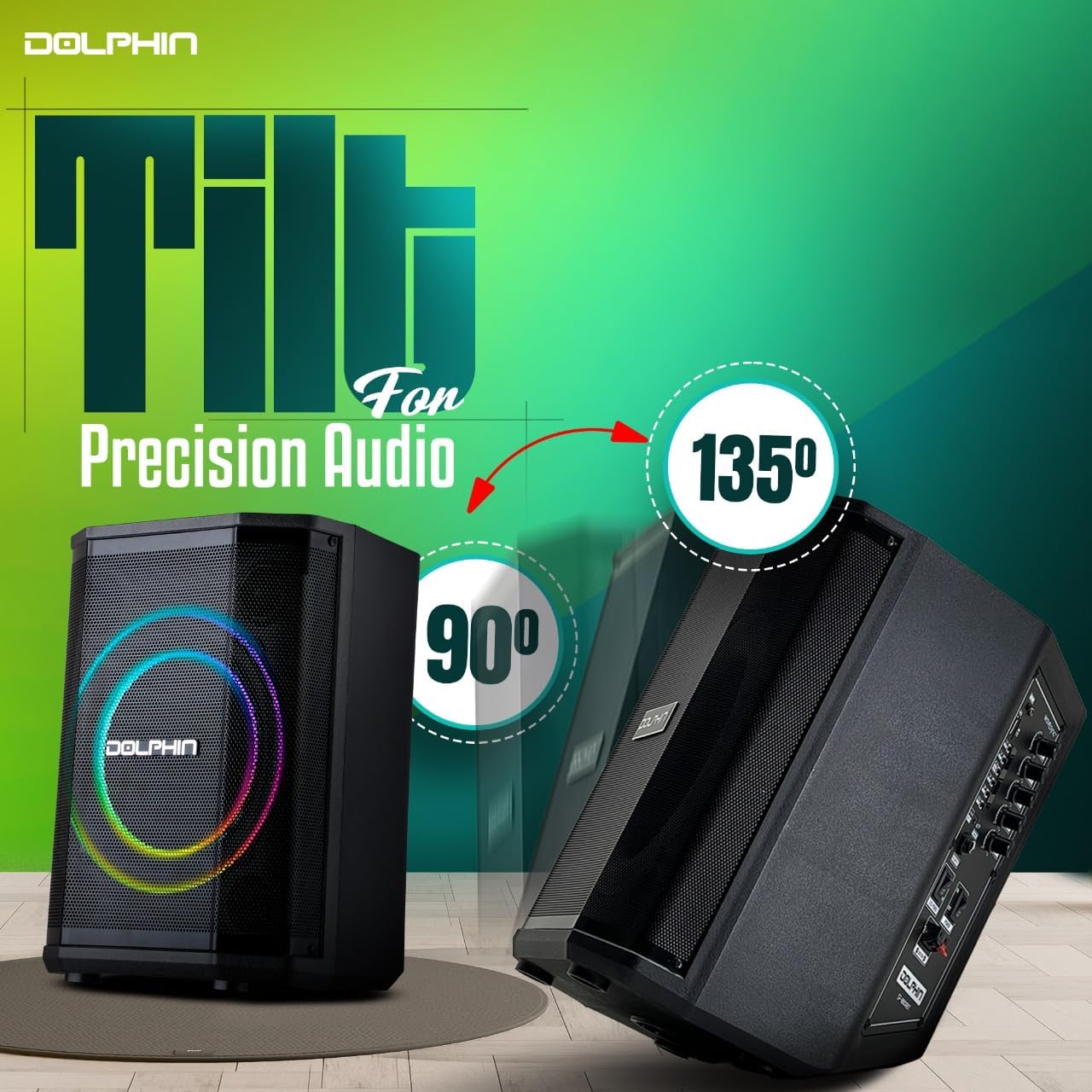
Image: The Dolphin SP-885RBT speaker demonstrating its ability to be tilted at different angles (90 and 135 degrees) for precision audio projection.
Operating Instructions
1. Bluetooth Pairing
- Power on the speaker.
- The speaker will automatically enter Bluetooth pairing mode. You may hear an audible prompt.
- On your mobile device (smartphone, tablet, etc.), enable Bluetooth and search for available devices.
- Select "Dolphin SP-885RBT" from the list of devices.
- Once paired, you will hear a confirmation sound, and the speaker's display may indicate a successful connection.
2. USB/AUX Playback
- USB Playback: Insert a USB flash drive containing MP3 audio files into the USB port. The speaker will automatically switch to USB mode and begin playing.
- AUX Playback: Connect an external audio device (e.g., MP3 player, laptop) to the speaker's 3.5mm AUX input using an audio cable (not included). The speaker will automatically switch to AUX mode.
3. Wireless Microphone Usage
The included wireless microphone is pre-paired with the speaker. Simply turn on the microphone, and its audio will be routed through the speaker. Adjust the microphone volume and echo using the dedicated controls on the speaker's control panel.

Image: Two individuals enjoying a karaoke night, singing into microphones with the Dolphin SP-885RBT speaker in the foreground, showcasing its use for vocal performances.
4. EQ Controls (Bass, Treble, Echo)
The speaker features dedicated knobs on the control panel to adjust the audio output:
- Bass: Adjusts the low-frequency sounds for deeper bass.
- Treble: Adjusts the high-frequency sounds for clearer highs.
- Echo: Adds an echo effect to microphone input, suitable for karaoke.
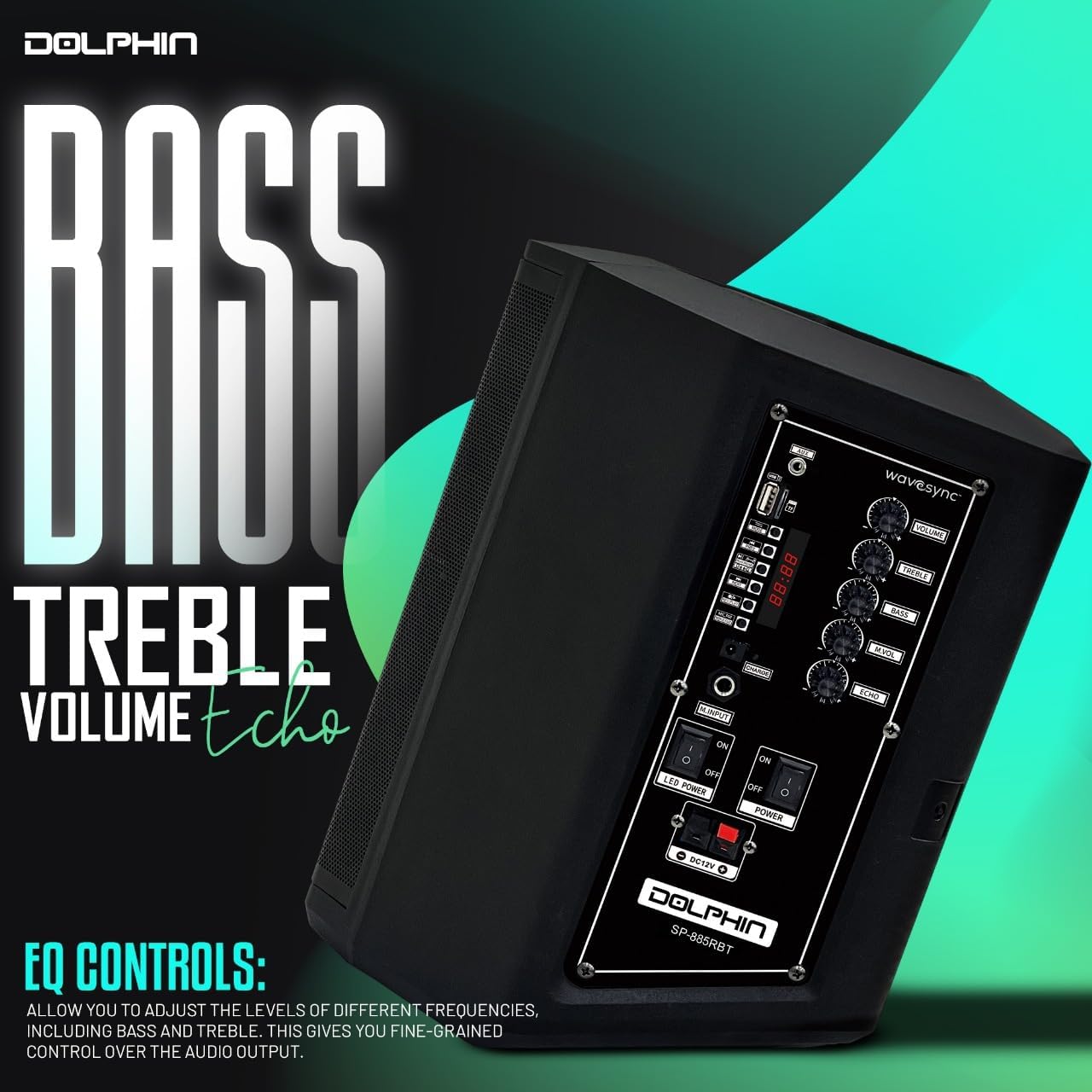
Image: A close-up view of the Dolphin SP-885RBT speaker's side control panel, showing knobs for Bass, Treble, Volume, and Echo adjustments, along with input ports and power switches.
5. Dynamic LED Ring Lights
The speaker's front panel features dynamic 3D LED ring lights that react to the music. There is a dedicated switch on the control panel to turn the LED lights ON or OFF.
6. WaveSync Pairing (True Wireless Stereo)
If you have two Dolphin SP-885RBT speakers, you can pair them together for a True Wireless Stereo (TWS) experience, providing a wider and more immersive soundstage. Follow these steps:
- Ensure both speakers are powered on and not connected to any Bluetooth device.
- Press and hold the "WaveSync" button on both speakers simultaneously.
- The speakers will attempt to connect to each other. Once connected, you will hear a confirmation sound.
- Now, connect your mobile device to one of the speakers via Bluetooth. Audio will play through both speakers in stereo.
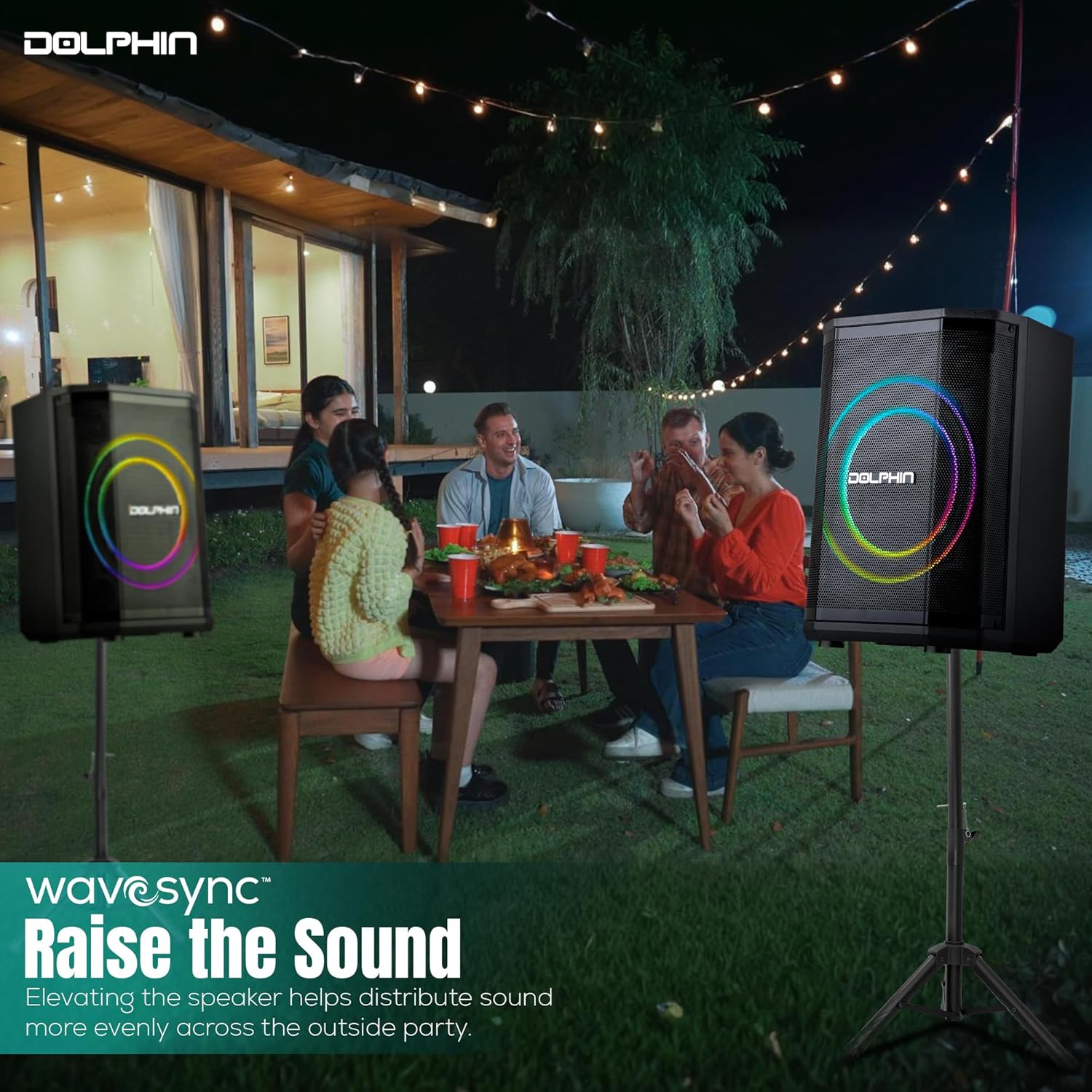
Image: Two Dolphin SP-885RBT speakers positioned on stands outdoors during a gathering, demonstrating the WaveSync feature for synchronized audio and enhanced sound distribution.
Maintenance
1. Cleaning
Wipe the speaker's exterior with a soft, dry cloth. Do not use abrasive cleaners, waxes, or solvents as they may damage the finish. Avoid getting moisture into any openings.
2. Battery Care
To prolong battery life, avoid fully discharging the battery frequently. Recharge the speaker regularly, even if not in use, to maintain battery health. Store the speaker in a cool, dry place when not in use for extended periods.
3. Storage
When storing the speaker, ensure it is powered off and disconnected from the power source. Store it in a dry environment away from extreme temperatures and direct sunlight.
Troubleshooting
| Problem | Possible Cause | Solution |
|---|---|---|
| No power | Battery drained; Power cable not connected | Charge the speaker; Ensure power cable is securely connected |
| No sound | Volume too low; Incorrect input mode; Device not paired (Bluetooth) | Increase volume; Select correct input mode (Bluetooth, USB, AUX); Re-pair Bluetooth device |
| Bluetooth not connecting | Speaker not in pairing mode; Device too far; Interference | Ensure speaker is in pairing mode; Move device closer; Avoid obstacles; Turn off other Bluetooth devices |
| Microphone not working | Microphone off; Microphone volume too low; Battery low in mic | Turn on microphone; Increase microphone volume on speaker; Replace microphone batteries |
| LED lights not working | LED switch off | Ensure LED power switch is ON |
Specifications
| Model Number | SP-885RBT |
| Brand | Dolphin |
| Output Wattage | 40W RMS |
| Woofer Size | 8 inches |
| Tweeter Size | 1.5 inches |
| Connectivity Technology | Bluetooth, USB, AUX |
| Power Source | Battery Powered (1 Lithium Ion battery included) |
| Product Dimensions (L x W x H) | 5 x 5 x 5 inches |
| Item Weight | 11.53 pounds |
| Color | Black |
| UPC | 810059432604 |

Image: The Dolphin SP-885RBT speaker with its dimensions (Height 11", Width 10.3", Length 13.8") and weight (42 lbs) as depicted in the graphic. Note: Official product specifications list dimensions as 5 x 5 x 5 inches and item weight as 11.53 pounds.
Official Product Video
Video: An official product video showcasing the Dolphin TILT 885 Portable Bluetooth Speaker with Microphone, highlighting its features and portability.
Warranty and Support
For warranty information or technical support, please refer to the warranty card included with your product or contact the manufacturer, General Sound Co, directly. Contact details can typically be found on the product packaging or the manufacturer's official website.