1. Introduction
This manual provides essential information for the safe and efficient operation of your VIVO Large Electric Standing Desk. Please read all instructions carefully before assembly and use to ensure proper function and longevity of the product. This electric standing desk is designed to provide a versatile workstation, allowing for seamless transitions between sitting and standing positions to promote a healthier work environment.
2. Safety Information
- Always follow the assembly instructions carefully.
- Keep fingers and other body parts away from moving parts during height adjustment.
- Do not exceed the maximum weight limit of 220 lbs (100 kg) to ensure stability and prevent damage.
- Ensure the desk is placed on a level surface.
- Do not sit or stand on the desk.
- Ensure all cables are properly managed to avoid entanglement during height adjustments.
- This product is suitable for dry indoor environments only.
- In case of a sudden power failure, the desk can be returned to a flat angle using the emergency power function (if applicable).
3. Package Contents
Your VIVO Large Electric Standing Desk is shipped in two separate boxes, which may arrive on different days. Please ensure all components are present before beginning assembly.
- Assembly Manual
- Memory Controller
- Desk Frame Components
- 83 x 30-inch Desktop (3-piece)
- Hardware Pack
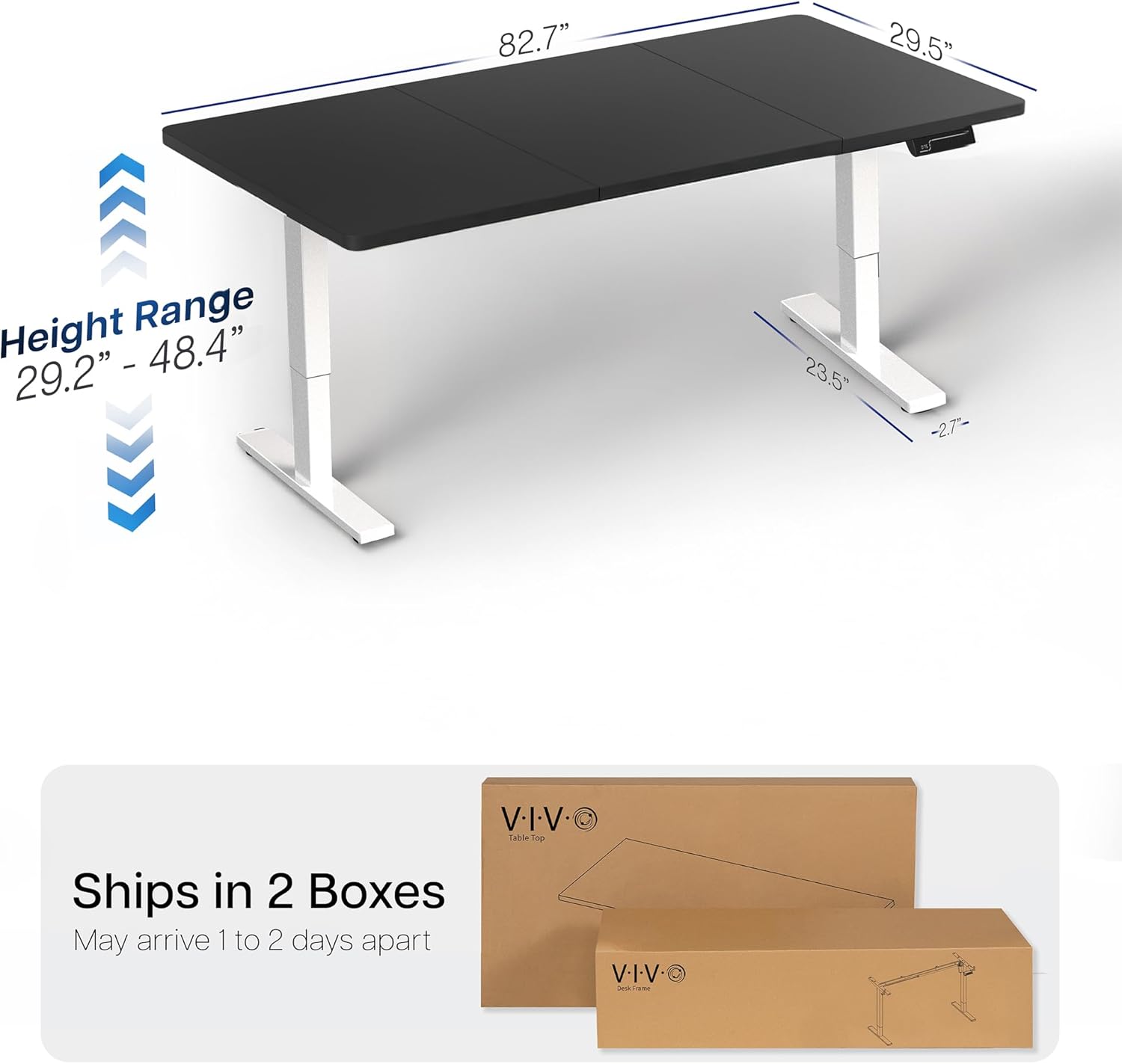
Figure 3.1: The VIVO desk is shipped in two boxes, which may arrive separately.
4. Setup and Assembly
Assembly of the VIVO Large Electric Standing Desk requires careful attention to detail. It is recommended that two people perform the assembly for ease and safety. A screwdriver is recommended for assembly, but other tools are not included.
- Unpack all components and verify against the parts list in the included Assembly Manual.
- Assemble the desk frame according to the step-by-step instructions provided in the Assembly Manual. This typically involves attaching the legs to the crossbar and feet.
- Secure the three-piece desktop panels to the assembled frame. Ensure panels are aligned precisely for a smooth, sturdy surface.
- Install the control panel (memory controller) to the underside of the desktop in the designated location.
- Connect the motor and control panel cables to the power source and then to a wall outlet.
- Perform an initial calibration as per the Assembly Manual to ensure proper height adjustment functionality.
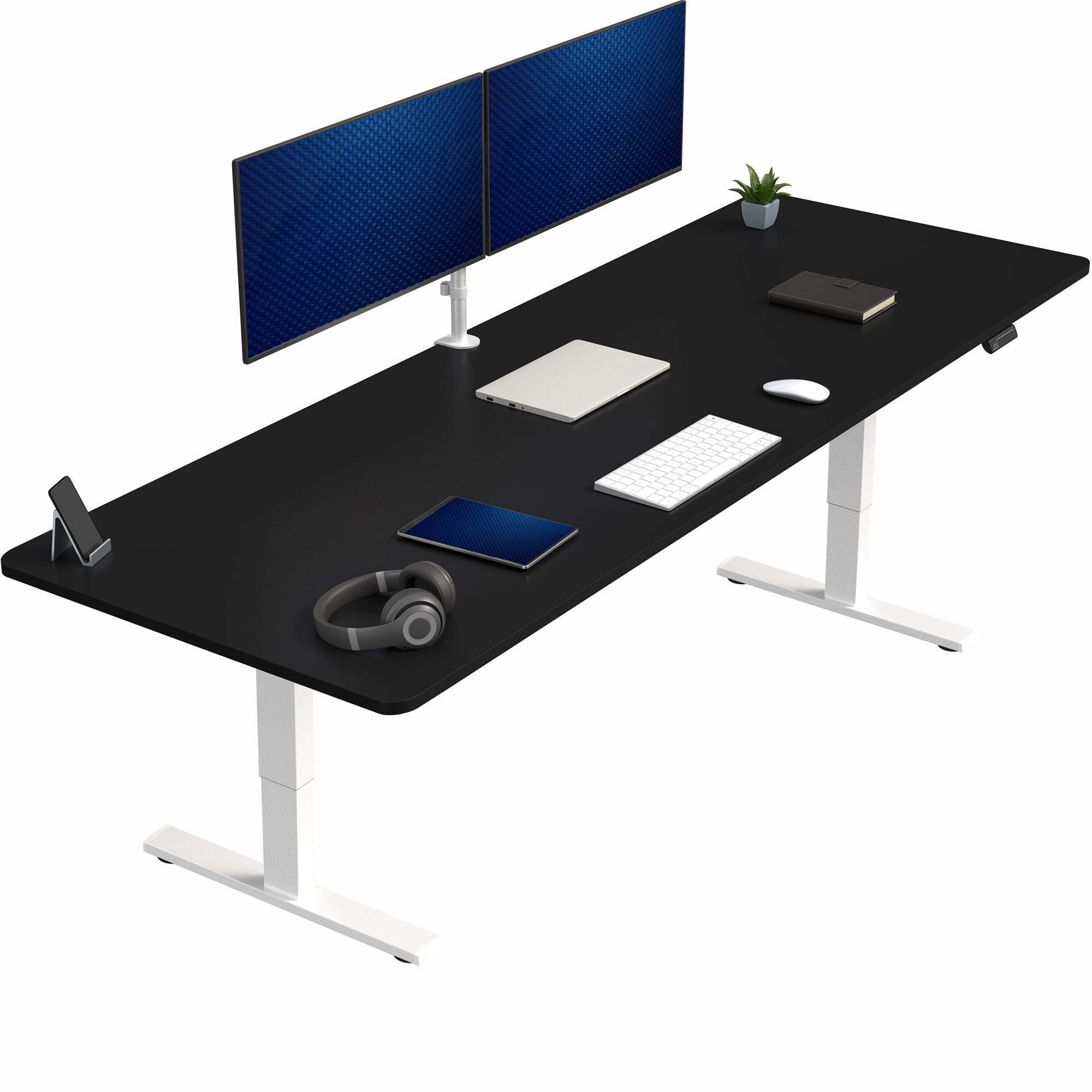
Figure 4.1: Fully assembled VIVO Large Electric Standing Desk.
5. Operating Instructions
5.1 Height Adjustment
The desk features a powerful electric motor for smooth and precise telescopic height adjustment. The height range is from 29.2 inches (sitting height) to 48.4 inches (standing height).
- Use the Up (▲) and Down (▼) buttons on the memory controller to manually adjust the desk to your desired height.
- The LED display on the controller shows the current height in inches.

Figure 5.1: Wide height range from 29.2 inches to 48.4 inches.
5.2 Memory Presets
The memory controller allows you to save up to four preferred height settings for quick and easy transitions.
- To save a height: Adjust the desk to your desired height using the Up/Down buttons. Press the 'M' button, then press one of the numbered preset buttons (1, 2, 3, or 4) within 3 seconds. The display will confirm the setting is saved.
- To recall a saved height: Simply press the corresponding numbered preset button (1, 2, 3, or 4). The desk will automatically move to the saved position.

Figure 5.2: Memory controller with 4 preset height settings.
5.3 Benefits of an Active Workstation
Regularly switching between sitting and standing positions can contribute to improved posture, reduced strain, and increased efficiency throughout your workday.

Figure 5.3: Benefits of using an active standing desk.
6. Maintenance
- Regularly clean the desktop surface with a soft, damp cloth. Avoid abrasive cleaners.
- Check all screws and connections periodically to ensure they are tight and secure.
- Inspect power cords for any signs of damage. Replace immediately if damaged.
- Keep the motor and moving parts free from dust and debris.
7. Troubleshooting
If you encounter any issues with your VIVO Electric Standing Desk, please refer to the comprehensive troubleshooting section in your Assembly Manual. Common issues may include:
- Desk not responding to controls: Check power connections and ensure the motor cables are securely plugged in.
- Uneven height adjustment: Perform a calibration as described in the Assembly Manual.
- Error codes on display: Consult the Assembly Manual for specific error code meanings and solutions.
If problems persist, contact VIVO customer support for assistance.
8. Specifications
| Feature | Specification |
|---|---|
| Brand | VIVO |
| Model Number | DESK-KIT-1W8B |
| Desk Design | Computer Desk |
| Product Dimensions (D x W x H) | 29.5"D x 82.7"W x 29.2"H |
| Color | Black Top / White Frame |
| Base Material | Alloy Steel |
| Top Material Type | Engineered Wood (Particle Board) |
| Special Feature | Adjustable Height |
| Lifting Mechanism | Electric |
| Number of Height Positions | 4 (Memory Presets) |
| Minimum Height | 29.2 Inches |
| Maximum Height | 48.4 Inches |
| Maximum Weight Recommendation | 220 Pounds |
| Item Weight | 67 Pounds |
| Required Assembly | Yes |
| Recommended Number of People for Assembly | 2 |
9. Warranty
This VIVO product comes with a Limited Warranty. Please refer to the warranty section in your Assembly Manual for specific terms and conditions.
10. Customer Support
For any questions, missing parts, or assistance with your VIVO Large Electric Standing Desk, please contact VIVO customer support. You can find contact information in your Assembly Manual or by visiting the official VIVO website.
11. Product Videos
Video 11.1: A user demonstrates the smooth and quiet electric height adjustment of the VIVO standing desk, highlighting its stability and ease of use for a productive workspace.
Video 11.2: A user showcases the VIVO electric standing desk's height adjustment, emphasizing its quiet motor and the convenience of memory presets for quick transitions between sitting and standing.
Video 11.3: A user demonstrates the VIVO electric standing desk's height adjustment, highlighting its quiet operation and the ability to customize height settings for personalized comfort.
Video 11.4: A user demonstrates the VIVO electric standing desk's height adjustment, showcasing its smooth movement and the convenience of the control panel for setting preferred heights.
Video 11.5: A user demonstrates the VIVO electric standing desk's height adjustment, highlighting its quiet motor and the ability to save multiple height presets for different users or tasks.
Video 11.6: A user demonstrates the VIVO electric standing desk's height adjustment, showcasing its smooth and stable operation, making it ideal for a dynamic work environment.
Video 11.7: A user demonstrates the VIVO electric standing desk's height adjustment, highlighting its ease of use and the benefits of switching between sitting and standing throughout the day.
Video 11.8: A user demonstrates the VIVO electric standing desk's height adjustment, showcasing its smooth and quiet motor, making it suitable for any office environment.


