1. Introduction
Thank you for choosing the little meatball Smart Ring. This innovative device is designed to seamlessly integrate into your daily life, providing comprehensive fitness tracking, sleep monitoring, and activity insights. Crafted from durable stainless steel with a retro-inspired design, it offers both style and advanced functionality. This manual will guide you through the setup, operation, and maintenance of your Smart Ring to ensure optimal performance and a fulfilling user experience.

The little meatball Smart Ring, featuring its unique design and advanced sensor technology.
2. What's in the Box
Please check the package contents to ensure all items are present:
- Smart Ring (Model: w9)
- Charging Cable
- Instruction Manual (this document)
3. Setup
3.1 Charging the Smart Ring
Before first use, fully charge your Smart Ring. The ring features a USB rechargeable battery designed for convenience and long-lasting performance.
- Connect the provided charging cable to the charging port on your Smart Ring.
- Plug the other end of the USB cable into a standard USB power adapter (not included) or a computer's USB port.
- The ring will indicate charging status (e.g., an LED light). A full charge typically takes approximately 2 hours.
- Once fully charged, the ring can last up to 7 days with normal use, and up to 30 days on standby.
3.2 Initial Pairing and App Installation
To access all features and view your health data, you need to download the companion application and pair your Smart Ring.
- Scan the QR code provided in the packaging or search for the official 'little meatball Smart Ring' app in your device's app store (iOS or Android).
- Install the application on your smartphone. Note that the app is free and requires no subscription fees.
- Ensure your Smart Ring is charged and within Bluetooth range of your smartphone.
- Open the app, create an account if prompted, and follow the on-screen instructions to add a new device.
- Select your Smart Ring from the list of available Bluetooth devices to complete the pairing process.
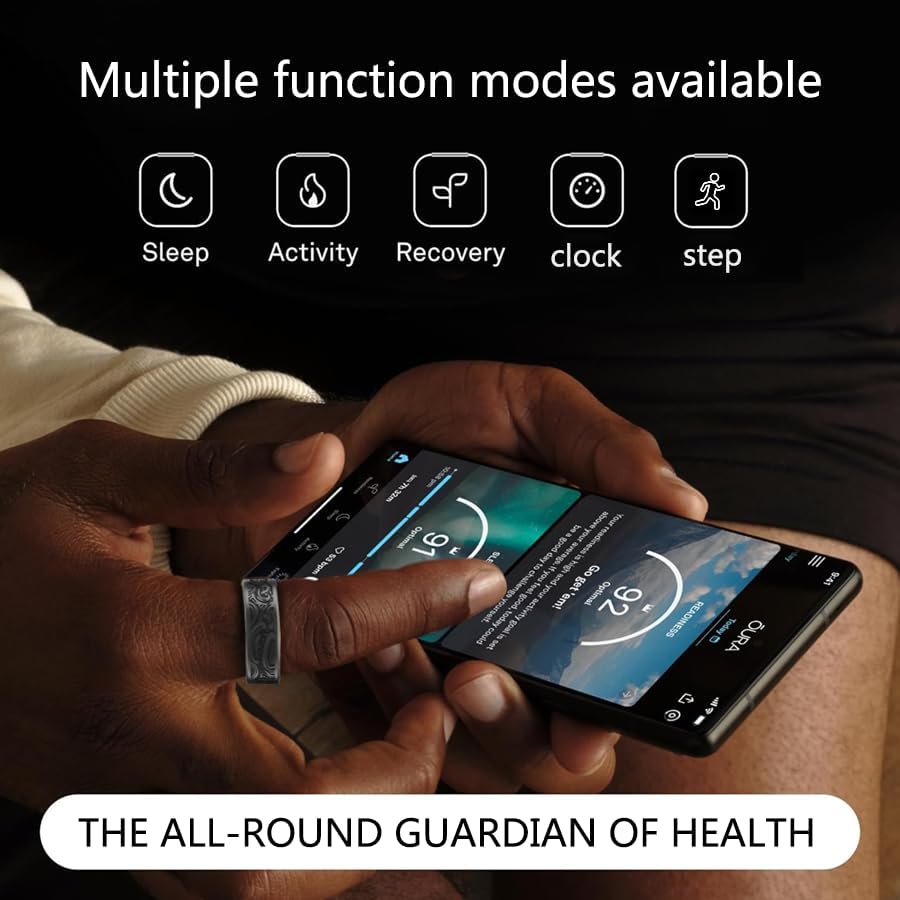
The Smart Ring seamlessly connects with its companion app, offering multiple function modes for comprehensive health tracking.
3.3 Sizing and Fit
For accurate data collection, it is crucial that your Smart Ring fits correctly. A snug but comfortable fit on your finger is ideal.

Ring Size Guide: Use this table to find the appropriate size based on diameter and perimeter measurements.

How to Measure Your Finger Size: Follow these steps for precise ring sizing.
If you are unsure of your ring size, use the provided sizing guides. A proper fit ensures the sensors maintain consistent contact with your skin, leading to more reliable data.
4. Operating Your Smart Ring
4.1 Basic Functions
Your Smart Ring continuously monitors various health metrics throughout the day and night:
- Activity Tracking: Automatically tracks your steps, distance traveled, and calories burned.
- Sleep Monitoring: Monitors your sleep patterns, including sleep stages (light, deep, REM), duration, and quality.
- Heart Rate Monitoring: Provides continuous or on-demand heart rate readings.
- Blood Oxygen (SpO2) Monitoring: Measures your blood oxygen saturation levels.
4.2 Using Exercise Modes
The Smart Ring supports over 20 exercise modes to accurately track your workouts. To activate and use an exercise mode:
- Open the companion app on your smartphone.
- Navigate to the 'Exercise' or 'Workout' section.
- Select your desired exercise mode (e.g., walking, running, cycling, yoga).
- Start the activity within the app. The ring will begin recording data specific to that exercise.
- End the activity in the app once your workout is complete.
4.3 Data Synchronization and Understanding Your Data
Your Smart Ring automatically synchronizes data with the app when connected via Bluetooth. The app provides detailed insights into your health and fitness:
- Daily Summaries: View your activity, sleep, and heart rate trends over days, weeks, and months.
- Recovery Snapshot: The app provides a 'Recovery Snapshot' which includes metrics like Readiness, Sleep Score, and Heart Rate Variability (HRV) to help you understand your body's recovery status.
- Stress Monitoring: Track your stress levels throughout the day.
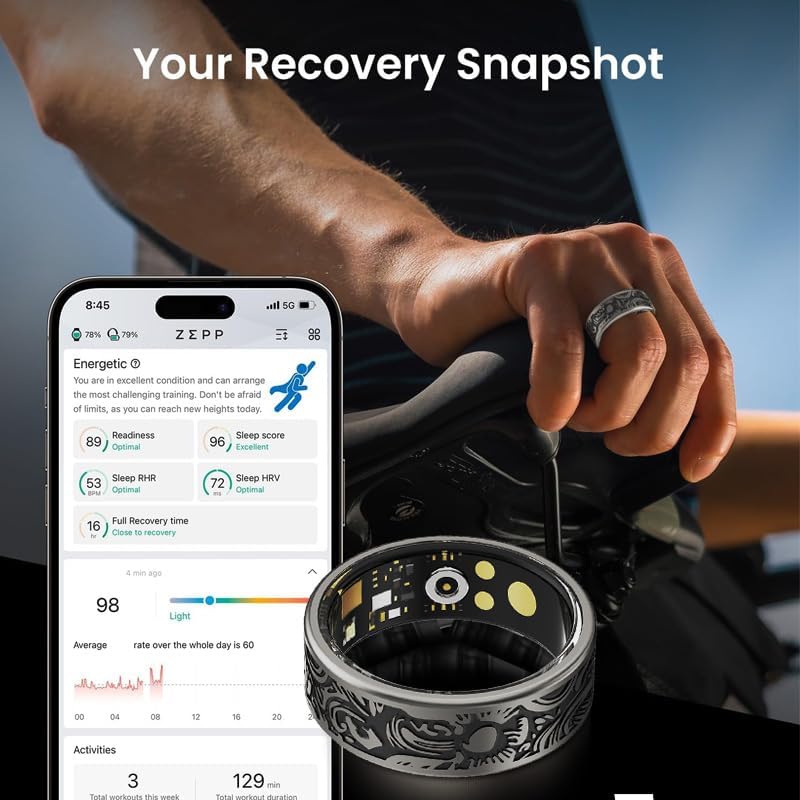
The app's 'Recovery Snapshot' provides a comprehensive overview of your body's readiness and recovery.
5. Maintenance and Care
5.1 Cleaning
To keep your Smart Ring in optimal condition and ensure accurate readings, regular cleaning is recommended:
- Wipe the ring with a soft, damp cloth.
- Avoid using harsh chemicals, abrasive cleaners, or solvents, as these can damage the ring's finish and sensors.
- Ensure the charging contacts are clean and dry before charging.
5.2 Water Resistance
The Smart Ring has an IP68 waterproof rating, meaning it is resistant to dust and can withstand submersion in water up to 1.5 meters for 30 minutes. This makes it suitable for daily activities such as:
- Washing hands
- Showering
- Swimming in shallow water
However, it is not recommended for diving, high-pressure water activities, or prolonged submersion in hot water (e.g., hot tubs, saunas) as steam and high temperatures can compromise the seal over time.

The Smart Ring is IP68 waterproof and sweatproof, protecting it from daily exposure to water.
5.3 Storage
When not in use for extended periods, store your Smart Ring in a cool, dry place away from direct sunlight and extreme temperatures. Ensure it is fully charged before storing to preserve battery health.
6. Troubleshooting
6.1 Ring Not Connecting to App
- Ensure Bluetooth is enabled on your smartphone.
- Make sure the Smart Ring is charged and powered on.
- Keep the ring within close proximity to your smartphone during pairing.
- Restart both your smartphone and the Smart Ring (if applicable).
- Try unpairing and re-pairing the device through the app's settings.
6.2 Inaccurate Data Readings
- Fit: Ensure the ring fits snugly but comfortably on your finger. A loose fit can lead to inaccurate sensor readings.
- Cleanliness: Make sure the sensors on the inside of the ring are clean and free from dirt or debris.
- Placement: For best results, wear the ring on your index or middle finger.
- App Update: Ensure your companion app is updated to the latest version.
6.3 Battery Not Charging
- Verify that the charging cable is securely connected to both the ring and the power source.
- Try a different USB port or power adapter.
- Ensure the charging contacts on the ring are clean and free of corrosion.
- If the issue persists, contact customer support.
7. Specifications
| Feature | Detail |
|---|---|
| Model | w9 |
| Connectivity | Bluetooth |
| Water Resistance | IP68 |
| Battery Life (Normal Use) | Up to 7 days |
| Battery Capacity | 20 Milliamp Hours (mAh) |
| Battery Type | Lithium Ion |
| Memory Storage Capacity | 128 MB |
| Material | Stainless Steel |
| Item Weight | 3.35 ounces |
| Operating System | Proprietary (compatible with Wear OS 3.0 data) |
| GPS | No GPS |
8. Warranty and Support
Your little meatball Smart Ring is covered by a standard manufacturer's warranty against defects in materials and workmanship. Please refer to the warranty card included in your packaging for specific terms and conditions.
For technical support, troubleshooting assistance, or warranty claims, please contact our customer service team:
- Email: support@littlemeatball.com (example)
- Website: little meatball Official Store
When contacting support, please have your product model (w9) and purchase information ready.


