
1. Introduction
Welcome to the Fitpolo W208 Plus Smart Watch user manual. This guide provides detailed instructions to help you get started with your new smartwatch, understand its features, and ensure optimal performance. The Fitpolo W208 Plus is designed to integrate seamlessly into your daily life, offering health monitoring, communication features, and fitness tracking capabilities.
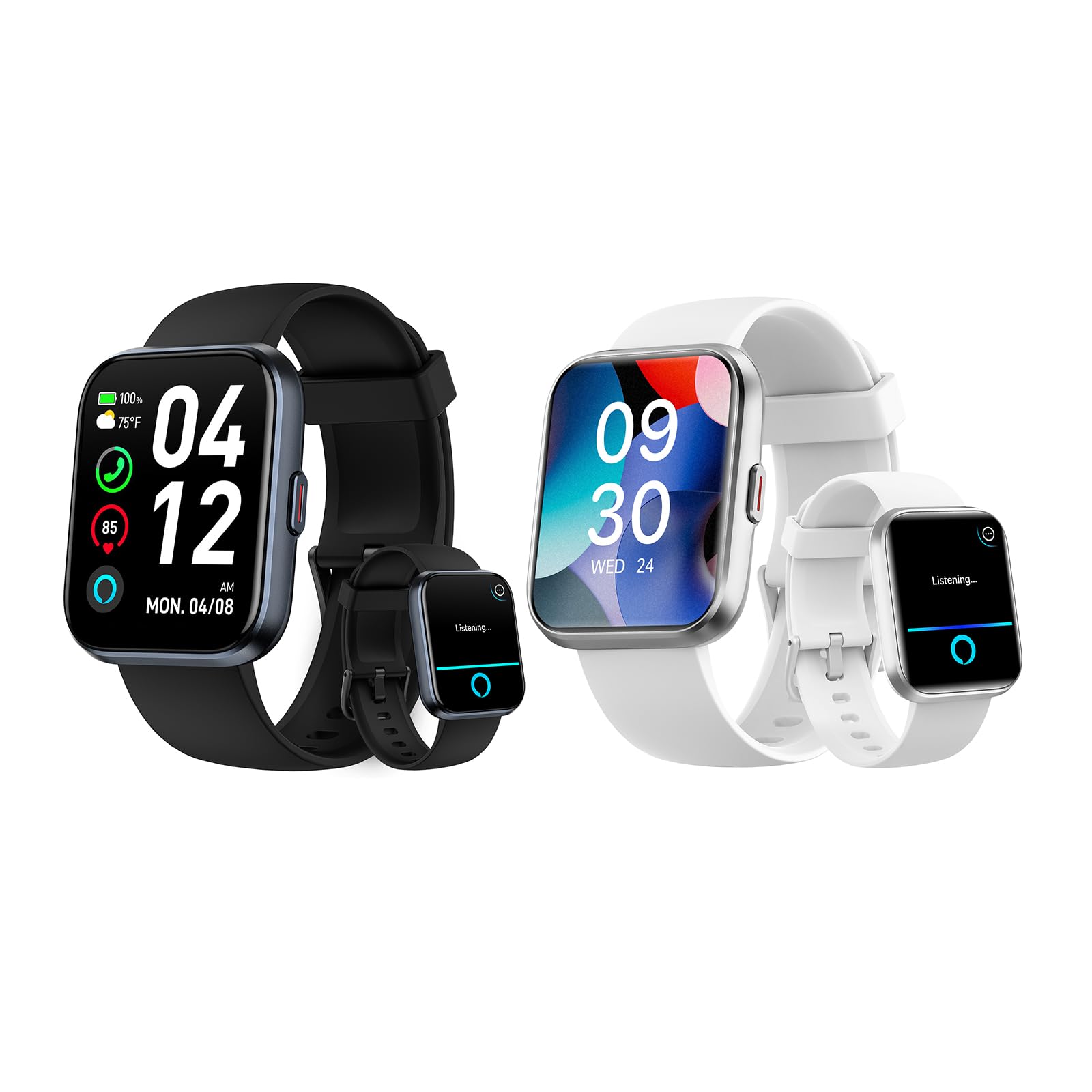
Image: The Fitpolo W208 Plus Smart Watch with its main display showing time, date, weather, and health metrics.
2. What's in the Box
Please check the package contents upon unboxing to ensure all items are present:
- Fitpolo W208 Plus Smart Watch
- Watch Band
- Charging Cable
- User Manual (this document)
3. Setup
3.1. Charging the Smart Watch
Before first use, fully charge your Fitpolo W208 Plus Smart Watch. Connect the charging cable to the charging port on the back of the watch and plug the USB end into a power adapter (not included) or a computer's USB port. A full charge typically takes approximately 2.5 hours.

Image: The Fitpolo W208 Plus Smart Watch connected to its charging cable, highlighting its 2.5-hour charging time and 7-day typical use battery life.
3.2. App Installation and Pairing
To unlock the full potential of your Fitpolo W208 Plus Smart Watch, you need to install the companion application on your smartphone.
- Download the App: Search for the "Veryfit" app in your smartphone's app store (Google Play Store for Android or Apple App Store for iOS) and install it.
- Create an Account: Open the Veryfit app and follow the on-screen instructions to create a new account or log in if you already have one.
- Pair the Watch:
- Ensure Bluetooth is enabled on your smartphone.
- Open the Veryfit app and navigate to the 'Device' or 'Add Device' section.
- The app will search for nearby devices. Select "W208 Plus" from the list of available devices.
- Confirm the pairing request on both your watch and smartphone.
- Complete Setup: Follow any remaining prompts in the app to complete the initial setup, including personal information and notification preferences.
4. Operating Your Smart Watch
4.1. Basic Navigation
The Fitpolo W208 Plus features a 1.8-inch TFT-LCD colorful touchscreen for intuitive navigation. Swipe left, right, up, or down to access different functions and menus. The side button typically serves as a home button or to wake/sleep the screen.

Image: The Fitpolo W208 Plus Smart Watch screen, emphasizing its 1.8-inch size and 240x284 resolution.
4.2. Amazon Alexa Voice Assistant
Your Fitpolo W208 Plus Smart Watch includes a built-in Amazon Alexa voice assistant. To use Alexa:
- Ensure your watch is connected to your smartphone and has an active internet connection.
- Activate Alexa on your watch (refer to the watch interface for specific activation method, usually a swipe or button press).
- Speak your commands or questions clearly. For example, "Alexa, what's the weather today?" or "Alexa, set a timer for 5 minutes."

Image: A user interacting with the Fitpolo W208 Plus Smart Watch, demonstrating the Alexa voice assistant feature for queries and reminders.
4.3. Bluetooth Calls and Notifications
With Bluetooth 5.3 connectivity, you can manage calls and receive notifications directly on your watch.
- Making/Answering Calls: When a call comes in, you can answer or decline it from your watch. You can also dial numbers directly using the built-in dialpad.
- Message Notifications: Receive alerts for SMS, WhatsApp, Facebook, Instagram, X, Telegram, TikTok, Skype, and other apps. Note: The watch cannot send messages or text back. Bluetooth range is approximately 8-10 meters.

Image: The Fitpolo W208 Plus Smart Watch displaying incoming call and message notifications, along with its built-in dialpad.
4.4. 24/7 Health Monitoring
The watch utilizes advanced sensors to track various health metrics:
- Heart Rate: Continuous monitoring of your heart rate.
- SpO2: Measures blood oxygen levels.
- Stress Level: Provides insights into your stress patterns.
- Sleep Quality: Tracks deep sleep, light sleep, and awake times.
All recorded data is synced to the "Veryfit" app for detailed analysis. The watch can also vibrate to alert you if your health metrics are outside normal ranges.

Image: An illustration of the Fitpolo W208 Plus Smart Watch's integrated high-precision sensors, showing data for blood oxygen, heart rate, sleep, and stress levels.
4.5. 110+ Sports Modes
The Fitpolo W208 Plus acts as a daily pedometer, tracking steps, distance, and calorie consumption. It also supports over 110 dedicated sports modes, including:
- Running
- Walking
- Hiking
- Badminton
- Basketball
- Boating
- Climbing
- Cycling
- Fitness
- Football
- Swimming
- Yoga
- And many more.

Image: A person cycling while wearing the Fitpolo W208 Plus Smart Watch, with icons representing over 110 built-in sports modes.
4.6. Customization and Other Functions
- Watch Faces: Choose from over 120 watch faces or personalize your watch by setting a favorite photo as the background.
- Multi-Functions: Includes Sedentary Reminder, Flashlight, Weather Forecasts, Music/Camera Control, Alarms, Stopwatch, Timer, Motion Recognition, Breather Guide, Raise to Wake, and Find Your Phone.
5. Maintenance
5.1. Battery Life and Charging
The Fitpolo W208 Plus offers a remarkable 7-day battery life with typical use after a 2.5-hour charge. To maximize battery longevity:
- Avoid extreme temperatures.
- Charge the watch before the battery is completely depleted.
- Use the provided charging cable.
5.2. Waterproofing
The watch has an IP68 waterproof rating, meaning it is resistant to dust and can withstand immersion in water up to 1.5 meters for 30 minutes. It is suitable for:
- Handwashing
- Face washing
- Sweaty activities
- Swimming (in shallow water)
Note: It is not recommended for hot showers, saunas, or diving, as steam and high water pressure can compromise the seal.
6. Troubleshooting
- Watch not turning on: Ensure the watch is fully charged.
- Cannot pair with phone: Make sure Bluetooth is enabled on your phone, the Veryfit app is open, and the watch is within Bluetooth range (8-10 meters). Restart both the watch and phone if issues persist.
- Inaccurate health data: Ensure the watch is worn snugly on your wrist, not too tight or too loose. Clean the sensors regularly.
- Notifications not appearing: Check app notification settings on your phone and within the Veryfit app. Ensure the watch is connected via Bluetooth.
7. Specifications
| Feature | Detail |
|---|---|
| Model Number | W208 Plus |
| Operating System | Wear OS 2.0 |
| Connectivity Technology | Bluetooth 5.3 |
| Display Type | 1.8-inch TFT-LCD |
| Scanner Resolution | 320 x 320 |
| Human Interface Input | Touchscreen |
| GPS | No GPS |
| Waterproof Rating | IP68 |
| Compatible Devices | iOS and Android smartphones |
| Battery Life (Typical Use) | 7 Days |
| Charging Time | 2.5 Hours |
8. Warranty and Support
Fitpolo provides 3 years of after-sales service and warranty for the W208 Plus Smart Watch. For technical support, warranty claims, or any questions regarding your device, please contact Fitpolo customer service through the official website or the contact information provided in the Veryfit app.
Please retain your proof of purchase for warranty purposes.


