
Product Overview
The BOYA BOYALINK 2 A1 is an all-in-one wireless lavalier microphone system designed for universal compatibility with a wide range of devices, including iPhones, Android phones, cameras, and PCs. It offers high-quality audio recording with advanced features such as 48kHz/24Bit audio format, 2-level noise cancellation, and a stable 1000ft transmission range. Its compact and lightweight design ensures portability and ease of use for various recording scenarios.
This manual provides detailed instructions to help you set up, operate, and maintain your BOYA BOYALINK 2 A1 microphone system, ensuring optimal performance and longevity.
Package Contents
The BOYA BOYALINK 2 A1 package includes the following components:
- 1x 1000mAh Charging Case
- 1x Carrying Bag
- 1x BOYALINK 2 Receiver (with integrated USB Type-C, Lightning, and 3.5mm TRS Adapters)
- 2x Fur Windshields
- 1x USB-A to USB-C Charging Cable
- 2x BOYALINK 2 Transmitters
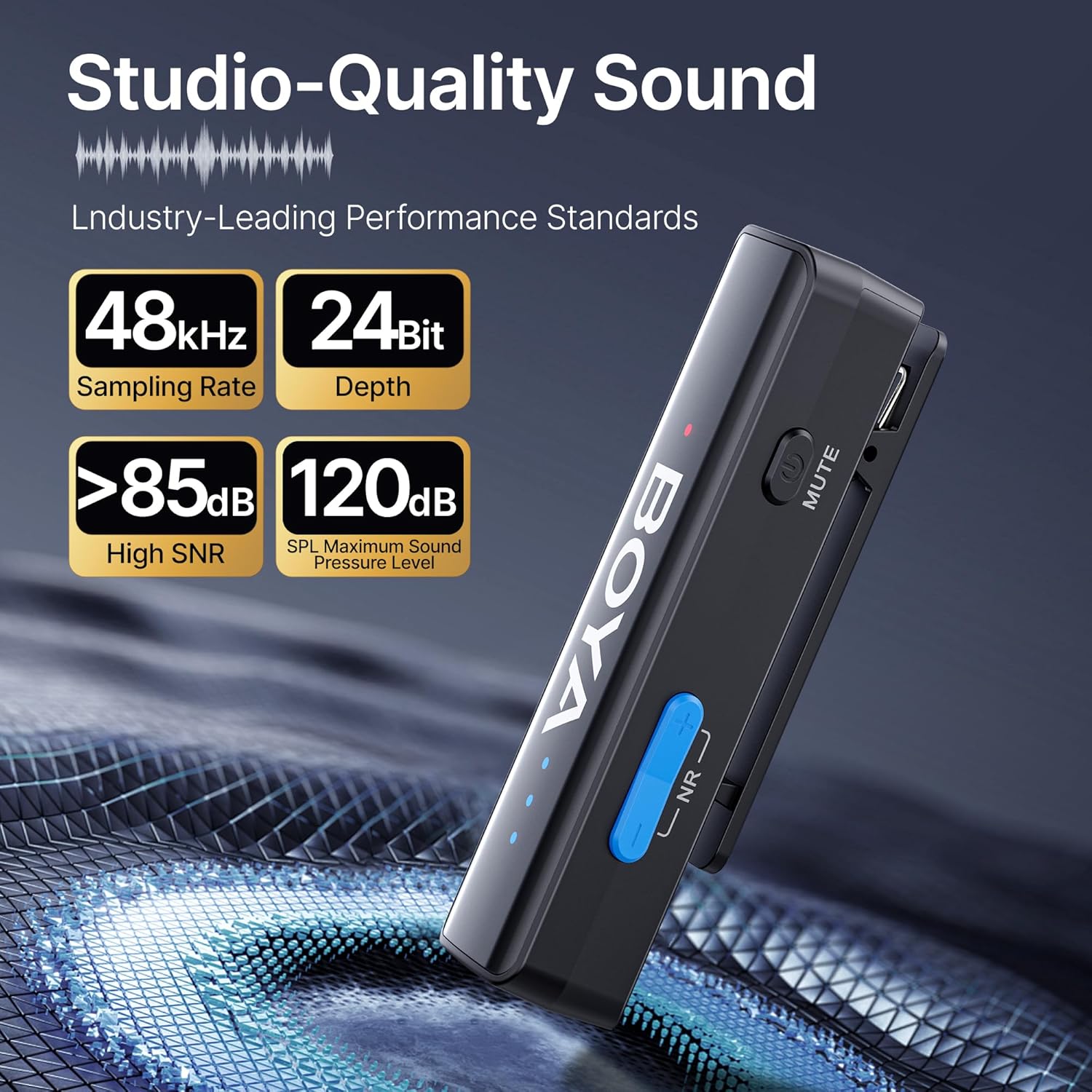
Image: The complete BOYA BOYALINK 2 A1 wireless microphone kit, including the charging case, transmitters, receiver, adapters, and accessories.
Initial Setup
The BOYALINK 2 A1 system is designed for effortless plug-and-play operation. Follow these steps for initial setup:
- Charge the System: Before first use, ensure the charging case and both transmitters are fully charged using the provided USB-A to USB-C charging cable. The charging case has indicator lights to show battery status.
- Select the Correct Adapter: The receiver unit features a unique 3-in-1 design. Slide out the appropriate adapter (Lightning for Apple devices, USB-C for Android/PC, or 3.5mm TRS for cameras) from the receiver.
- Connect the Receiver: Plug the receiver with the selected adapter directly into your recording device (smartphone, camera, or PC).
- Power On Transmitters: Take the transmitters out of the charging case. They should automatically power on and pair with the receiver. A solid blue indicator light on the transmitters confirms successful pairing.
- Attach Windshields (Optional): For outdoor recording or windy environments, attach the fur windshields to the top of the transmitters to minimize wind noise.

Image: The BOYA BOYALINK 2 A1 receiver showcasing its universal compatibility with interchangeable Lightning, USB-C, and 3.5mm TRS adapters.
Video: A seller demonstrating the smart features and setup process of the mini microphone, highlighting its ease of use and functionality.
Basic Operation
Once set up, operating your BOYALINK 2 A1 is straightforward:
- Auto-Pairing: The transmitters and receiver automatically pair when removed from the charging case. No manual pairing is required.
- Gain Control: The transmitters offer 6 volume control levels, each providing a 6dB boost, for a total of up to 36dB. Adjust the gain to find the perfect volume setting for your surroundings. LED indicators clearly display the current volume level.
- Noise Cancellation: Activate the 2-level noise reduction modes (strong/weak) with a single click to minimize background noise. This feature, combined with DSP active noise cancellation and windproof fur covers, ensures crystal-clear audio even in noisy environments.
- Mute Function: Easily mute the microphone directly from the transmitter.
- Phone Charging: The receiver allows for phone charging during use, preventing interruptions during long recording sessions.

Image: Illustration of the 6-level gain control feature on the BOYA BOYALINK 2 A1, showing different decibel boosts for various recording environments.

Image: The BOYA BOYALINK 2 A1 transmitter with its 2-level smart noise cancellation feature and included windshield to minimize unwanted sounds.
Video: A seller providing a detailed review of the Boyalink 2 wireless microphone, demonstrating its operational aspects and sound quality.
Key Features
The BOYA BOYALINK 2 A1 is packed with features to enhance your audio recording experience:
- Enhanced Sensitivity: Equipped with a 6mm high-sensitivity tiny microphone for precise sound capture and 360° omnidirectional pickup.
- Hi-Fi Sound: Delivers studio-grade quality with a 48kHz/24Bit audio format and 20Hz-20kHz frequency response, capturing rich, dynamic sound.
- Powerful Noise Cancelling: Features SNR > 85dB and DSP active noise cancellation, with 2-level noise reduction modes and windproof fur covers. Tolerates up to 120dB SPL without distortion.
- 1000FT Anti-Interference Transmission: High-gain LDS antenna ensures stable audio transmission up to 1000ft (LOS) with ultra-low 25ms latency, providing seamless audio-visual synchronization.
- Extended Battery Life: Each transmitter offers up to 10 hours of operating time. The 1000mAh charging case provides multiple recharges, extending total operating time significantly.
- BOYA App Control: Compatible with the BOYA Central app for external playback, noise reduction, mute, gain, and power control.

Image: Visual representation of the BOYA BOYALINK 2 A1's studio-quality sound capabilities, highlighting 48kHz/24Bit, >85dB SNR, and 120dB SPL.

Image: A smartphone recording a snowboarder from a distance, illustrating the 1000ft stable transmission and ultra-low 25ms latency of the BOYA BOYALINK 2 A1.

Image: A user interacting with the BOYA Central app on a smartphone, demonstrating control over external playback, noise reduction, mute, gain, and power functions of the microphone.
Video: A seller highlighting two key reasons why the BOYA BOYALINK 2 A1 microphone is appealing, providing a full demonstration of its features and benefits.
Technical Specifications
| Specification | Detail |
|---|---|
| Brand | BOYA |
| Model Name | BOYALINK 2 A1 |
| Connectivity Technology | Wireless |
| Connector Type | Lightning, 3.5mm Jack, USB Type-C |
| Special Feature | 3-IN-1 RX |
| Compatible Devices | Camera, Personal Computer, Smartphone |
| Polar Pattern | Omnidirectional |
| Signal-to-Noise Ratio | 85 dB |
| Frequency Response | 20Hz~20000Hz |
| Item Weight | 1.6 Ounces |
| Item Dimensions | 2 x 0.6 x 0.5 inches |
| Power Source | Battery Powered |
| Number of Batteries | 2 C batteries required. |
Care and Maintenance
To ensure the longevity and optimal performance of your BOYA BOYALINK 2 A1 Wireless Lavalier Microphone, please follow these care and maintenance guidelines:
- Cleaning: Use a soft, dry cloth to clean the transmitters, receiver, and charging case. Avoid using liquid cleaners or solvents, as they may damage the device.
- Storage: Store the microphone system in its charging case when not in use. This protects the components from dust, moisture, and physical damage. Keep the case in a cool, dry place away from direct sunlight.
- Battery Care: Fully charge the system regularly, even if not in frequent use, to maintain battery health. Avoid completely draining the batteries for extended periods.
- Handle with Care: While durable, avoid dropping the devices or subjecting them to strong impacts.
Troubleshooting Guide
If you encounter any issues with your BOYA BOYALINK 2 A1, refer to the following common troubleshooting tips:
- No Sound/Poor Audio Quality:
- Ensure both transmitters and the receiver are powered on and paired (solid blue light).
- Check that the correct adapter is securely connected to your recording device.
- Adjust the gain control on the transmitters to an appropriate level.
- Verify that the microphone is not muted.
- Disable noise cancellation in quiet environments if it affects desired audio nuances.
- Ensure the transmitters are within the 1000ft operating range and there are no major obstructions.
- Interference/Dropouts:
- Move closer to the receiver.
- Avoid environments with strong electromagnetic interference.
- Ensure a clear line of sight between the transmitter and receiver.
- Device Not Charging:
- Check the USB-C charging cable and power adapter for damage.
- Ensure the charging case is properly connected to a power source.
- Verify that the transmitters are correctly seated in the charging case.
Warranty and Customer Support
The BOYA BOYALINK 2 A1 Wireless Lavalier Microphone comes with a 2-year warranty, ensuring peace of mind regarding manufacturing defects and performance issues.
For further assistance, technical support, or warranty claims, please visit the official BOYA Store or contact their customer service. You can find more information and support resources at the BOYA Store on Amazon.


