
1. Introduction
The LYNCAST HY300 Pro+ is a portable mini projector designed for versatile entertainment. Featuring Android 14 OS, built-in streaming applications, WiFi 6, and Bluetooth 5.4, it offers a comprehensive viewing experience. This manual provides essential information for setting up, operating, maintaining, and troubleshooting your projector.

The compact design of the HY300 Pro+ allows for easy portability.
2. Setup Guide
2.1 Package Contents
Before starting, ensure all items are present in the package:
- LYNCAST HY300 Pro+ Mini Projector
- Remote Control
- Power Adapter
- HDMI Cable
- User Manual
2.2 Power Connection
Connect the power adapter to the projector's DC input port and then plug it into a power outlet. The projector will power on automatically or can be turned on using the power button on the device or remote control.

The projector features HDMI, USB, and DC input ports for various connections.
2.3 Placement and Projection
The HY300 Pro+ offers flexible placement options due to its 180° rotatable design and ultra-short throw ratio. Place the projector on a tabletop, mount it on a tripod, or even project onto the ceiling.
- 180° Multi-Angle Projection: Adjust the projector's angle to project onto walls or ceilings.
- Ultra-Short Throw: Achieve a large screen size (e.g., 100+ inches) from a short distance (under 2 meters).

The 180° rotatable design allows projection onto various surfaces, including the ceiling.

Multiple setup options: tripod, desk, or ceiling mounting.
2.4 Focus and Keystone Correction
The projector features automatic keystone correction and manual focus adjustment for a clear, rectangular image.
- Auto Keystone: The projector automatically adjusts the image shape to correct for angled projection.
- Manual Focus: Use the focus ring on the projector to sharpen the image.

Auto keystone correction and manual focus ensure a clear, properly shaped image.
3. Operating Instructions
3.1 Navigating the Android 14 OS
The projector runs on Android 14 TV OS, providing access to a wide range of applications. Use the included remote control to navigate the interface.
- Home Screen: Access pre-installed apps like Netflix, Prime Video, YouTube, Tubi, and Disney+.
- App Store: Download additional applications from the integrated app store.

Access a variety of built-in streaming applications directly from the projector.
3.2 Wireless Connectivity (WiFi 6 & Bluetooth 5.4)
Connect the projector to your home network via WiFi 6 for fast streaming and pair with Bluetooth devices for enhanced audio.
- WiFi 6: Provides faster and more stable wireless internet connection for 4K content streaming.
- Bluetooth 5.4: Connect to external Bluetooth speakers for richer sound or headphones for private listening.

Experience seamless wireless connectivity with WiFi 6 and Bluetooth 5.4.
3.3 Screen Mirroring
Mirror content from your iOS, Android, or Windows devices to the projector.
- Android Miracast / Apple AirPlay: Wirelessly cast content from compatible smartphones and tablets.
- Apple Wired Connection / Transcreen: Alternative options for Apple devices (Transcreen may require a separate download).

Mirror your smartphone, tablet, or computer screen to the projector.
3.4 External Device Connectivity
Connect various devices using the HDMI and USB ports.
- HDMI: Connect laptops, gaming consoles (Switch/PS5), TV sticks, and other HDMI-enabled devices.
- USB: Play multimedia directly from USB drives or connect other USB accessories.
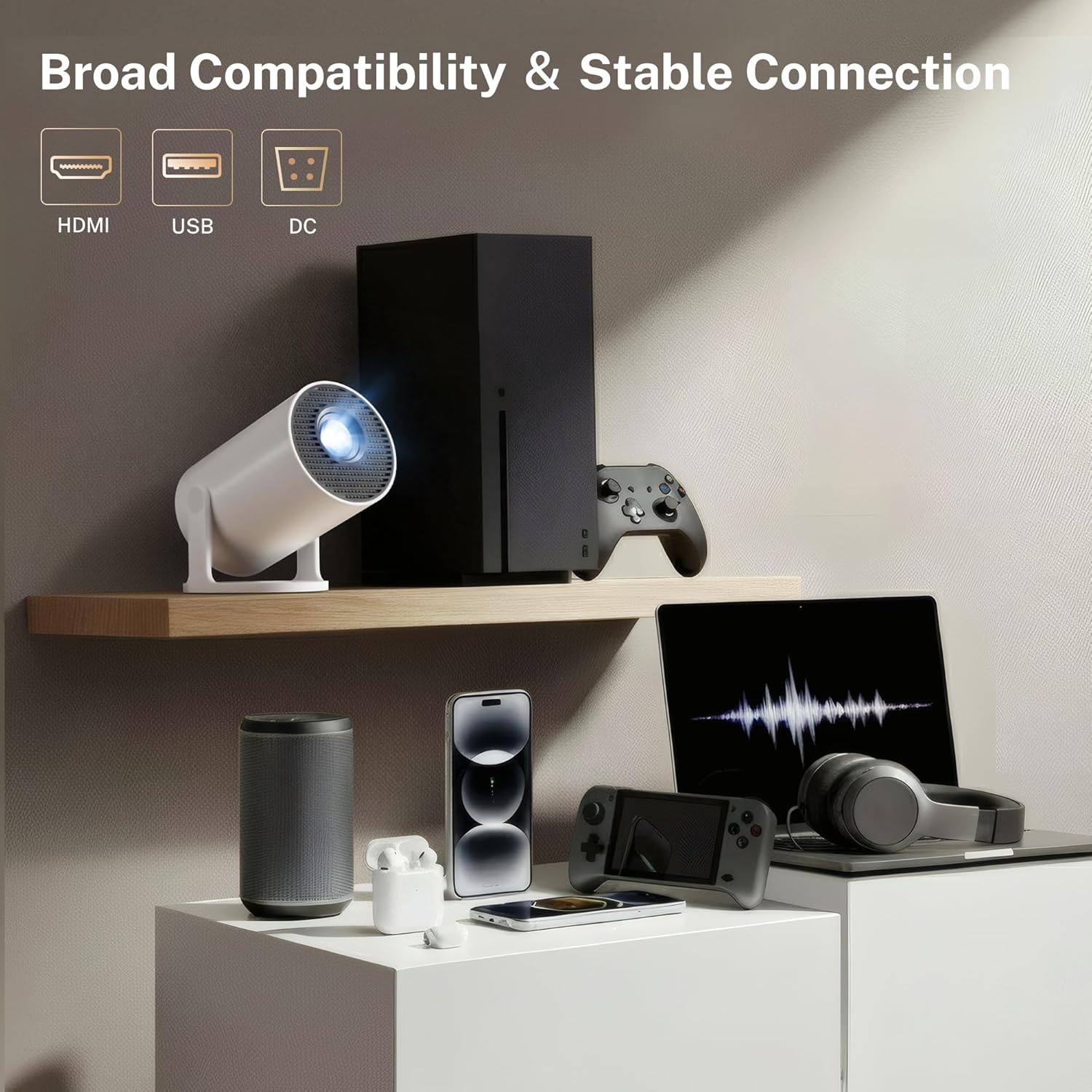
The projector offers broad compatibility with multiple devices via HDMI and USB.
4. Maintenance
4.1 Cleaning the Projector
To ensure optimal performance and longevity, keep your projector clean.
- Lens: Use a soft, lint-free cloth specifically designed for optical lenses to gently wipe the projector lens. Avoid abrasive materials or harsh chemicals.
- Exterior: Wipe the exterior casing with a soft, dry cloth. Do not use liquid cleaners directly on the projector.
- Vents: Periodically check the ventilation openings for dust accumulation. Use a soft brush or compressed air to clear any obstructions. Ensure the projector is powered off and unplugged before cleaning.
4.2 Storage
When not in use for extended periods, store the projector in a cool, dry place, away from direct sunlight and extreme temperatures. Use the original packaging or a protective case to prevent dust and damage.
5. Troubleshooting
If you encounter issues with your LYNCAST HY300 Pro+ Mini Projector, refer to the following common problems and solutions:
| Problem | Possible Cause | Solution |
|---|---|---|
| No Power | Power cable disconnected; Power outlet fault | Ensure power cable is securely connected; Try a different power outlet. |
| No Image | Input source incorrect; Lens cap on; Focus adjustment needed | Select correct input source (HDMI/USB); Remove lens cap; Adjust manual focus. |
| Blurred Image | Focus not adjusted; Keystone incorrect | Adjust manual focus; Allow auto keystone to correct or manually adjust. |
| No Sound | Volume too low; External audio device not connected; Muted | Increase volume; Connect Bluetooth speaker/headphones; Unmute the projector. |
| WiFi Connection Issues | Incorrect password; Router too far; Network interference | Verify WiFi password; Move projector closer to router; Restart router. |
| Screen Mirroring Fails | Devices not on same network; Compatibility issues | Ensure both devices are on the same WiFi network; Check device compatibility with Miracast/AirPlay. |
6. Specifications
Key technical specifications for the LYNCAST HY300 Pro+ Mini Projector:
- Brand: LYNCAST
- Model Name: HY300 Pro+
- Model Number: X1BR
- Display Resolution: Native 1280 x 720 (720P Full HD), Supports 4K input
- Brightness: 300 ANSI Lumens (equivalent to 2000 Lumen marketing term)
- Contrast Ratio: 10000:1
- Operating System: Android 14 TV OS
- Wireless Connectivity: WiFi 6, Bluetooth 5.4
- Connectivity Technology: Bluetooth, HDMI, USB, Wi-Fi
- Input Ports: HDMI, USB, DC
- Light Source Operating Life: 30000 Hours
- Maximum Image Size: 130 Inches
- Minimum Image Size: 50 Inches
- Throw Ratio: 0.8:1 (Ultra-Short Throw)
- Dimensions (L x W x H): 3.1"L x 3.1"W x 6"H (Cylindrical)
- Item Weight: 466 Grams
- Special Features: Auto Keystone, 180° Multi-Angle Projection, Built-In Apps, Built-In Speakers, Digital Zoom (50-100%)

The projector supports 4K input and offers a native 720P resolution with high brightness and contrast.

Advanced optical lens design contributes to improved performance.
7. Warranty and Support
LYNCAST offers a satisfaction guarantee for the HY300 Pro+ Mini Projector.
- Return Policy: Full refund available within 30 days for quality issues.
- EU Spare Part Availability: 7 Years
For further assistance or technical support, please refer to the contact information provided with your purchase or visit the official LYNCAST website.
8. Product Videos
8.1 Mini Projector with WiFi and Bluetooth Android TV OS
This video provides an overview of the projector's features, including its Android TV OS, WiFi, and Bluetooth capabilities.
8.2 Mini Projector with WiFi and Bluetooth Portable
This video demonstrates the portability and ease of use of the mini projector, highlighting its wireless connectivity.


