
ASHATA Y4000 Mini DV DVR Camera User Manual
Model: ASHATA8ortn27gp9
Product Overview
The ASHATA Y4000 is a compact digital video camera designed for portable recording. It features 1080P video resolution, 2MP photo capability, a built-in flashlight, and loop recording. This manual provides instructions for its proper use and maintenance.
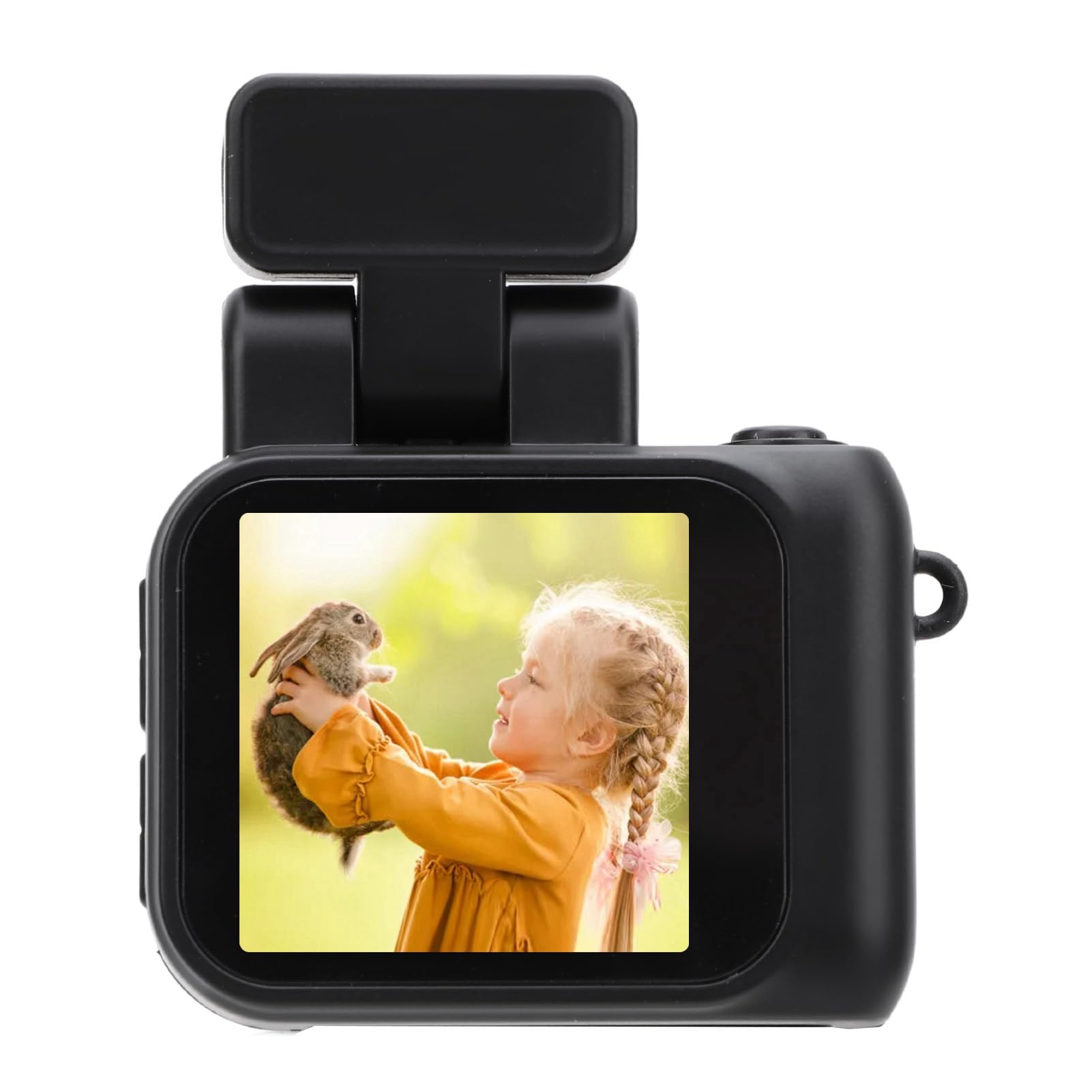
Image: ASHATA Y4000 Mini DV DVR Camera with included accessories: USB cable, lanyard, and keychain clip.
Setup
Package Contents
- ASHATA Y4000 Mini DV DVR Camera
- USB Type-C Charging Cable
- Lanyard
- Keychain Clip
Charging the Battery
Connect the camera to a power source using the provided USB Type-C cable. The camera is equipped with a large built-in battery and a rechargeable base, ensuring up to 600 minutes of continuous shooting. The Type-C interface allows for versatile power supply options, including recording while charging.

Image: The camera's design emphasizing its extended battery life capability.
Inserting a Memory Card
The camera supports a TF (MicroSD) card up to 128GB (not included). Locate the memory card slot on the camera body. Gently insert the TF card with the gold contacts facing down until it clicks into place. Ensure the camera is powered off before inserting or removing the memory card.

Image: Visual representation of the camera's support for a 128GB TF card.
Operating Instructions
Power On/Off
To power on the camera, press and hold the Power button until the screen illuminates. To power off, press and hold the Power button again until the screen turns off. The camera features an intuitive interface with a colorful screen and three buttons for easy operation.
Recording Video (1080P)
Once powered on, select the video recording mode using the Mode button. Press the Record button to start recording. The camera will capture visuals in 1080P resolution, delivering optimal clarity and rich colors. Press the Record button again to stop recording.
Taking Photos (2MP)
Switch to photo mode using the Mode button. Frame your shot using the screen, then press the Shutter button to capture a 2MP still image.
Using the Flashlight
The camera includes a built-in flashlight. To activate it, locate the flashlight button or setting. The constant flash feature enhances lighting in your videos and photos, improving quality by illuminating surroundings. Deactivate by pressing the button again.

Image: ASHATA Y4000 Mini DV DVR Camera with its flashlight extended and illuminated.
Loop Recording
The camera supports loop recording, which automatically overwrites the oldest files when the memory card is full. This ensures continuous recording without manual deletion of old footage. Refer to the camera settings to enable or disable this feature and adjust loop duration.
Playback
To view recorded videos or photos, switch to playback mode. Use the navigation buttons to browse through your files. Select a file to view it on the camera's colorful screen.

Image: The camera's screen displaying a video, demonstrating its playback capability.
Maintenance
Cleaning
To clean the camera lens, use a soft, lint-free cloth specifically designed for optical surfaces. For the camera body, wipe with a dry or slightly damp soft cloth. Avoid using harsh chemicals or abrasive materials.
Storage
Store the camera in a cool, dry place away from direct sunlight and extreme temperatures. If storing for an extended period, ensure the battery is partially charged (around 50%) to prolong its lifespan.
Troubleshooting
Common Issues and Solutions
- Camera not turning on:
Ensure the battery is sufficiently charged. Connect the camera to a power source using the USB Type-C cable and allow it to charge for at least 30 minutes before attempting to power on again. - Recording issues (e.g., video not saving, error messages):
Check if a TF card is properly inserted and has sufficient free space. If the card is full, enable loop recording or transfer files to another device and format the card. Ensure the TF card is compatible (up to 128GB). - Poor video or photo quality:
Verify that the lens is clean and free from smudges or dust. Ensure adequate lighting in your recording environment. Activate the built-in flashlight if needed. - Camera freezes or becomes unresponsive:
Press and hold the Power button for approximately 10 seconds to force a shutdown. If the issue persists, remove and reinsert the TF card, then restart the camera.
Specifications
| Feature | Detail |
|---|---|
| Brand | ASHATA |
| Model Name | ASHATA8ortn27gp9 |
| Video Resolution | 1080P |
| Photo Resolution | 2MP |
| Battery Life | Up to 600 minutes continuous recording |
| Memory Card Support | Up to 128GB TF Card (not included) |
| Connectivity | USB Type-C |
| Special Features | Built-in Flashlight, Loop Recording, Color Screen |
| Item Weight | 3.74 ounces |
| Package Dimensions | 4.72 x 2.36 x 1.97 inches |
Warranty and Support
For warranty information and technical support, please refer to the documentation provided with your purchase or contact ASHATA customer service through their official channels. Keep your proof of purchase for warranty claims.