
1. Introduction
This manual provides detailed instructions for the setup, operation, and maintenance of your AiBaoQi HT30 Military Outdoor Sports Smart Watch. Please read this manual thoroughly before using the device to ensure proper function and longevity.

Figure 1: AiBaoQi HT30 Smart Watch
2. Product Overview
2.1 Included Components
- AiBaoQi HT30 Smart Watch (header)
- Silicone Strap (22mm, removable and replaceable)
- USB Magnetic Charging Cable
- Instruction Manual
- Packaging Box
2.2 Key Features
- Display: 1.7-inch IPS display, 360*360 resolution.
- Connectivity: Bluetooth 5.0 for calls and data synchronization.
- Battery: 600mAh polymer battery for extended use.
- Water Resistance: IP68 rated.
- Special Functions: Flashlight, Purple Light Anti-Counterfeit Identification, Compass.
- Health Monitoring: Heart rate, blood pressure, sleep tracking, exercise monitoring, breathing exercises.
- Sports Modes: 9 built-in watch modes, extensive modes via the 'FitCloudPro' app.
- Notifications: Supports calls, SMS, and various social media alerts.
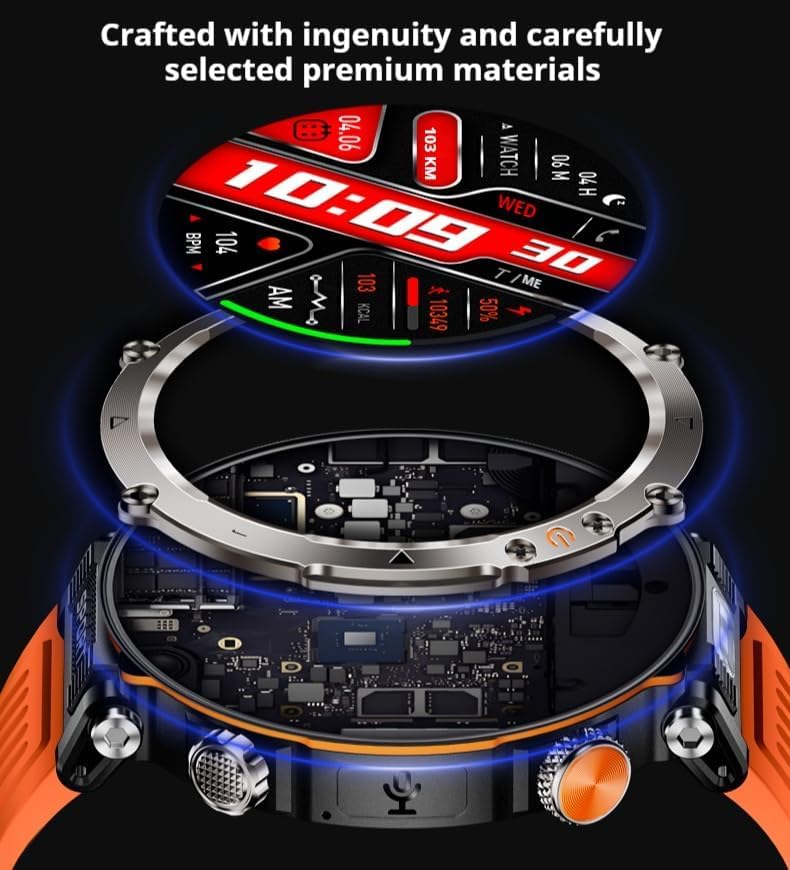
Figure 2: Internal components and materials of the HT30 Smart Watch.
3. Setup
3.1 Charging the Device
- Connect the USB magnetic charging cable to a standard USB power adapter (not included).
- Align the magnetic end of the charging cable with the charging contacts on the back of the watch. The magnets will secure the connection.
- Ensure the watch screen displays a charging indicator.
- A full charge typically takes approximately 3 hours.
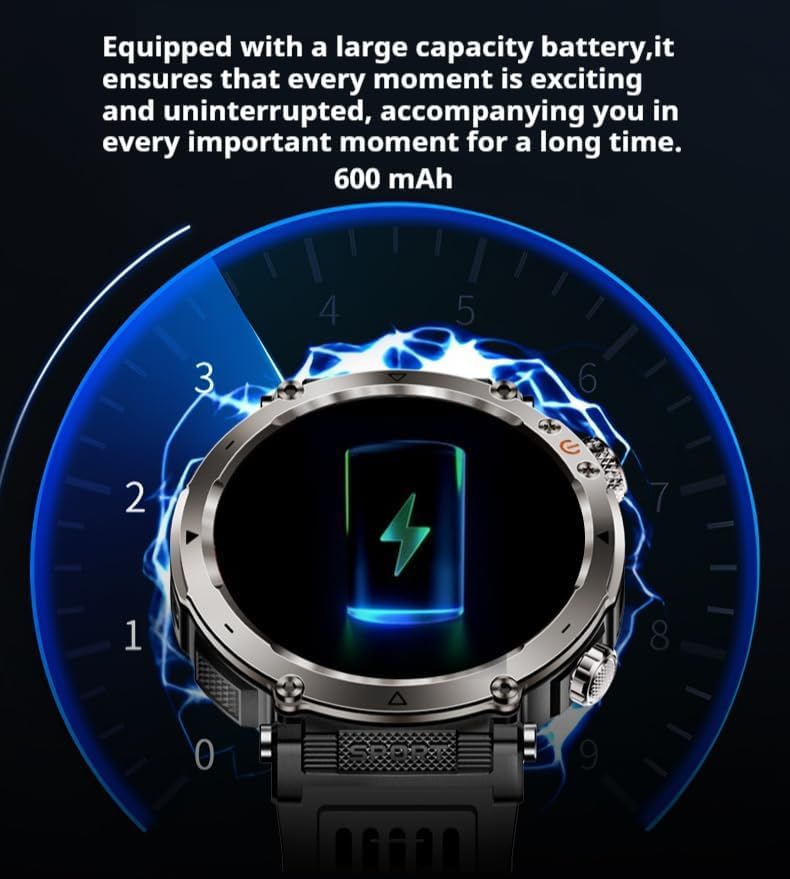
Figure 3: Watch displaying charging status.
3.2 App Installation and Pairing
- Install the App: Download and install the 'FitCloudPro' application from your smartphone's app store (compatible with Android 5.1+ or iOS 8.2+).
- Enable Bluetooth: Ensure Bluetooth is enabled on your smartphone.
- Open App: Launch the 'FitCloudPro' app and follow the on-screen instructions to create an account or log in.
- Pair Device: Within the app, navigate to the device pairing section. Select 'Add Device' or similar option. The app will search for available devices.
- Select HT30: Choose 'HT30' from the list of found devices to initiate pairing.
- Confirm Pairing: Confirm the pairing request on both your smartphone and the watch if prompted.
3.3 Initial Configuration
After successful pairing, the app will guide you through initial settings such as personal information (height, weight, age), notification preferences, and desired watch face. You can customize these settings at any time within the 'FitCloudPro' app.
4. Operating Instructions
4.1 Basic Navigation
- Touch Screen: Swipe left, right, up, or down to navigate through menus and functions. Tap to select.
- Physical Buttons: The watch features two physical buttons. Refer to the watch interface for specific button functions, which typically include power on/off, screen wake, and quick access to certain features.
4.2 Bluetooth Calls
Once paired with your smartphone, the HT30 supports Bluetooth calling. You can dial numbers, access frequently used contacts, and view call logs directly from the watch. A voice assistant function is also available.
4.3 Health Monitoring
The watch continuously monitors various health metrics:
- Heart Rate: Real-time heart rate tracking.
- Blood Pressure: Estimates blood pressure levels.
- Sleep Monitoring: Tracks sleep patterns and quality.
- Exercise Monitoring: Records steps, distance, and calories burned.
- Breathing Exercise: Guided breathing sessions for relaxation.
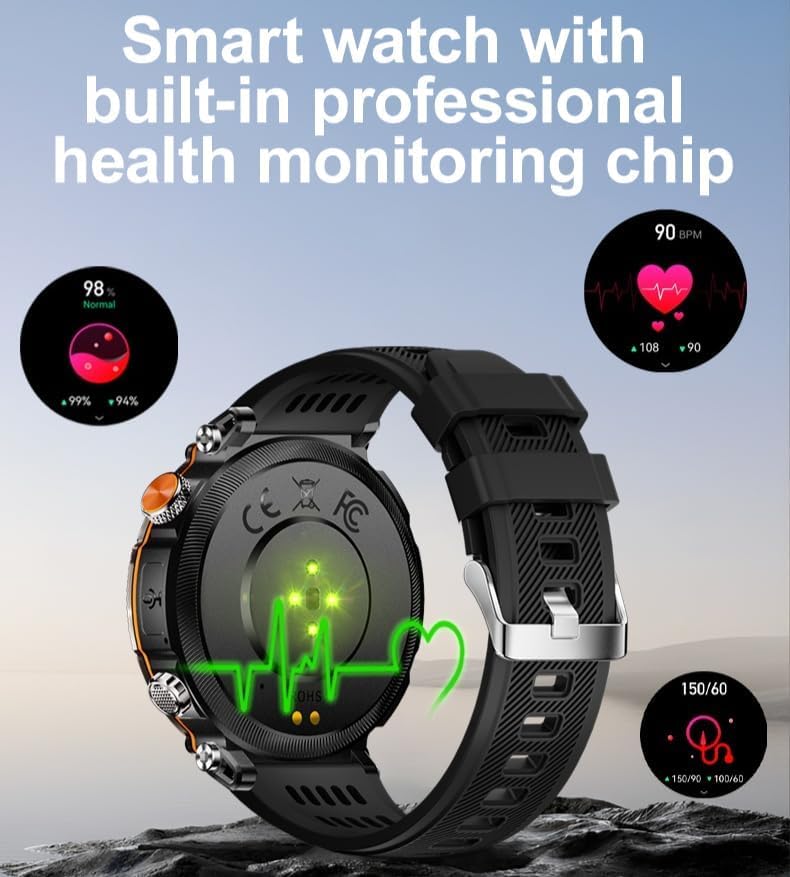
Figure 4: Rear view of the watch showing health monitoring sensors.
4.4 Sports Modes
The HT30 offers 9 built-in sports modes directly on the watch. For a wider selection of activities and detailed tracking, utilize the 'FitCloudPro' app, which provides massive sports modes.
4.5 Special Features
- Flashlight: Activate the flashlight function for illumination. Includes SOS emergency mode and a flashing mode.
- Purple Light Anti-Counterfeit Identification: Use the integrated purple light to verify items such as antiques, beeswax jade, or currency.
- Compass: Access the built-in compass for navigation assistance.
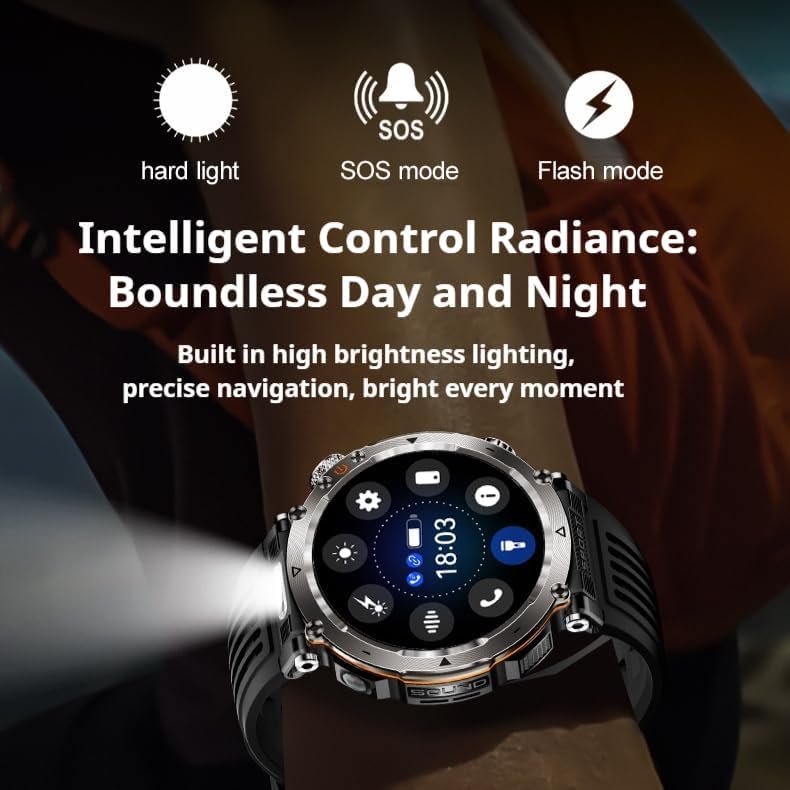
Figure 5: Watch demonstrating flashlight functionality.

Figure 6: Watch demonstrating purple light for anti-counterfeit identification.
4.6 Notifications
The watch can display notifications for incoming calls, SMS messages, and various applications including WeChat, QQ, WhatsApp, Line, Facebook, Facebook Messenger, KakaoTalk, Twitter, and Skype. Ensure notification permissions are granted in the 'FitCloudPro' app and your phone settings.
5. Maintenance
5.1 Cleaning
- Wipe the watch screen and body with a soft, dry, lint-free cloth.
- For stubborn dirt, slightly dampen the cloth with water. Avoid using harsh chemicals or abrasive materials.
- Clean the charging contacts regularly to ensure efficient charging.
5.2 Water Resistance (IP68)
The HT30 is rated IP68, meaning it is resistant to dust and can withstand immersion in water up to 1.5 meters for 30 minutes. It is suitable for swimming in pools or handling unexpected splashes. However, it is not recommended for hot showers, saunas, or diving, as steam and high-pressure water jets can compromise the seals.
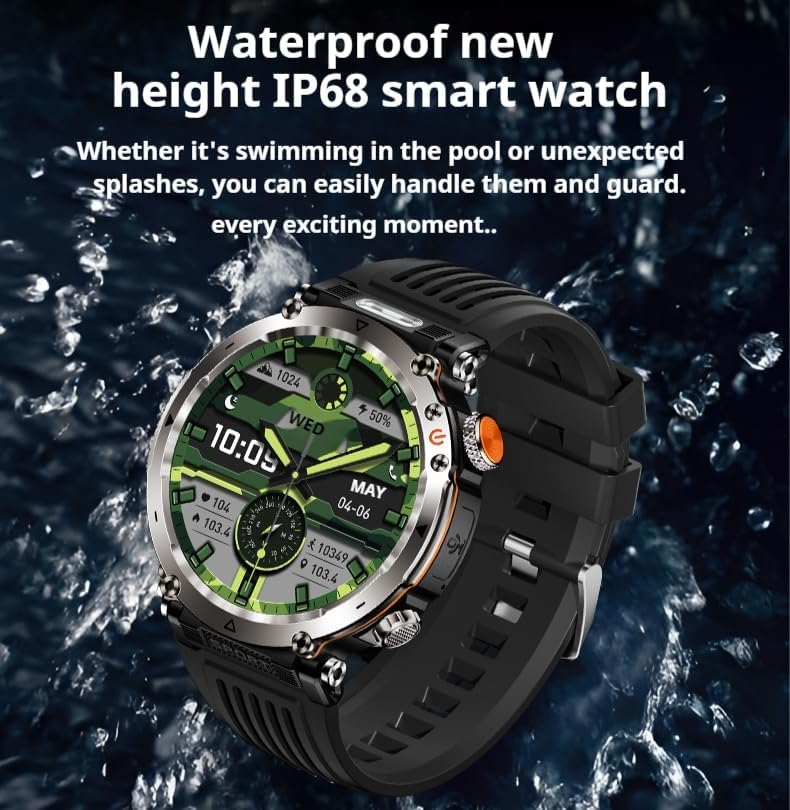
Figure 7: The HT30 Smart Watch is designed to be water resistant.
5.3 Battery Care
- Avoid fully discharging the battery frequently.
- Charge the watch regularly, ideally before the battery level drops below 20%.
- Store the watch in a cool, dry place if not used for extended periods.
6. Troubleshooting
- Watch not turning on: Ensure the watch is fully charged. Connect it to the charging cable and check for the charging indicator.
- Unable to pair with phone:
- Ensure Bluetooth is enabled on your phone.
- Make sure the 'FitCloudPro' app is installed and running.
- Restart both the watch and your phone.
- Check if the watch is already paired with another device. Disconnect if necessary.
- Inaccurate health data: Ensure the watch is worn snugly on your wrist, not too tight or too loose. Clean the sensor area on the back of the watch.
- Notifications not appearing:
- Verify that notification permissions are enabled for the 'FitCloudPro' app in your phone's settings.
- Check notification settings within the 'FitCloudPro' app for specific applications.
- Ensure the watch is connected to your phone via Bluetooth.
- Short battery life: Reduce screen brightness, disable unnecessary notifications, and limit continuous heart rate monitoring if not required.
7. Specifications
| Component | Specification |
|---|---|
| CPU | AB5691 |
| External Flash | 128Mb |
| Heart Rate Chip | HX3918 |
| Acceleration Sensor | STK8321 |
| Bluetooth | BLE5.0 |
| Display | 1.7-inch IPS, 360*360 resolution |
| Physical Buttons | 2 |
| Touch | Full screen touch |
| Flashlight | Supported |
| Currency Detector Light | Supported |
| Compass | Supported |
| Battery | 600mAh polymer battery |
| Charging Method | USB magnetic charging |
| Product Size | 52.8*58.6*13.6mm (circle diameter 51.5mm) |
| Case Material | Plastic + Zinc Alloy |
| Strap Specification | 22mm silicone strap (removable and replaceable) |
| Product Weight | 65g |
| Waterproof Level | IP68 |
| Battery Life | 5-7 days (depending on usage) |
| Charging Time | ≤ 3 hours |
| Smartphone System | Android 5.1 or iOS 8.2 or above (with Bluetooth 5.0 BLE) |
| APP Name | FitCloudPro |
| Watch Firmware Language | 24 languages (Simplified Chinese, Traditional Chinese, English, German, Russian, Spanish, Portuguese, French, Japanese, Arabic, Dutch, Italian, Czech, Greek, Hebrew, Indonesian, Malay, Polish, Thai, Vietnamese, Finnish, Romanian, Turkish, Croatian) |
| APP Language | 24 languages (Simplified Chinese, Traditional Chinese, English, German, Russian, Spanish, Portuguese, French, Japanese, Arabic, Dutch, Italian, Czech, Greek, Hebrew, Indonesian, Malay, Polish, Thai, Vietnamese, Finnish, Romanian, Turkish, Croatian) |
8. Warranty and Support
For warranty information and technical support, please refer to the documentation provided with your purchase or contact AiBaoQi customer service through their official channels. Keep your proof of purchase for warranty claims.