
1. Product Overview
The MILESEEY D9 Pro is an advanced laser measuring tool designed for precise and efficient distance measurements. It features a 2.4-inch IPS touchscreen, dual laser alignment, P2P technology, and seamless app synchronization, making it suitable for various professional and home renovation projects.
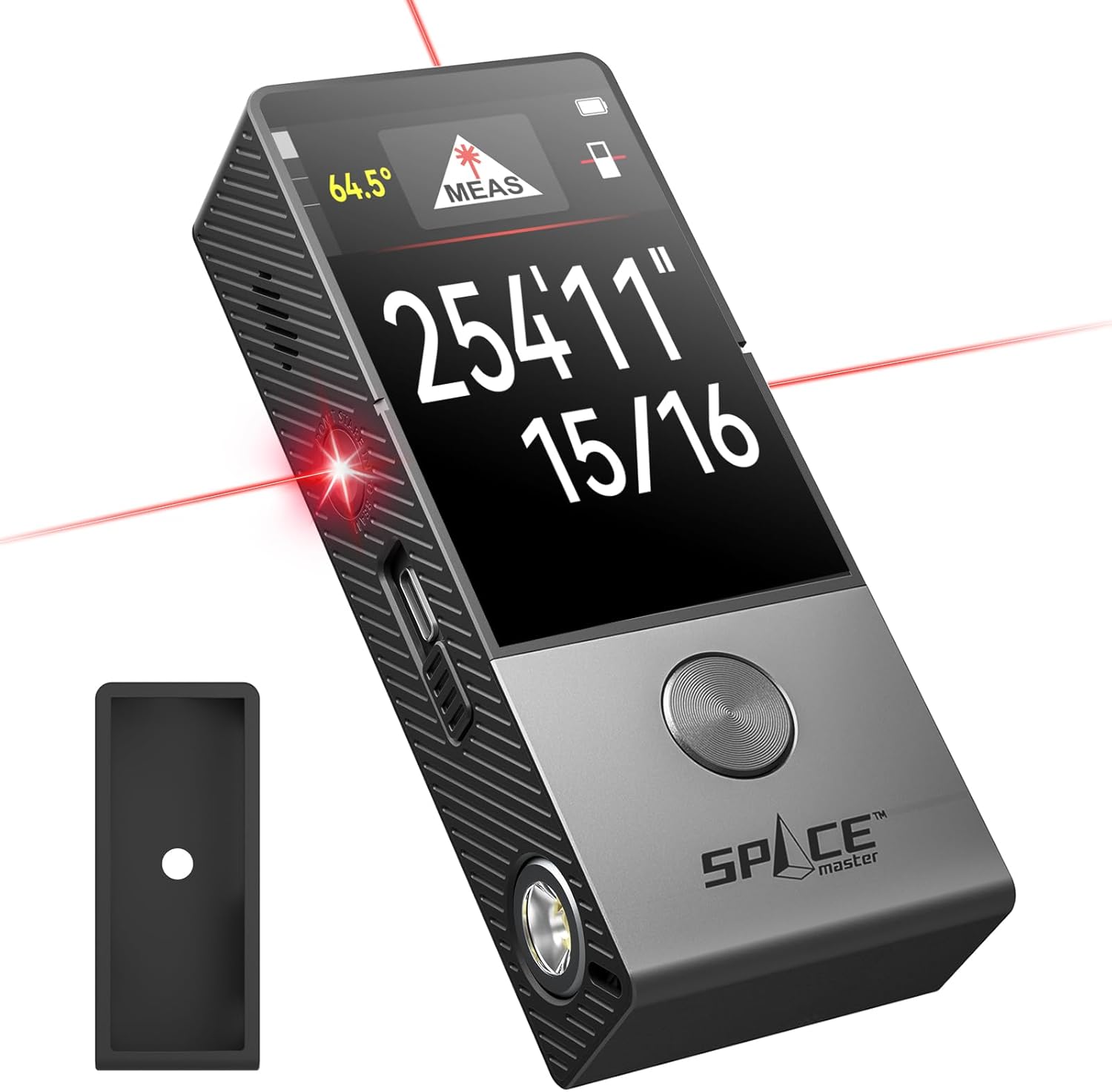
Image: The MILESEEY D9 Pro Laser Measuring Tool, showcasing its sleek design and digital display with a measurement reading.
Key Features:
- 2.4" IPS Touchscreen: Provides clear visuals and an intuitive interface for easy function selection and screen rotation.
- Precision Dual Laser Alignment: Features dual laser reference lines for 100% coaxial alignment, ensuring accuracy for horizontal and tilted measurements.
- Advanced P2P Technology: Enables quick distance measurements between any two points from a single location, ideal for hard-to-reach areas.
- Seamless App Synchronization: Connects with the SMARTLIFE App for real-time data synchronization and efficient organization of measurement tasks.
- Live Angle Display: Equipped with a 360° angle sensor for real-time angle readings on any surface.
- 14 Versatile Measurement Modes: Offers a wide range of functions for diverse measurement needs.
2. Setup
2.1 Package Contents
Before beginning, verify that all items are present in the package:
- D9 Pro Laser Distance Meter with Silicone Protective Case x1
- Hard Carrying Case x1
- Hand Strap x1
- Type-C Charge Cable x1
- User Manual x1
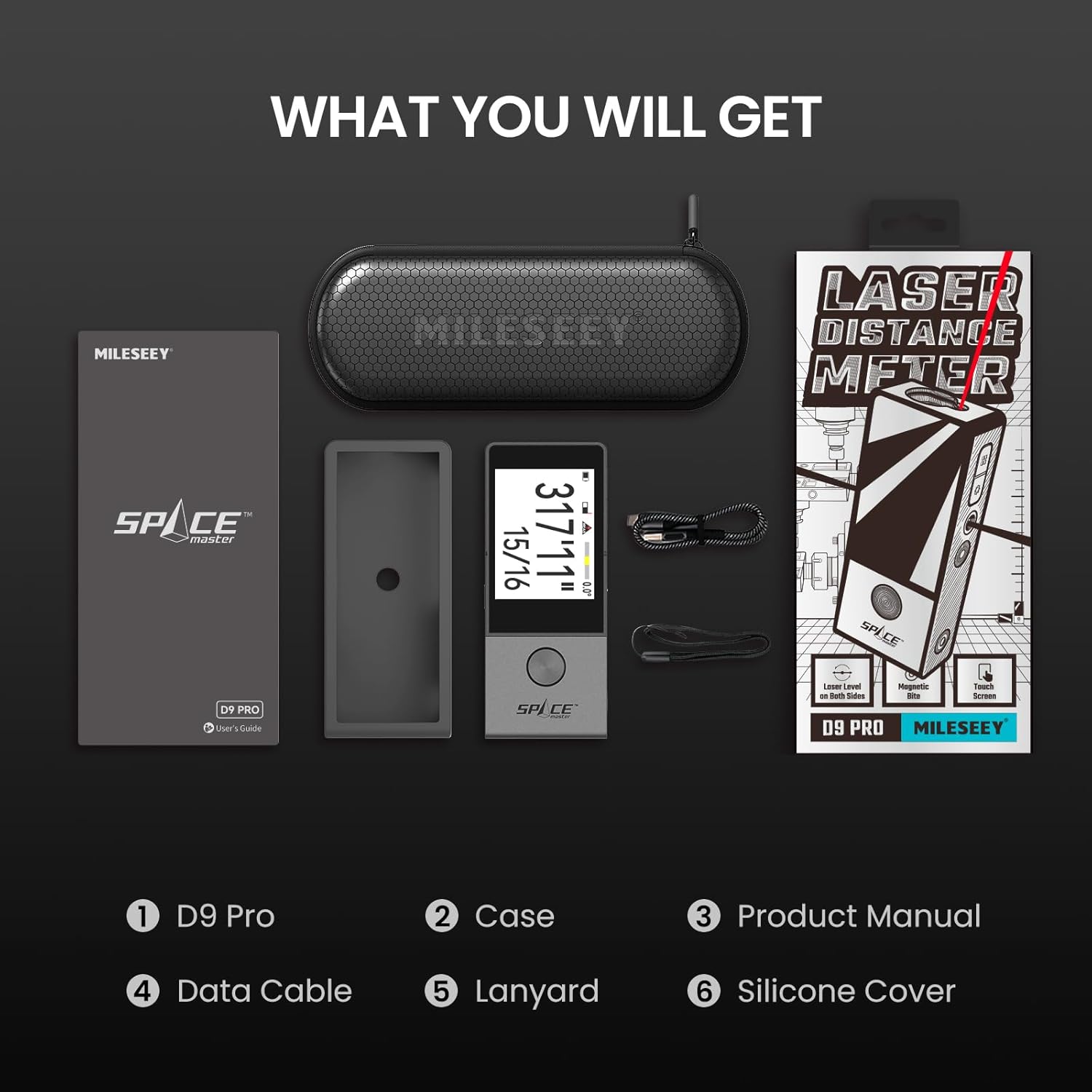
Image: An overview of the MILESEEY D9 Pro package contents, including the device, case, cables, and manual.
2.2 Charging the Device
The D9 Pro is powered by an 1800mAh rechargeable Li-ion battery. Before first use, ensure the device is fully charged.
- Connect the provided Type-C charge cable to the charging port on the device.
- Connect the other end of the cable to a compatible USB power adapter (not included).
- The battery indicator on the screen will show charging status. A full charge takes approximately 2 hours.

Image: The MILESEEY D9 Pro connected to a Type-C charging cable, illustrating the charging process and battery indicator.
2.3 Initial Power On and App Synchronization
To power on the device, press and hold the main measurement button. For enhanced functionality, synchronize the device with the SMARTLIFE App.
- Download the SMARTLIFE App from your device's app store.
- Enable Bluetooth on your mobile device.
- Open the SMARTLIFE App and follow the on-screen instructions to pair with your D9 Pro.
- Once connected, measurement data can be synced in real-time and organized within the app.
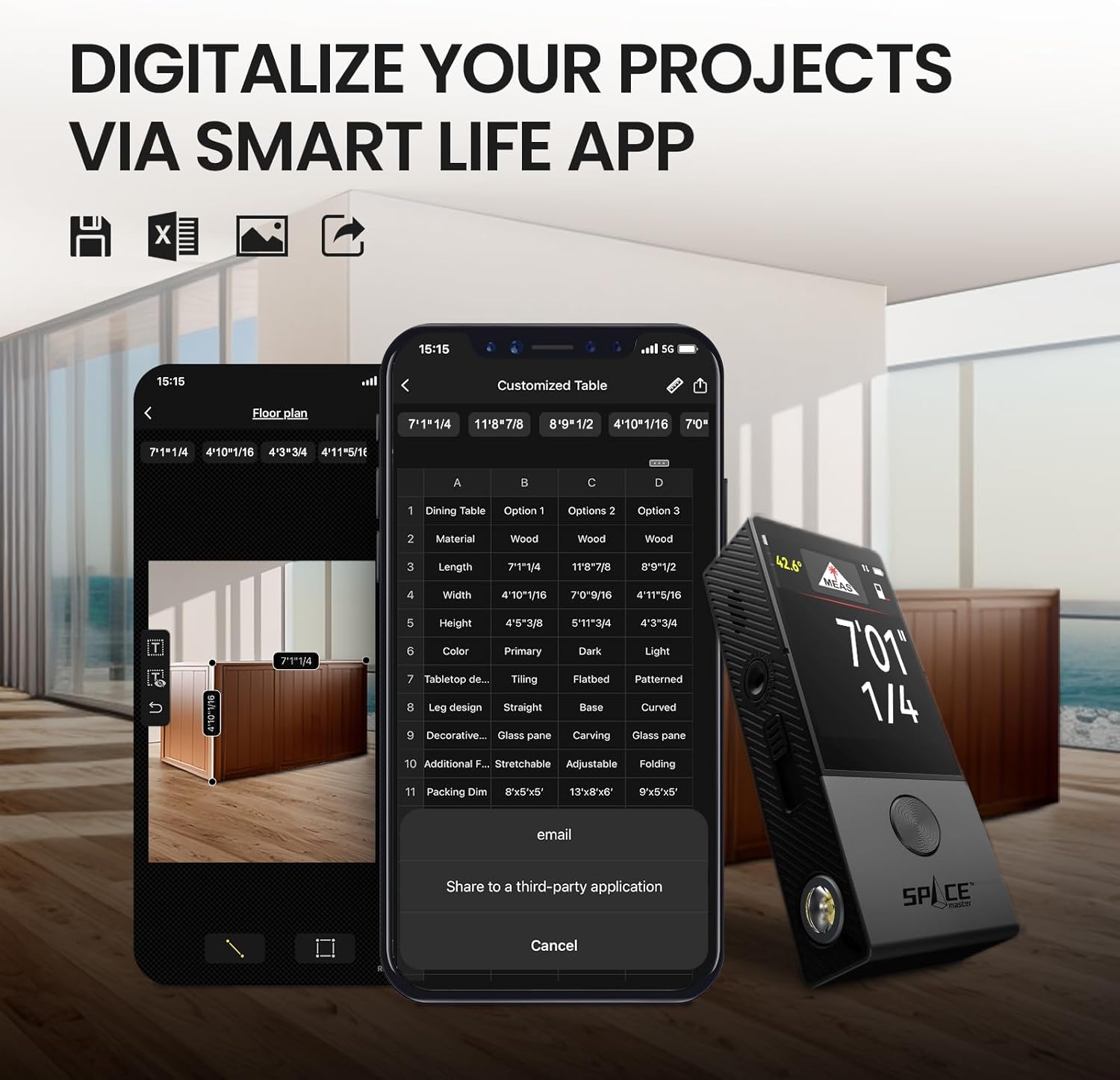
Image: The MILESEEY D9 Pro displaying measurement data alongside a smartphone screen showing the SMARTLIFE App interface, demonstrating app connectivity.
3. Operation
3.1 Basic Measurement
The D9 Pro utilizes dual laser reference lines for accurate measurements.
- Point the device towards the target. Ensure the laser dot is clearly visible on the target surface.
- Press the main measurement button to initiate a measurement.
- The measurement result will be displayed on the IPS touchscreen.
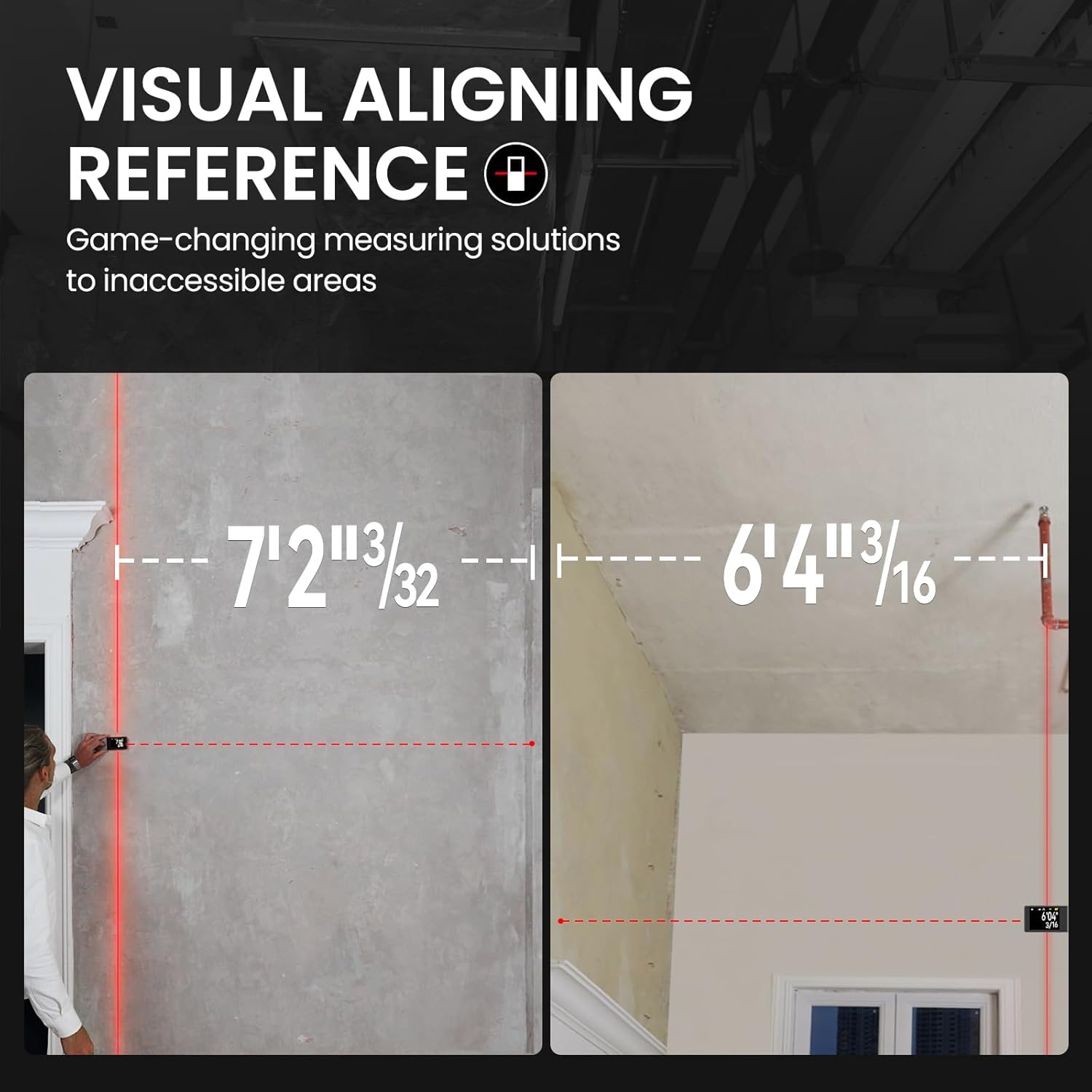
Image: A person using the MILESEEY D9 Pro to measure a wall, illustrating the visual aligning reference with a laser line extending from the device.
3.2 Measurement Modes
The D9 Pro offers 14 versatile measurement functions. Navigate through the modes using the touchscreen interface.
- Single Distance Measurement: Standard point-to-point measurement.
- Continuous Measurement: Provides real-time distance updates as the device is moved.
- Area Measurement: Calculates the area of a space after measuring length and width.
- Volume Measurement: Calculates the volume after measuring length, width, and height.
- Pythagorean Modes: For indirect measurements (e.g., height of a building).
- P2P (Point-to-Point) Measurement: Measures the distance between two points from a single location.
- Angle Measurement: Displays real-time angles.
- Stake-out Function: Helps mark specific distances along a line.

Image: Two panels demonstrating the continuous measurement mode (left, showing real-time updates) and the stake-out function (right, showing marking a point with the laser).
3.3 P2P Technology
The Point-to-Point (P2P) function allows for measuring distances between two points that may be difficult to access directly.
- Select the P2P measurement mode on the device.
- Position the device at a single, stable location.
- Aim the laser at the first target point and take a measurement.
- Aim the laser at the second target point and take a measurement.
- The device will calculate and display the distance between the two target points.

Image: The MILESEEY D9 Pro mounted on a tripod, demonstrating P2P measurement by showing laser lines extending to two different points on a window frame.
3.4 Angle Measurement
The integrated 360° angle sensor provides real-time angle readings.
- Select the angle measurement mode.
- Place the device on the surface or against the object for which you want to measure the angle.
- The current angle will be displayed on the screen.
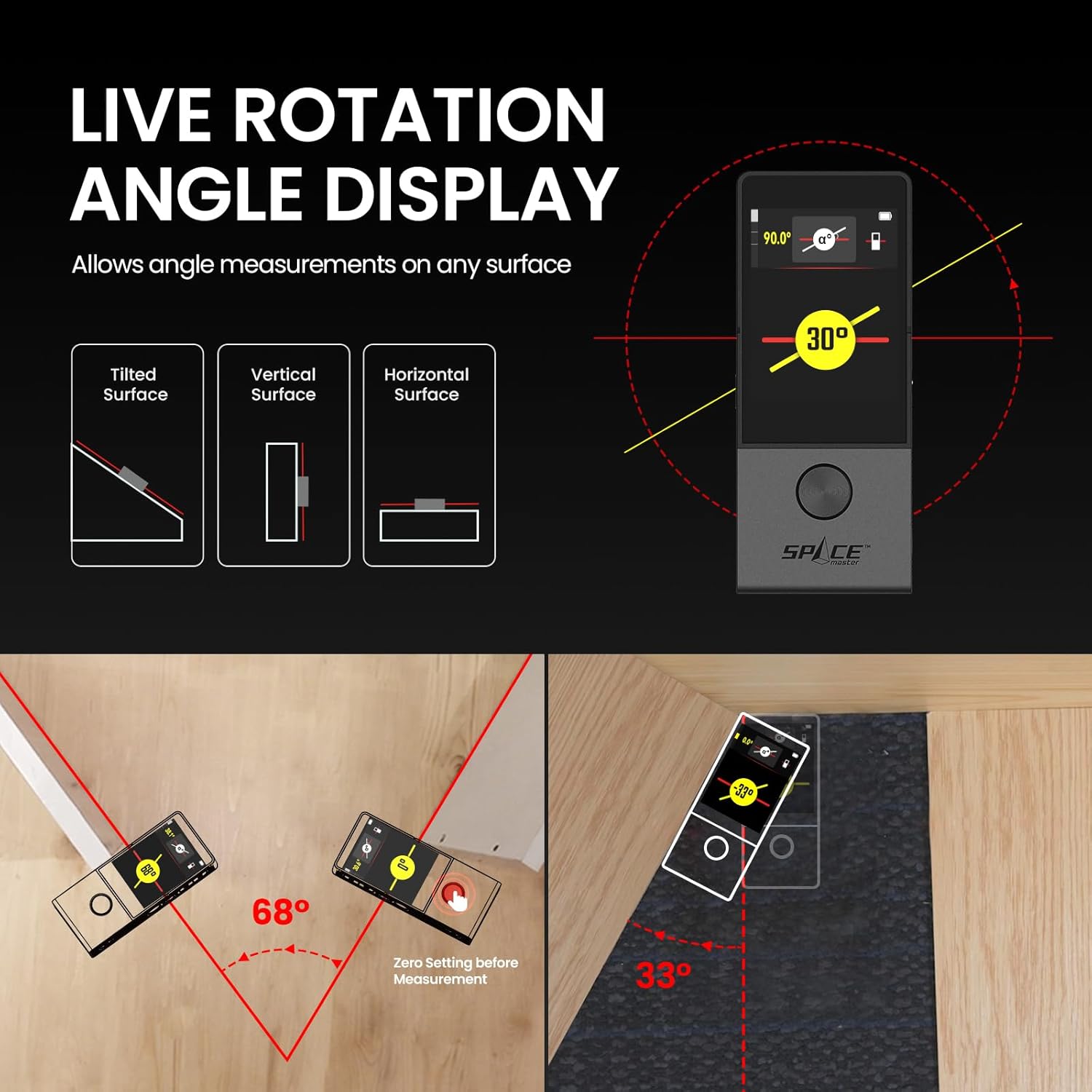
Image: Illustrations showing the MILESEEY D9 Pro measuring angles on tilted, vertical, and horizontal surfaces, with the angle displayed on the screen.
3.5 Unit Switching
The D9 Pro supports unit switching between meters (M), inches (in), and feet (Ft).
- Access the settings menu via the touchscreen.
- Locate the 'Unit' option and select your preferred measurement unit.
3.6 Reference Point Adjustment
The measurement reference point can be adjusted to the front edge, back edge, aligning laser line, or tripod thread hole center.
- In the settings or measurement interface, locate the reference point icon.
- Tap the icon to cycle through the available reference points.

Image: Diagrams illustrating the different reference points for measurement on the MILESEEY D9 Pro: front edge, back edge, aligning laser line, and tripod thread hole center.
3.7 Additional Features
- 90LM Flashlight: The device includes a built-in flashlight for illumination in low-light conditions. It can be operated independently of the measuring function.
- Magnetic Mount: A magnetic base allows for easy attachment to metal surfaces, enabling hands-free measurement.
- Auto Rotating Display: The screen automatically rotates to adjust to the device's orientation, enhancing readability.

Image: An illustration highlighting the MILESEEY D9 Pro's features: 3 hours full charge, 30,000 measurements, and a 90 LM LED spotlight.
4. Maintenance
Proper maintenance ensures the longevity and accuracy of your MILESEEY D9 Pro.
- Cleaning: Use a soft, damp cloth to clean the device. Do not use abrasive cleaners or solvents. Ensure the laser lens and screen are free of dust and debris.
- Storage: Store the device in its hard carrying case in a cool, dry place when not in use. Avoid extreme temperatures and direct sunlight.
- Battery Care: To maintain battery health, avoid fully discharging the battery frequently. If storing for extended periods, charge the battery to approximately 50% every few months.
- Protection: The included silicone protective case provides added comfort and protection against minor impacts.

Image: The MILESEEY D9 Pro device next to its soft silicone protective case, emphasizing its perfect fit and added protection.
5. Troubleshooting
If you encounter issues with your MILESEEY D9 Pro, refer to the following common problems and solutions:
| Problem | Possible Cause | Solution |
|---|---|---|
| Device does not power on | Low battery or completely discharged. | Charge the device using the provided Type-C cable. |
| Inaccurate measurements | Laser lens obstructed; incorrect reference point selected; unstable measurement surface. | Clean the laser lens; verify the selected reference point; ensure a stable measurement position. |
| App synchronization failure | Bluetooth is off; device not in pairing mode; app not updated. | Ensure Bluetooth is enabled on both devices; restart the device and app; update the SMARTLIFE App to the latest version. |
| Screen unresponsive | Temporary software glitch. | Restart the device by holding the power button. If issue persists, ensure battery is charged. |
6. Specifications
| Attribute | Detail |
|---|---|
| Brand | MiLESEEY |
| Model Number | D9 PRO w/Case |
| Material | Magnesium-Aluminum Alloy |
| Color | Gray |
| Product Dimensions | 4.64"L x 1.9"W |
| Item Weight | 10.6 ounces (300 Grams) |
| Battery Type | 1 C Lithium Ion (included) |
| Voltage | 3.7 Volts |
| Country of Origin | China |
7. Warranty and Support
7.1 Warranty Information
The MILESEEY D9 Pro Laser Measuring Tool comes with a 24-month warranty from the date of purchase. This warranty covers defects in materials and workmanship under normal use. Please retain your proof of purchase for warranty claims.
7.2 Customer Support
For technical assistance, warranty claims, or general inquiries, please contact MILESEEY customer support. Refer to the contact information provided in the product packaging or on the official MILESEEY website.
When contacting support, please have your product model number (D9 PRO w/Case) and purchase date ready to expedite the process.