
1. Introduction
This manual provides essential information for the safe and proper operation and maintenance of your Razor Power Core E100 Electric Scooter. Please read all instructions carefully before use to ensure a safe and enjoyable riding experience.

Figure 1: Razor Power Core E100 Electric Scooter in use.
2. Safety Information
Your safety is paramount. Adhere to the following guidelines to prevent injury or damage:
- Always wear a helmet and appropriate protective gear, including knee and elbow pads.
- Always wear closed-toe shoes.
- Do not ride at night or in low visibility conditions.
- Adult supervision is required for younger riders.
- Ensure all bolts are fastened securely and guards are in place before each ride.
- The maximum rider weight limit is 120 pounds (54 kg). Heavier riders may cause damage not covered by warranty.
- This product is not designed for stunt riding.
- Check local laws and regulations regarding electric scooter use in your area.
3. Setup
3.1 Initial Charging
Before first use, the scooter's battery must be fully charged. The manufacturer recommends an initial charge of at least 12 hours. Do not overcharge the battery.

Figure 2: Power switch and charging port located on the scooter's underside.
3.2 Assembly
The scooter requires minimal assembly, primarily attaching the handlebar stem to the main frame. A tool is typically included for this purpose. Ensure all connections are tightened securely.
4. Operating Instructions
4.1 Power On/Off
Locate the red ON/OFF switch on the underside of the scooter's deck. Flip the switch to 'ON' to power on the scooter. A red light will illuminate when the power is on.
4.2 Starting the Scooter
The Razor Power Core E100 features a kick-start mechanism for safety. To engage the motor, you must manually kick off to a speed of approximately 3 mph (5 km/h) before twisting the throttle.
4.3 Acceleration (Twist-Grip Throttle)
Once the scooter is moving at 3 mph, gently twist the right handlebar grip to accelerate. The scooter can reach speeds of up to 10 mph (16 km/h).
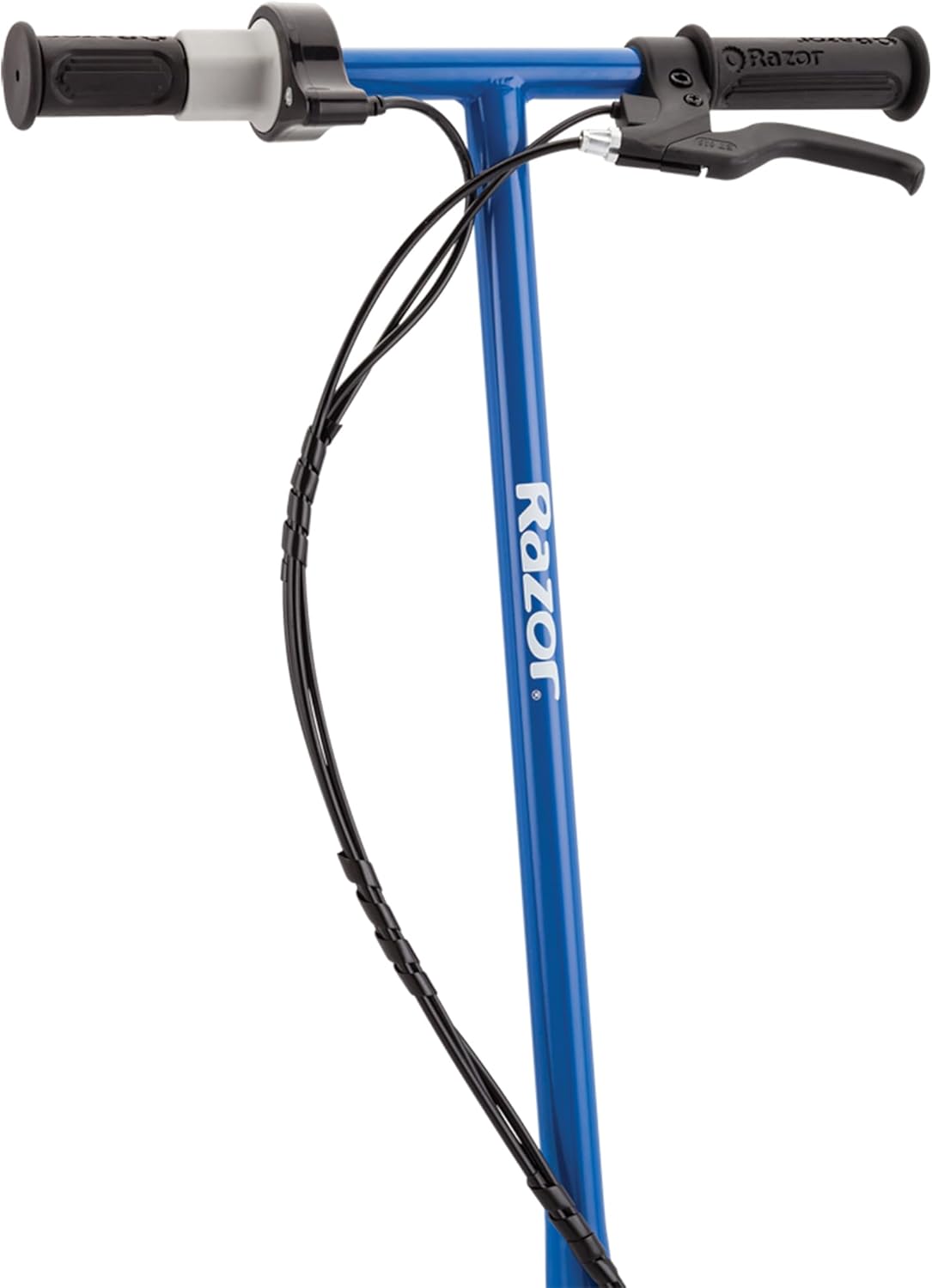
Figure 3: Twist-grip throttle for acceleration.
4.4 Braking (Hand-Operated Front Brake)
To slow down or stop, squeeze the hand-operated brake lever located on the left handlebar. This brake provides reliable stopping power.

Figure 4: Hand-operated front brake lever.
4.5 Kickstand Use
The scooter is equipped with a convenient kickstand for parking. To deploy, push the kickstand down with your foot. To retract, simply kick it up when you are ready to ride.
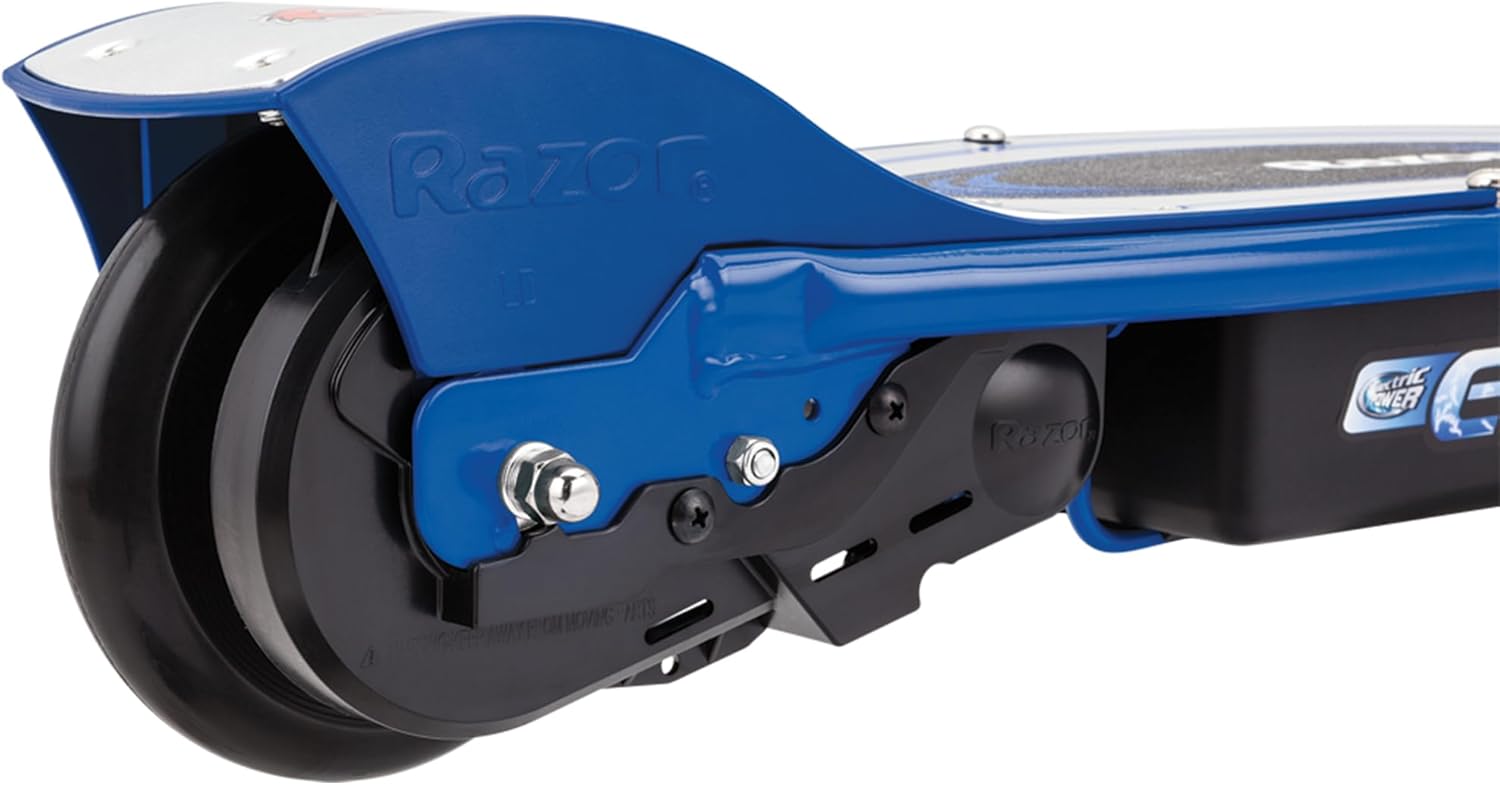
Figure 5: Kickstand and rear wheel assembly.
4.6 Adjustable Handlebar
The handlebar height can be adjusted to accommodate riders of various sizes. Loosen the clamp near the base of the handlebar stem, adjust to the desired height, and securely tighten the clamp.

Figure 6: Adjustable handlebar for rider comfort.
Video: Razor E100 Kids Ride On 24V Motorized Electric Scooter Toy
This video provides a visual overview of the Razor E100 Electric Scooter, demonstrating its features and operation for young riders.
5. Maintenance
5.1 Charging the Battery
After the initial 12-hour charge, subsequent charges typically take less time. The scooter provides up to 40 minutes of continuous use per charge. Always turn off the power switch after each ride to ensure the battery can recharge properly. The battery may be unable to recharge if left ON without use.
5.2 Tire Care
The front wheel is a pneumatic (air-filled) tire. Ensure it is properly inflated before each ride to the recommended pressure. The rear wheel is a solid, plastic-like tire connected to the motor via a chain.

Figure 7: Front pneumatic tire.

Figure 8: Rear wheel with chain drive.
5.3 General Inspection
Regularly inspect the scooter for any loose bolts, worn parts, or damage. Ensure all components are functioning correctly for safe operation.
6. Troubleshooting
- Scooter not starting: Ensure the power switch is ON. Verify the battery is charged. Remember to perform the kick-start to 3 mph before engaging the throttle.
- Battery not charging: Confirm the power switch is in the OFF position when charging. Check the charging cable connection.
- Kickstand unstable: The kickstand may be less stable on uneven or sloped surfaces. Ensure the scooter is parked on a flat surface.
- Loss of power/speed: This may indicate a low battery. Recharge the scooter.
7. Specifications
| Feature | Detail |
|---|---|
| Brand | Razor |
| Model Name | E100 |
| Color | Blue |
| Age Range (Description) | Youth (8+) |
| Weight Limit | 120 Pounds |
| Product Dimensions (LxWxH) | 35"L x 16"W x 32.5"H |
| Number of Wheels | 2 |
| Wheel Material | Rubber (Front), Plastic (Rear) |
| Frame Material | Carbon Steel / Alloy Steel |
| Item Weight | 31 Pounds |
| Handlebar Type | Adjustable |
| Wheel Size | 6.5 Inches |
| Wheel Type | Pneumatic (Front) |
| Suspension Type | Front Suspension |
| Brake Style | Front Braking |
| Charging Time | 40 minutes (for use, initial charge 12 hours recommended) |
| Maximum Distance Range | 6.67 Miles |
| Motor | Chain-driven, high-torque |
| UPC | 845423003067 |
8. Warranty & Support
The Razor Power Core E100 Electric Scooter comes with a 2-year manufacturer's limited warranty. For warranty claims, service, or support, please contact Razor directly. Consumers are responsible for all costs including shipping, resulting taxes, duties of replacement parts, and local power adapters for products purchased in the United States or Canada and now outside these regions.


