Introduction
Welcome to your new RadioShack BT Headphones. This manual provides essential information for the proper setup, operation, and maintenance of your headphones. Please read these instructions carefully before use to ensure optimal performance and longevity of your device.
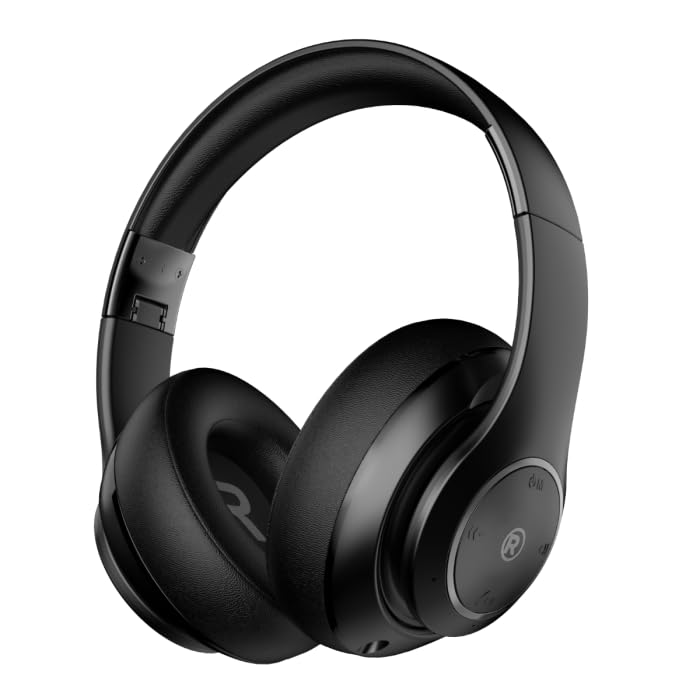
A front-angle view of the black RadioShack BT Headphones, showcasing their over-ear design and cushioned earcups.
What's in the Box
Verify that all items are present in your package:
- RadioShack BT Headphones
- Charging Cable
- Auxiliary Audio Cable
- User Manual
This video demonstrates the unboxing process of the RadioShack BT Headphones, showing the contents included in the package.
Product Features
The RadioShack BT Headphones are designed for an enhanced audio experience with convenience and durability.
- Extended Playtime: Enjoy up to 30 hours of uninterrupted music.
- Built-In Microphone: Features a built-in microphone for clear and convenient calling functions.
- Advanced Bluetooth 5.4: Equipped with Bluetooth version 5.4 for seamless and stable wireless connectivity.
- High-Quality Sound: 40mm drivers deliver rich, immersive sound with excellent sensitivity and impedance.
- Foldable Design: Compact and foldable design for easy portability and storage.

An informational graphic highlighting the built-in microphone, 400mAh battery capacity, and Bluetooth 5.4 compatibility of the headphones.
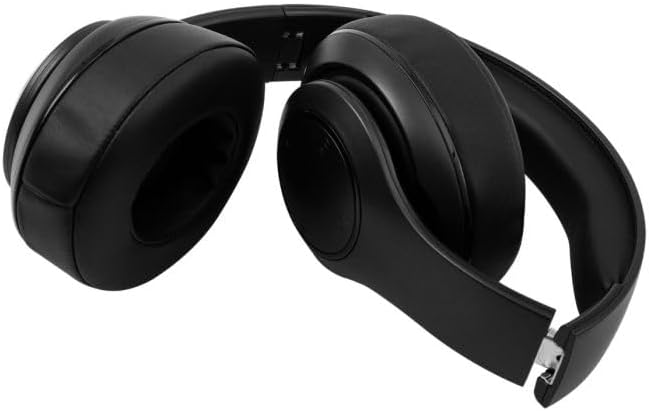
The RadioShack BT Headphones folded for compact storage and portability.
This video provides a brief overview of the RadioShack Over-the-Head Earphones, showcasing their design and use.
Setup
Charging the Headphones
- Connect the provided USB charging cable to the charging port on the headphones.
- Plug the other end of the USB cable into a compatible USB power source (e.g., computer, wall adapter).
- The LED indicator will illuminate during charging and turn off or change color when fully charged.
- A full charge provides up to 30 hours of playtime.
Pairing via Bluetooth
- Ensure the headphones are fully charged.
- Press and hold the Power button on the headphones until the LED indicator flashes blue and red, indicating pairing mode.
- On your device (smartphone, tablet, computer), enable Bluetooth and search for available devices.
- Select "RadioShack BT Headphones" from the list of found devices.
- Once connected, the LED indicator will show a solid blue light or flash blue slowly.
Operating Instructions
Power On/Off
- Power On: Press and hold the Power button for approximately 3 seconds until the LED indicator lights up.
- Power Off: Press and hold the Power button for approximately 3 seconds until the LED indicator turns off.
Music Playback
- Play/Pause: Press the Multi-function button once.
- Next Track: Press and hold the Volume Up button.
- Previous Track: Press and hold the Volume Down button.
Call Management
- Answer/End Call: Press the Multi-function button once.
- Reject Call: Press and hold the Multi-function button for 2 seconds.
- Redial Last Number: Double-press the Multi-function button.
Volume Control
- Volume Up: Press the Volume Up button.
- Volume Down: Press the Volume Down button.
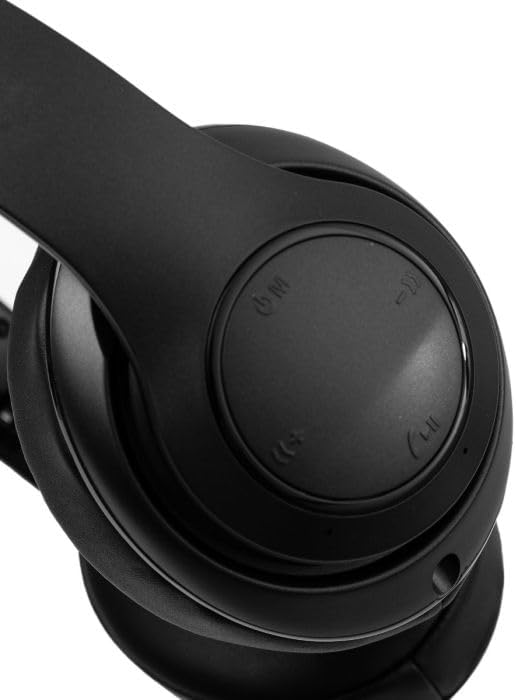
A close-up view of the right earcup, showing the integrated control buttons for power, volume, and playback.
Maintenance
Cleaning
- Wipe the headphones with a soft, dry cloth.
- Do not use abrasive cleaners or solvents.
- Keep the charging port free of dust and debris.
Storage
- Store the headphones in a cool, dry place away from direct sunlight and extreme temperatures.
- When not in use for extended periods, charge the headphones at least once every three months to preserve battery life.
Troubleshooting
| Issue | Possible Solution |
|---|---|
| Headphones do not power on | Ensure the headphones are charged. Connect to a power source and try again. |
| Cannot pair with device | Ensure headphones are in pairing mode (flashing blue/red LED). Turn off and on Bluetooth on your device. Move closer to the device. |
| No sound or low volume | Check volume levels on both headphones and connected device. Ensure headphones are properly paired. Try reconnecting. |
| Intermittent connection | Reduce distance between headphones and device. Avoid obstacles. Ensure no other devices are interfering with the Bluetooth signal. |
Specifications
| Feature | Detail |
|---|---|
| Brand | RadioShack |
| Model Number | 3304403-PRNT |
| Color | Black |
| Ear Placement | On Ear |
| Form Factor | Over Ear |
| Noise Control | Active Noise Cancellation |
| Bluetooth Version | 5.4 |
| Battery Average Life | 30 Hours |
| Frequency Range | 20Hz - 20,000Hz |
| Audio Driver Type | Dynamic Driver |
| Built-In Media | Cable |
| Enclosure Material | Plastic |
| Item Weight | 0.34 Kilograms |
| Water Resistance Level | Waterproof |
| Compatible Devices | Smartphones, Laptops, Desktops, Tablets, Televisions, Smart Speakers |
Warranty and Support
Warranty Information
These RadioShack BT Headphones come with a 6-month warranty from the date of purchase. This warranty covers manufacturing defects under normal use. It does not cover damage caused by misuse, accidents, unauthorized modifications, or normal wear and tear.
Customer Support
For technical assistance, warranty claims, or further inquiries, please contact RadioShack customer support through their official website or the retailer where the product was purchased. Please have your model number (3304403-PRNT) and proof of purchase ready.
You can visit the official RadioShack store for more information: RadioShack Store on Amazon


