
Introduction
Welcome to the Revolution R180 Connect Plus Smart Toaster. This appliance features advanced InstaGLO 2.0 heating technology, a full-color touchscreen, and Wi-Fi connectivity for a personalized toasting experience. This bundle includes the Toastie Press and Warming Rack accessories, expanding your culinary options beyond traditional toast. Please read this manual thoroughly before first use to ensure safe and optimal operation.
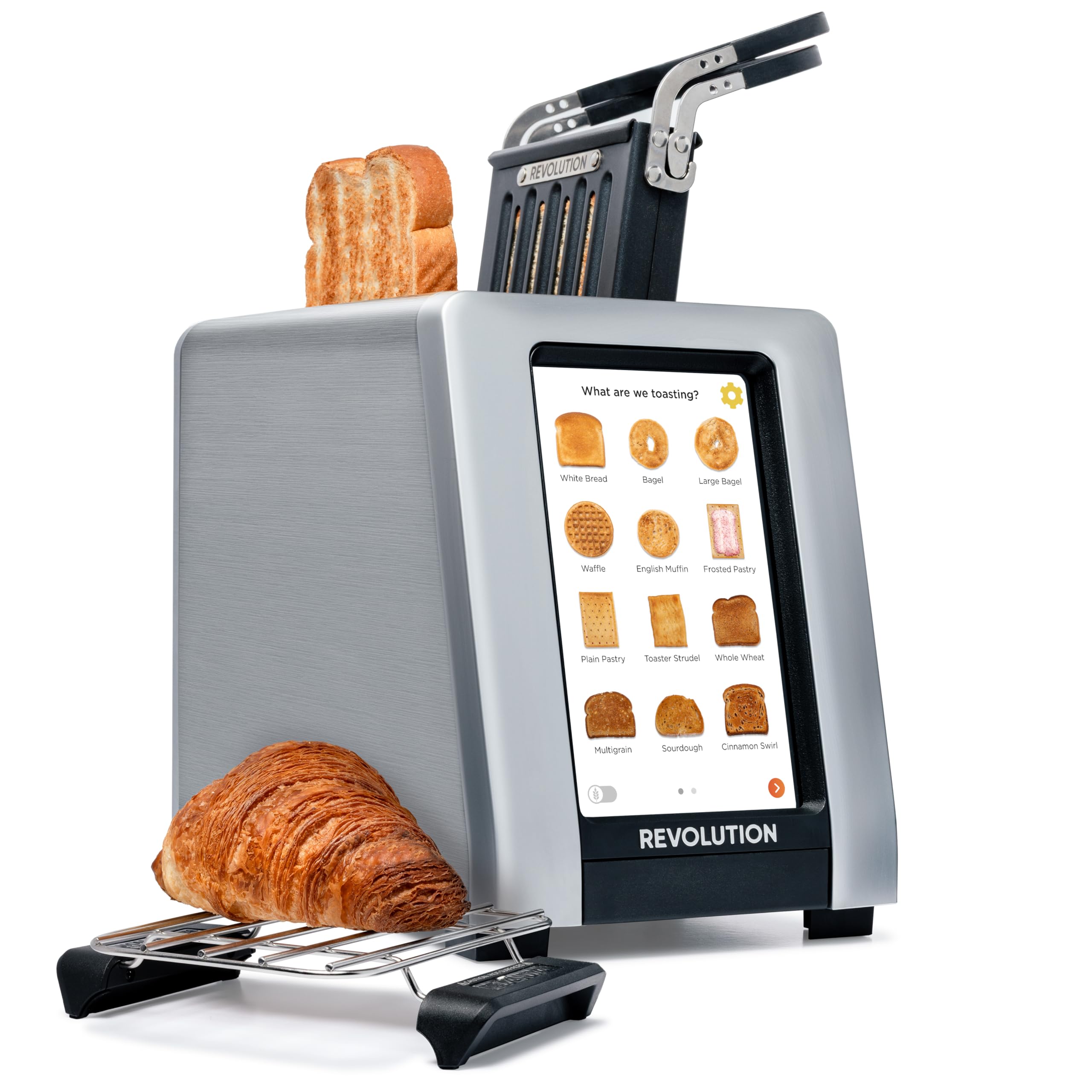
Image: The Revolution R180 Connect Plus Smart Toaster shown with the Toastie Press and Warming Rack accessories, highlighting its touchscreen interface and sleek design.
Important Safety Information
When using electrical appliances, basic safety precautions should always be followed, including the following:
- Read all instructions.
- Do not touch hot surfaces. Use handles or knobs.
- To protect against electrical shock, do not immerse cord, plugs, or toaster in water or other liquid.
- Close supervision is necessary when any appliance is used by or near children.
- Unplug from outlet when not in use and before cleaning. Allow to cool before putting on or taking off parts.
- Do not operate any appliance with a damaged cord or plug or after the appliance malfunctions or has been damaged in any manner.
- Do not use outdoors.
- Do not let cord hang over edge of table or counter, or touch hot surfaces.
- Do not place on or near a hot gas or electric burner, or in a heated oven.
- Do not use appliance for other than intended use.
- Oversize foods, metal foil packages, or utensils must not be inserted in a toaster as they may involve a risk of fire or electric shock.
- A fire may occur if toasters are covered or touching flammable material, including curtains, draperies, walls, and the like, when in operation.
- Do not attempt to dislodge food when toaster is plugged in.
- Do not operate unattended.
What's in the Box
Your Revolution R180 Connect Plus Smart Toaster package includes:
- Revolution R180 Connect Plus Smart Toaster
- Toastie Press accessory
- Warming Rack accessory
- User Manual (this document)

Image: The Revolution R180 Connect Plus Smart Toaster, Toastie Press, and Warming Rack are shown in their respective packaging, ready for unboxing.
Setup
- Unboxing: Carefully remove all components from the packaging. Ensure all protective films and packing materials are removed from the toaster and accessories.
- Placement: Place the toaster on a stable, flat, heat-resistant surface, away from flammable materials. Ensure adequate ventilation around the unit.
- Power Connection: Plug the toaster into a grounded electrical outlet. The touchscreen will illuminate upon connection.
- Initial Setup: Follow the on-screen prompts to complete the initial setup. This includes connecting to your Wi-Fi network, which enables features like auto-set clock and live weather updates.
- Photo Frame Setup: To personalize your toaster with photos, scan the QR code displayed on the screen or in the manual with your mobile phone. Follow the instructions to upload up to 25 of your favorite images.

Image: The Revolution R180 Connect Plus Smart Toaster displays the current time, date, and weather forecast on its touchscreen, demonstrating its smart connectivity features.
Video: A user demonstrates the unboxing and initial setup of the Revolution R180 Connect Plus Smart Toaster, highlighting its packaging and first power-on sequence.
Operating Instructions
Using the Touchscreen Interface
The R180 Connect Plus features an intuitive touchscreen for selecting your desired toasting settings:
- Select Food Type: Tap on the icon corresponding to the food item you wish to toast (e.g., White Bread, Bagel, Waffle, Pastry). The toaster offers over 40 bread types, including a dedicated Gluten-Free mode.
- Choose State: Select whether the item is Fresh, Frozen, or if you are Reheating it.
- Set Browning Level: Adjust the browning level using the visual indicators, typically from 1 (lightest) to 7 (darkest).
- Start Toasting: Press the "Start" button. The toaster will automatically lower the item and begin the toasting cycle. The screen will display a progress indicator.
Video: This video demonstrates the touchscreen interface of the Revolution R180 Connect Plus, showing how to select different bread types and browning levels for toasting.
Using the Toastie Press (Included)
The Toastie Press allows you to make perfectly crispy, melty sandwiches directly in your toaster without butter or oil.
- Prepare Sandwich: Assemble your grilled cheese, panini, or quesadilla. Ensure it fits within the Toastie Press dimensions.
- Insert into Press: Open the Toastie Press, place your sandwich inside, and close it securely.
- Insert into Toaster: Slide the loaded Toastie Press into one of the toaster slots.
- Select Panini Mode: On the toaster's touchscreen, navigate to the second page of food options and select "Toastie Press" mode.
- Start: Press "Start". The toaster will automatically lower the press and begin cooking.

Image: The Toastie Press accessory is shown in use, preparing a grilled cheese sandwich within the toaster slots.
Video: A user demonstrates the process of making a quesadilla using the Revolution Toastie Press, from preparation to the final toasted product.
Using the Warming Rack (Included)
The Warming Rack is designed to gently warm and crisp items like croissants, pastries, cookies, or leftover pizza.
- Place Rack: Position the Warming Rack securely over the toaster slots. The rubberized handles ensure stability.
- Place Food: Place the item(s) you wish to warm directly on the rack.
- Select Warming Rack Mode: On the toaster's touchscreen, navigate to the second page of food options and select "Warming Rack" mode.
- Start: Press "Start". The toaster will activate its heating elements to warm the items on the rack.
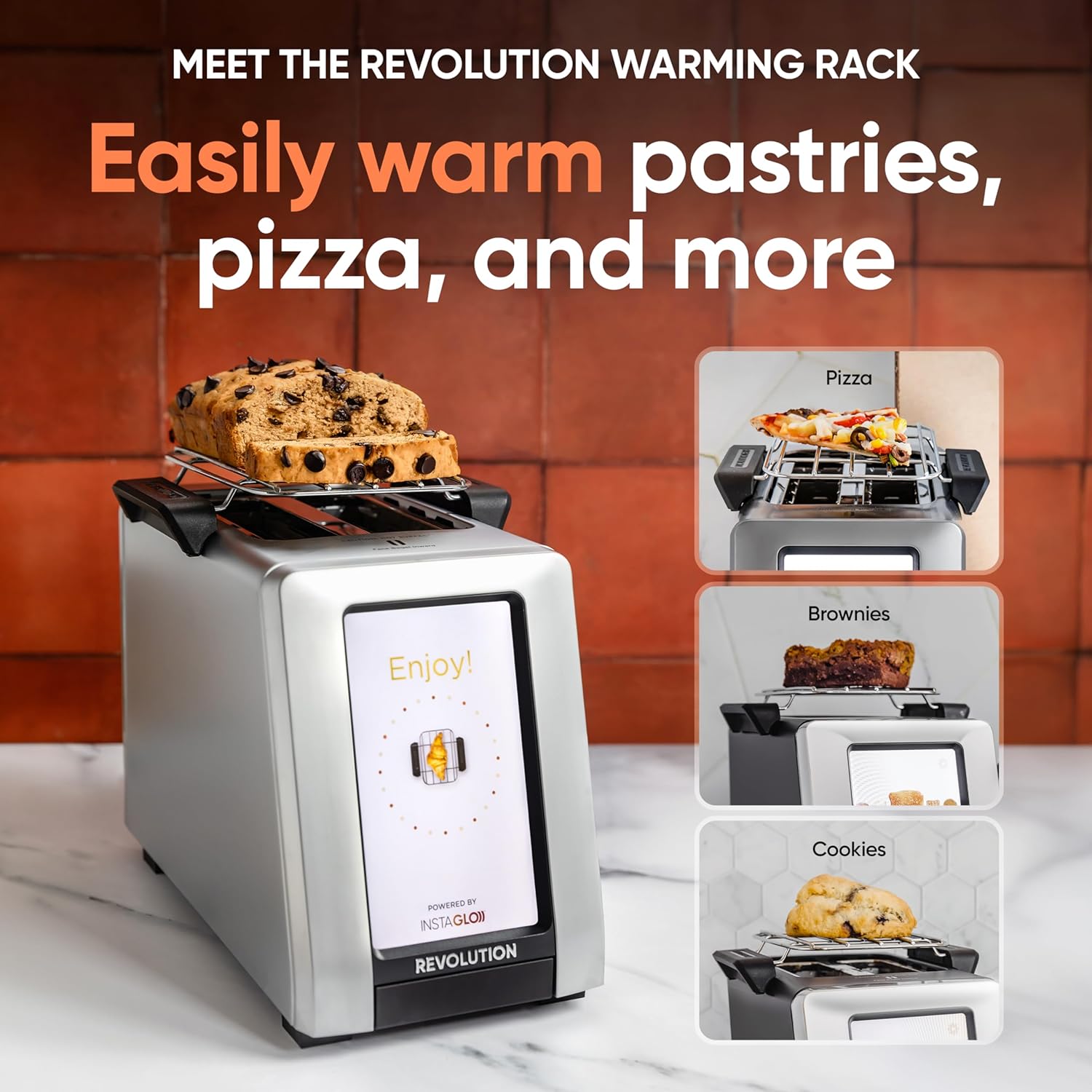
Image: The Warming Rack accessory is shown placed on top of the toaster, with various items like pastries, pizza, and cookies being warmed.
Features
- InstaGLO 2.0 Technology: Heats up in 2 seconds, searing the outside of bread to lock in flavor and prevent drying, resulting in a crispy exterior and soft interior.
- Digital Photo Frame: Displays up to 25 of your favorite images when the toaster is idle, transforming it into a personalized kitchen display.
- Live Weather Display: Provides updated weather forecasts on the touchscreen via Wi-Fi connectivity.
- Auto-Set Clock: Automatically sets the time via Wi-Fi, ensuring accuracy.
- Software Updates: Wi-Fi connectivity allows for over-the-air software updates, adding new features and improving performance.

Image: A visual comparison highlights the InstaGLO technology of the Revolution Toaster versus a standard toaster, emphasizing faster and tastier results.
Maintenance
- Crumb Tray Cleaning: The toaster will remind you when the crumb tray needs cleaning. Simply push the tray to release it, empty crumbs, and reinsert. The Toastie Press is dishwasher safe.
- Exterior Cleaning: Wipe the exterior with a soft, damp cloth. Do not use abrasive cleaners or immerse the toaster in water.
Troubleshooting
- Toaster Not Powering On: Ensure the power cord is securely plugged into a working electrical outlet.
- Wi-Fi Connectivity Issues: Check your home Wi-Fi network. If issues persist, try restarting your router or the toaster.
- Uneven Toasting: Ensure bread is centered in the slots. Different bread types may require slight adjustments to browning levels.
- Food Stuck: Unplug the toaster and carefully remove the food item using non-metallic utensils.
Specifications
| Brand | Revolution |
| Model Number | 1359080 |
| Color | Stainless Steel |
| Material | Stainless Steel |
| Product Dimensions | 16"D x 10"W x 14"H |
| Wattage | 600 watts |
| Number of Slices | 2 |
| Item Weight | 8.98 pounds |
Warranty & Support
Your Revolution R180 Connect Plus Smart Toaster comes with a manufacturer's warranty. For detailed warranty information, please refer to the warranty card included in your packaging or visit the official Revolution Cooking website.
Extended protection plans are available for purchase:
- 3-Year Protection Plan
- 4-Year Protection Plan
- Complete Protect (monthly plan)
For technical support, troubleshooting assistance, or to inquire about replacement parts, please contact Revolution Cooking customer service through their official website or the contact information provided in your product registration.


