
Introduction
This manual provides detailed instructions for the installation, operation, maintenance, and troubleshooting of the Havit Gamenote F2095 120mm RGB Fan. Please read this manual thoroughly before using the product to ensure proper functionality and safety.
The Havit Gamenote F2095 is a 120mm cooling fan designed for desktop computers, featuring RGB lighting and operating at 1800 RPM to provide efficient airflow and enhance system aesthetics.
Safety Information
- Ensure your computer system is powered off and unplugged from the wall outlet before installation or maintenance.
- Handle the fan by its frame to avoid damaging the blades or internal components.
- Do not force connectors. Ensure proper alignment before plugging in cables.
- Keep the fan away from liquids and excessive dust.
- Do not attempt to disassemble or modify the fan. This may void the warranty and cause damage.
- Keep out of reach of children.
Package Contents
Verify that all items are present in the package:
- 1 x Havit Gamenote F2095 120mm RGB Fan
- 4 x Mounting Screws
Setup and Installation
Follow these steps to install the Havit Gamenote F2095 fan into your desktop computer:
Prepare Your System: Power off your computer and unplug it from the power outlet. Open the computer case to access the fan mounting locations.
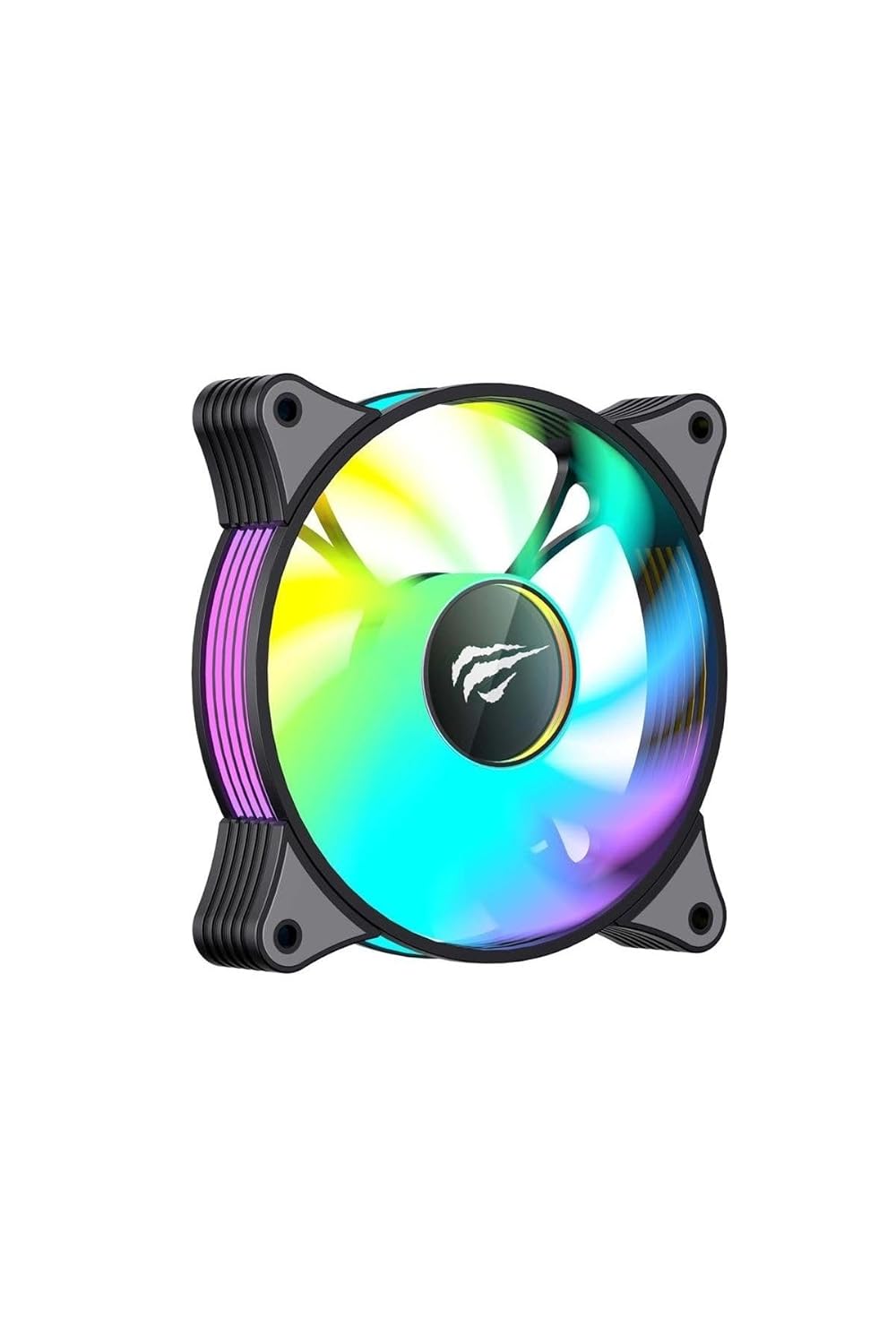
Image: Front view of the Havit Gamenote F2095 RGB Fan, showcasing its colorful lighting.
Identify Mounting Location: Locate an available 120mm fan mounting spot in your computer case. Common locations include the front, rear, top, or bottom of the case.

Image: Top-down view of the Havit Gamenote F2095 RGB Fan, showing the fan blades and mounting holes.
Mount the Fan: Position the fan in the desired mounting location, ensuring the airflow direction is correct (typically, air flows from the open side of the fan towards the side with the support struts). Use the four included mounting screws to secure the fan to the case. Do not overtighten the screws.

Image: Rear view of the Havit Gamenote F2095 RGB Fan, showing the motor hub and cable exit point.
Connect Power: Locate an available 4-pin fan header on your motherboard. Carefully align the 4-pin connector from the Havit F2095 fan with the header on the motherboard and push it in firmly until it clicks into place. Ensure the connector is fully seated.
Note: The RGB lighting is integrated and powered through the same 4-pin connector. No separate RGB header connection is required for this model.
Cable Management: Route the fan cable neatly to avoid obstructing airflow or interfering with other components. Use cable ties if necessary.
Close Case and Power On: Close your computer case, plug in the power cable, and power on your system. The fan should begin spinning and the RGB lighting should illuminate.
Operating the Fan
The Havit Gamenote F2095 fan operates automatically once connected to a 4-pin fan header on your motherboard. The fan speed is typically controlled by the motherboard's BIOS/UEFI settings or through fan control software provided by your motherboard manufacturer.
- Fan Speed Control: Access your motherboard's BIOS/UEFI settings (usually by pressing DEL or F2 during boot-up) to adjust fan curves based on CPU or system temperatures. This allows for dynamic fan speed adjustments, balancing cooling performance and noise levels.
- RGB Lighting: The RGB lighting on the Havit Gamenote F2095 is pre-programmed to cycle through various colors and effects. It does not require separate software or a dedicated RGB controller for its basic operation. The lighting will activate automatically when the fan receives power.
Maintenance
Regular maintenance helps ensure optimal performance and longevity of your Havit Gamenote F2095 fan:
- Dust Removal: Periodically (e.g., every 3-6 months), power off and unplug your computer. Use compressed air or a soft brush to gently remove dust accumulation from the fan blades and frame. Hold the fan blades stationary while using compressed air to prevent over-spinning the motor.
- Inspection: Check for any loose cables or obstructions around the fan blades. Ensure the fan is securely mounted.
- Avoid Liquids: Never use liquid cleaners directly on the fan. If necessary, use a slightly damp cloth to wipe the exterior frame, ensuring no moisture enters the motor.
Troubleshooting
| Problem | Possible Cause | Solution |
|---|---|---|
| Fan not spinning |
|
|
| RGB lighting not working |
|
|
| Excessive noise from fan |
|
|
Specifications
| Feature | Detail |
|---|---|
| Model | F2095 |
| Brand | Havit |
| Fan Size | 120mm |
| Fan Speed | 1800 RPM |
| Power Connector Type | 4-Pin |
| Wattage | 1.44 watt |
| Cooling Method | Fan |
| Compatible Devices | Desktop Computers |
| Lighting | RGB (Auto-cycling) |
Warranty and Support
Havit products are designed and manufactured to the highest quality standards. For information regarding warranty coverage, please refer to the warranty card included with your product or visit the official Havit website.
If you encounter any issues or have questions not covered in this manual, please contact Havit customer support through their official website or the retailer from whom you purchased the product. Please have your product model number (F2095) and purchase details ready when contacting support.
This manual is subject to change without prior notice.

