
1. Introduction
This manual provides comprehensive instructions for the installation, operation, and maintenance of your Bestechy Programmable Smart Thermostat (Model BHT-18GBLW-MT). This device is designed for electric heating systems, offering advanced control through its LED touch screen, mobile application, and voice commands. It supports the Matter protocol for broad compatibility with smart home ecosystems like Apple HomeKit, Google Assistant, and Amazon Alexa.

Image 1.1: Front view of the Bestechy Programmable Smart Thermostat.
2. Setup and Installation
2.1 Included Components
Before beginning installation, verify that all components are present:
- Electric baseboard heater thermostat (1 unit)
- Inspection certificate (1 unit)
- Screws for installation (2 units)
- Sensing wire (1 unit)
- User's manual (1 unit)

Image 2.1: Contents of the product package.
2.2 Wiring and Mounting
The thermostat is designed for easy DIY installation. Follow these general guidelines:
- Power Disconnection: Ensure the main power supply to your heating system is turned off at the circuit breaker before starting any wiring.
- Wiring Connection: Connect the thermostat to your electric heating system according to the wiring diagram provided in the included user manual and on the back of the device. The applicable voltage range is 95-240V, and the current load capacity is 16A.
- Mounting: Mount the thermostat securely to the wall. If your existing junction box is not compatible, a junction box converter may be used.
- Power Restoration: Once wiring and mounting are complete, restore power to the heating system.

Image 2.2: Detailed view of the thermostat's dimensions and wiring connections.
2.3 App Integration
To utilize smart features, download the 'Smart Life' or 'Tuya' application from your device's app store. Follow the in-app instructions to pair your thermostat with your Wi-Fi network and smart home ecosystem (Alexa, Google Assistant, Apple HomeKit).
3. Operating Instructions
The thermostat offers multiple control methods for convenience and flexibility.
3.1 Control Methods
- LED Touch Screen: Directly adjust settings and view information on the integrated LED display.
- Mobile Application: Use the Smart Life or Tuya app to control and monitor your thermostat remotely from your smartphone or tablet.
- Voice Control: Integrate with Amazon Alexa, Google Assistant, or Apple HomeKit for hands-free temperature adjustments.
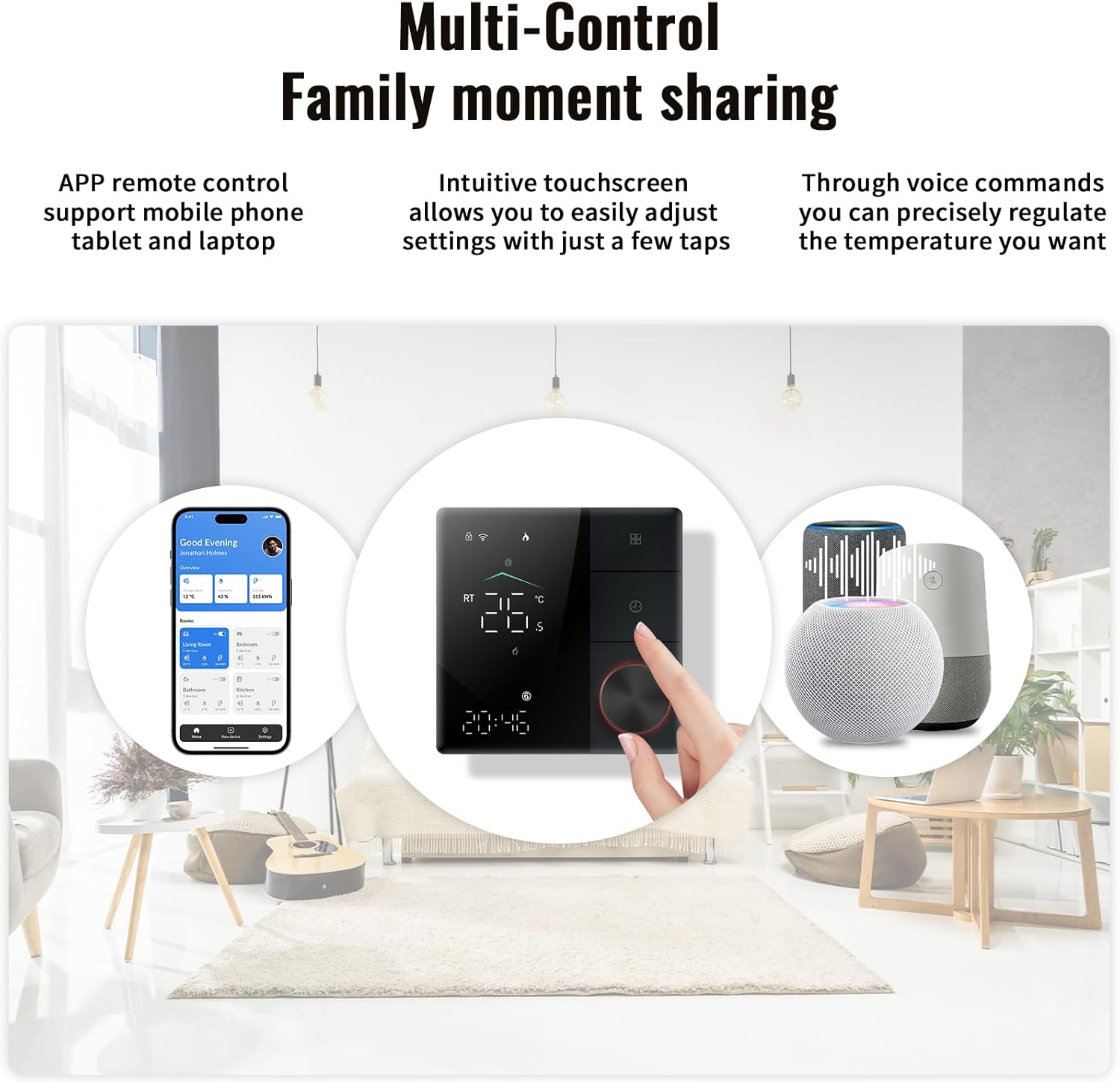
Image 3.1: Overview of multi-control options for the thermostat.
3.2 Programming and Scheduling
The thermostat supports a 7-day programmable schedule (5+1+1 day weekly schedule with 6 stages per day) to optimize energy usage. Refer to the detailed programming instructions in the included user manual for setting custom schedules.
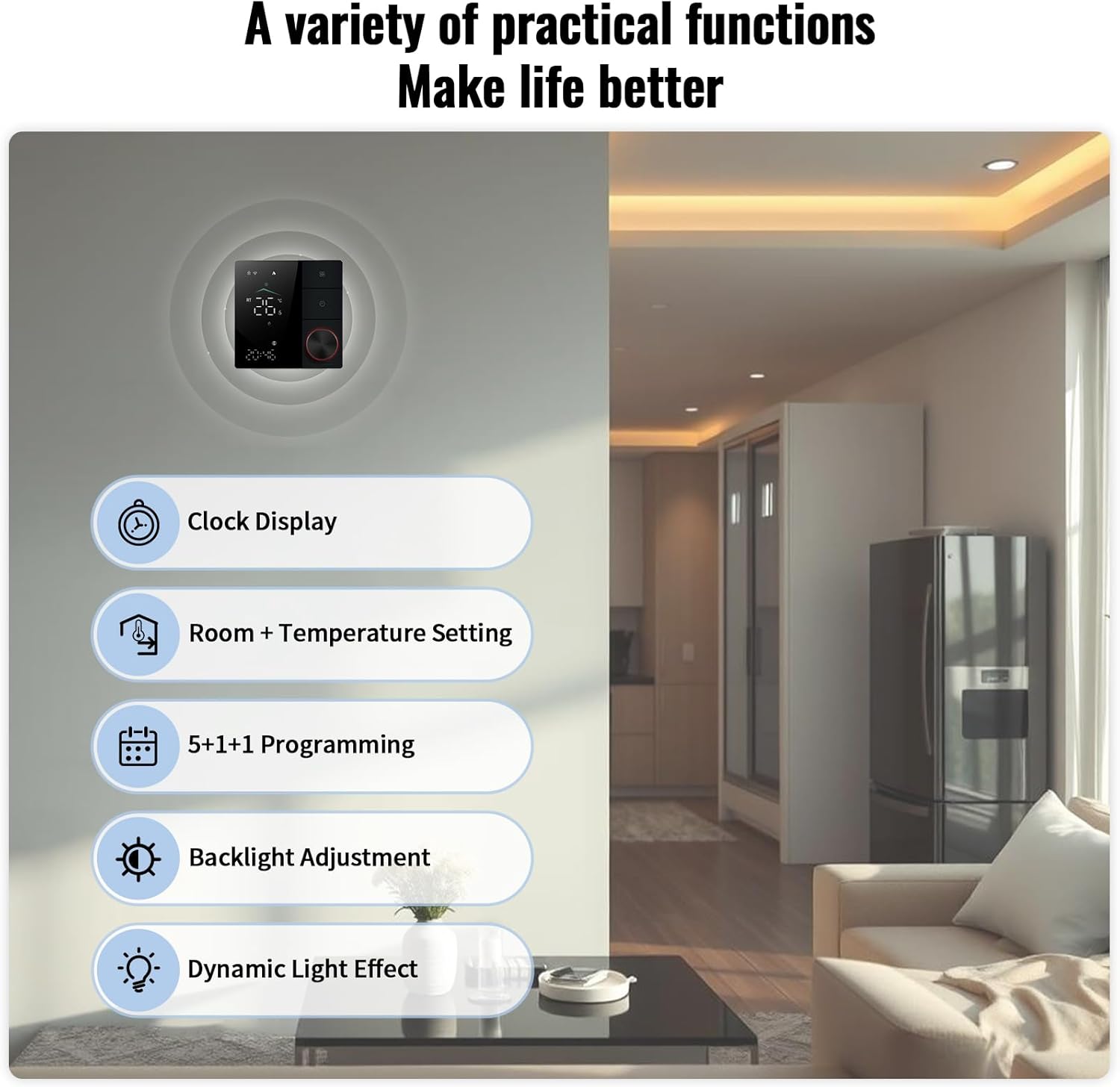
Image 3.2: Display of practical functions including programming options.
3.3 Special Features
- Child Lock: Prevents unauthorized changes to settings.
- Wi-Fi Automatic Reconnection: Ensures continuous connectivity.
- Weather Forecast: Displays current weather information.
- Clock Display: Shows current time.
- Backlight Adjustment: Customize display brightness.
- Dynamic Lighting Effects: Visual enhancements for the display.

Image 3.3: Thermostat demonstrating compatibility with major smart home platforms.

Image 3.4: Example of Apple HomeKit integration for thermostat control.
4. Maintenance
To ensure optimal performance and longevity of your thermostat, follow these simple maintenance guidelines:
- Cleaning: Gently wipe the screen and exterior with a soft, dry cloth. Avoid using abrasive cleaners or solvents, which can damage the finish.
- Dust Removal: Periodically remove any dust accumulation around the thermostat to prevent interference with sensors or ventilation.
- Software Updates: Ensure your mobile application is updated to the latest version for access to new features and performance improvements.
5. Troubleshooting
If you encounter issues with your Bestechy Smart Thermostat, refer to the following common troubleshooting steps:
- No Power: Check the circuit breaker for your heating system. Ensure all wiring connections are secure as per installation instructions.
- Wi-Fi Connectivity Issues: Verify your home Wi-Fi network is operational. Ensure the thermostat is within range of your Wi-Fi router. Attempt to reconnect the thermostat through the mobile app.
- Incorrect Temperature Readings: Ensure the thermostat is not exposed to direct sunlight, drafts, or heat sources that could affect its internal sensor.
- App Control Not Responding: Check your internet connection on your mobile device. Ensure the thermostat is connected to Wi-Fi and the app is updated.
- Heating System Not Responding: Confirm the thermostat is set to heating mode and the desired temperature is above the current room temperature. Check the heating system itself for any issues.
For further assistance, consult the detailed troubleshooting section in the full user manual or contact Bestechy customer support.
6. Specifications
Key technical specifications for the Bestechy Programmable Smart Thermostat:
| Feature | Specification |
|---|---|
| Brand | Bestechy |
| Model Name | Electric heating thermostat |
| Model Number | BHT-18GBLW-MT |
| Product Dimensions | 1.95"D x 3.46"W x 3.46"H |
| Controller Type | APP, Touch Screen, Voice |
| Special Features | Clock Display, Dimmable, Lockable, Programmable, Temperature Display |
| Color | Black |
| Specific Uses | Electric heating thermostat (electric floor heating, baseboard, oil heater, radiator systems) |
| Temperature Control Type | Heating |
| Connectivity Technology | Matter, Wi-Fi |
| Power Source | Corded Electric |
| Item Weight | 0.5 Pounds (8 ounces) |
| Voltage | 95-240 Volts (AC) |
| Material | PC+ABS engineering plastics (flame retardant) |
| Display Type | LED |
| Mounting Type | Wall Mount |
| UPC | 716172728016 |

Image 6.1: The thermostat's compatibility with various electric heating systems.
7. Warranty and Support
For warranty information and customer support, please refer to the documentation included with your product or visit the official Bestechy website. Bestechy is committed to providing high-quality products and support.