
1. Introduction and Overview
The YUYUNLOMN Wireless HDMI Transmitter and Four Receivers kit provides a high-definition video and audio streaming solution without the need for extensive cabling. This plug-and-play system supports 1080P Full HD resolution and offers a transmission range of up to 165 feet (50 meters) in open areas, or approximately 50 feet (15 meters) through walls or ceilings. It is designed for simultaneous expansion to multiple displays, making it suitable for various environments such as home entertainment, business meetings, and educational settings. The system utilizes advanced 5G chip wireless transmission technology for stable and smooth data transfer with ultra-low latency of 0.1 seconds.

Figure 1: Wireless HDMI system transmitting from a laptop to multiple screens in a large conference room, highlighting the 165FT/50M range and 0.1S transmission delay.
2. What's in the Box
- One Wireless HDMI Transmitter (TX)
- Four Wireless HDMI Receivers (RX)
- Micro/Mini HDMI Adapters
- USB-C to HDMI Adapter
- Five Type-C Charging Cables
- HDMI Extension Cables
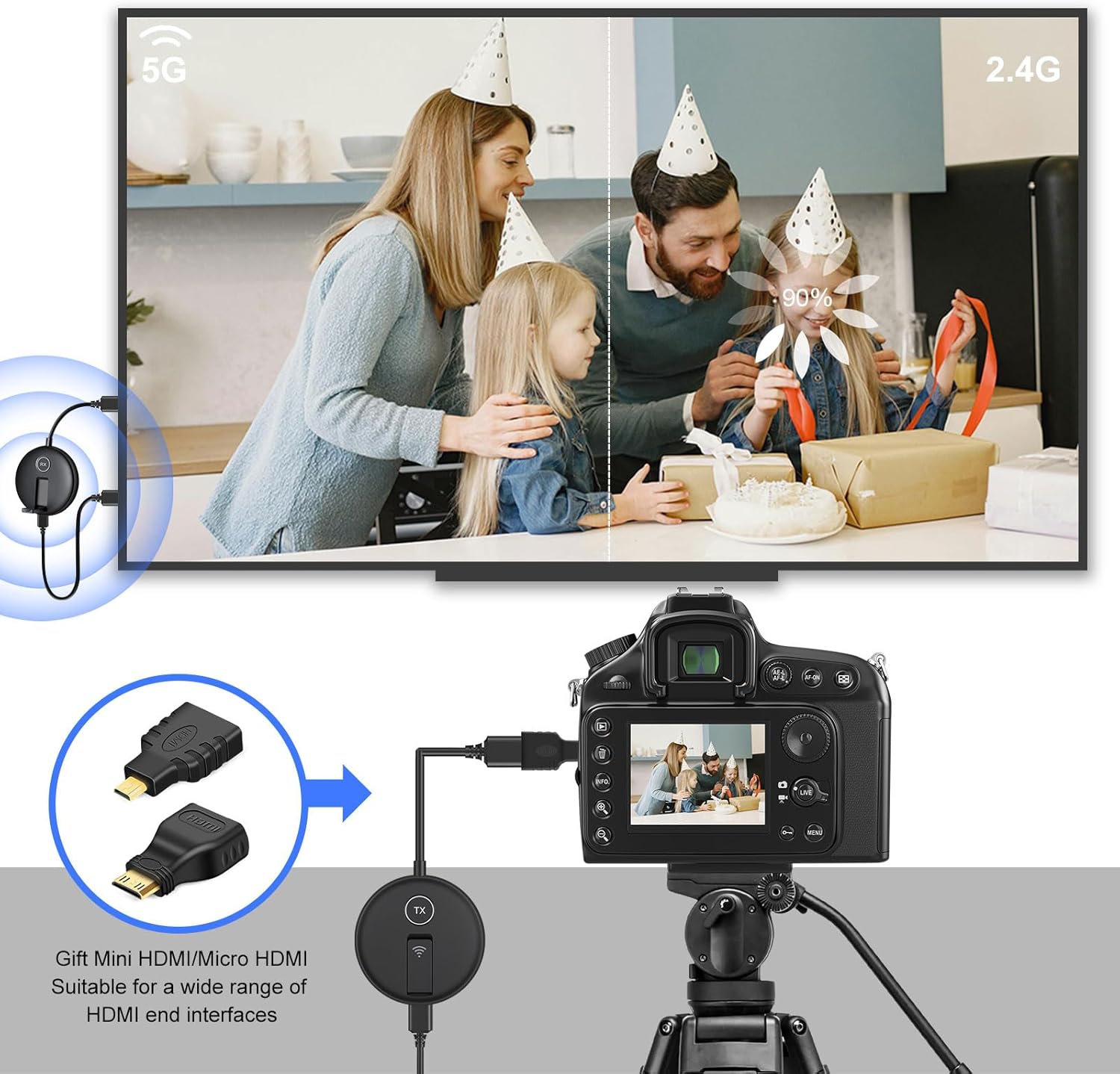
Figure 2: All components included in the YUYUNLOMN Wireless HDMI Transmitter and Four Receivers kit.
3. Setup Instructions
3.1 Basic Connection
- Connect the Transmitter (TX): Plug the TX unit into the HDMI port of your source device (e.g., laptop, PC, camera, gaming console). If your device uses USB-C, Micro HDMI, or Mini HDMI, use the appropriate adapter provided.
- Power the Transmitter (TX): Connect a Type-C charging cable to the TX unit and plug the USB-A end into a 5V/1A charger or a USB port on your laptop for power.
- Connect the Receivers (RX): Plug each RX unit into an available HDMI port on your display devices (e.g., HDTV, projector, monitor).
- Power the Receivers (RX): Connect a Type-C charging cable to each RX unit and plug the USB-A end into a 5V/1A charger or a USB port on your display device for power. Ensure adequate power supply for optimal performance.
- Automatic Pairing: The devices are designed for plug-and-play functionality and should automatically pair once powered on.

Figure 3: Basic connection diagram for the Wireless HDMI Transmitter and Receiver system.
3.2 TuTuPlay App Setup (for Mobile Devices)
- Mobile Device Preparation: Download and install the "TuTuPlay" application on your iPhone, iPad, smartphone, or tablet.
- WiFi Connection: Open the WiFi settings on your mobile device, search for and select the "TuTuPlay xxx" network, and enter the provided password "12345678" to connect.
- Application Activation: Open the installed TuTuPlay application to begin wirelessly mirroring your laptop screen to your mobile device.

Figure 4: Steps for setting up the TuTuPlay app for mobile device mirroring.
4. Operating Instructions
4.1 Display Modes
- Duplicate Mode: The system will mirror the content from your source device (e.g., laptop) to all connected display devices (TVs/projectors/monitors).
- Extend Mode: You can extend your display from the laptop to the connected monitors. Note that the extension will apply to all connected monitors as a single extended display, not separate extensions for each.
4.2 Multi-Screen Expansion
The system supports connecting up to 4 display screens simultaneously from a single transmitter. This allows for flexible display configurations:
- 1 Transmitter (TX) with 1 monitor + 3 mobile phones/tablets
- 1 Transmitter (TX) with 3 monitors + 1 mobile phone/tablet
- 1 Transmitter (TX) with 2 monitors + 2 phones/tablets
- 1 Transmitter (TX) with 4 monitors
- 1 Transmitter (TX) with 4 phones/tablets
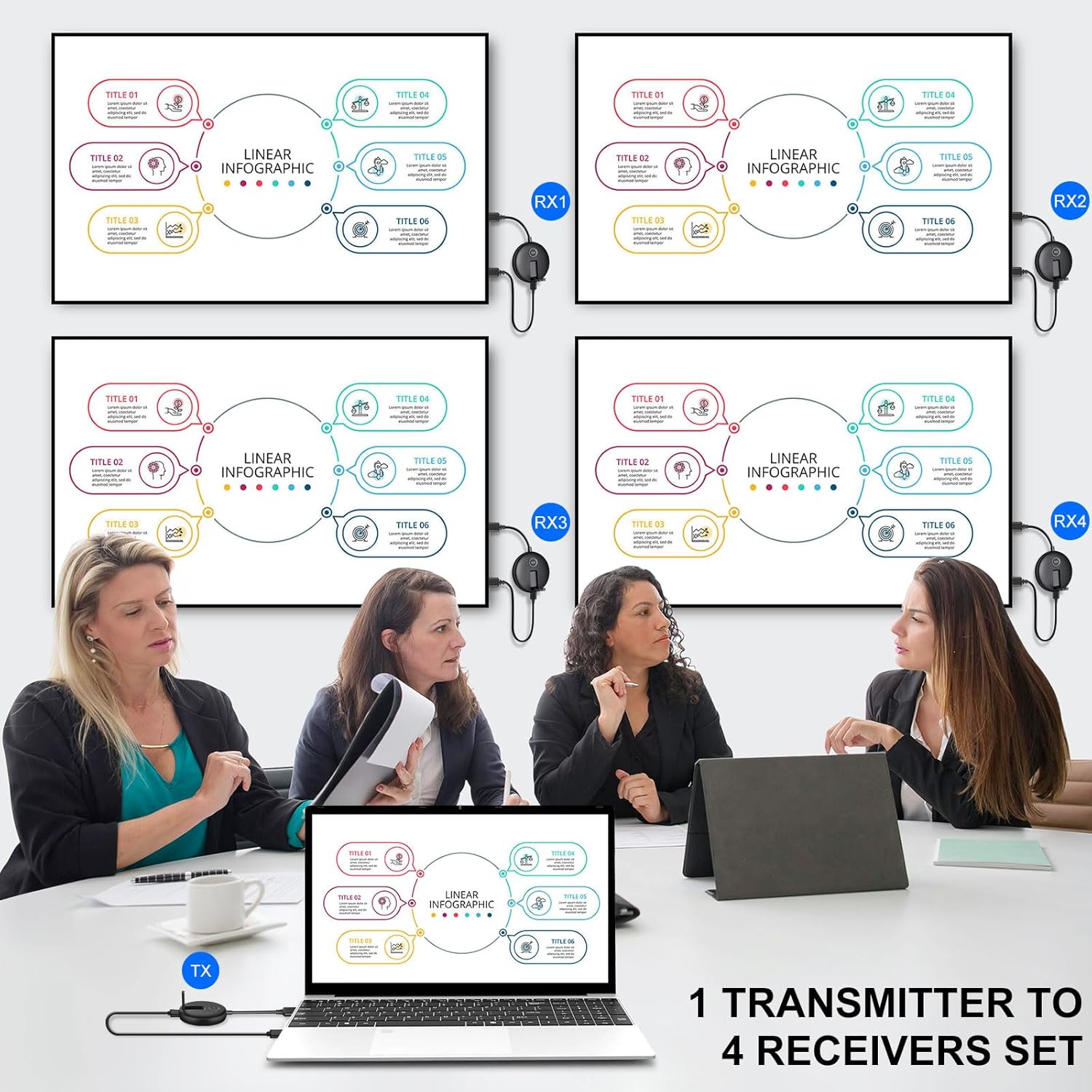
Figure 5: Example of 1 transmitter connected to 4 receivers for multi-screen display.
4.3 Channel Switching
If the transmission signal is poor, you can open the channel option (on the device or via the TuTuPlay app) and switch to other channels with stable signal transmission.
4.4 Video Demonstration
Video 1: Official YUYUNLOMN demonstration of the wireless HDMI transmitter and receiver kit in action.
5. Compatibility
This wireless HDMI splitter is universally compatible with most HDMI output devices on the market. It supports seamless interfacing with:
- Source Devices: Laptops, PCs, Macbooks, digital cameras, DSLRs, Blu-ray players, DVD players, set-top boxes, cable/satellite TV boxes, gaming consoles, smartphones, tablets, iPads.
- Display Devices: HDTVs, projectors, monitors.
The kit includes USB-C to HDMI 4K adapter, Micro HDMI adapter, and Mini HDMI adapter to ensure broad compatibility with various port types.
Figure 6: Compatibility chart for source and display devices.
6. Specifications
- Brand: YUYUNLOMN
- Model Number: 5e0f1c6a-4a51-4892-9747-0ab15554478a
- Color: Black
- Item Weight: 1.43 pounds
- Product Dimensions: 0.59 x 2.83 x 7.48 inches
- Connectivity Technology: Ethernet, HDMI, Wi-Fi, Wireless (5.8GHz/2.4GHz Dual Band)
- Connector Type: HDMI, Micro HDMI, Mini HDMI, USB-C TO HDMI
- Resolution: 1080p
- Transmission Range: Up to 165FT/50M (open area), approx. 50FT/15M (through walls/ceilings)
- Latency: Ultra-low latency of 0.1 seconds
- Power Supply: 5V/1A charger recommended (can also be powered via USB ports on devices)
- Special Features: Multiple Receivers Function (up to 6 RXs), Dual antenna design, Plug and Play, TuTuPlay App for iOS/Android.
7. Troubleshooting
- No Signal/Intermittent Signal:
- Ensure both the transmitter and all receivers are properly powered with a 5V/1A charger or a stable USB port.
- Check all HDMI and power cable connections for secure fit.
- Reduce the distance between the transmitter and receivers. Obstacles like walls can reduce effective range.
- Switch to a different channel if interference is suspected (refer to device manual for channel switching instructions).
- Audio/Video Lag or Sync Issues:
- Ensure all devices are receiving stable power.
- Minimize physical obstructions between the transmitter and receivers.
- Verify that the source device's output resolution is compatible with the system (1080p recommended).
- TuTuPlay App Connection Issues:
- Confirm your mobile device is connected to the "TuTuPlay xxx" WiFi network with the correct password.
- Ensure the transmitter is powered and functioning correctly.
8. Maintenance
- Keep the devices in a cool, dry place away from direct sunlight and extreme temperatures.
- Clean the devices with a soft, dry cloth. Avoid using liquid cleaners or abrasive materials.
- Ensure proper ventilation around the devices to prevent overheating.
9. Warranty & Support
For warranty information, technical support, or any product-related inquiries, please refer to the contact details provided in your product packaging or visit the official YUYUNLOMN website. Please retain your proof of purchase for warranty claims.