Introduction
This user manual provides detailed instructions for the installation, operation, and maintenance of your AGAGA FG170-30CM_Y Aquarium Light. Please read this manual thoroughly before use to ensure proper function and longevity of your product. This full-spectrum LED light is designed to support the growth of aquatic plants and enhance the visual appeal of your freshwater aquarium.
Safety Information
- Do not immerse the light fixture in water. This product is designed to be placed over the aquarium, not submerged.
- Ensure your hands are dry before handling the power adapter or plugging/unplugging the unit.
- Always unplug the light from the power outlet before performing any maintenance, cleaning, or when placing hands in the aquarium water.
- Keep the power cord and adapter away from water to prevent electrical hazards.
- Do not operate the light if any part is damaged, especially the power cord or LED array.
- This product is intended for indoor use only.
- Keep out of reach of children.
Package Contents
Please check the package for the following items:
- AGAGA FG170-30CM_Y Aquarium Light Fixture
- Adjustable Extendable Brackets (2 pcs)
- Power Adapter with Integrated Controller
- User Manual (this document)
Setup Instructions
Follow these steps to set up your aquarium light:
- Unpack the Components: Carefully remove all items from the packaging.
- Attach Brackets: Slide the adjustable extendable brackets into the slots on each end of the light fixture. Ensure they are securely seated.
- Position the Light: Place the light fixture over your aquarium. Adjust the extendable brackets to fit the width of your tank (suitable for 30-45cm tanks). The brackets are designed to elevate the light approximately 12mm (0.5in) above the tank rim.
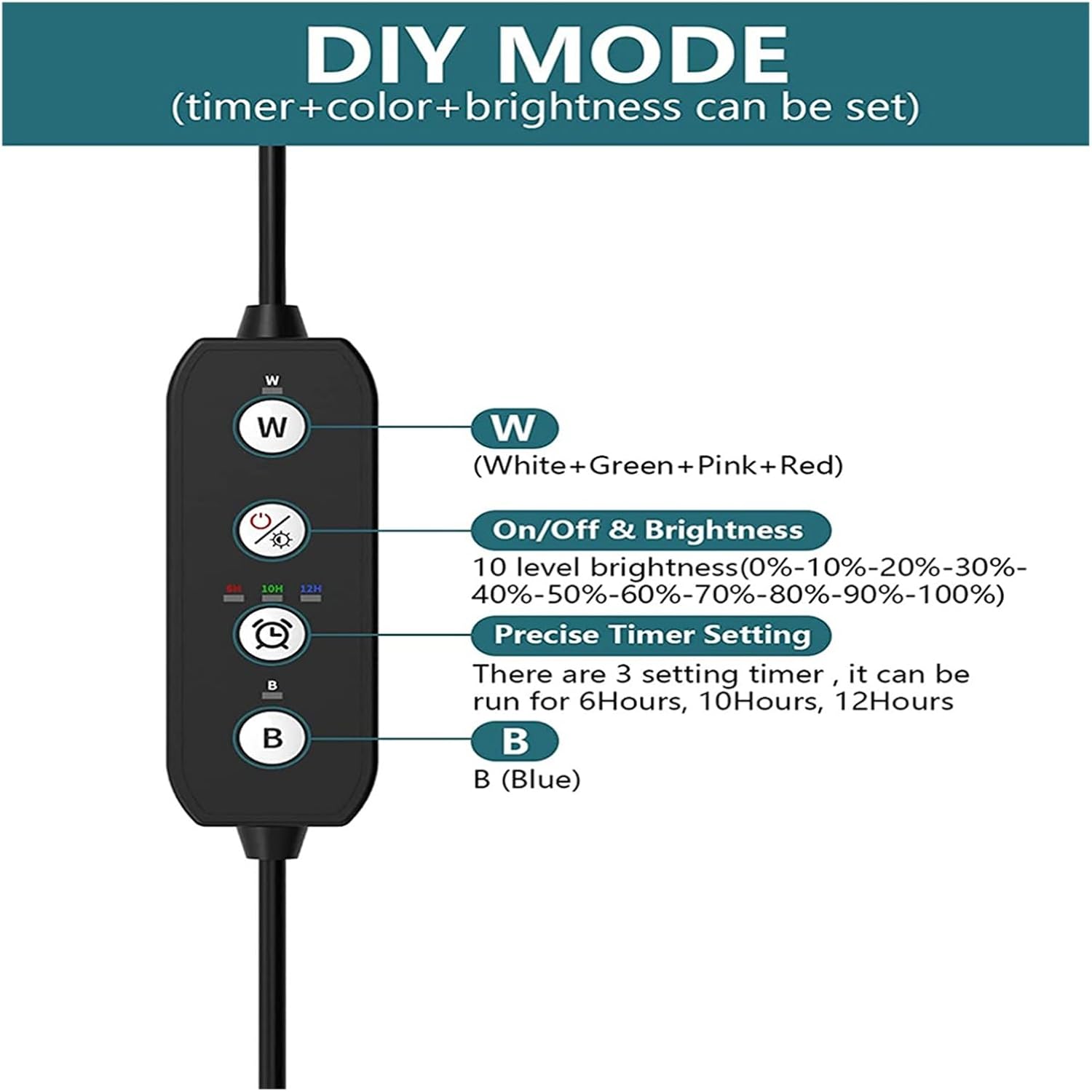
Figure 1: Attaching the adjustable extendable brackets to the light fixture. The image highlights the bracket's design for tank placement, the high-quality ABS material for heat dissipation, and the IP54 waterproof rating of the light.
- Connect Power: Connect the power adapter cable to the light fixture's input port.
- Plug In: Plug the power adapter into a suitable AC power outlet.

Figure 2: Overview of the AGAGA Aquarium Light and its controller. This image displays the full light unit with its power cable and inline control panel.
Operating Instructions
Control Panel Overview
The light is controlled via an inline panel on the power cable. Familiarize yourself with the buttons:
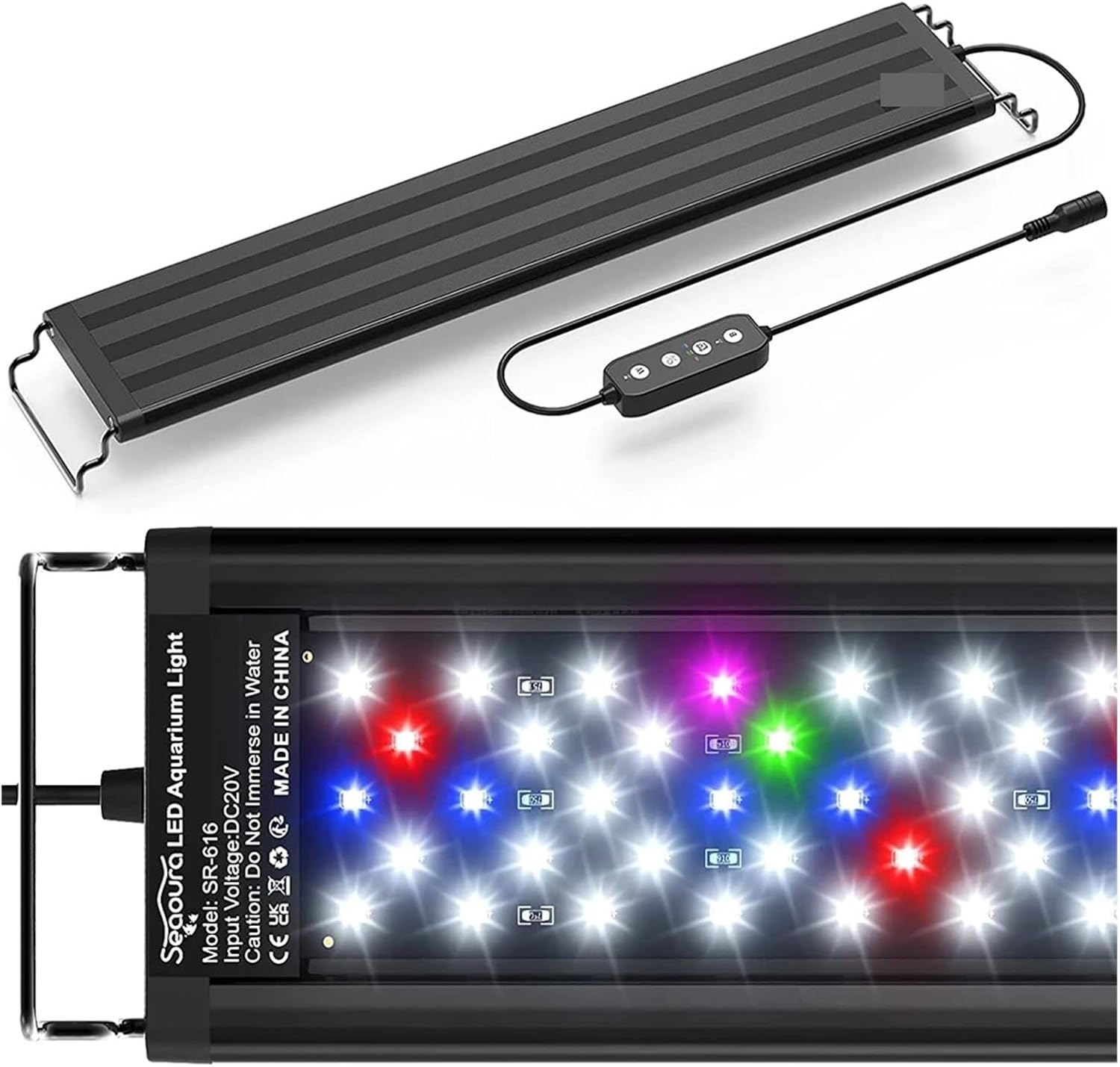
Figure 3: The inline control panel. This image details the functions of each button: 'W' for White/Red/Green/Pink LEDs, On/Off & Brightness control, Timer setting, and 'B' for Blue LEDs.
- W Button: Controls the White, Red, Green, and Pink LEDs. Press to cycle through modes or activate.
- On/Off & Brightness Button: Short press to turn the light On/Off. Long press to adjust brightness (10 levels: 10%-100%).
- Timer Button: Sets the operating duration (6, 10, or 12 hours).
- B Button: Controls the Blue LEDs. Press to cycle through modes or activate.
DIY Mode: Timer, Color, and Brightness Settings
The light offers a DIY mode allowing customization of time, color, and brightness. The light has a power-off memory function, retaining your last settings.
- Select Color Mode:
- Press the W button to activate the White/Red/Green/Pink LED channel.
- Press the B button to activate the Blue LED channel.
- You can combine both channels for a full spectrum effect.
- Adjust Brightness: With the desired color mode active, press and hold the On/Off & Brightness button. The brightness will cycle through 10 levels (10% to 100%). Release the button when the desired brightness is reached.
- Set Timer: After setting your preferred color and brightness, press the Timer button. Each press will cycle through the available timer options: 6 hours, 10 hours, or 12 hours. The light will automatically turn off after the set duration and turn on again at the same time the next day.
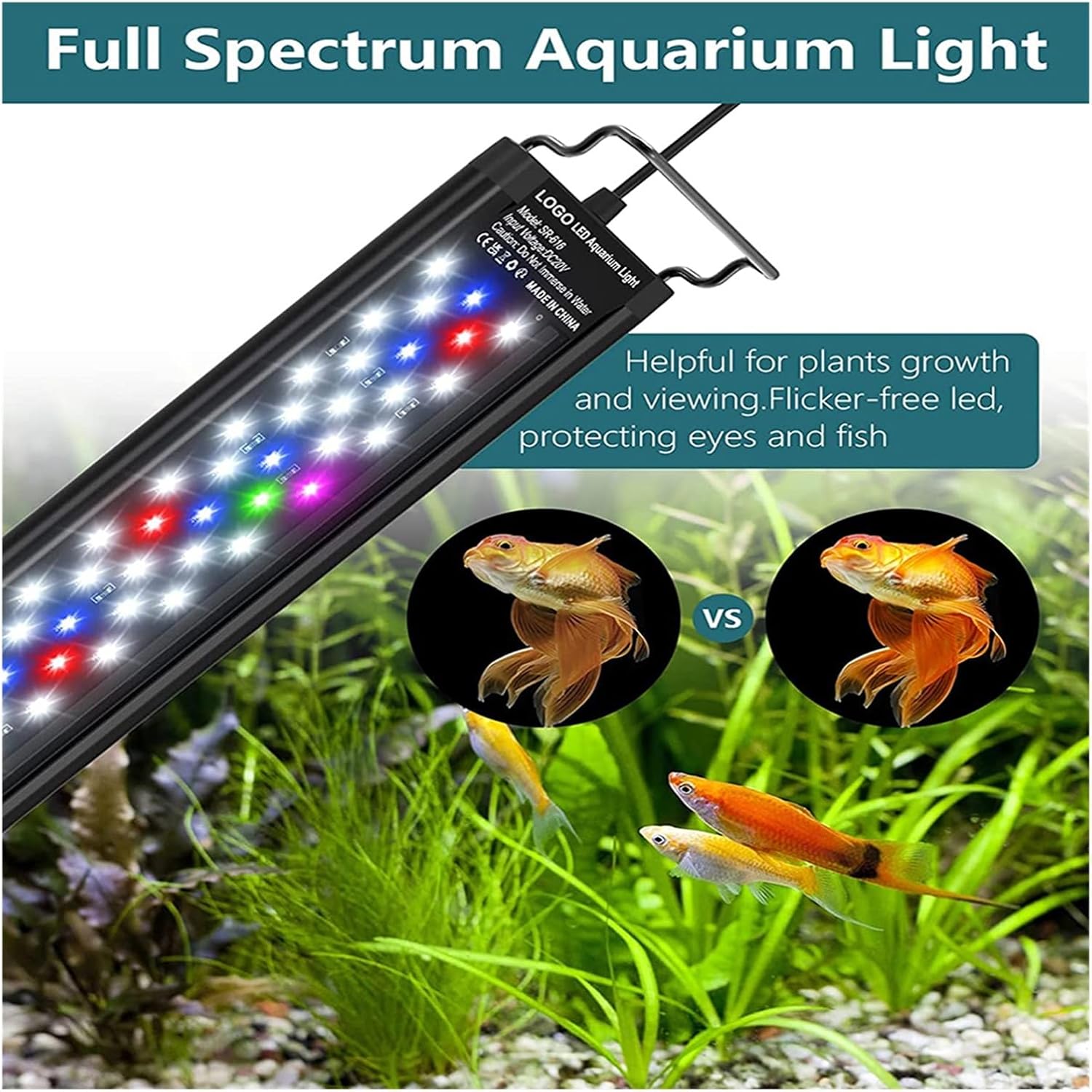
Figure 4: DIY Mode explanation. This diagram visually explains how to set the timer (6H, 10H, 12H), adjust brightness (10 levels), and control the 'W' (White+Green+Pink+Red) and 'B' (Blue) LED channels.

Figure 5: Three Color Light Modes. This image provides visual examples of the different lighting effects achievable: White/Red/Pink/Green mode, All lights on mode (full spectrum), and Only blue mode.
The full spectrum lighting is beneficial for the growth of freshwater aquatic plants and enhances the natural colors of fish. It is suitable for low to medium light level plants such as Java Moss, Java ferns, banana plants, anubia, hornwort, and anacharis, as well as various freshwater fish like Betta fish, Tetras, and tropical fish. This light is not designed for coral or reef aquariums.
Maintenance
Regular maintenance ensures optimal performance and extends the lifespan of your aquarium light.
- Cleaning: Always unplug the light before cleaning. Use a soft, damp cloth to wipe the light fixture and brackets. Do not use abrasive cleaners or solvents.
- Water Spots: If water spots accumulate on the LED cover, gently wipe them away to maintain light output.
- Inspection: Periodically inspect the power cord and connections for any signs of damage or wear.
Troubleshooting
If you encounter issues with your aquarium light, refer to the following table:
| Problem | Possible Cause | Solution |
|---|---|---|
| Light does not turn on. | No power supply. Faulty connection. | Ensure the power adapter is securely plugged into both the light and the wall outlet. Test the outlet with another device. |
| Light turns off unexpectedly. | Timer function activated. Power interruption. | Check if a timer (6H, 10H, 12H) is set. The light will turn off after the set duration. Verify stable power supply. |
| Brightness is too low/high. | Brightness setting needs adjustment. | Press and hold the On/Off & Brightness button to cycle through 10 brightness levels until desired intensity is reached. |
| Specific LED colors are not working. | LED channel not activated. | Press the W button for White/Red/Green/Pink LEDs or the B button for Blue LEDs to activate the respective channels. |
Specifications
| Feature | Detail |
|---|---|
| Model | FG170-30CM_Y |
| Brand | AGAGA |
| Suitable Tank Size | 30-45 cm (adjustable brackets) |
| Light Spectrum | Full Spectrum (White, Blue, Red, Green, Pink LEDs) |
| Brightness Levels | 10 (10% - 100%) |
| Timer Settings | 6 hours, 10 hours, 12 hours |
| Power Source | AC |
| Power-off Memory | Yes |
| Product Dimensions | Approximately 30L x 20W x 10H millimeters (light fixture only) |
| Item Weight | 50 Grams |
| Country of Origin | China |
Warranty and Support
For warranty information or technical support, please contact the retailer or manufacturer directly. Keep your purchase receipt as proof of purchase. This product is designed for reliable performance, and proper care as outlined in this manual will help ensure its longevity.