
HCALORY Toolbox 2
Contents
HCALORY 12V Portable Diesel Heater User Manual
Model: Toolbox 2
1. Product Overview
The HCALORY 12V Portable Diesel Heater, Model Toolbox 2, is an 8KW all-in-one parking heater designed for efficient and reliable heating in various environments. Its compact and portable design makes it ideal for use in cars, trucks, RVs, campers, and other indoor or outdoor scenarios. This heater features a built-in 6L fuel tank and offers multiple control options, including an LCD panel, remote control, and a smart Bluetooth application.

Figure 1.1: An overview of the HCALORY 12V Portable Diesel Heater, showcasing its compact toolbox design, integrated control panel, and included accessories such as the power adapter, remote control, and a smartphone displaying the control app.

Figure 1.2: A banner image highlighting the HCALORY Toolbox 2 Diesel Heater, emphasizing its enhanced heating efficiency system against a snowy, mountainous backdrop.
2. Safety Information
This appliance is designed with multiple safety features to ensure a worry-free experience. Please read and understand all safety instructions before operation.
- Complies with all local, state, and federal safety regulations.
- Equipped with safeguard safety functions such as automatic shutdown and overload protection.
- The upgraded motherboard provides short circuit protection, reverse connection protection, over-voltage protection, and over-heat protection (≥270 °C/518 °F).
- Ensure proper ventilation when operating in enclosed spaces.
- Do not use on hay or flammable items.
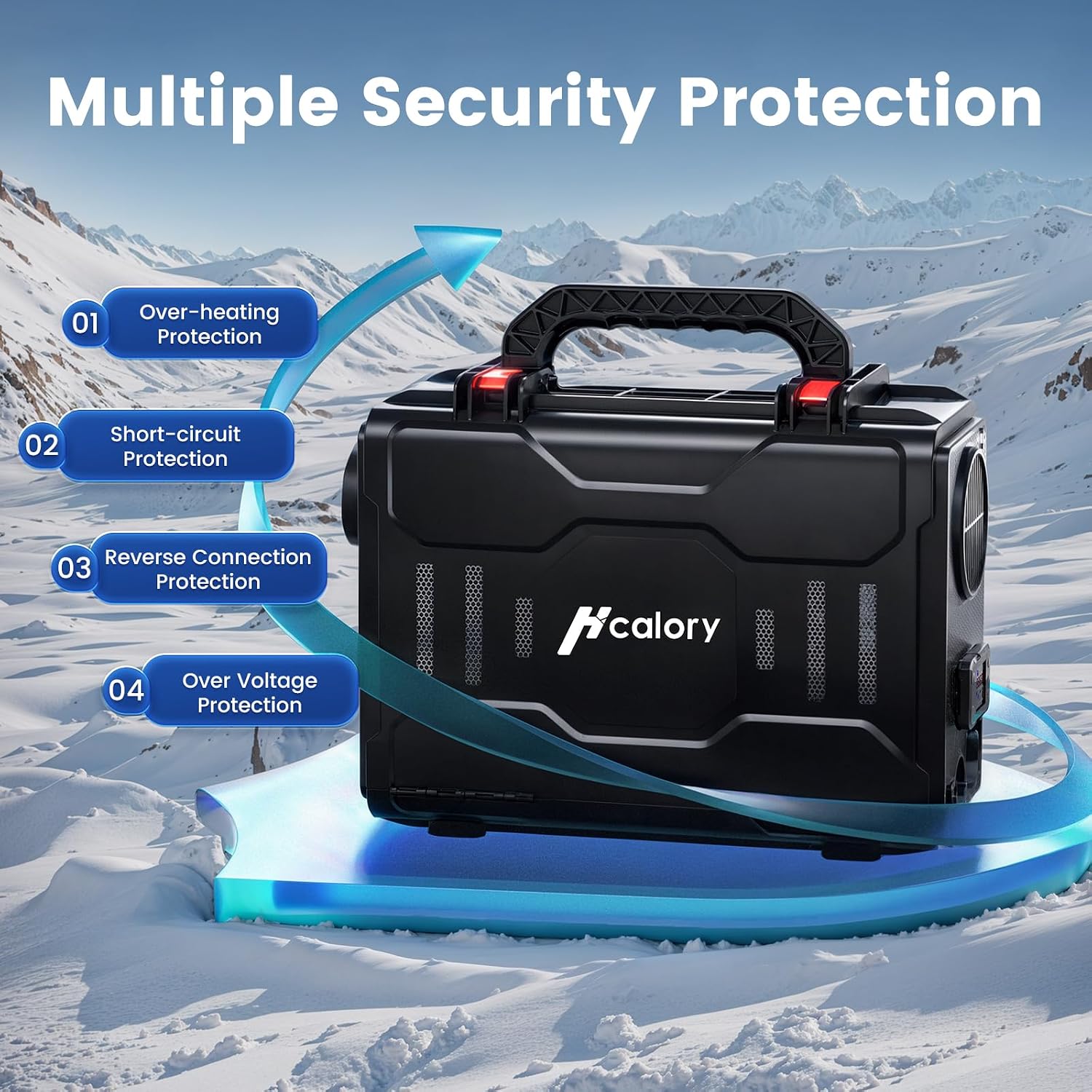
Figure 2.1: An illustration demonstrating the multiple security protections of the HCALORY diesel heater, including over-heating, short-circuit, reverse connection, and over-voltage protection, ensuring safe operation.
3. Product Features
3.1. Heating Performance
The HCALORY diesel heater is engineered for rapid and efficient heating with low energy consumption. It can heat up quickly, providing warmth for various spaces.
- Achieves desired temperatures quickly, taking approximately 10 minutes to heat up to 212°F.
- Improved heating efficiency by 38% due to optimized internal components.
- Provides large heating coverage, suitable for areas ranging from 215 sq ft to 289 sq ft.

Figure 3.1.1: A graph illustrating the faster heating capability and lower energy consumption of the HCALORY diesel heater compared to other models, showing it reaches 212°F in 10 minutes with efficient fuel usage.

Figure 3.1.2: A detailed view of the internal components of the HCALORY diesel heater, highlighting improvements that lead to 38% increased heating efficiency, 1.87 times extended usage time, and a larger, heavier-duty fan.

Figure 3.1.3: An image depicting the HCALORY diesel heater in a modern living space, illustrating its capability to provide large heating coverage, warming an area of 215-289 square feet.
3.2. Fuel Tank and Portability
The Toolbox 2 model features an upgraded built-in fuel tank for convenience and extended operation, alongside a design focused on portability and ease of maintenance.
- Built-in 6L fuel tank for easier installation and space-saving.
- Increased capacity allows for up to 50 hours of operation.
- Compact toolbox design with a single handle for easy carrying.
- Features a buckle design for convenient disassembly and maintenance.

Figure 3.2.1: A visual comparison showing the upgraded diesel tank design of the HCALORY Toolbox 2 heater, featuring a built-in 6L tank for easier installation, space-saving, and up to 50 hours of operation, contrasted with an older external tank model.

Figure 3.2.2: Images demonstrating the portability of the HCALORY diesel heater with its single toolbox handle and the convenient buckle design for easy access and maintenance.
3.3. Control Methods
The heater offers versatile control options for user convenience, including an integrated LCD panel, a dedicated remote control, and a smart Bluetooth application.

Figure 3.3.1: An image illustrating the three convenient control methods for the HCALORY diesel heater: the integrated LCD panel, a smartphone application for remote management, and a dedicated remote control.

Figure 3.3.2: A close-up view of the HCALORY diesel heater's LCD monitor, detailing its various buttons (Plus, On/Off, Minus, OK, Setup) and display elements (Altitudes, Clock, Power levels, Display data/parameters, Main body shape).
The Bluetooth APP provides advanced control features:
- Altitude Mode: Intelligently adjusts the air-to-diesel fuel ratio for optimal combustion at high altitudes (up to 18,045 ft).
- Real-time Temperature View: Monitor current temperatures.
- Timer Function: Schedule turn-on and turn-off times.
- Temperature Setting: Precisely set your desired heating temperature.
- Fan Mode: Control fan operation.
- Gear Setting: Adjust the heater's power level.
- Language Setting: Customize the app language.

Figure 3.3.3: A smartphone screen showing the multi-functional Bluetooth APP for the HCALORY heater, with icons for Altitude Mode, Real-time Temperature View, Timer Function, Temperature Setting, Fan Mode, Gear Setting, and Language Setting.

Figure 3.3.4: An image showing the HCALORY diesel heater in a snowy outdoor setting, with a smartphone displaying the Altitude Mode feature of the app, which intelligently adjusts the air-to-diesel fuel ratio for optimal combustion at high altitudes.

Figure 3.3.5: A user relaxing in an RV, while a smartphone displays the Timer Function of the HCALORY app, allowing scheduling of turn-on and turn-off times for the heater.

Figure 3.3.6: An image showing an RV in a snowy landscape, with a smartphone displaying the Temperature Setting feature of the HCALORY app, allowing users to set their desired temperature, such as 60°F.

Figure 3.3.7: An image showing the HCALORY diesel heater in a snowy environment, with a smartphone displaying the Gear Setting feature of the app, allowing adjustment of the heater's power level.

Figure 3.3.8: An image showing the HCALORY diesel heater inside a vehicle, with a smartphone displaying the Blowing Mode feature of the app, indicating the fan operation.
3.4. Plateau Mode
The heater is equipped with a specialized plateau mode, ensuring optimal performance even at high altitudes.
- Automatically adjusts to different altitudes up to 18,045 ft.
- Ensures full combustion and consistent heating in high-altitude environments.

Figure 3.4.1: A person hiking in a snowy mountain environment with the HCALORY diesel heater, illustrating its Plateau Mode which intelligently adjusts for continuous warmth even in high altitude environments up to 18,045 ft.
3.5. Wide Application Area
The HCALORY diesel heater is versatile and suitable for a wide range of applications, powered by 12-24V DC or 110V/220V AC.
- Ideal for caravans, carpentry rooms, camping, lorries, cars, trucks, and RVs.
- Can be powered by a power station, household electrical outlet, or vehicle battery.

Figure 3.5.1: A collage of images showing the HCALORY diesel heater's versatility, suitable for various scenarios including home, camping, RVs, and cars.

Figure 3.5.2: An image illustrating the multiple power supply options for the HCALORY diesel heater, including power station supply, household electrical outlet, and vehicle battery compatibility.
4. Setup
Before operating your HCALORY diesel heater, ensure it is properly set up. The unit is designed for ease of use with its all-in-one toolbox structure.
4.1. Unpacking and Inspection
- Carefully remove the heater and all accessories from the packaging.
- Inspect the unit for any signs of damage during transit. If damaged, do not operate and contact customer support.
- Verify all components listed in the packing list are present.
4.2. Fueling the Heater
- Locate the fuel tank cap on the top of the unit.
- Unscrew the cap and carefully pour diesel fuel into the 6L built-in tank. Do not overfill.
- Ensure the cap is securely tightened after fueling.
4.3. Power Connection
- Connect the power adapter to the heater's power input port.
- Plug the power adapter into a suitable power source (12-24V DC or 110V/220V AC, depending on your adapter and environment).
- Ensure the connection is secure.

Figure 4.1: A detailed exploded view diagram of the HCALORY diesel heater's internal structure, labeling components such as the handle, 6L fuel tank, air outlet, control panel, air inlet, heating zone, control box, safety plug, flame retardant impeller, combustion chamber, and air fan.
5. Operating Instructions
The HCALORY diesel heater can be operated using its integrated LCD panel, the included remote control, or the smartphone application.
5.1. Using the LCD Panel
- Press the On/Off button to power on the heater.
- Use the Plus (+) and Minus (-) buttons to adjust the desired temperature or power level.
- Press the OK button to confirm selections.
- Use the Setup button to access various settings, including altitude mode, clock display, and other parameters.
- The LCD screen will display current temperature, power levels, and any active modes.
5.2. Using the Remote Control
- Ensure the remote control has working batteries.
- Point the remote control towards the heater's receiver.
- Press the ON button to turn on the heater and OFF to turn it off.
- Use the + and - buttons to adjust settings like temperature or power.
5.3. Using the Bluetooth APP
- Download the HCALORY app from your smartphone's app store.
- Enable Bluetooth on your smartphone and open the app.
- Follow the in-app instructions to pair with your HCALORY diesel heater.
- Once connected, you can control various functions:
- Turn the heater on/off.
- Adjust temperature settings.
- Set timers for automatic operation.
- Activate Plateau Mode for high-altitude use.
- Monitor real-time temperature and other parameters.
- Adjust fan speed and gear settings.
6. Maintenance
Regular maintenance ensures the longevity and optimal performance of your HCALORY diesel heater.
- Cleaning: Periodically clean the exterior of the heater with a soft, damp cloth. Ensure the air inlet and outlet are free from dust and debris.
- Fuel Filter: Check the fuel filter regularly and replace it if it appears clogged or dirty.
- Air Filter: Inspect and clean or replace the air filter as needed to maintain efficient airflow.
- Storage: When storing the heater for extended periods, ensure the fuel tank is empty and the unit is clean and dry. Store in a cool, dry place.
- Professional Service: For internal component checks or complex issues, it is recommended to seek professional service.
7. Troubleshooting
If you encounter issues with your HCALORY diesel heater, refer to the following error code table for common problems and their solutions.

Figure 7.1: Table of HCALORY diesel heater error codes and troubleshooting suggestions (Part 1).

Figure 7.2: Table of HCALORY diesel heater error codes and troubleshooting suggestions (Part 2).
For issues not listed or if troubleshooting steps do not resolve the problem, please contact customer support.
8. Specifications
| Feature | Detail |
|---|---|
| Brand | HCALORY |
| Model | Toolbox 2 |
| Special Feature | Adjustable Temperature, Overheat Protection, Portable, Remote Control |
| Color | Black |
| Indoor/Outdoor Usage | Outdoor |
| Recommended Uses | Camping, Garage, Garden, Home, Office, Patio, Tent |
| Mounting Type | Tabletop Mount |
| Burner Type | Radiant |
| Fuel Type | Diesel |
| Voltage | 12-24V DC, 110V/220V AC (with appropriate adapter) |
| Fuel Tank Capacity | 6L |
| Heating Area | 215 FT² ~ 289 FT² |
| Plateau Mode Altitude | Up to 18,045 ft |
9. Warranty and Support
Information regarding product warranty and customer support was not available in the provided product data. For warranty details or technical assistance, please refer to the product packaging, official HCALORY website, or contact the seller directly.
You may visit the HCALORY Store for more information: HCALORY Store on Amazon
Ask a question about this manual
Ask about setup, troubleshooting, compatibility, parts, safety, or missing instructions. Manuals+ will review the question and use this page’s manual context to help answer it.