
Introduction
This manual provides essential information for the safe and efficient use of your SANSUI 75" VA Series 4K UHD Smart TV, model VA752024. This television features a frameless design, 4K UHD resolution with Dolby Vision HDR10 for stunning visuals, and Dolby Atmos for immersive audio. Powered by Google TV, it offers access to streaming services, voice control via Google Assistant, and Bluetooth connectivity for wireless audio. Please read this manual thoroughly before operating your TV and retain it for future reference.

The SANSUI 75" VA Series Smart TV features a sleek, frameless design, enhancing the viewing experience by making the screen the focal point.
What's in the Box
Please check the contents of your package against the list below. If any items are missing or damaged, contact SANSUI customer support.
- SANSUI 75" VA Series 4K UHD Smart TV
- TV Stand
- Remote Control
- 2x Remote Control Batteries
- Power Cord
- User Manual (this document)
Setup
1. Unpacking and Placement
Carefully remove the TV from its packaging. It is recommended that two people handle the TV due to its size and weight. Place the TV on a stable, level surface or prepare for wall mounting. Ensure adequate ventilation around the TV.
2. Stand Installation
If using the included stand, attach the stand bases to the bottom of the TV using the provided screws. Refer to the diagram below for proper orientation. Ensure all screws are securely tightened.

Image showing the rear of the SANSUI TV, illustrating the stand attachment points and various input ports for connection.
3. Connecting Devices
Connect your external devices such as cable boxes, Blu-ray players, gaming consoles, or sound systems to the TV's input ports. The TV supports HDMI and USB connectivity.
- HDMI: For high-definition audio and video. Use HDMI ports for devices like gaming consoles or streaming boxes.
- USB: For connecting USB storage devices to play media files.
- Power: Connect the power cord to the TV and then to a wall outlet.
4. Initial Power On and Google TV Setup
After connecting all necessary cables, plug the TV into a power outlet. Press the power button on the remote control or on the TV. Follow the on-screen instructions to complete the initial setup, including connecting to your Wi-Fi network and logging into your Google account to activate Google TV features.
Operating Your TV
1. Remote Control Functions
Insert the included batteries into the remote control. The remote allows you to navigate the Google TV interface, adjust volume, change channels, access settings, and use voice commands.
2. Google TV Interface
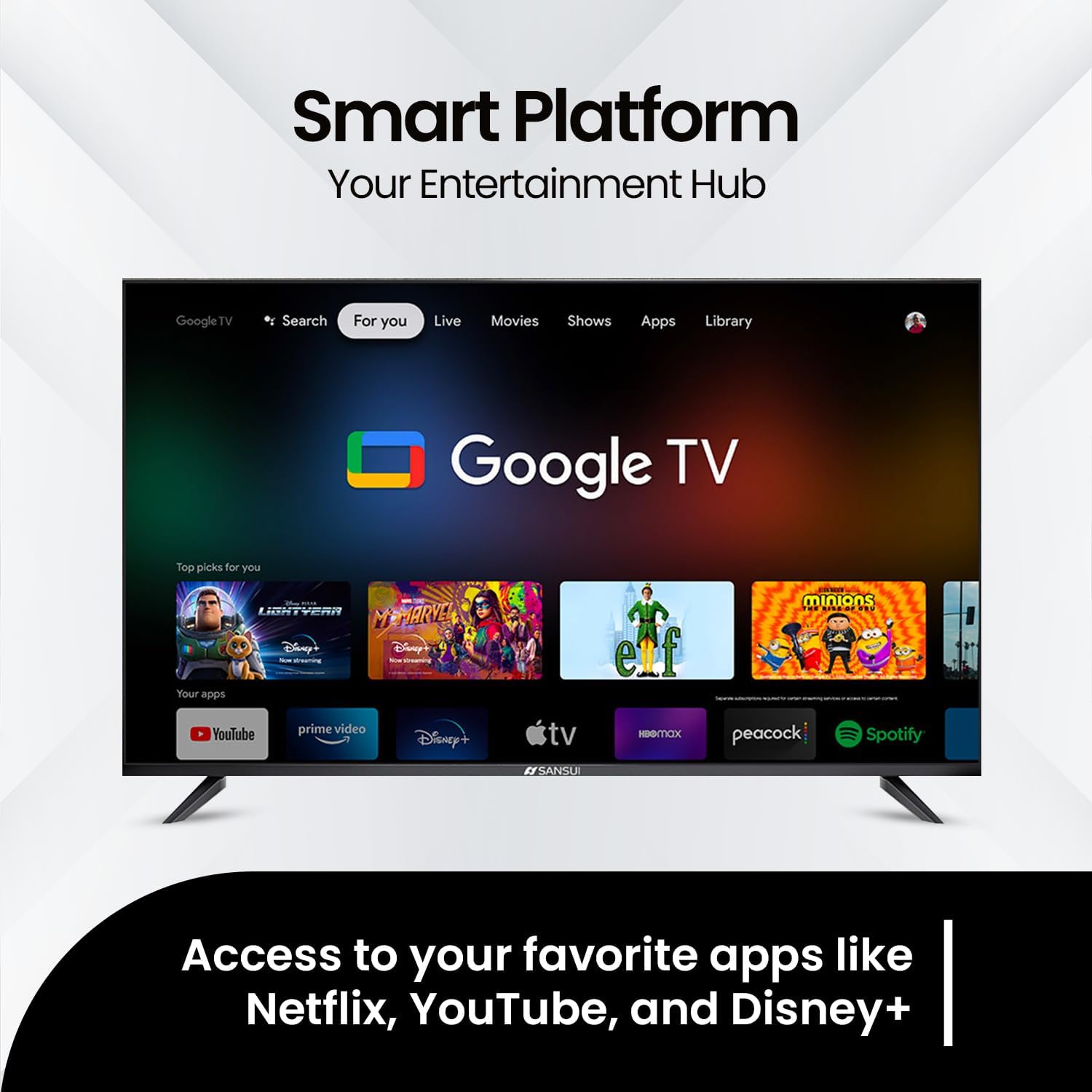
Google TV organizes your favorite content from various streaming services into one personalized home screen. Use the directional buttons on your remote to navigate through apps, movies, shows, and live TV options. You can download additional apps from the Google Play Store.

The Google TV interface provides easy access to popular streaming applications and personalized content recommendations.
3. Voice Control with Google Assistant
Your SANSUI TV integrates Google Assistant for hands-free control. Press the Google Assistant button on your remote and speak into the microphone to search for content, control smart home devices, get answers, and more.
4. Bluetooth Connectivity
To connect Bluetooth headphones or other audio devices:
- Go to the TV's Settings menu.
- Select "Remotes & Accessories" or "Bluetooth Settings".
- Enable Bluetooth and put your device into pairing mode.
- Select your device from the list to pair.
Easily pair your wireless headphones to the SANSUI TV for a private listening experience.
5. Picture and Sound Settings
Access the TV's settings menu to customize picture and sound. Your TV supports:
- Dolby Vision HDR10: Provides enhanced contrast, brightness, and color accuracy for a more realistic viewing experience. Adjust picture modes (e.g., Standard, Vivid, Movie, Game) to suit your content.
- Dolby Atmos: Delivers immersive, multi-dimensional audio that moves around you. Explore sound modes (e.g., Standard, Music, Movie, Speech) for optimal audio output.

Experience immersive sound with Dolby Atmos, creating a multi-dimensional audio environment.

Dolby Vision HDR ensures stunning realism in every frame with vivid colors and brilliant contrast.

Enjoy smooth motion and seamless action, optimizing the viewing experience for dynamic content.
Maintenance
Cleaning Your TV
- Always unplug the TV before cleaning.
- Use a soft, dry, lint-free cloth to gently wipe the screen and cabinet.
- For stubborn marks, lightly dampen the cloth with water or a specialized screen cleaner. Never spray cleaner directly onto the screen.
- Avoid using abrasive cleaners, waxes, or solvents as they can damage the TV's finish.
General Care
- Do not block ventilation openings.
- Keep the TV away from direct sunlight, heat sources, and excessive dust.
- Avoid placing heavy objects on top of the TV.
Troubleshooting
Before contacting customer support, try the following solutions for common issues:
| Problem | Possible Solution |
|---|---|
| No Power | Ensure the power cord is securely plugged into both the TV and a working electrical outlet. Check if the outlet has power. |
| No Picture, but Sound is Present | Check the input source. Press the "Input" or "Source" button on your remote to cycle through inputs. Ensure external devices are powered on and connected correctly. |
| No Sound, but Picture is Present | Check the volume level and ensure the TV is not muted. If using external audio devices, ensure they are properly connected and powered on. Check audio output settings in the TV menu. |
| Remote Control Not Working | Replace the batteries. Ensure there are no obstructions between the remote and the TV's IR sensor. |
| Cannot Connect to Wi-Fi | Ensure your Wi-Fi router is on and working. Try restarting your router and the TV. Re-enter the Wi-Fi password carefully in the TV's network settings. |
| Picture Quality Issues (e.g., blurry, distorted) | Check the resolution settings of your input source. Ensure cables are securely connected. Adjust picture settings in the TV menu. |
Specifications
Below are the key specifications for the SANSUI 75" VA Series 4K UHD Smart TV (Model VA752024):
- Model Number: VA752024
- Screen Size: 75 Inches
- Display Technology: UHD
- Resolution: 4K (3840 x 2160)
- Refresh Rate: 60 Hz
- Aspect Ratio: 16:9
- Special Features: Built-In Speaker, Dolby Vision HDR10, Dolby Atmos, Google TV, Voice Control (Google Assistant), Bluetooth Connectivity
- Connectivity Technology: HDMI, USB, Wi-Fi
- Product Dimensions (D x W x H): 65.65 x 37.6 x 3.35 inches (without stand)
- Item Weight: 69.4 pounds
- Included Components: Stand, Remote Control, 2x Remote Control Batteries, Power Cord, User Manual
Warranty and Support
For warranty information, please refer to the warranty card included with your product or visit the official SANSUI website. For technical support, troubleshooting assistance beyond this manual, or service inquiries, please contact SANSUI customer support. Contact details can typically be found on the SANSUI website or in your product packaging.