1. Introduction
Thank you for choosing the UGREEN 65W GaN Charging Station. This manual provides essential information for the safe and efficient use of your device. Please read it thoroughly before operation and retain it for future reference.
2. Package Contents
- UGREEN 65W GaN Charging Station (Model X767)
- Power Cable
- User Manual
3. Product Overview
The UGREEN 65W GaN Charging Station is a compact and powerful device designed to charge multiple electronic devices simultaneously. It features GaN (Gallium Nitride) technology for high efficiency and a smaller form factor.

Image 3.1: UGREEN 65W GaN Charging Station with its detachable power cable.
3.1 Port Layout and Power Output
The charging station is equipped with five charging ports: four USB-C ports and one USB-A port. The total maximum power output is 65W.
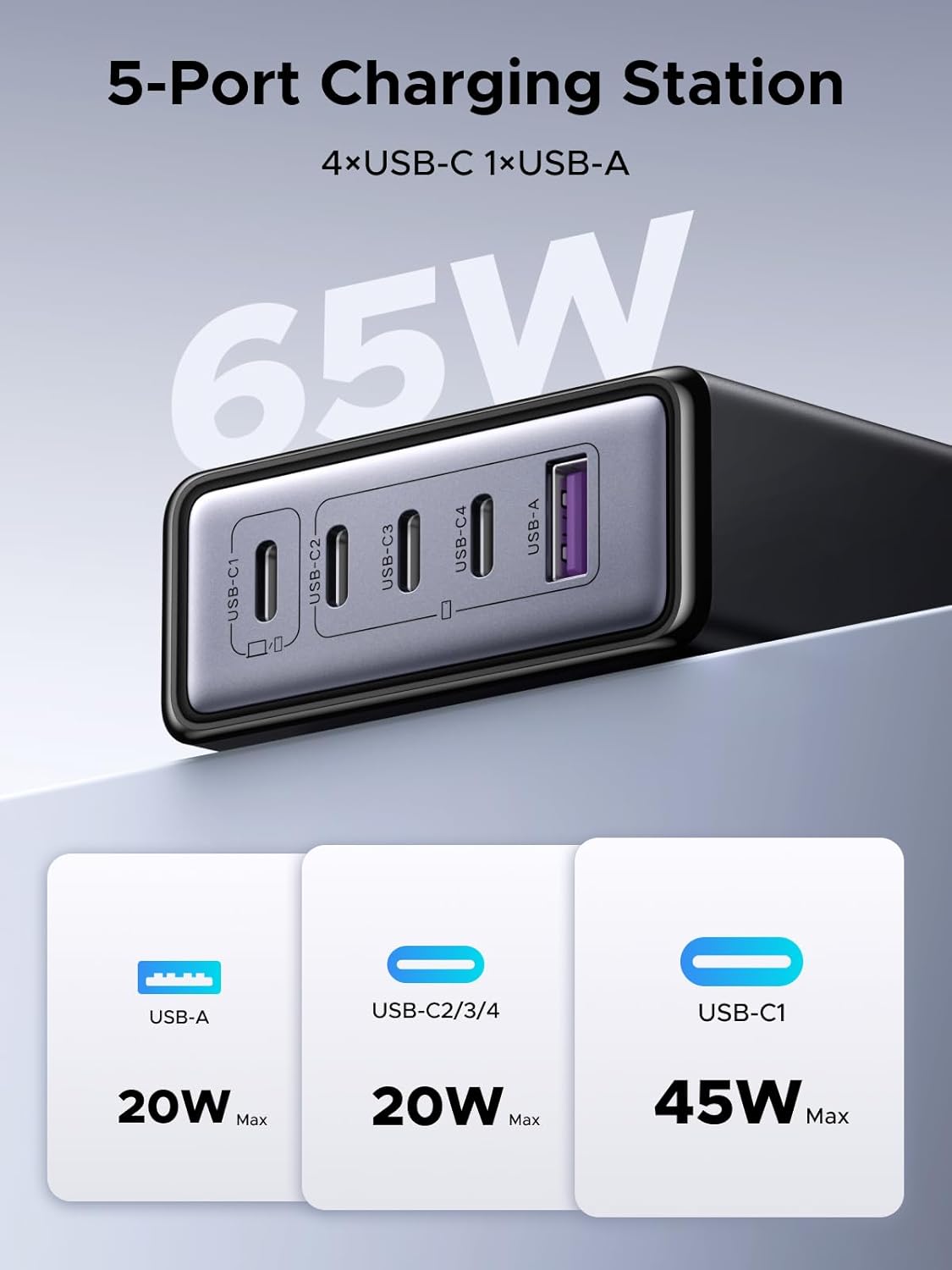
Image 3.2: Detailed view of the charging station's 5 ports and their maximum individual power outputs.
- USB-C1: Up to 45W Max output
- USB-C2/3/4: Up to 20W Max output each
- USB-A: Up to 20W Max output
3.2 Design and Portability
The charging station features a compact design, making it suitable for desk use and travel. It weighs approximately 272g and has a silicone anti-slip pad on the base for stability.
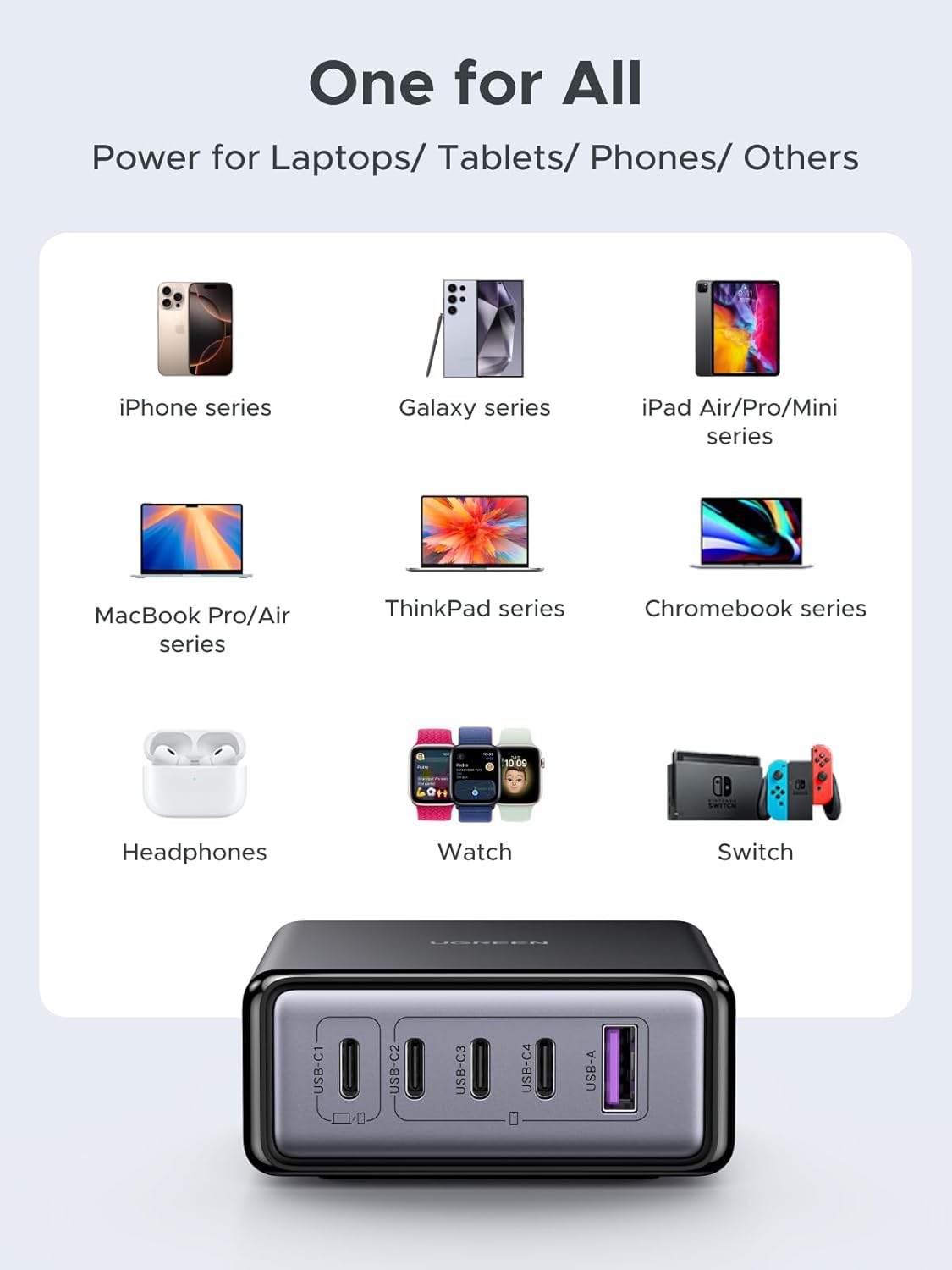
Image 3.3: The compact size of the charging station, demonstrating its portability and space-saving design compared to multiple individual chargers.

Image 3.4: Key features including the 2-meter power cable, 65W total output, metallic paint finish, and silicone anti-slip pad.
4. Setup
- Unpack: Carefully remove the charging station and all accessories from the packaging.
- Connect Power: Insert the provided power cable into the AC input port on the charging station, then plug the other end into a standard wall outlet (AC 100-240V).
- Placement: Place the charging station on a stable, flat surface, ensuring adequate ventilation around the device.
5. Operating Instructions
5.1 Connecting Devices
To charge your devices, connect them to the appropriate USB-C or USB-A ports on the charging station using compatible charging cables. The station will automatically detect your device and deliver the optimal charging current.

Image 5.1: Example of five devices charging simultaneously from the station.
5.2 Power Distribution
The charging station intelligently distributes its total 65W power output across the connected devices. The power output per port may vary depending on the number and type of devices connected. USB-C1 is designated for higher power delivery, up to 45W, ideal for laptops.

Image 5.2: Example of 2-port 65W fast charging, demonstrating charging a MacBook Air and a smartphone.
Single Port Output:

Image 5.3: Maximum power output when only one port is actively charging.
Dual Port Output:

Image 5.4: Power distribution when two ports are actively charging.
Total Output:

Image 5.5: Overall power distribution when multiple devices are connected, with USB-C1 prioritizing 45W and the remaining ports sharing 20W.
Note: The maximum total power output is 65W. For optimal charging, especially for high-power devices, ensure that USB-C1 is used for primary devices like laptops.
6. Safety Information
To ensure safe operation and prevent damage, please observe the following safety guidelines:
- Do not expose the device to water, moisture, or extreme temperatures.
- Avoid dropping, impacting, or disassembling the charging station.
- Use only the provided power cable and compatible charging cables.
- Keep out of reach of children.
- Unplug the device during lightning storms or when unused for long periods.
6.1 Built-in Protections
The UGREEN 65W GaN Charging Station incorporates multiple safety features to protect your devices and the charger itself:
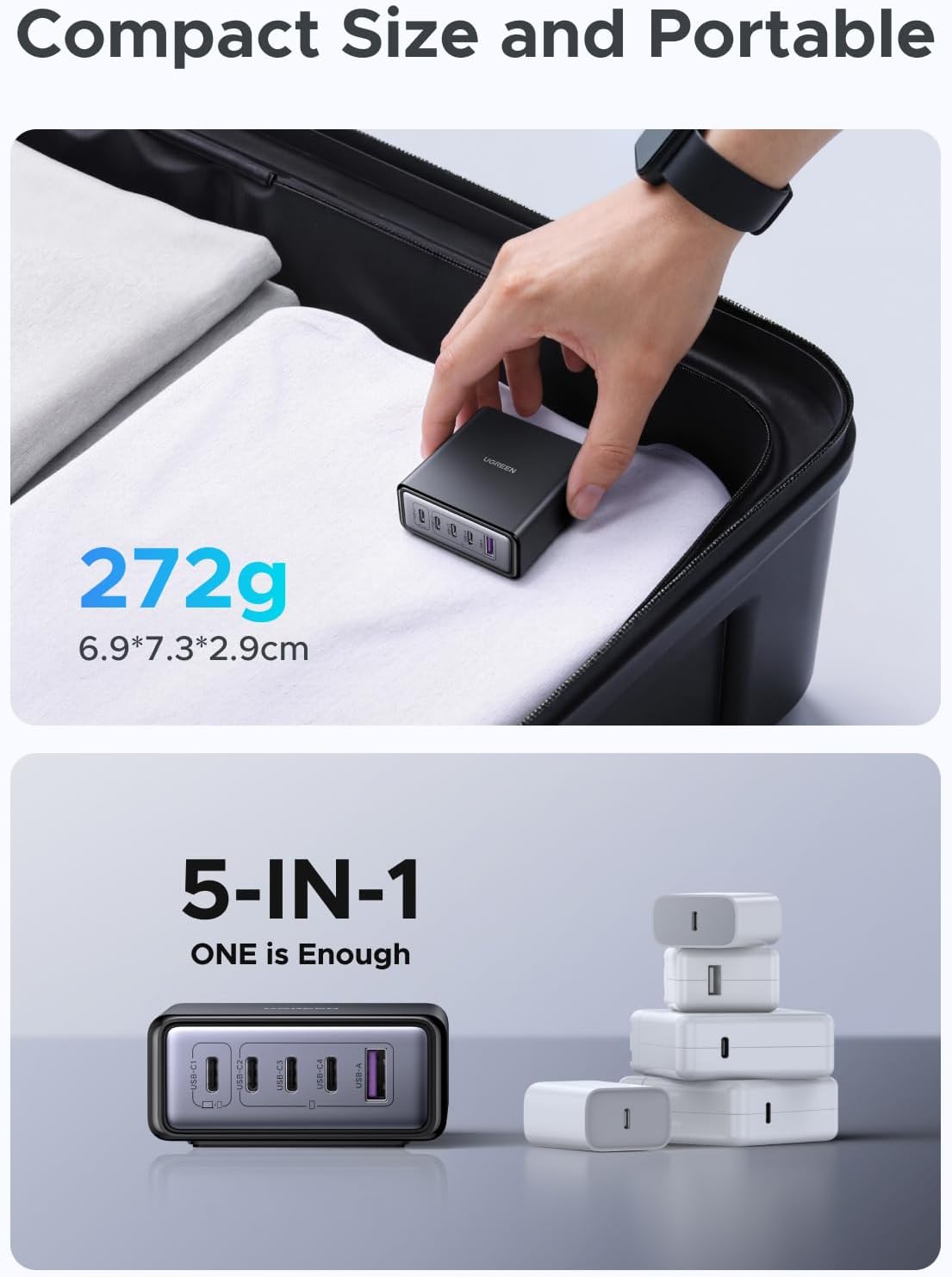
Image 6.1: GaN technology and integrated safety protections.
- Over-voltage protection: Safeguards against excessive voltage input.
- Overheating protection: Prevents the device from reaching unsafe temperatures.
- Over-current protection: Protects against excessive current flow.
- Short-circuit protection: Automatically shuts down in case of a short circuit.
7. Specifications
| Feature | Description |
|---|---|
| Model Number | X767 |
| Brand | UGREEN |
| Total Power Output | 65W Max |
| Ports | 4 x USB-C, 1 x USB-A |
| USB-C1 Output | 45W Max |
| USB-C2/3/4 Output | 20W Max (each) |
| USB-A Output | 20W Max |
| Input Voltage | AC 100-240V |
| Technology | GaN (Gallium Nitride) |
| Item Weight | 13.1 ounces (approx. 371g) |
| Dimensions | 5.91 x 3.94 x 2.24 inches (approx. 15 x 10 x 5.7 cm) |
| Power Source Type | Corded Electric |
7.1 Compatibility
The UGREEN 65W GaN Charging Station is broadly compatible with a wide range of USB-C and USB-A powered devices, including but not limited to:

Image 7.1: Broad compatibility with various electronic devices.
- iPhone series (e.g., 17/16/15)
- Galaxy series (e.g., S25/S24)
- Pixel series (e.g., 10/9)
- iPad Pro/Air/Mini series
- MacBook Pro/Air series
- ThinkPad series
- Chromebook series
- Headphones, Smartwatches, Nintendo Switch, and other USB-powered devices.
8. Troubleshooting
- Device not charging:
- Ensure the charging station is properly plugged into a live power outlet.
- Verify that the charging cable is securely connected to both the station and your device.
- Try a different charging cable or port.
- Confirm your device is compatible and not experiencing an internal issue.
- Slow charging:
- Check if your device supports fast charging and if the cable is rated for fast charging.
- Refer to the power distribution diagrams (Section 5.2) to understand how power is shared among multiple devices. Connecting many devices simultaneously may reduce individual port output.
- For laptops or other high-power devices, use the USB-C1 port for optimal charging speed.
- Charging station feels warm:
- It is normal for the charging station to become warm during operation, especially when charging multiple devices at high power.
- If it becomes excessively hot, disconnect all devices and the power cable, and allow it to cool down. Ensure it is placed in a well-ventilated area.
9. Maintenance
- Cleaning: Disconnect the charging station from power and all devices before cleaning. Use a soft, dry cloth to wipe the surface. Do not use liquid cleaners or aerosols.
- Storage: Store the device in a cool, dry place away from direct sunlight and extreme temperatures when not in use.
10. Warranty and Support
UGREEN products are designed and manufactured to high-quality standards. This product is covered by a limited warranty from the date of purchase. For specific warranty terms and conditions, please refer to the warranty card included in your package or visit the official UGREEN website.
For technical support or customer service, please contact UGREEN Group Limited directly through their official channels or the retailer from whom you purchased the product.
Manufacturer: Ugreen Group Limited


