
Proscenic
Contents
Proscenic Q8 Max Robot Vacuum and Mop User Manual
Model: Q8M | Brand: Proscenic
1. Introduction
The Proscenic Q8 Max is an advanced robot vacuum and mop designed to provide comprehensive floor cleaning with minimal effort. Featuring powerful 5,000 Pa suction and precise LiDAR navigation, it efficiently vacuums and mops various floor types. Its self-emptying station offers up to 60 days of hands-free dust disposal, making daily maintenance convenient. The Q8 Max supports smart home integration via Wi-Fi and app control, allowing for customized cleaning schedules, virtual boundaries, and voice commands.

Figure 1: Proscenic Q8 Max Robot Vacuum and Mop with Self-Emptying Station.
2. What's in the Box
Verify that all components are present before beginning setup:
- Main Robot Body
- Self-Empty Station
- Dust Bag (2, 1 pre-installed + 1 extra)
- Power Adapter
- HEPA Filter (2, 1 pre-installed + 1 extra)
- Side Brush (2, 1 pre-installed + 1 extra)
- Cleaning Brush
- Mop Pad (2, 1 pre-installed + 1 extra)
- User Manual
3. Setup
3.1 Initial Preparation
- Remove all protective strips and films from the robot and the self-empty station.
- Install the side brushes by pressing them onto the designated posts on the underside of the robot until they click into place.

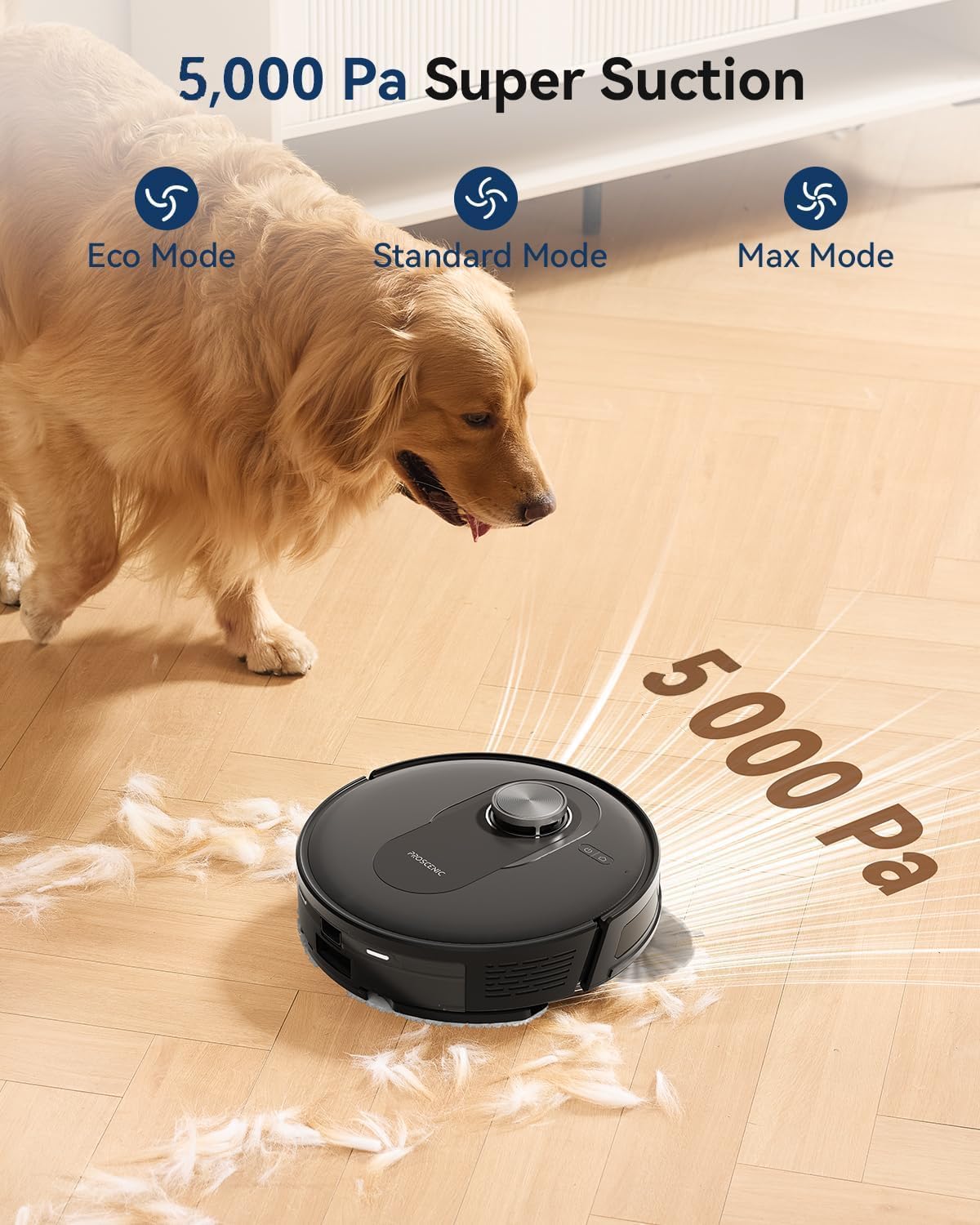
Figure 2: Front and Side views of the Proscenic Q8 Max robot vacuum.
3.2 Placing the Self-Empty Station
Place the self-empty station against a wall on a flat, hard surface. Ensure there are no obstacles within 0.5 meters (1.6 feet) to either side and 1.5 meters (4.9 feet) in front of the station to allow the robot to dock properly.
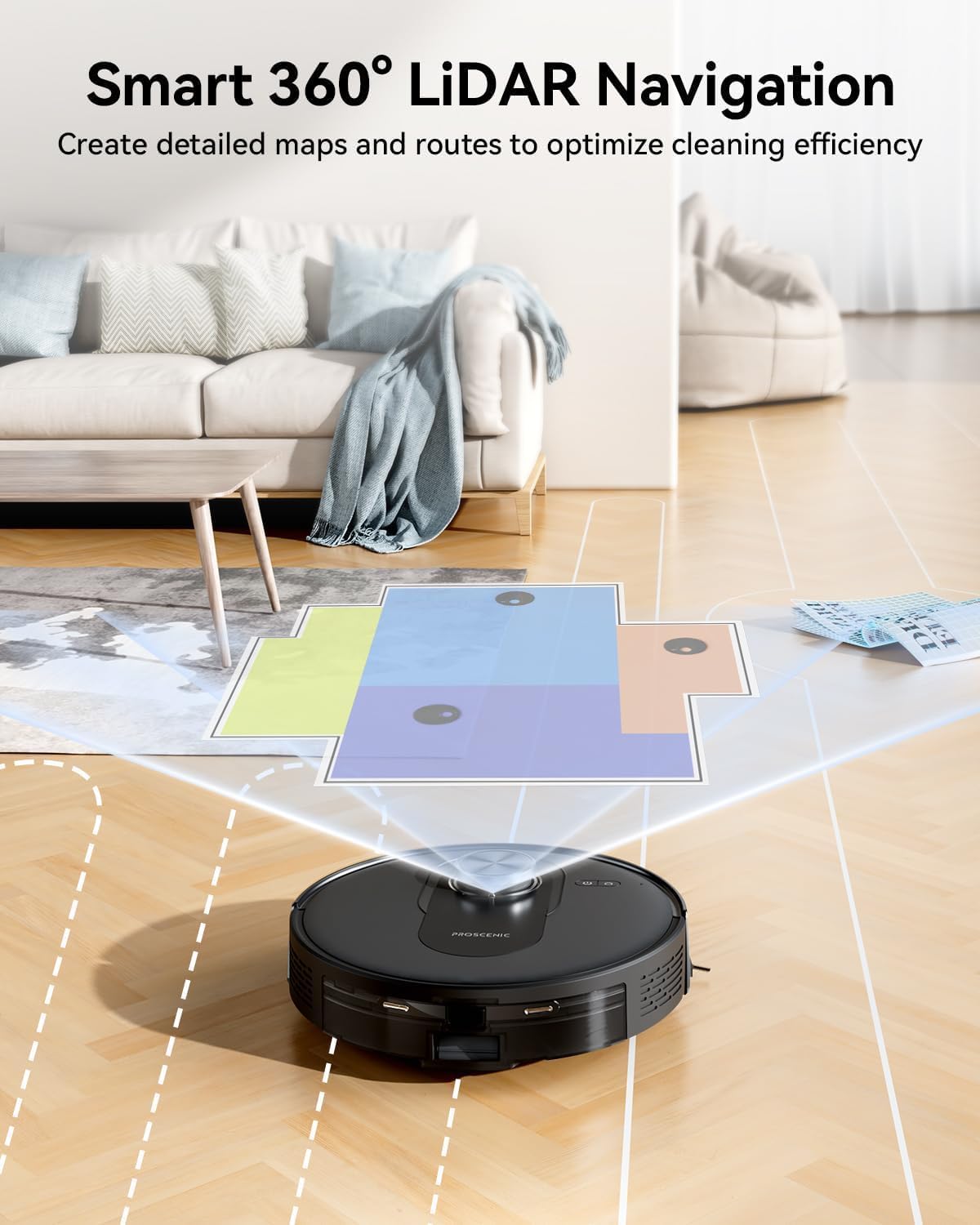
Figure 3: Back view of the robot, showing charging contacts.
3.3 Initial Charging
Long press the power button on the robot to switch it on. Place the robotic vacuum cleaner onto the dust collector (self-empty station) to begin charging. Ensure the charging contacts align correctly.
3.4 App Download and Connection
To utilize all available functions, download the Proscenic App from the App Store (for iOS) or Google Play (for Android). Ensure your mobile phone is connected to a 2.4GHz Wi-Fi network.
- Open the app and create an account.
- Tap the "+" icon to add "Q8 Max" to your account.
- Follow the in-app instructions to set up the Wi-Fi connection.
For manual connection, press and hold the power button and the home button simultaneously for 5 seconds to enter network configuration mode. Select your Wi-Fi router and enter the password.
4. Operating
4.1 Navigation and Mapping
The Q8 Max uses Smart 360° LiDAR navigation to accurately map your home within 15 minutes. This enables efficient cleaning paths and obstacle avoidance, day or night. The robot can store maps for up to 5 levels, allowing you to customize cleaning preferences for each room.

Figure 4: LiDAR navigation creating a detailed home map.
Advanced intelligent sensors help the robot detect and avoid white walls, stairs, and other obstacles. Its low profile (3.8 inches tall, 12.6 inches diameter) allows it to reach under furniture for thorough cleaning.
4.2 Cleaning Modes and Suction
The Q8 Max offers powerful 5,000 Pa suction to pick up large debris, small particles, and pet hair from both carpets and hard floors. You can choose from three suction modes: Eco, Standard, and Max, to suit your cleaning needs.

Figure 5: Illustrating the 5,000 Pa super suction power.
For carpets, the Smart Carpet Boost feature automatically increases suction and drive power when a carpet is detected, ensuring deep cleaning. The robot utilizes Zigzag and Matrix clean modes to cover areas thoroughly, leaving no spots missed.
4.3 App Control and Customization
The Proscenic App provides extensive control over your robot. You can set cleaning schedules, target specific rooms for cleaning, and designate "No-Go Zones" or "Invisible Walls" to restrict the robot's movement in certain areas.

Figure 6: Advanced App Control for customized cleaning.
4.4 Voice Control
The Q8 Max can be activated and controlled using voice commands through popular smart home assistants such as Amazon Alexa, Google Home, Siri, and IFTTT.
5. Maintenance
5.1 Self-Emptying System
The self-empty station automatically empties the robot's dustbin, providing up to 60 days of hands-free cleaning. The station uses a 3L dust bag. Emptying frequency may vary based on usage habits and home environment.

Figure 7: Self-Emptying Station for convenient dust disposal.
5.2 Vacuum and Mop 2-in-1
The Q8 Max features a 2-in-1 dustbin and water tank (350ml dustbin, 250ml water tank). To use the mopping function, simply fill the water tank. The robot offers three water levels for mopping. Regularly clean the mop pads and replace them as needed.
5.3 General Cleaning and Replacement
Regularly clean the main body, side brushes, and HEPA filters using the provided cleaning brush. Replace HEPA filters and side brushes periodically to maintain optimal cleaning performance.
6. Troubleshooting
If you encounter any issues with your Proscenic Q8 Max, please refer to the detailed troubleshooting section in the comprehensive User Manual provided with your product. Common issues may include navigation errors, suction problems, or charging difficulties. Many issues can be resolved by ensuring the robot and its components are clean and properly installed.
For further assistance, please contact the Expert Support Team (see Section 8).
7. Specifications
| Feature | Detail |
|---|---|
| Brand | Proscenic |
| Model Name | Q8M |
| Special Feature | Anti-Collision, LiDAR Navigation, Self-Emptying |
| Color | Black |
| Product Dimensions | 12.6"L x 12.6"W x 4.2"H |
| Suction Power | 5,000 Pa |
| Battery Capacity | 3,200 mAh |
| Battery Life | Up to 200 minutes |
| Cleaning Area | Up to 2,476 sqft (230 sqm) |
| Dustbin Capacity (Robot) | 350ml |
| Water Tank Capacity | 250ml |
| Self-Empty Station Dust Bag Capacity | 3L (up to 60 days hands-free) |
| Filter Type | Foam, HEPA |
| Control Method | App, Voice Control (Alexa, Google Home, Siri, IFTTT) |
| Wi-Fi Support | 2.4GHz only |
| Noise Level | ≤ 65 dB |
8. Warranty & Support
The Proscenic Q8 Max comes with a 2-Year Warranty. For any inquiries or technical assistance, Proscenic offers comprehensive support services:
- 24/7 Email Assistance: Contact support@proscenic.com
- Instant Live Chat Support
- Professional Product Tutorials
- Lifetime Technical Support
For more information, visit the official website: www.proscenic.com
Documents and downloads
Ask a question about this manual
Ask about setup, troubleshooting, compatibility, parts, safety, or missing instructions. Manuals+ will review the question and use this page’s manual context to help answer it.