
1. Important Safety Instructions
Please read all instructions carefully before using this heater and retain them for future reference. Failure to follow these instructions may result in fire, electric shock, injury, or property damage.
- Do not cover the heater to avoid overheating.
- Keep flammable materials at least 1 meter (3 feet) away from the heater.
- Do not use the heater in bathrooms, laundry areas, or similar wet locations.
- Ensure the power outlet voltage matches the heater's specifications (220V AC).
- Always unplug the heater when not in use or before cleaning.
- Do not insert any objects into the heater's openings.
- This appliance is not intended for use by persons (including children) with reduced physical, sensory or mental capabilities, or lack of experience and knowledge, unless they have been given supervision or instruction concerning use of the appliance by a person responsible for their safety.
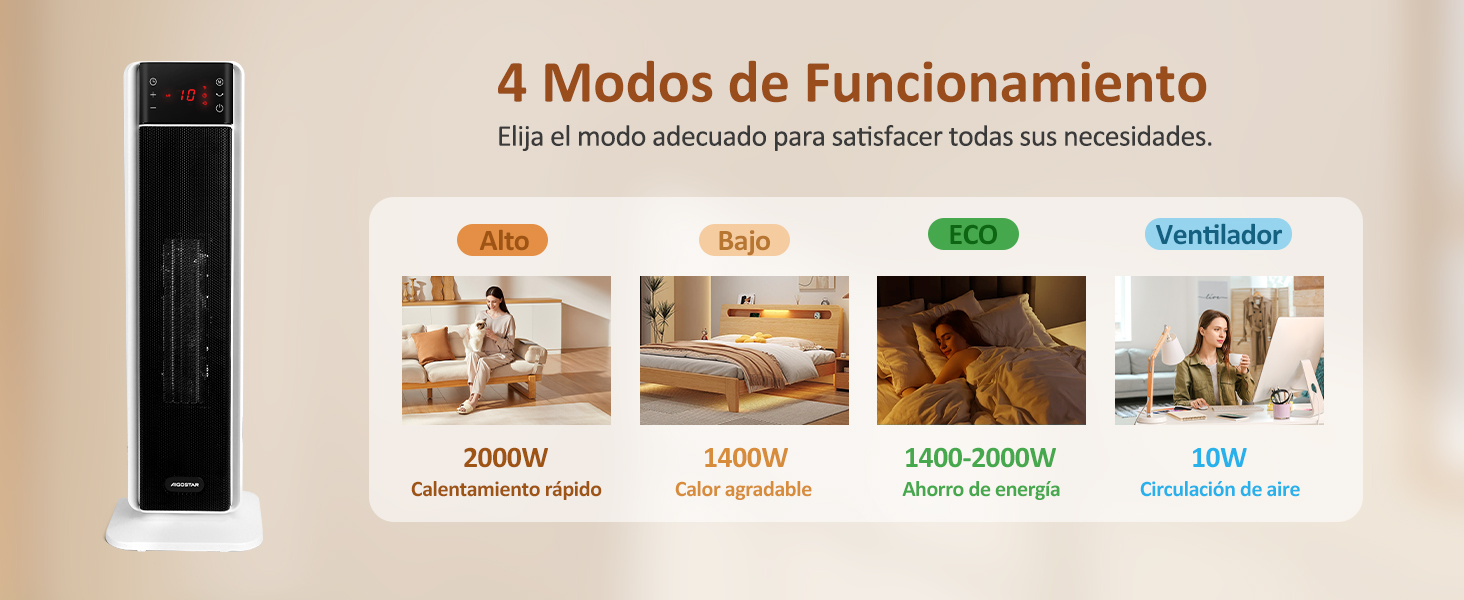
Image: Safety Protection. This image illustrates the heater's built-in safety features, including automatic shut-off if it tips over (shown at a 45-degree angle) or if it overheats (indicated by a thermometer icon and a temperature exceeding 50 degrees Celsius).
2. Product Components
The Aigostar PTC Ceramic Heater NTH20-22FR includes the following main components:
- Heater Unit (Tower design)
- Remote Control
- Power Cord
- User Manual (This document)
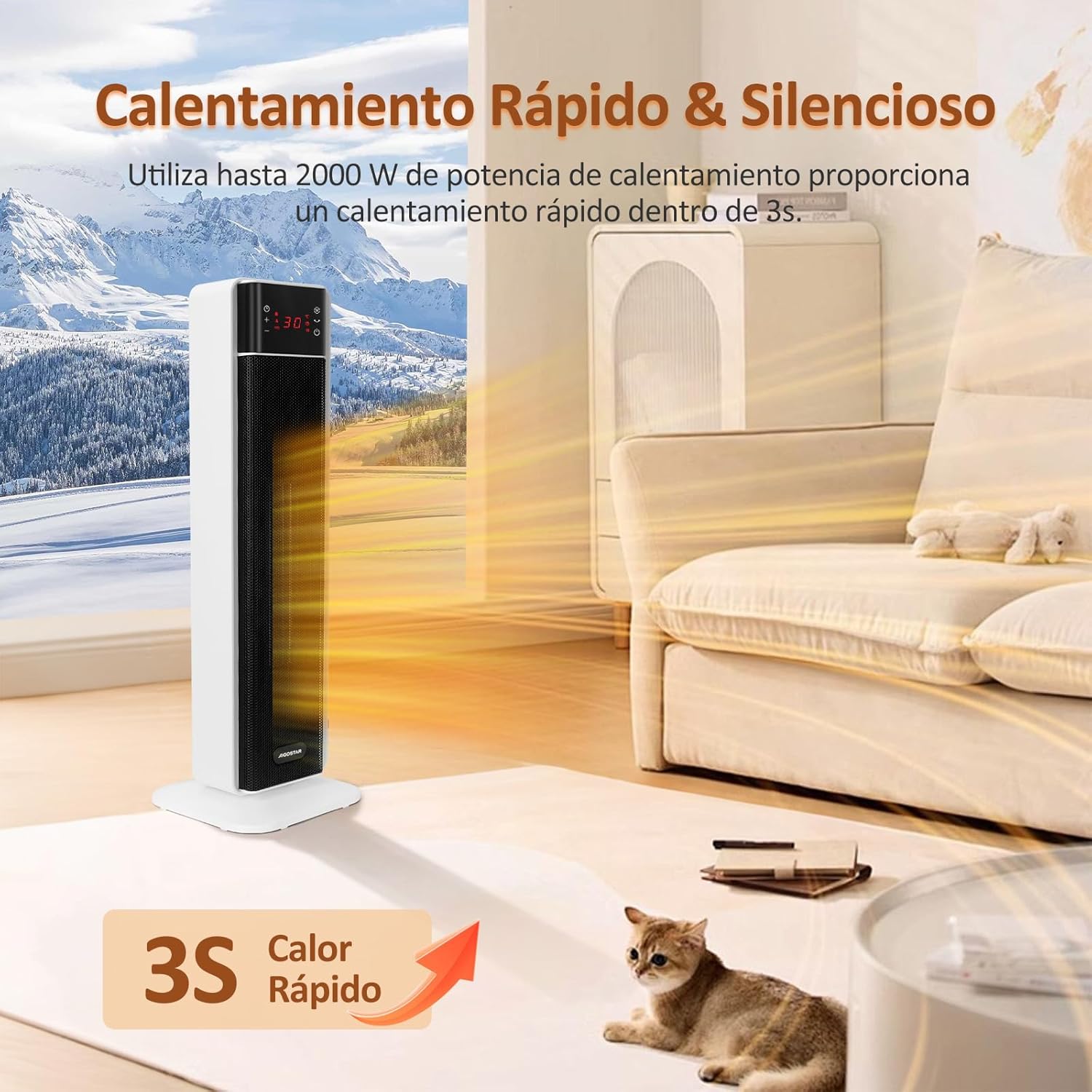
Image: Heater Unit. A full view of the Aigostar PTC Ceramic Heater, a tall, white and black tower-style heater, operating in a room with a window showing a snowy landscape, indicating its use for heating.
3. Setup
Follow these steps to set up your Aigostar PTC Ceramic Heater:
- Unpack: Carefully remove the heater and all accessories from the packaging.
- Placement: Place the heater on a firm, level surface. Ensure there is at least 1 meter (3 feet) of clear space around the heater to allow for proper airflow and prevent fire hazards. Do not place it directly under a power outlet.
- Power Connection: Plug the power cord into a grounded 220V AC electrical outlet.
The heater is now ready for operation.
4. Operating Instructions
Your Aigostar PTC Ceramic Heater can be controlled via the touch panel on the unit or the included remote control.
4.1 Control Panel and Remote Control
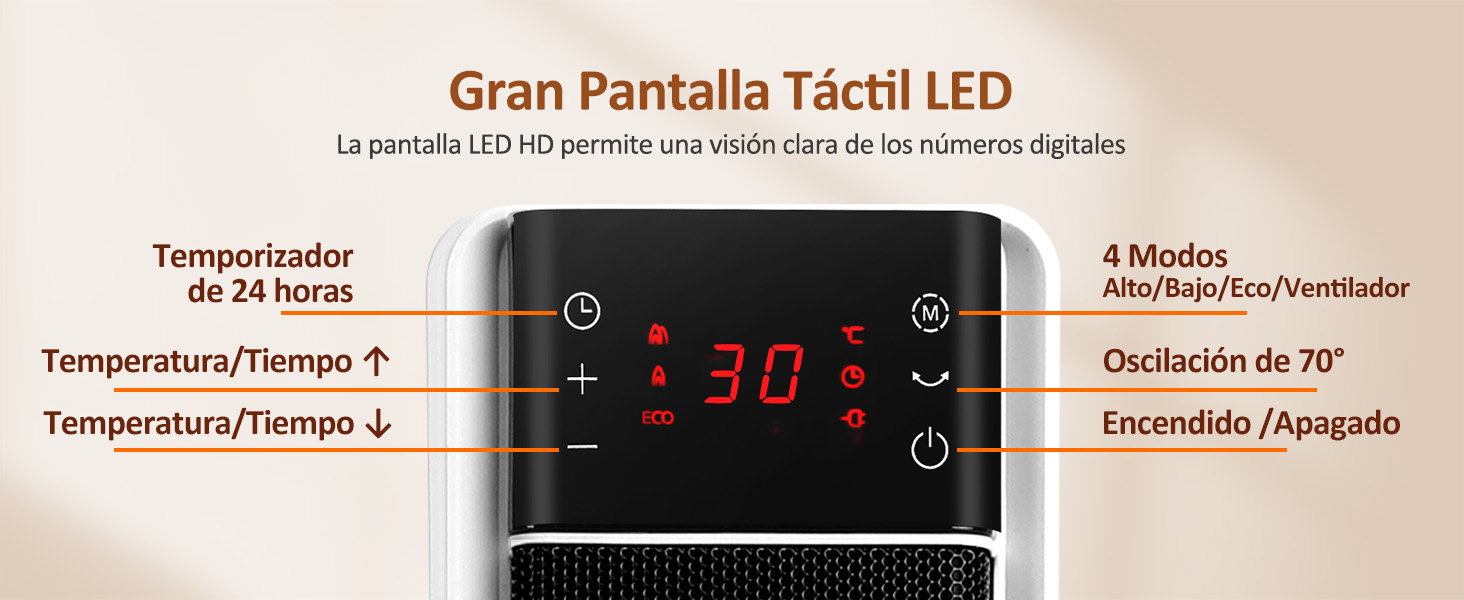
Image: Control Panel and Remote. This image displays the heater's LED touch panel with various icons (Power, Oscillation, Mode, Timer) and the accompanying remote control, highlighting the ease of operation.
The LED display shows the current temperature and operating mode. The screen will automatically turn off after 30 seconds of inactivity to avoid disturbance.
4.2 Power On/Off
- Press the Power button () on the touch panel or remote control to turn the heater on or off.
4.3 Operating Modes
The heater offers 4 operating modes: High, Low, ECO, and Fan (Cold Air).
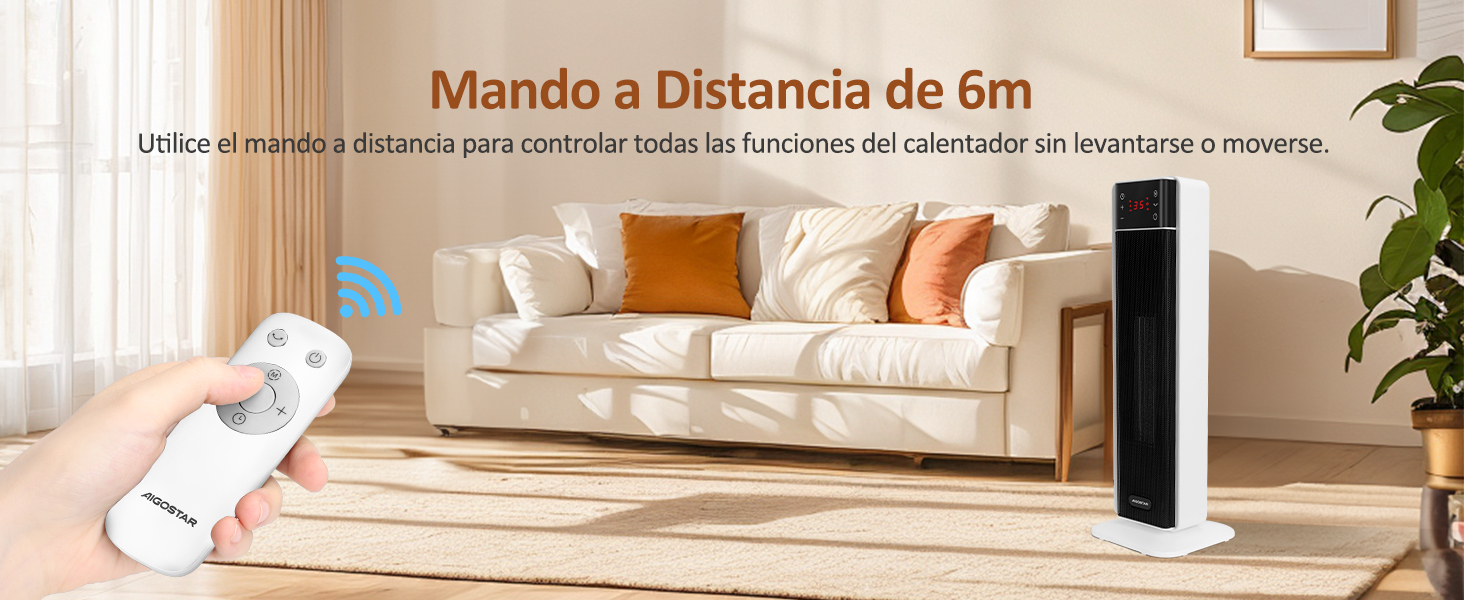
Image: 4 Operating Modes. This graphic details the four modes: High (2000W for rapid heating), Low (1400W for comfortable warmth), ECO (1400-2000W for energy saving), and Fan (10W for air circulation).
- Press the Mode button () to cycle through the modes:
- High (2000W): Provides rapid heating.
- Low (1400W): Offers a comfortable, steady heat.
- ECO (1400-2000W): Heats quickly to the set temperature at 2000W, then maintains it at 1400W to save energy.
- Fan (10W): Circulates ambient air without heating.
4.4 Temperature Adjustment
The digital thermostat allows you to set the desired temperature between 5°C and 35°C.
- Use the '+' and '-' buttons on the touch panel or remote control to adjust the temperature.
4.5 Oscillation Function
The 70° oscillation function distributes heat evenly across the room.
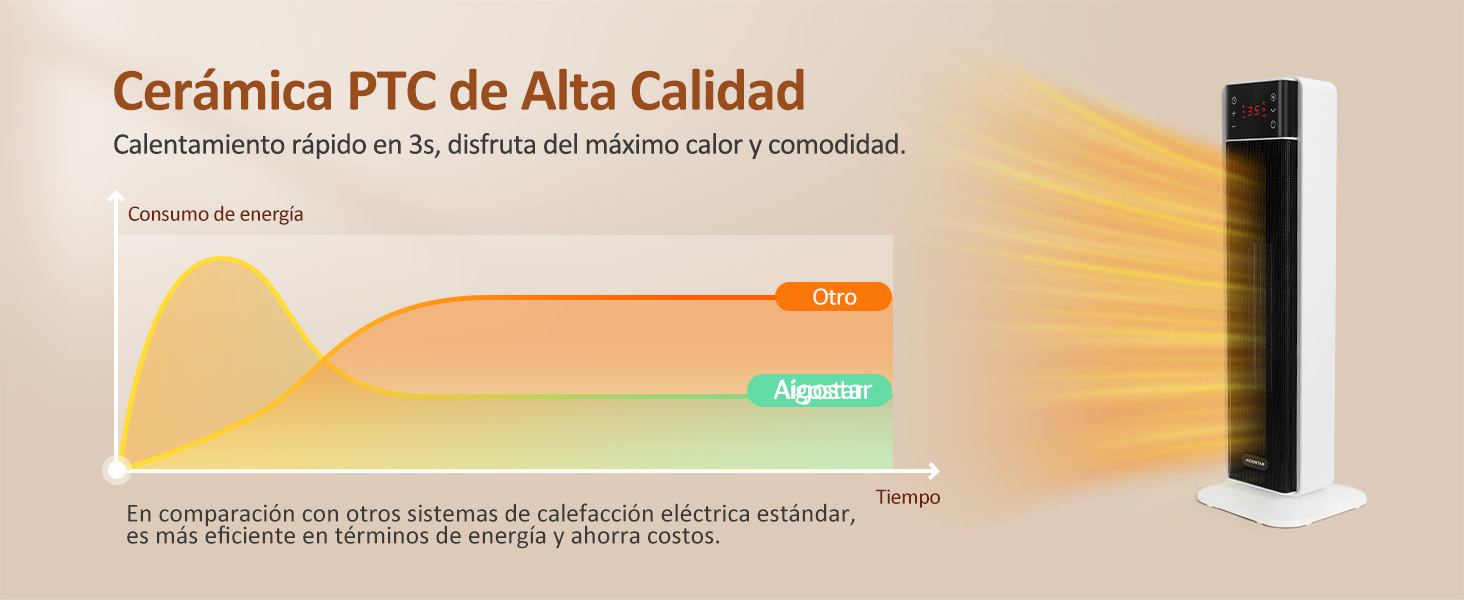
Image: 70° Oscillation. This image demonstrates the heater's 70-degree automatic oscillation, showing heat being distributed widely across a room, suitable for spaces up to 20 square meters.
- Press the Oscillation button () to activate or deactivate the 70° oscillation.
4.6 24-Hour Timer
Set the heater to automatically turn on or off within a 24-hour period.
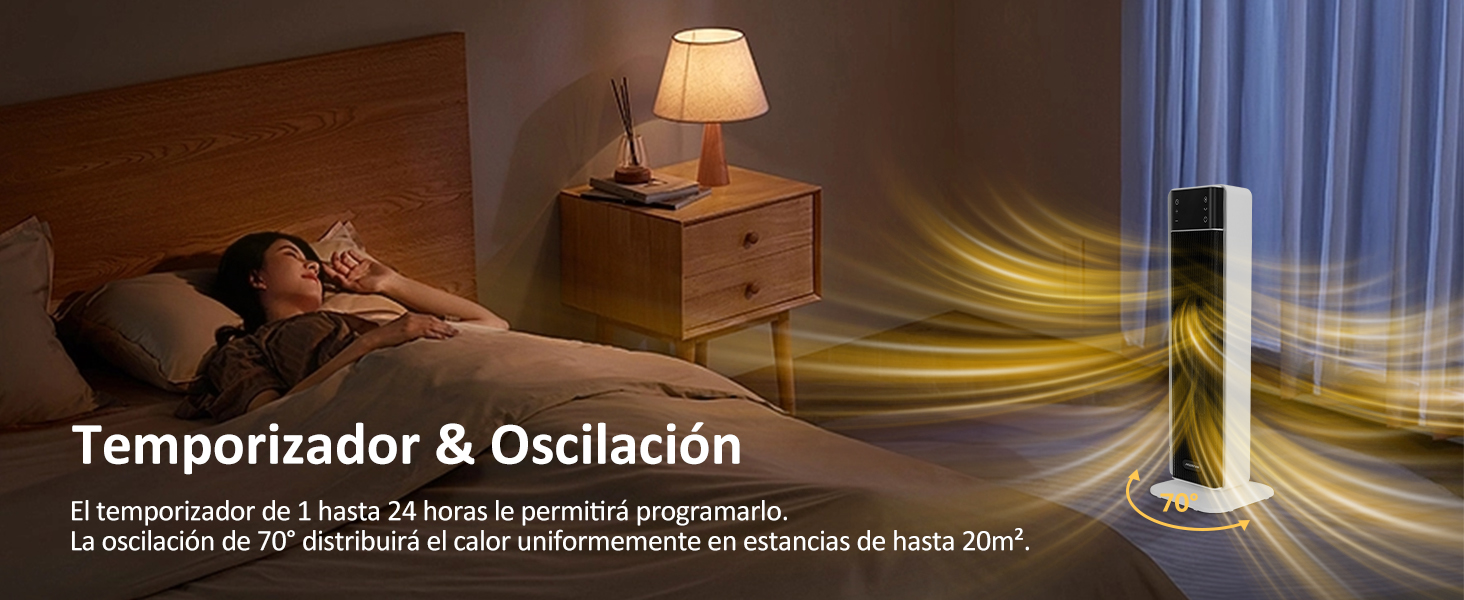
Image: Silent & Timer. This image shows the heater operating silently in a bedroom while a person sleeps, with a clock overlay indicating the 24-hour timer function.
- Press the Timer button () to set the desired operating duration. Each press typically increases the time by one hour.
5. Maintenance
Regular maintenance ensures optimal performance and longevity of your heater.
- Cleaning: Before cleaning, always unplug the heater and allow it to cool down completely. Use a soft, damp cloth to wipe the exterior surfaces. Do not use abrasive cleaners or solvents.
- Dust Removal: Use a vacuum cleaner with a brush attachment to remove dust from the air intake and exhaust grilles.
- Storage: If storing the heater for an extended period, clean it thoroughly and store it in its original packaging in a dry, cool place.
Do not attempt to open or repair the heater yourself. Refer to qualified service personnel for any repairs.
6. Troubleshooting
If you encounter issues with your heater, refer to the following troubleshooting guide:
| Problem | Possible Cause | Solution |
|---|---|---|
| Heater does not turn on. | No power supply; Power button not pressed; Tip-over switch activated; Overheat protection activated. | Check power cord connection and outlet; Press power button; Ensure heater is on a flat surface; Unplug, wait 30 minutes, then plug back in. |
| No heat output. | Fan mode selected; Temperature setting too low. | Select High, Low, or ECO mode; Increase the desired temperature setting. |
| Heater makes unusual noise. | Dust accumulation; Loose part. | Clean air grilles; If noise persists, discontinue use and contact support. |
| Remote control not working. | Batteries depleted; Obstruction between remote and heater. | Replace remote control batteries; Ensure clear line of sight to the heater's sensor. |
If the problem persists after trying these solutions, please contact customer support.
7. Specifications
| Feature | Specification |
|---|---|
| Brand | Aigostar |
| Model Number | NTH20-22FR |
| Power | 2000 Watts |
| Voltage | 220 Volts (AC) |
| Number of Speeds/Modes | 4 (High, Low, ECO, Fan) |
| Oscillation | 70 degrees |
| Timer | 1-24 Hours |
| Temperature Range | 5-35 Degrees Celsius |
| Safety Features | Overheat Protection, Tip-over Protection |
| Form Factor | Tower |
| Product Weight | 3.31 kg |
| Dimensions (Package) | 59.9 x 21.5 x 20.7 cm |
8. Warranty and Support
Aigostar products are designed and manufactured to the highest quality standards. For warranty information or technical support, please refer to the warranty card included with your product or visit the official Aigostar website.
Please have your model number (NTH20-22FR) and purchase date ready when contacting support.
