
1. Introduction
The TOKIT U1 Alkaline Mineral Under Sink Reverse Osmosis Water Filter System provides advanced water purification for your home. This tankless system is designed to effectively reduce up to 99.99% of harmful pollutants such as PFAS, fluoride, lead, chromium, iron, nitrate, chloride, and radioactive substances. It also enhances water taste with a strontium-rich mineral filter, providing a refreshing, mineral water-like flavor. Certified by SGS, NSF/ANSI 58 & 42, and FCC, the TOKIT U1 ensures safer and cleaner water for your family. This manual provides essential information for the safe installation, operation, and maintenance of your TOKIT U1 water filter system. Please read it thoroughly before use and retain it for future reference.
2. Safety Information
- Ensure all connections are secure to prevent leaks.
- Do not expose the system to freezing temperatures, as this can damage components.
- Only use genuine TOKIT replacement filters to maintain performance and warranty.
- Keep the unit upright during installation and operation. Do not lay it flat.
- Verify that your cabinet dimensions are larger than the product dimensions: 14" L x 5" W x 13" H for proper fit.
- Disconnect power before performing any maintenance or filter changes.
3. Product Components
The TOKIT U1 system typically includes the following main components:
- TOKIT U1 Main Filtration Unit
- Dedicated Faucet
- Filter Cartridges (Pre-Carbon, RO Membrane, Post-Carbon/Alkaline Mineral)
- Tubing and Connectors
- Power Adapter
- Installation Accessories

Image: Overview of the TOKIT U1 Reverse Osmosis Water Filter System and its dedicated faucet.

Image: Visual comparison highlighting the compact, tankless design of the TOKIT U1 system compared to a traditional tanked RO system, showing space savings under the sink.
4. Setup and Installation
The TOKIT U1 system is designed for straightforward installation, typically completed within 30 minutes due to its integrated water channel design which minimizes leakage risks.
4.1 Pre-Installation Checklist
- Confirm cabinet space: Ensure dimensions are sufficient (minimum 14" L x 5" W x 13" H).
- Gather tools: You may need a drill, wrench, and screwdriver.
- Turn off the main water supply to your sink.
4.2 Installation Steps
- Mount the Faucet: Drill a hole in your sink or countertop if one is not already present, and install the dedicated faucet.
- Connect Water Supply: Install the feed water adapter to your cold water line and connect the inlet tubing to the TOKIT U1 unit.
- Connect Drain Line: Install the drain saddle valve on the drain pipe and connect the drain tubing from the TOKIT U1 unit.
- Connect Faucet Line: Connect the purified water tubing from the TOKIT U1 unit to the dedicated faucet.
- Insert Filters: Ensure all filter cartridges are correctly inserted into their respective slots.
- Power On: Plug in the power adapter.
- Flush System: Turn on the water supply and allow the system to flush for approximately 15-30 minutes as per the initial setup instructions to remove air and carbon fines.
Video: A detailed guide on installing the TOKIT U1 Water Filter system. This video demonstrates the step-by-step process for connecting the unit to your water supply and faucet.
5. Operating Instructions
Once installed and flushed, your TOKIT U1 system is ready for use. Simply open the dedicated faucet to dispense purified water.
5.1 Water Dispensing
- Turn the handle on the dedicated faucet to start the flow of purified water.
- The system provides a fast water flow, capable of filling an 8 oz cup in approximately 9 seconds.

Image: Demonstrates the fast water flow rate of the TOKIT U1 system, filling a glass quickly.
5.2 System Indicators
The unit features indicator lights to monitor filter life and power status.
- Filter Life Reminder: Built-in reminders indicate when filters need replacement.
- Power Indicator: Shows the system's power status.

Image: Close-up view of the TOKIT U1 system's indicator lights, showing status for RO filter, PCT filter, and power.
6. Maintenance
Regular maintenance, primarily filter replacement, is crucial for optimal performance and water quality.
6.1 Filter Replacement
The TOKIT U1 features a twist-and-pull design for quick filter replacement, typically completed in 2 seconds. The system's indicator lights will notify you when a filter needs changing.
- Filter Lifespan: The RO filter typically lasts up to 24 months, while the PCT filter lasts up to 12 months.
- Auto Flush Technology: This feature helps extend filter lifespan and maintain consistent water purity.

Image: Illustrates the simple twist-and-pull method for replacing filters on the TOKIT U1 system.
Video: Instructions on how to replace and reset the filters for the TOKIT U1 water filter system.
7. Troubleshooting
This section addresses common issues you might encounter with your TOKIT U1 system.
| Problem | Possible Cause | Solution |
|---|---|---|
| No water flow or slow flow |
|
|
| Water tastes unusual |
|
|
| Leakage |
|
|
If you encounter issues not listed here or require further assistance, please contact TOKIT customer support.
8. Specifications
| Feature | Detail |
|---|---|
| Brand | TOKIT |
| Model Name | U1 |
| Capacity | 400 G/day |
| Installation Type | Under Sink |
| Purification Method | Reverse Osmosis |
| Power Source | Gravity-fed/Water Pressure |
| Dimensions (approx.) | 14" L x 5" W x 13" H |
| Certifications | NSF/ANSI 58 & 42, FCC, SGS Tested |
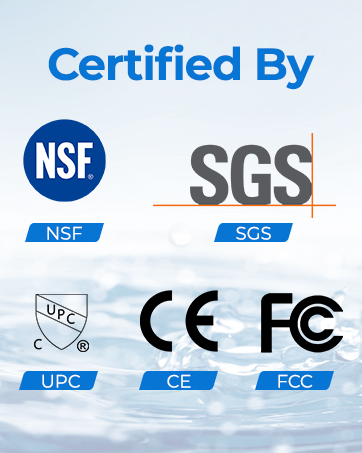
Image: Display of NSF, SGS, and FCC certification logos, indicating compliance with safety and performance standards.
9. Warranty and Support
TOKIT provides a 1-year after-sales service and technical support for your U1 water filter system. If you encounter any issues or have questions, please contact us through our official website or email.
For support, visit: www.tokit.com

Image: A customer service representative, representing the available after-sales support.


