
Introduction
Thank you for choosing the SoarFly 2-Bank 10A Marine Battery Charger. This advanced charger is designed to efficiently charge and maintain 12V lead-acid (SLA/AGM/Calcium) and lithium-ion (LiFePO4) batteries. With its waterproof design and intelligent features, it is ideal for marine, RV, and deep-cycle battery applications. This manual provides essential information for safe and effective use of your charger.

Image: The SoarFly 2-Bank 10A Marine Battery Charger, highlighting its dual charging capability for 12V batteries.
Safety Information
Please read all safety warnings and instructions before using this product. Failure to follow these instructions may result in electric shock, fire, or serious injury.
- Electrical Safety: Ensure the charger is connected to a grounded outlet. Do not expose the charger to rain or wet conditions unless specifically designed for it (this model is IP68 rated, but always exercise caution).
- Battery Safety: Always wear eye protection and gloves when working with batteries. Batteries can produce explosive gases. Ensure adequate ventilation.
- Connection: Connect the charger to the battery terminals correctly (positive to positive, negative to negative). Reverse polarity can cause damage.
- Children and Pets: Keep the charger and batteries out of reach of children and pets.
- Damage: Do not operate the charger if it has been damaged in any way. Contact customer support.
Product Features
- 2-Bank Charging: Supports two independent outputs, 5A per bank, for a total of 10A. Charges two 12V batteries simultaneously.
- Versatile Battery Compatibility: Compatible with 12V lead-acid (SLA/AGM/Calcium) and lithium-ion (LiFePO4) batteries.
- 3 Charging Modes: Easily switch between 12V SLA/AGM Mode, 12V Lithium Mode, and 12V Calcium Mode.
- Force Mode: Revives completely discharged batteries (below 1V) by manually initiating charging.
- Repair Mode: Automatically activates to restore aging batteries, improving performance and extending battery life.
- Advanced Diagnostics: Built-in smart diagnostics detect and alert for over-voltage, faulty battery, over-temperature, and reverse polarity.
- IP68 Waterproof Design: Fully sealed and designed to withstand submersion, making it suitable for wet environments.
- Thermal Compensation: Optimizes charging performance in both hot (up to 104°F) and cold (down to -4°F) weather conditions.

Image: Diagram illustrating the intelligent recognition and active protection features of the SoarFly charger, including battery type recognition, temperature protection, and reverse connection protection.
Package Contents
Verify that all items are present in the package:
- SoarFly 2-Bank 10A Marine Battery Charger (Model ICM5B)
- Battery Clamp Connectors (2 sets)
- User Manual
Setup
1. Mounting (Optional)
The charger is designed for on-board use. Choose a secure, well-ventilated location away from direct heat sources and flammable materials. Ensure the charger is mounted in a way that allows cables to reach batteries without strain.
2. Connecting to Batteries
- Ensure the charger is unplugged from the AC power outlet.
- Connect the red (+) battery clamp to the positive (+) terminal of the first battery.
- Connect the black (-) battery clamp to the negative (-) terminal of the first battery.
- Repeat steps 2 and 3 for the second battery using the second set of clamps.
- Ensure all connections are secure and free from corrosion.
3. Connecting to AC Power
Plug the charger's AC power cord into a standard 120V AC electrical outlet. The charger will power on and enter standby mode.
Operating Instructions
1. Selecting Charging Mode
After connecting the batteries and plugging in the charger, press the MODE button for each bank to cycle through the available charging modes:
- 12V SLA/AGM Mode: For 12V wet cell, gel, enhanced flooded, maintenance-free, and AGM batteries.
- 12V Lithium Mode: For 12V lithium-ion (LiFePO4) batteries.
- 12V Calcium Mode: For 12V calcium batteries.
Select the mode that matches your battery type. The charger can charge two different types of batteries simultaneously, one for each bank.

Image: The SoarFly charger connected to three different types of 12V batteries, illustrating its compatibility with Calcium, SLA/AGM, and Lithium (LiFePO4) battery types.
2. Force Mode (For Dead Batteries)
If a battery's voltage has dropped below 1V, the charger may not automatically detect it. To initiate charging for such a battery:
- Connect the charger to the dead battery.
- Press and hold the MODE button for the respective bank for 5 seconds.
- The charger will attempt to revive and charge the battery. Monitor the charging process.

Image: The SoarFly charger connected to a battery, demonstrating how to activate Force Mode by pressing the mode button to charge batteries with very low voltage.
3. Repair Mode
The charger automatically activates a repair mode to restore aging batteries. This process aims to improve battery performance and extend its lifespan. This mode operates automatically when needed during the charging cycle.
4. Charging Indicators
The charger features LED indicators to display the charging status and any diagnostic alerts. Refer to the charger's display for current status.
Maintenance
- Cleaning: Disconnect the charger from AC power and batteries before cleaning. Wipe the exterior with a soft, damp cloth. Do not use harsh chemicals or abrasives.
- Connections: Regularly inspect battery clamps and cables for damage, corrosion, or loose connections. Replace any damaged components immediately.
- Storage: Store the charger in a cool, dry place when not in use.
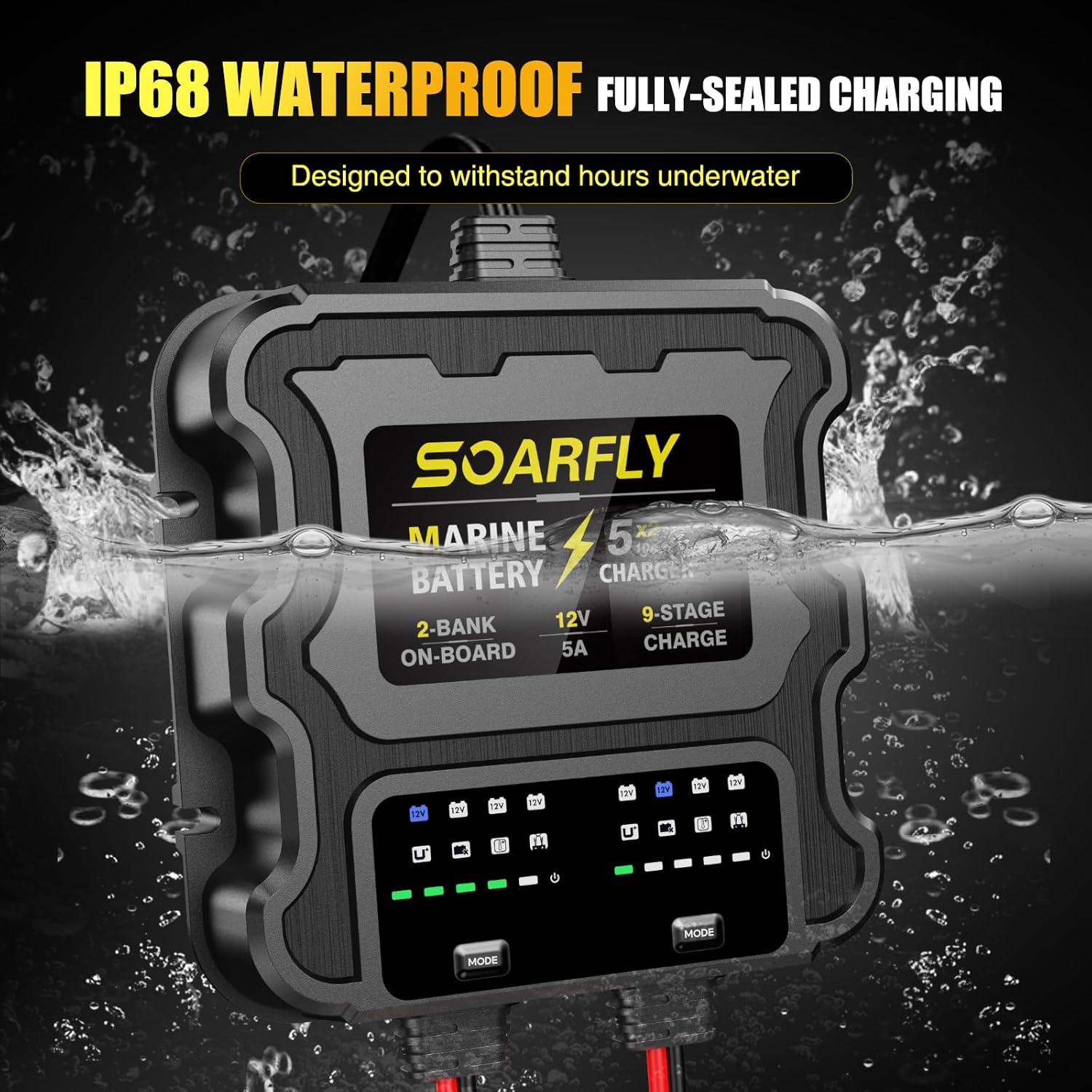
Image: The SoarFly charger partially submerged in water, illustrating its IP68 waterproof and fully-sealed design, suitable for marine environments.
Troubleshooting
The charger's advanced diagnostics will alert you to common issues.
| Issue/Alert | Possible Cause | Solution |
|---|---|---|
| Over-voltage | Battery voltage is too high for safe charging. | Disconnect the charger. Check battery voltage. Ensure correct battery type selection. |
| Faulty Battery | The battery may be damaged or unable to hold a charge. | Have the battery tested by a professional. Consider replacement. |
| Over-temperature | Charger or battery is overheating. | Ensure adequate ventilation. Move to a cooler environment. Allow to cool before resuming. |
| Reverse Polarity | Battery clamps are connected incorrectly (positive to negative, negative to positive). | Immediately disconnect the charger and reconnect clamps correctly (red to +, black to -). |
| Charger not starting | No AC power, battery too low (below 1V), or incorrect mode selected. | Check AC power connection. Use Force Mode for very low batteries. Verify correct mode selection. |
Specifications
| Feature | Specification |
|---|---|
| Model Number | ICM5B |
| Brand | SoarFly |
| Output Voltage | 12 Volts (DC) |
| Input Voltage | 120 Volts (AC) |
| Current Rating | 10 Amps (5A per bank) |
| Number of Ports | 2 |
| Product Dimensions (D x W x H) | 16.5D x 16.5W x 5.1H centimetres |
| Item Weight | 2.18 Kilograms |
| Waterproof Rating | IP68 |
| Compatible Battery Types | 12V SLA/AGM, Lithium (LiFePO4), Calcium |

Image: The SoarFly charger operating in both hot (up to 104°F) and cold (down to -4°F) environments, demonstrating its thermal compensation feature for optimized charging in any climate.
Warranty and Support
For warranty information or technical support, please contact SoarFly customer service through the retailer where the product was purchased or visit the official SoarFly website. Please have your model number (ICM5B) and purchase details ready.

Image: The SoarFly charger connected to a vehicle battery, illustrating its wide application for various 12V/30V vehicle models including boats, trucks, forklifts, cars, and RVs.