
oneisall DTJ001
Contents
oneisall Dog Clippers for Grooming Instruction Manual
Model: DTJ001
Brand: oneisall
Product Overview
The oneisall Dog Clippers (Model DTJ001) are designed for efficient and comfortable pet grooming, especially for dogs with thick coats. Featuring high-quality stainless steel blades and a powerful 7000 RPM motor, these clippers are engineered to cut through matted or curly fur smoothly. The low noise operation (≤50 dB) helps ensure a calm experience for your pet. With a long-lasting 2000 mAh battery, quick Type-C charging, and an LCD screen for battery status, these cordless clippers offer convenience and reliability. The detachable blade design allows for easy cleaning and maintenance.
Safety Information
- Keep away from water sources.
- Do not use on infants or humans.
- Follow recommended cleaning and maintenance procedures to prevent injury from sharp blades.
What's Included
Your oneisall Dog Grooming Kit includes everything necessary for a complete grooming session:
- Oneisall Dog Clippers (Model DTJ001)
- 6 Guide Combs (3 mm, 6 mm, 9 mm, 12 mm, 18 mm, 24 mm)
- Storage Bag
- Cleaning Brush
- Blade Oil
- Charging Cable (Type-C)
- Instruction Manual

Image: The complete oneisall Dog Grooming Kit, showing the clippers, six guide combs, storage bag, charging cable, cleaning brush, and oil.
Setup
1. Initial Charge
Before first use, fully charge the clippers. Connect the Type-C charging cable to the clipper's charging port and plug the other end into a compatible USB power adapter (not included). The LCD screen will display the battery percentage, indicating charging progress. A full charge provides up to 4 hours of continuous runtime.
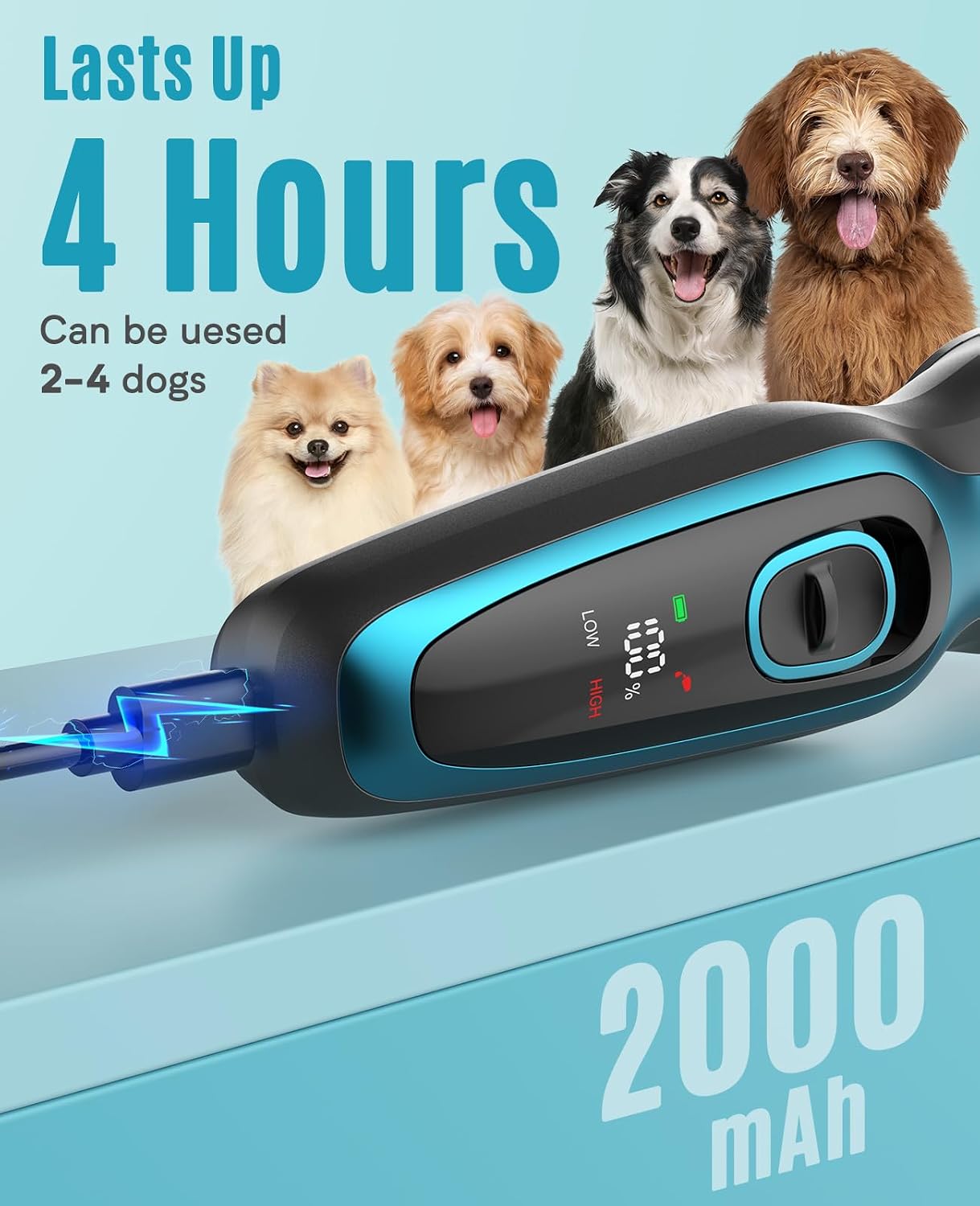
Image: The oneisall clippers connected to a charging cable, displaying the battery charge percentage on the LCD screen.
2. Attaching Guide Combs
Select the desired guide comb (3mm, 6mm, 9mm, 12mm, 18mm, or 24mm) based on the desired hair length. Align the comb with the clipper blade and push it firmly until it clicks into place. To remove, gently pull the comb away from the blade.

Image: A selection of six guide combs (3mm, 6mm, 9mm, 12mm, 18mm, 24mm) for adjusting hair length during grooming.
Operating Instructions
1. Preparing Your Pet
Ensure your dog's coat is clean, dry, and free of tangles or mats before grooming. Brushing your dog thoroughly beforehand will help the clippers glide smoothly and prevent snagging.
2. Powering On and Speed Settings
Press the power button to turn on the clippers. The LCD screen will illuminate, showing the current battery level and speed setting. The clippers feature two adjustable speed settings: a low speed for general grooming and a high speed for thicker or matted fur. Press the power button again to toggle between low and high speeds. The low noise operation (below 50 dB) is designed to keep your pet calm during grooming.

Image: A sleeping puppy illustrating the quiet operation of the oneisall clippers, which operate at less than 50 decibels.
3. Grooming Technique
Hold the clippers firmly and move them in the direction of hair growth for a smooth, even cut. For areas with thicker fur, use the higher speed setting. Be gentle around sensitive areas such as ears, paws, and face. The stainless steel blades are designed to prevent tugging and ensure a comfortable experience for your pet.

Image: The oneisall clippers in use, demonstrating their effectiveness on thick dog hair, cutting smoothly like butter.
4. Official Product Videos
Video: A detailed demonstration of the oneisall dog clippers, including unboxing, features, and live grooming on a dog. This video highlights the quiet operation, ease of use, and effectiveness on various fur types.
Video: An overview of the oneisall dog clippers, showcasing key features such as the durable metal blade, low noise level, and long-lasting battery. It also demonstrates the easy attachment of guide combs.
Maintenance
1. Cleaning the Blade
After each use, detach the stainless steel blade by gently pushing it off the clipper body. Use the included cleaning brush to remove any trapped hair from the blade and the clipper head. The blade is washable; you can rinse it under running water. Ensure the blade is completely dry before reattaching it to the clipper.

Image: The detachable blade of the oneisall clippers being cleaned under running water, highlighting its waterproof design for easy maintenance.
2. Oiling the Blade
Regularly apply a few drops of the included blade oil to the teeth of the blade. This helps maintain the sharpness and smooth operation of the clippers, extending their lifespan. Turn on the clippers for a few seconds after oiling to distribute the oil evenly.
Troubleshooting
- Clippers not turning on: Ensure the battery is fully charged. Connect the charging cable and allow sufficient time for charging.
- Blades not cutting effectively or snagging hair:
- Check if the blade is clean and free of hair buildup. Clean thoroughly with the brush.
- Apply blade oil to ensure smooth operation.
- Ensure the guide comb is properly attached and not loose.
- Confirm your pet's fur is clean and dry before grooming.
- Unusual noise or vibration: Detach and reattach the blade to ensure it is securely in place. Clean and oil the blade. If the issue persists, contact customer support.
Specifications
| Feature | Detail |
|---|---|
| Model Number | DTJ001 |
| Blade Material | High-quality Stainless Steel |
| Motor Speed | 7000 RPM |
| Noise Level | ≤50 dB |
| Battery Capacity | 2000 mAh |
| Charging Time | Type-C Quick Charging (approx. 3 hours) |
| Runtime | Up to 4 hours (continuous) |
| Speed Settings | 2 (Low, High) |
| Guide Combs Included | 3mm, 6mm, 9mm, 12mm, 18mm, 24mm |
| Item Weight | 1.21 pounds |
| Dimensions | 2.19 x 7.8 x 9.06 inches |
Warranty and Support
The oneisall Dog Clippers (Model DTJ001) come with a 2-Year Warranty. For any product inquiries, technical assistance, or warranty claims, please contact our 24-hour Customer Service. Refer to the contact information provided in your product packaging or visit the official oneisall website for support details.
Documents and downloads
Ask a question about this manual
Ask about setup, troubleshooting, compatibility, parts, safety, or missing instructions. Manuals+ will review the question and use this page’s manual context to help answer it.