
Alvar C201
Alvar C201 Smart Projector User Manual
Model: C201
Brand: Alvar
1. Introduction
Thank you for choosing the Alvar C201 Smart Projector. This manual provides essential information for setting up, operating, and maintaining your projector to ensure optimal performance and longevity. The Alvar C201 is designed to deliver a superior home entertainment experience with its advanced features, including 1000 ANSI lumens brightness, DBX-TV audio, official licensed streaming apps, and intelligent auto-correction functions.

Image: Front view of the Alvar C201 Smart Projector, showcasing its sleek design and lens.
2. Product Features
The Alvar C201 Smart Projector is equipped with cutting-edge technology to enhance your viewing and audio experience:
- Ultra Bright 1000 ANSI Lumens: Delivers a vivid and clear image even in well-lit environments, making it suitable for daytime use.
- DBX-TV Total Sonics Audio: Features professionally tuned cinematic sound with rich bass, balanced highs, and immersive clarity, powered by 30W built-in speakers.
- Dolby Audio Support: Enhances realism and provides immersive surround sound for a theater-like experience.
- Officially Licensed Streaming Apps: Preloaded with Netflix, Prime Video, and YouTube, allowing direct access to content without external devices.
- 4D Smart System: Includes auto-focus for sharp clarity, auto-keystone correction for tilted placements, obstacle-detecting AI, and intelligent screen alignment for perfect projection.
- 4K 60Hz Supported & HDR10: Supports 4K resolution input and delivers sharp, lifelike images with vibrant colors and deep contrast. Native 1080P resolution.
- Eye Protection: Certified eye protection to reduce eye strain during long viewing sessions.
- Fastest WiFi 6 & Two-way Bluetooth 5.2: Ensures smooth wireless mirroring from devices and stable two-way audio transmission for connecting to external speakers or using the projector as a Bluetooth speaker.
- Multiple Installation Methods: Supports ceiling mount, tabletop mount, and wall mount.
- Versatile Connectivity: Equipped with 2 HDMI ports, a USB port, and a 3.5mm headphone jack for compatibility with various devices.
- Advanced Touch Pad and Bluetooth Remote: Provides convenient control options.

Image: Overview of Alvar C201 features including 1000 ANSI brightness, officially licensed apps, Dolby Audio, and DBX-TV sound.

Image: Visual comparison demonstrating the projector's ultra brightness and vibrant colors in both daylight and night settings.

Image: Illustration of the projector's powerful 30W (2x15W) speakers, providing 360-degree surround sound.

Image: Display showing the Netflix Officially Licensed Smart System with pre-installed streaming applications like Netflix, YouTube, and Prime Video.
3. Setup Guide
3.1 Unpacking and Initial Placement
Carefully remove the projector and all accessories from the packaging. Place the projector on a stable, flat surface or prepare for mounting. Ensure adequate ventilation around the unit.
- Power Connection: Connect the power cord to the projector and then to a power outlet.
- Remote Control: Insert 2 AAA batteries (not included) into the remote control.
3.2 Automatic Adjustments (4D Smart System)
The Alvar C201 features a 4D Smart System for effortless setup:
- Auto-Focus: The projector automatically adjusts for razor-sharp clarity.
- Auto-Keystone Correction: Automatically corrects tilted placements, ideal for various mounting positions.
- Auto Obstacle Avoidance: Detects and avoids objects in the projection path.
- Auto Screen Alignment: Intelligently aligns the content perfectly within the screen boundaries.
For optimal clarity, project in a relatively dark environment and keep the tilt angle of the projector less than or equal to 20 degrees.

Image: Diagram illustrating the projector's automatic setup capabilities: Auto Keystone, Auto Focus, Auto Obstacle Avoidance, and Auto Screen Fit.

Image: A visual representation of the auto-focus feature, ensuring a clear and sharp image.
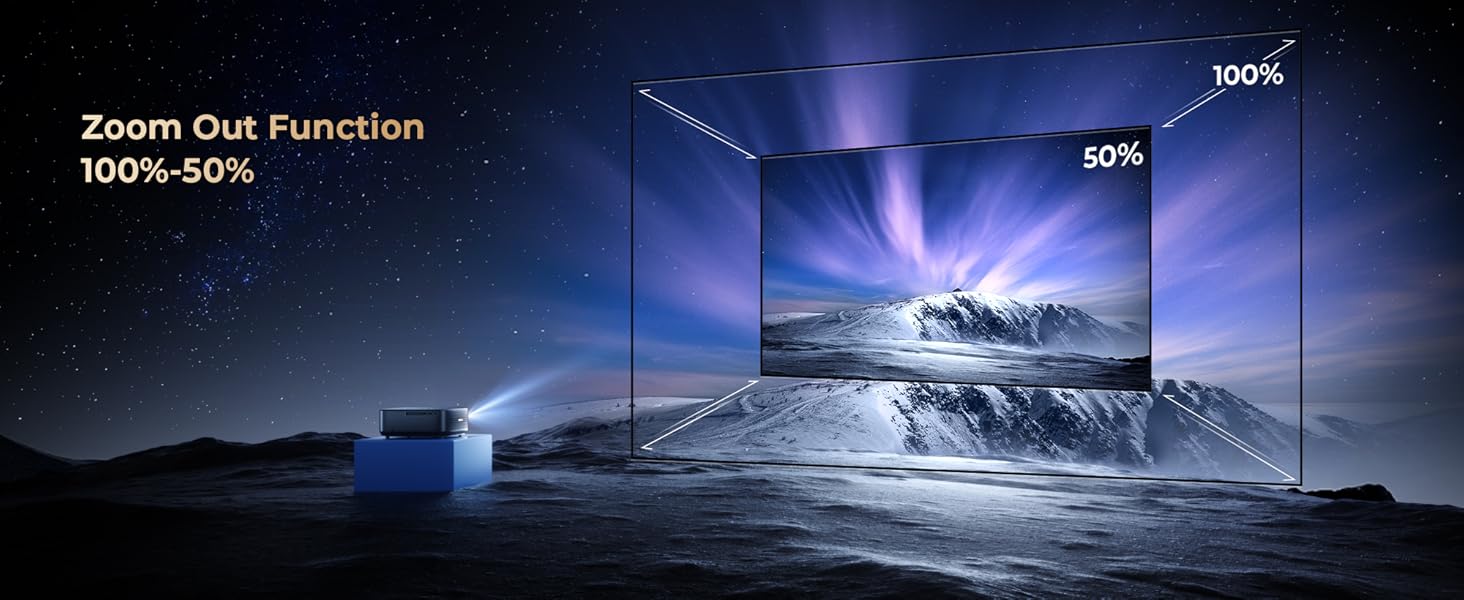
Image: An example of auto keystone correction, automatically adjusting the image to be rectangular even when the projector is at an angle.
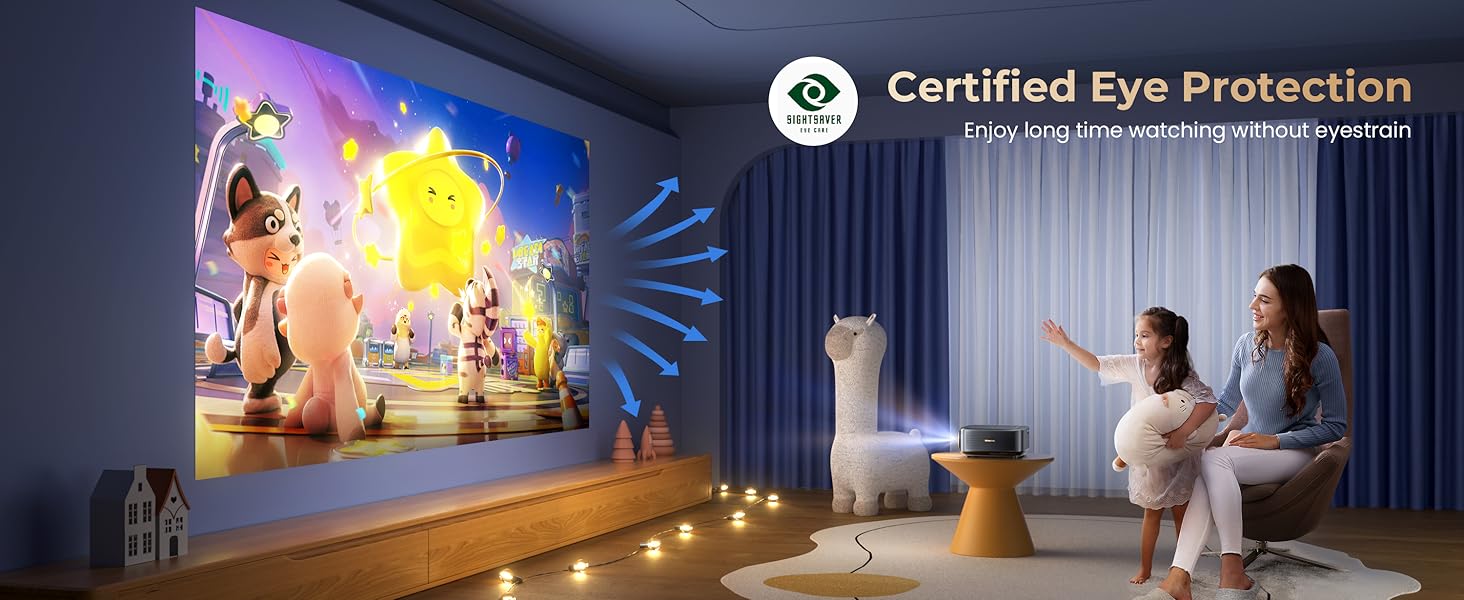
Image: Depiction of auto screen alignment, where the projector automatically fits the image to the screen or projection area.

Image: Illustration of auto obstacle avoidance, showing the projector adjusting its image to bypass obstructions.
3.3 Mounting Options
The Alvar C201 supports various installation methods:
- Tabletop Mount: Place the projector on a flat surface.
- Ceiling Mount: Use the four holes on the bottom of the projector (covered by rubber fillers) for ceiling installation. Remove the fillers and use M5*4 screws.
- Wall Mount: Secure the projector to a wall using appropriate mounting hardware (not included).

Image: Step-by-step guide for ceiling mounting the projector, showing how to remove fillers and attach with M5*4 screws.
4. Operating Instructions
4.1 Power On/Off
Press the power button on the projector or the remote control to turn the unit on or off.
4.2 Navigation and User Interface
Use the provided Bluetooth remote control or the integrated touch pad to navigate the projector's smart interface. The intuitive interface allows easy access to settings and applications.

Image: The user interface displaying built-in official licensed apps like Netflix, YouTube, and Prime Video, accessible via the remote control.
4.3 Streaming and Apps
The projector comes with pre-installed, officially licensed streaming applications. Simply connect to your WiFi network and log in to your accounts to start streaming.
- Netflix, Prime Video, YouTube: Access these apps directly from the home screen.
- Note on Mirroring: Due to copyright restrictions, direct wireless mirroring of streaming services like Disney+ or Crave from mobile devices is not supported. For these services, a TV Stick (purchased separately) is recommended.
4.4 Connectivity
The Alvar C201 offers multiple ways to connect your devices:
- HDMI Ports (x2): Connect devices such as Fire TV Stick, Roku, laptops, gaming consoles (PS4, PS5, Switch).
- USB Port: For playing media from USB drives.
- 3.5mm Audio Jack: Connect external speakers or headphones.
- WiFi 6: For high-speed wireless mirroring from iOS, Android, and Windows 10 devices.
- Two-way Bluetooth 5.2:
- Transmitter Mode: Connect to Bluetooth speakers or earphones for enhanced audio.
- Receiver Mode: Connect your phone to the projector to use its powerful 30W speakers as a Bluetooth speaker.

Image: Illustration of WiFi 6 technology, showing seamless mirroring from iOS, Android, and Windows devices for smoother gaming and streaming.
Image: Diagram explaining bidirectional Bluetooth 5.2, allowing the projector to transmit audio to external speakers or receive audio from a phone.
4.5 Image Adjustment
- Zoom Function (100%-50%): Adjust the screen size without moving the projector. Use the remote control to fine-tune the zoom level.
- Manual Fine-tuning: While auto-correction is robust, you can manually fine-tune settings using the remote if needed.
- Adjustable Screen Size: The projector supports a screen size range of 50 to 300 inches. The recommended projection distance for optimal viewing is approximately 8.2 feet.
Image: Visual representation of the 100%-50% zoom out function, allowing flexible screen size adjustment.

Image: Diagram showing the adjustable screen sizes from 50 to 300 inches and recommended projection distances.
5. Maintenance
Proper maintenance ensures the longevity and optimal performance of your Alvar C201 projector.
- Cleaning the Lens: Use a soft, lint-free cloth specifically designed for optical lenses. Do not use abrasive cleaners or cloths that could scratch the lens.
- Cleaning the Exterior: Wipe the projector's exterior with a soft, dry cloth. For stubborn marks, a slightly damp cloth can be used, followed by a dry wipe.
- Ventilation: Ensure the projector's ventilation openings are not blocked to prevent overheating. Keep the projector in a well-ventilated area.
- Storage: When not in use for extended periods, store the projector in a cool, dry place, ideally in its original packaging or a protective case.
- LED Lamp Life: The projector features a long-lasting LED lamp with an estimated life of 100,000 hours. No lamp replacement is typically needed during the product's lifespan.
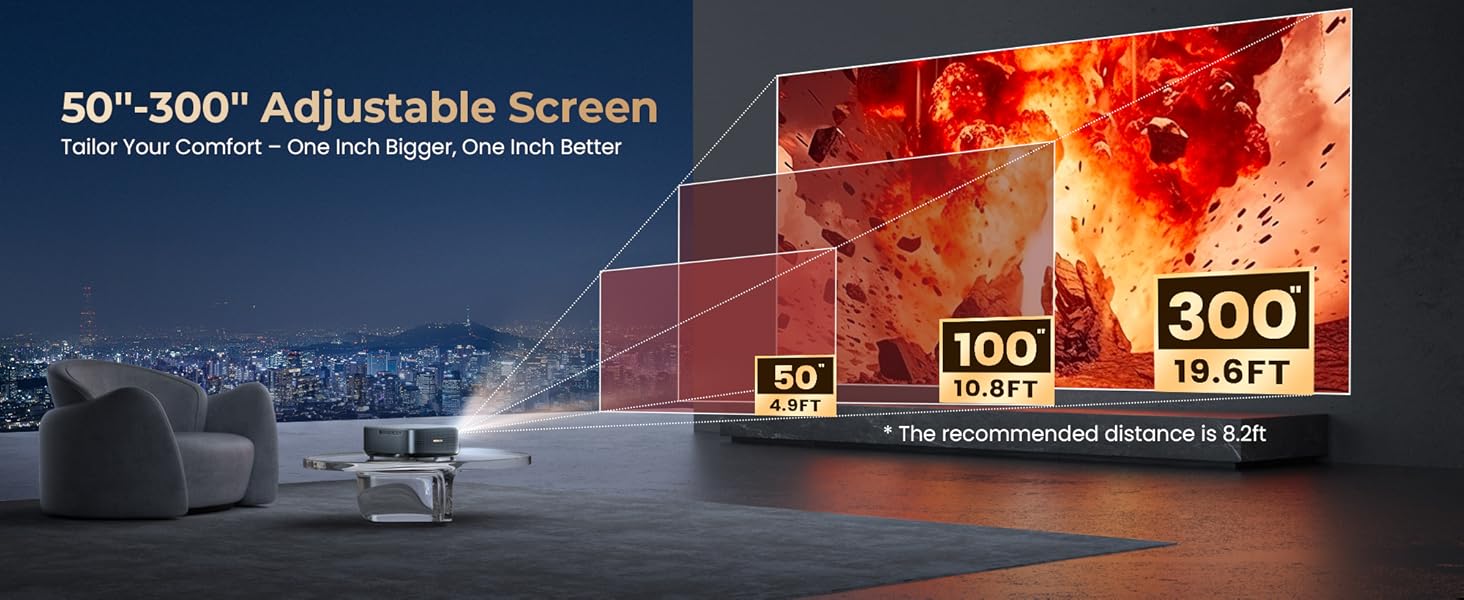
Image: Illustration highlighting the projector's 100,000-hour LED lamp life and its 8-layer coated glass lens system.
6. Troubleshooting
If you encounter issues with your Alvar C201 projector, refer to the following common problems and solutions:
| Problem | Possible Cause | Solution |
|---|---|---|
| No image or "No Signal" message. |
|
|
| Image is blurry or out of focus. |
|
|
| Image is trapezoidal or distorted. |
|
|
| No sound or low sound. |
|
|
| Fan noise is loud. |
|
|
| Cannot mirror streaming apps from phone. |
|
|
7. Specifications
| Feature | Detail |
|---|---|
| Brand | Alvar |
| Model | C201 |
| Brightness | 1000 ANSI Lumens |
| Native Resolution | 1920 x 1080 (Native 1080P) |
| Supported Resolution | Up to 4K (4096 x 2160 Pixels) |
| Display Technology | LCD |
| Display Type | DLP |
| Contrast Ratio | 30000:1 |
| Aspect Ratio | 16:9 |
| Speakers | 30W (2x15W) with DBX-TV Total Sonics & Dolby Audio |
| Connectivity | WiFi 6, Bluetooth 5.2 (Two-way), 2x HDMI, 1x USB, 1x 3.5mm Audio |
| Special Features | Auto Focus, Auto Keystone, Auto Obstacle Avoidance, Auto Screen Fit, Official Netflix/YouTube/Prime Video Apps, HDR10, Eye Protection, 100%-50% Zoom |
| Noise Level | 30 dB |
| LED Lamp Life | 100,000 Hours |
| Product Dimensions | 29.97 x 22.86 x 9.98 cm |
| Item Weight | 2.38 kg |
| Power Consumption | 130 Watt-hours |
| Refresh Rate | 60 Hz |
8. Warranty and Support
Alvar is committed to providing high-quality products and excellent customer service.
- Warranty: Alvar offers a three-year warranty on this product, ensuring peace of mind. Please refer to the warranty card included in the package for registration details and full terms and conditions.
- Customer Support: For any questions, technical assistance, or support needs, please contact Alvar customer service. They aim to reply within 24 working hours.
- Contact Information: Refer to the contact details provided in your product packaging or on the official Alvar website.
Ask a question about this manual
Ask about setup, troubleshooting, compatibility, parts, safety, or missing instructions. Manuals+ will review the question and use this page’s manual context to help answer it.