
1. Introduction
The Ymiko KM105F Battery Monitor is an advanced device designed for real-time monitoring of various battery types. It provides precise measurements of voltage, current, power, and capacity, along with remote connectivity and proactive alert features. This manual provides essential information for the proper setup, operation, and maintenance of your KM105F Battery Monitor.
2. Package Contents
Please verify that all items listed below are included in your package. If any items are missing or damaged, please contact customer support.
- 1 x Ymiko KM105F Battery Monitor Display Unit
- 1 x Shunt
- 1 x 1m Red Positive Wire
- 1 x 5m Communication Wire
- 1 x User Manual (this document)

Image 2.1: Ymiko KM105F Battery Monitor and its components.
3. Product Specifications
| Feature | Specification |
|---|---|
| Model | KM105F |
| Screen Size | 2.4 Inch HD Color LCD |
| Sampling Method | Shunt |
| Voltage Testing Range | 10-100V |
| Current Testing Range | 0-50A |
| Current Resolution | 0.001A |
| Capacity Display Range | 0-100% |
| Power Testing Range | 0-5KW |
| Power Resolution | 0.0001W |
| Ampere Hour Testing Range | 0-9999.9Ah |
| Capacity Resolution | 0.001Ah |
| Connection Distance (Unobstructed) | Up to 10 Meters |
| Remote Connection Range | Global (via APP) |
| Voltage Accuracy | ±5%+0.02V |
| Current Accuracy | ±2+0.002A |
| Sampling Rate | 5 Times/Second |
| Display Power Consumption | 0.9W |
| Screen Off Time | Configurable (10S, 20S, 30S, 40S, 50S, 60S, AUTO) |
| Material | ABS |
| Item Weight | 11.7 ounces |
| Package Dimensions | 6.69 x 5.91 x 2.36 inches |
| Item Model Number | Ymiko3472tyz6xo |
4. Setup and Installation
Proper installation is crucial for accurate readings and safe operation. Please follow these guidelines carefully.
4.1 Initial Configuration
Before the first use, it is essential to correctly set the battery's effective capacity and its current remaining percentage. If these values are unknown, refer to the detailed instructions provided in the physical user manual for guidance on how to determine and input these parameters.
4.2 Wiring Diagram (General)
The battery monitor connects to your battery system via the provided shunt and wires. A typical connection involves the shunt being placed in series with the negative terminal of the battery bank, and the monitor connecting to the shunt and the positive terminal.
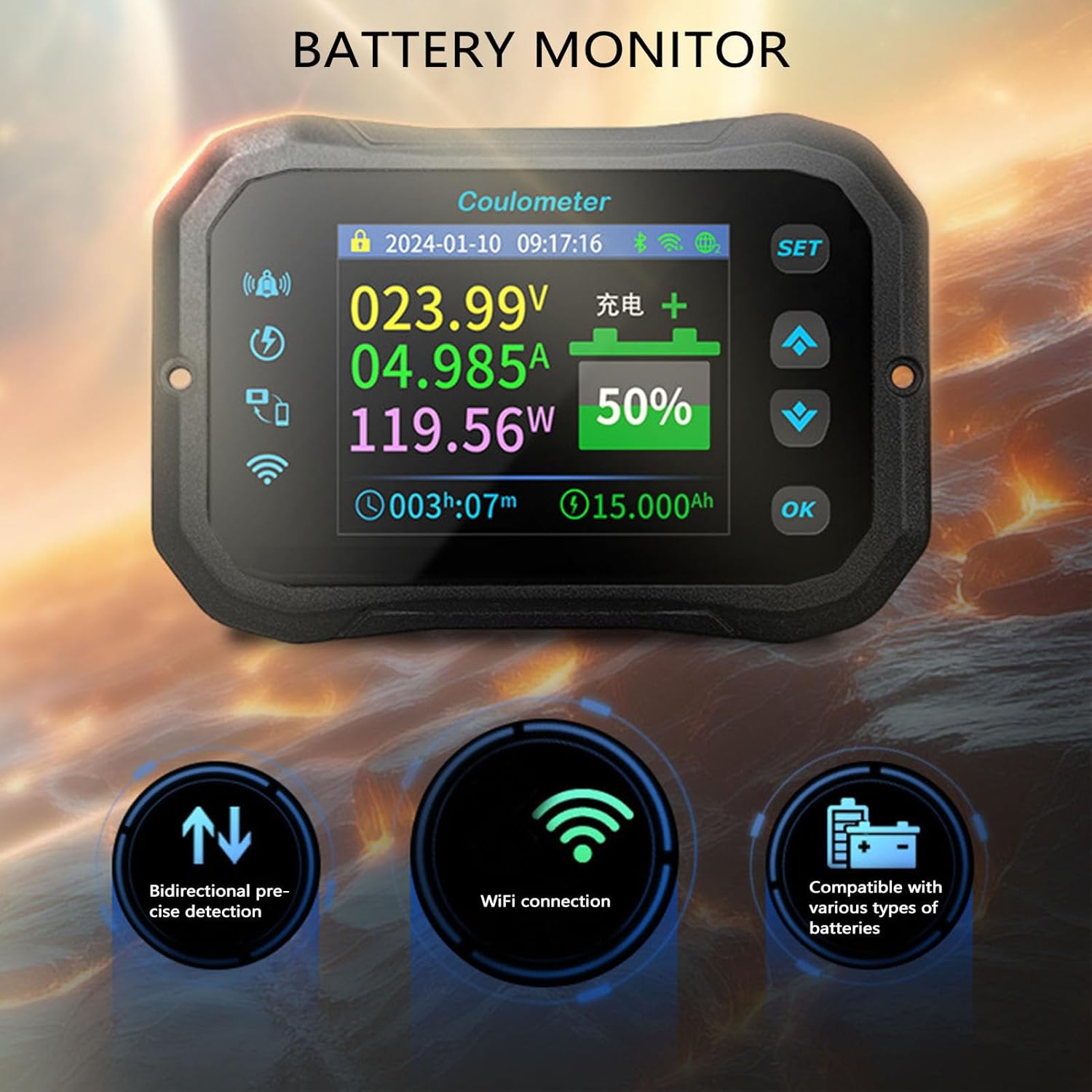
Image 4.1: Communication port on the back of the monitor.
Note: Always ensure power is disconnected before performing any wiring. Consult the full wiring diagram in the physical user manual for specific connection points and safety precautions.
5. Operating Instructions
The KM105F Battery Monitor is designed for intuitive operation.
5.1 Display and Navigation
The 2.4-inch HD color LCD screen displays real-time battery parameters such as voltage, current, power, and remaining capacity. Use the silicone keys (SET, Up, Down, OK) to navigate through menus and adjust settings. The display supports both dark and light modes for optimal visibility in various lighting conditions.
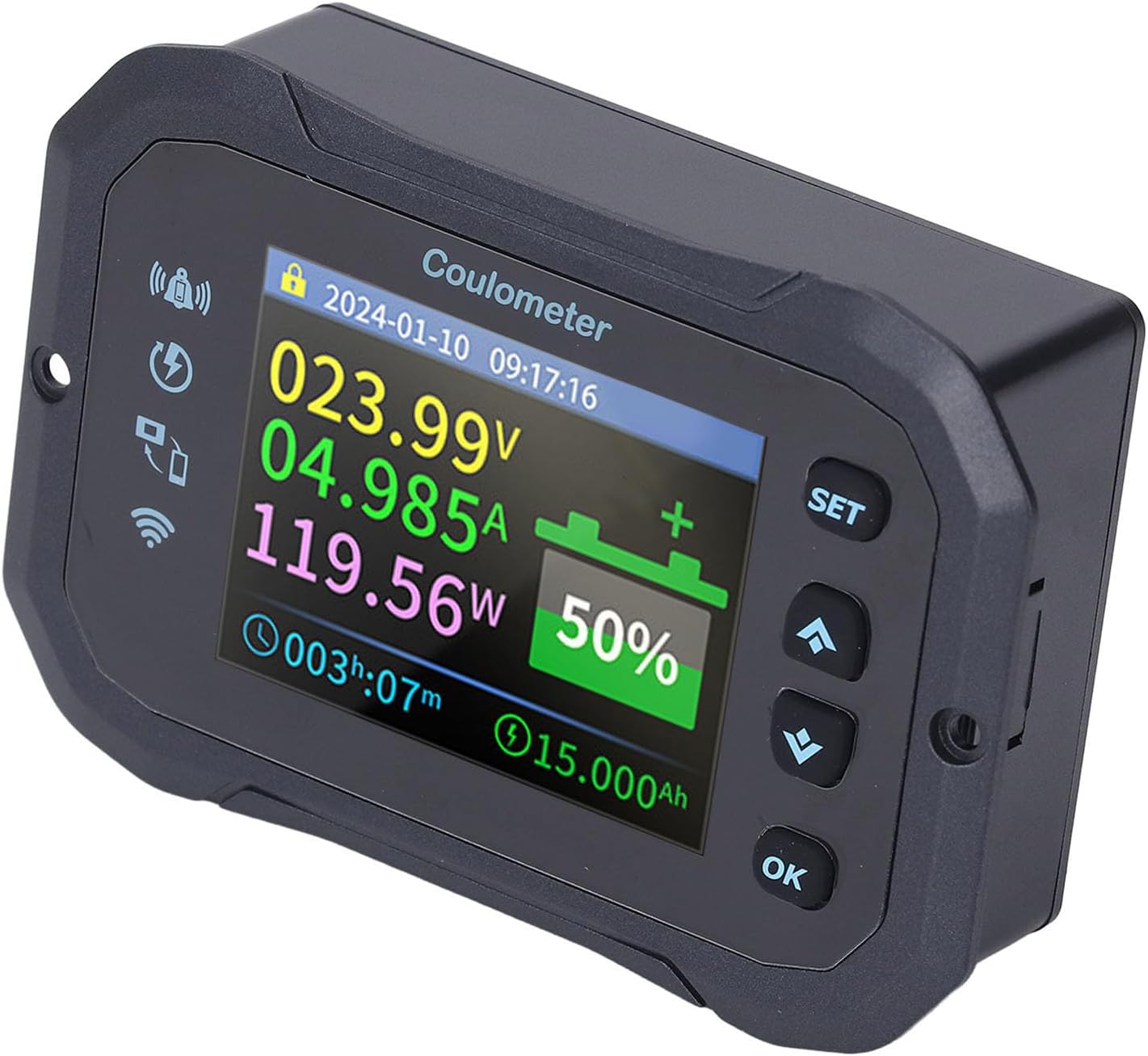
Image 5.1: Main display interface of the battery monitor.

Image 5.2: Control buttons for navigation and settings.
5.2 Remote Monitoring
The KM105F supports remote monitoring via an application (APP) on your smartphone or other compatible devices. This feature allows you to track battery status, check parameters, and manage energy usage from a distance, providing flexibility for off-grid or remote applications.

Image 5.3: Remote monitoring capabilities.
5.3 Proactive Alerts
The monitor includes a built-in buzzer and pop-up reminders to alert you when low capacity or low voltage thresholds are reached. These alerts help prevent potential risks and ensure vigilant energy management.
5.4 Battery Compatibility
The KM105F is compatible with a wide range of battery types, including VRLA, LFP, Li-Ion, and NI-MH, operating within a voltage range of 10 to 100V. This broad compatibility makes it suitable for diverse applications, from recreational vehicles to industrial setups.

Image 5.4: Multi-battery universal compatibility.
6. Maintenance
To ensure the longevity and accurate performance of your Ymiko KM105F Battery Monitor, follow these maintenance guidelines:
- Keep the display unit clean and free from dust and moisture. Use a soft, dry cloth for cleaning.
- Avoid exposing the device to extreme temperatures or direct sunlight for prolonged periods.
- Regularly check all wiring connections for tightness and signs of corrosion.
- Ensure the shunt is kept clean and free from debris to maintain accurate current measurements.
- Periodically verify the battery capacity settings in the monitor against the actual battery specifications.
7. Troubleshooting
This section addresses common issues you might encounter with your KM105F Battery Monitor.
- No Display: Check power connections to the monitor. Ensure the positive wire is correctly connected and the battery has sufficient voltage.
- Inaccurate Readings: Verify that the shunt is correctly installed in series with the negative battery terminal. Ensure the communication wire is securely connected. Re-check the initial battery capacity settings.
- No Remote Connection: Ensure the monitor's Wi-Fi function is enabled and correctly configured. Check your smartphone's network connection and the APP settings.
- Alerts Not Functioning: Confirm that alert thresholds for low voltage and low capacity are set appropriately in the monitor's settings.
- Buttons Unresponsive: Ensure the device is not exposed to extreme cold or heat. If the issue persists, a soft reset (disconnecting and reconnecting power) may be necessary.
For issues not covered here, please refer to the comprehensive troubleshooting section in the physical user manual or contact Ymiko customer support.
8. Warranty and Support
The Ymiko KM105F Battery Monitor comes with a standard manufacturer's warranty. Please refer to the warranty card included in your package for specific terms and conditions.
For technical support, product inquiries, or warranty claims, please contact Ymiko customer service through the contact information provided in your product packaging or on the official Ymiko website.
9. Official Product Videos
No official product videos from the seller were found that meet the criteria for inclusion in this manual.