
Introduction
The Emerson PBW1010W Power Bank is a compact, high-capacity portable charger designed to keep your devices powered on the go. Featuring a 10,000mAh battery, it supports Qi2 15W wireless charging and 22.5W wired charging via USB-A and USB-C ports. This manual provides essential information for setting up, operating, maintaining, and troubleshooting your power bank.

Figure 1: Front view of the Emerson PBW1010W Power Bank.
Setup
Before first use, it is recommended to fully charge your Emerson PBW1010W Power Bank.
Charging the Power Bank
- Connect the included USB-C cable to the USB-C input port on the power bank.
- Connect the other end of the USB-C cable to a compatible USB wall adapter (not included).
- The LED indicators on the power bank will illuminate to show the charging progress. All LEDs will be solid when fully charged.
Connecting Devices for Charging
The power bank offers both wired and wireless charging options.
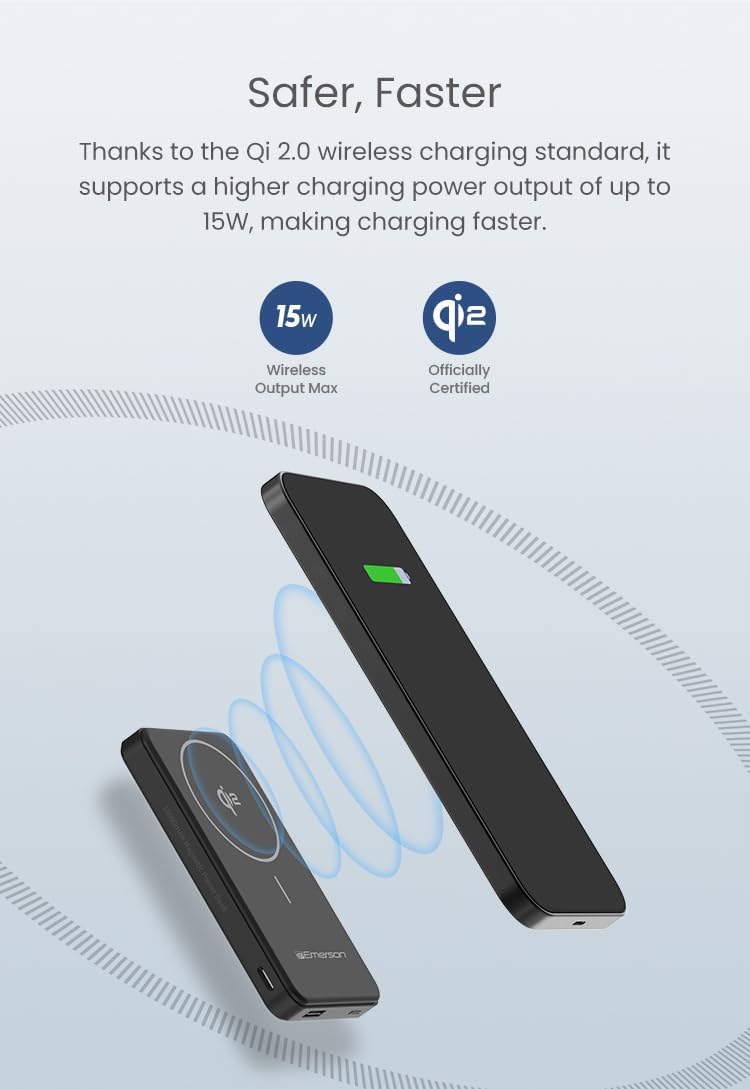
Figure 2: Wired charging via USB-A and USB-C ports.
- Wired Charging: Use your device's charging cable to connect it to either the USB-A or USB-C output port on the power bank. The power bank will automatically begin charging your device.
- Wireless Charging (Qi2): For Qi2-compatible devices, align your device on the designated wireless charging area of the power bank. The magnetic alignment ensures a secure connection and efficient charging.

Figure 3: Wireless charging in progress.
Operating Instructions
The Emerson PBW1010W Power Bank is designed for ease of use, allowing you to charge multiple devices simultaneously.
Charging Your Devices
- Single Device Charging: Connect your device via cable or place it on the wireless charging pad. The power bank will automatically detect and begin charging.
- Multiple Device Charging: The power bank supports charging up to three devices simultaneously: one wirelessly via Qi2, one via USB-C, and one via USB-A. Connect all devices as described in the Setup section.
Checking Battery Level
The power bank features LED indicators to display its remaining battery capacity. Refer to the product's physical indicators for precise battery status.
Product Overview Video
Video 1: An official overview of the Emerson Power Bank, demonstrating its Qi2 wireless charging, 10,000mAh capacity, secure magnetic grip, compact size, and ability to charge multiple devices simultaneously via its three output ports (wireless, USB-C, and USB-A).
Maintenance
Proper care and maintenance will extend the life of your Emerson PBW1010W Power Bank.
- Cleaning: Use a soft, dry cloth to clean the exterior of the power bank. Do not use liquid cleaners or aerosols.
- Storage: Store the power bank in a cool, dry place away from direct sunlight and extreme temperatures.
- Battery Care: To maintain battery health, avoid fully discharging the power bank frequently. Recharge it regularly, even if not in use, to prevent deep discharge.
- Avoid Impacts: Do not drop or subject the power bank to strong impacts, as this can damage internal components.
Troubleshooting
If you encounter issues with your power bank, try the following solutions:
- Power Bank Not Charging:
- Ensure the charging cable is securely connected to both the power bank and the wall adapter.
- Verify that the wall adapter is functioning correctly and providing sufficient power.
- Try a different USB-C cable or wall adapter.
- Device Not Charging from Power Bank:
- For wired charging, ensure the cable is firmly connected to both the power bank and your device. Try a different cable.
- For wireless charging, ensure your device is Qi2 compatible and properly aligned on the charging pad. Remove any thick cases that might interfere with wireless charging.
- Check if the power bank itself has sufficient charge.
- Restart the power bank by disconnecting and reconnecting any devices.
- Slow Charging:
- Ensure you are using a high-quality cable that supports fast charging.
- Verify that your device supports the fast charging protocols (e.g., PD for USB-C, QC for USB-A) offered by the power bank.
- Charging multiple devices simultaneously may reduce the charging speed for individual devices.
Specifications
| Feature | Specification |
|---|---|
| Model Number | PBW1010W |
| Battery Capacity | 10,000mAh |
| Wireless Output | Qi2 15W (Max) |
| USB-A Output | 22.5W (Max) |
| USB-C Output/Input | 20W (Max) |
| Dimensions (H x W x D) | 4.33 x 2.72 x 0.69 inches |
| Item Weight | 7.2 ounces |
| Connector Types | Qi2, USB Type A, USB Type C |
Warranty and Support
Limited Warranty: Please refer to the product packaging or the official Emerson website for detailed warranty information, including coverage period and terms and conditions. Keep your purchase receipt as proof of purchase for warranty claims.
Customer Support: For technical assistance, troubleshooting beyond this manual, or warranty inquiries, please visit the official Emerson website or contact their customer support team. You can find contact information on the product packaging or at the Emerson Brand Store on Amazon.


