
VALDUS VD36 Pro
VALDUS VD36 Pro Smartwatch User Manual
Model: VD36 Pro
1. Product Overview
The VALDUS VD36 Pro is a robust, waterproof, shock-resistant, and dust-proof smartwatch designed for durability and extensive functionality. It features an always-on AMOLED display, IP68 water resistance up to 10 meters, Bluetooth calling, and a large 450 mAh battery for extended use.
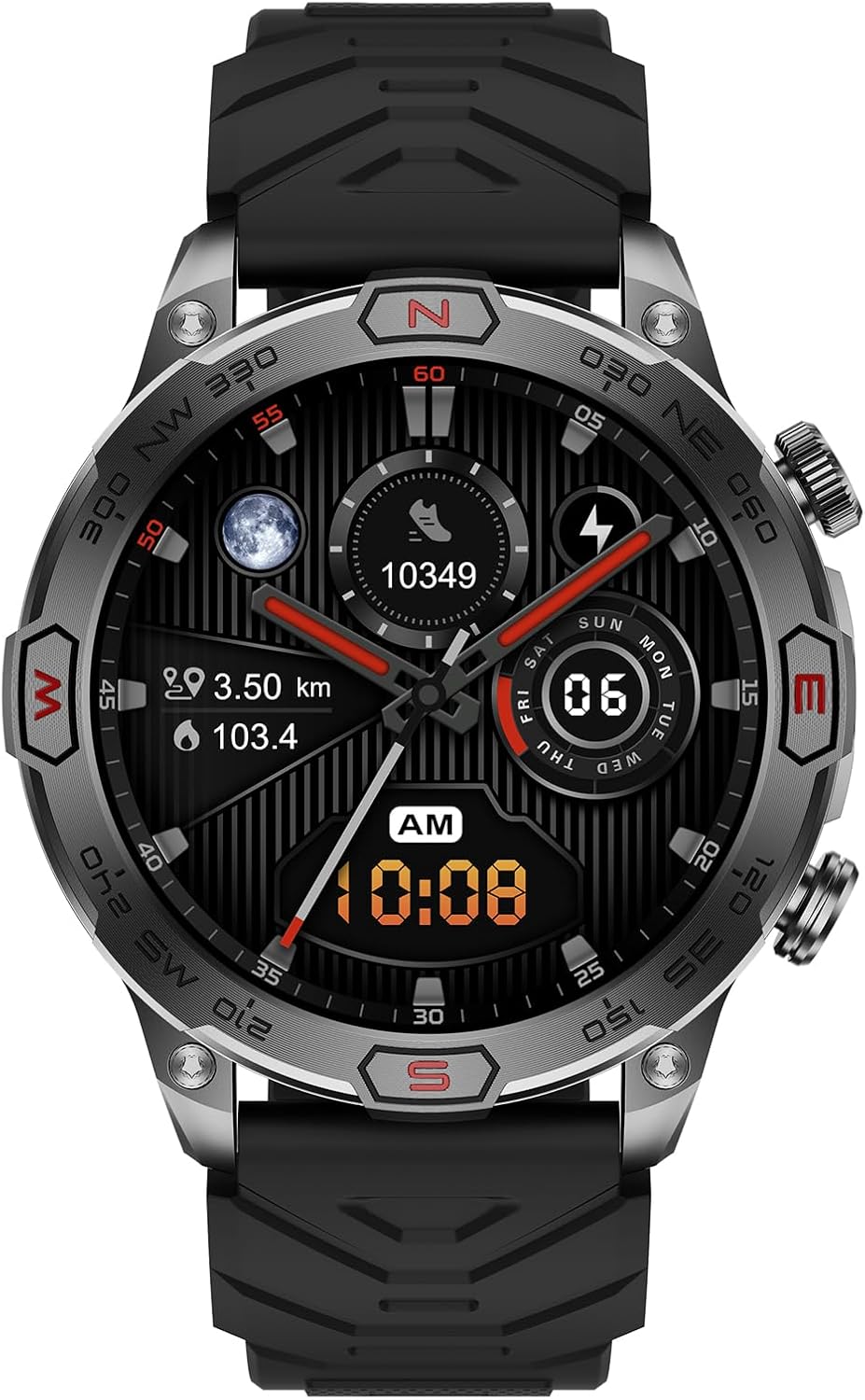
Figure 1.1: Front view of the VALDUS VD36 Pro Smartwatch. The watch face shows digital time, steps, distance, and heart rate, with analog hands overlaid. The bezel features compass markings (N, NE, E, SE, S, SW, W, NW).
This manual provides essential information for setting up, operating, maintaining, and troubleshooting your VD36 Pro smartwatch.
2. Package Contents
Please verify that all items are present in the package:
- VALDUS VD36 Pro Smartwatch
- Charging Cable
- User Manual (this document)
3. Setup
3.1. Initial Charging
Before first use, fully charge your VALDUS VD36 Pro smartwatch. Connect the magnetic charging cable to the charging points on the back of the watch and plug the USB end into a standard USB power adapter (not included).
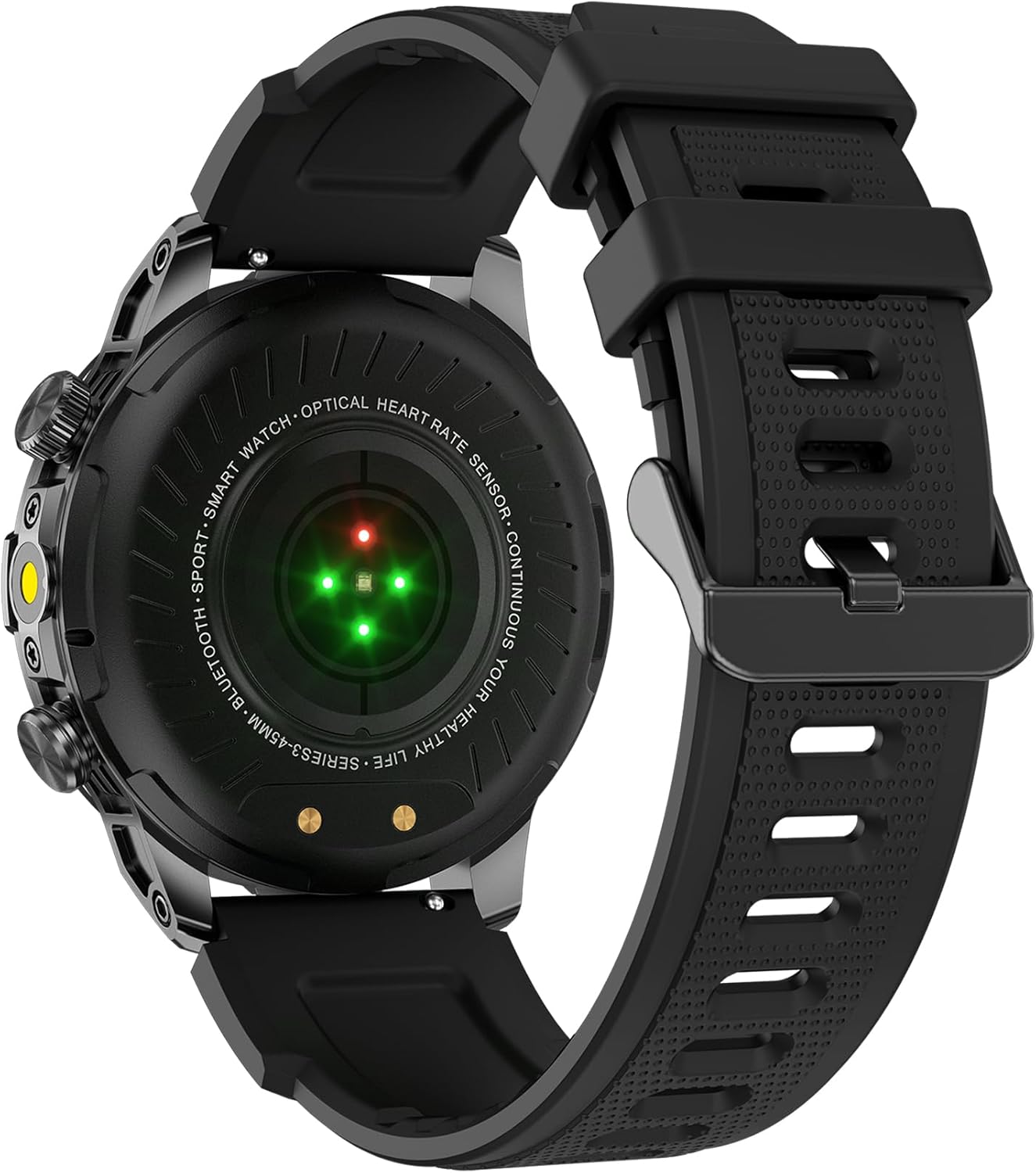
Figure 3.1: Rear view of the smartwatch, highlighting the optical heart rate sensor and magnetic charging contacts. Ensure these contacts are clean for proper charging.
The watch display will indicate charging status. A full charge typically takes approximately 2 hours.
3.2. App Installation and Pairing
To unlock the full potential of your VD36 Pro, download and install the DaFit application on your smartphone. The DaFit app is compatible with both Google Fit and Apple Health for data synchronization.
- Scan the QR code provided in the watch's quick start guide (if available) or search for "DaFit" in your smartphone's app store (Google Play Store for Android, Apple App Store for iOS).
- Install the DaFit app and open it.
- Ensure Bluetooth is enabled on your smartphone.
- In the DaFit app, navigate to the "Device" section and tap "Add a device".
- Select "VD36 Pro" from the list of available devices.
- Follow the on-screen prompts to complete the pairing process. You may need to confirm a pairing request on both your phone and the watch.
Once paired, the watch will automatically synchronize time and date with your phone.
4. Operating Instructions
4.1. Basic Navigation
The VD36 Pro features a touch-sensitive AMOLED display and physical buttons for navigation.
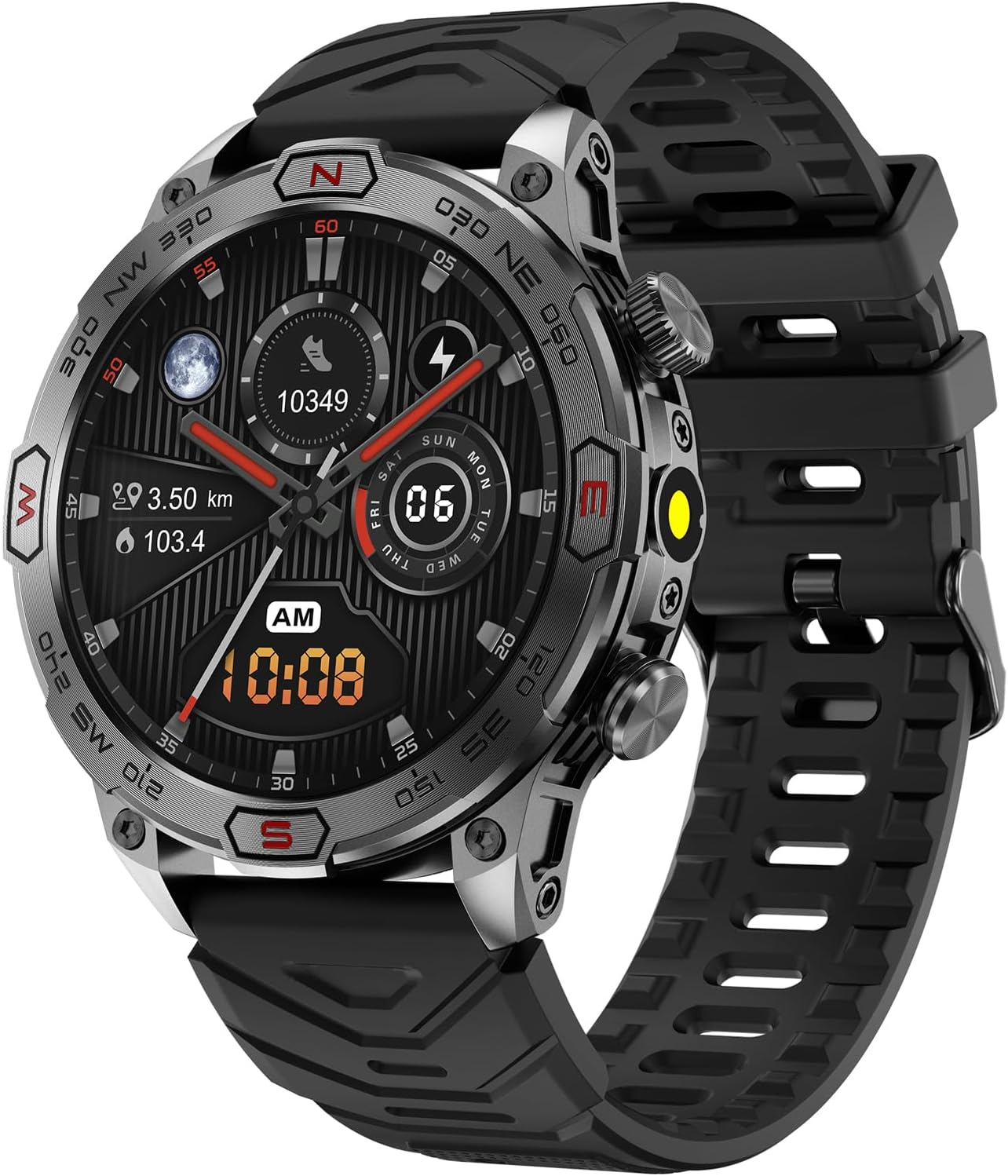
Figure 4.1: Side view of the smartwatch, illustrating the location of the physical buttons used for power, menu access, and flashlight activation.
- Swipe Up/Down: Scroll through menus and notifications.
- Swipe Left/Right: Access quick functions or widgets (e.g., heart rate, weather, activity data).
- Tap: Select an item or confirm an action.
- Top Button: Power On/Off (long press), Return to Home screen (short press).
- Bottom Button: Access Sports Modes (short press), Activate Flashlight (long press).
4.2. Key Features
- AMOLED Display: High contrast, excellent outdoor readability, and always-on functionality with 466 x 466 pixel resolution.
- Bluetooth Calling: Make and receive calls directly from your watch using its built-in speaker and microphone, connected via Bluetooth 5.2 to your smartphone.
- Health Monitoring:
- Heart Rate (Pulse) monitoring
- Blood Oxygen (SpO2) measurement
- Blood Pressure monitoring
- Sleep tracking
- Step counting and calorie tracking
- Sports Modes: Supports 107 different sports activities. Track your performance and data directly on the watch and through the DaFit app.
- Integrated Flashlight: A separate LED flashlight with white and green light options, including a warning flash function for enhanced safety during night runs.
- Smart Notifications: Receive alerts for messages (WhatsApp, Facebook, Instagram), weather updates, and voice assistant access (Siri, Google).
- Altimeter & Magnetic Compass: Built-in sensors for outdoor activities.
5. Maintenance
5.1. Cleaning
Regular cleaning helps maintain the watch's appearance and functionality.
- Wipe the screen and watch body with a soft, lint-free cloth.
- For stubborn dirt, slightly dampen the cloth with water. Avoid using harsh chemicals or abrasive materials.
- Clean the charging contacts on the back of the watch periodically to ensure proper charging.
5.2. Water Resistance
The VALDUS VD36 Pro is IP68 rated, allowing for immersion up to 10 meters. While it is highly water-resistant, avoid exposing it to hot water, steam, or high-pressure water jets, as this can compromise the seals.
5.3. Battery Care
To prolong battery life:
- Avoid extreme temperatures (very hot or very cold).
- Do not fully discharge the battery frequently.
- Charge the watch regularly, even if not in daily use.
6. Troubleshooting
| Problem | Possible Cause | Solution |
|---|---|---|
| Watch not turning on | Low battery; System crash | Charge the watch for at least 30 minutes. If still unresponsive, perform a hard reset by long-pressing the top button for 10-15 seconds. |
| Cannot pair with phone | Bluetooth off; Watch not discoverable; App issue | Ensure Bluetooth is on for both devices. Restart both watch and phone. Clear DaFit app cache/data or reinstall. Ensure watch is not already paired to another device. |
| Inaccurate health data | Improper fit; Sensor obstruction | Ensure the watch is worn snugly on the wrist, not too tight or too loose. Clean the sensor on the back of the watch. Avoid excessive movement during measurements. |
| Notifications not received | App permissions; Notification settings | Check DaFit app notification settings. Ensure necessary permissions are granted to the app on your phone (e.g., access to notifications). Keep the app running in the background. |
7. Specifications
| Feature | Detail |
|---|---|
| Model Name | VD36 Pro |
| Display Type | AMOLED, Always-On |
| Display Resolution | 466 x 466 pixels |
| Display Diameter | 3.63 cm (approx. 1.43 inches) |
| Processor | Realtek 8763E Dual-Core |
| Health Sensor | VCare VC30 |
| Battery Capacity | 450 mAh |
| Connectivity | Bluetooth 5.2 (for calling and data sync) |
| Water Resistance | IP68 (up to 10 meters depth) |
| Dimensions (Product) | Approx. 17.2 x 9.3 x 4.1 cm (package dimensions, actual watch dimensions not specified but implied by package) / Weight: 210 g |
| Supported Sports Modes | 107 |
| Companion App | DaFit |
8. Warranty and Support
For warranty information and customer support, please refer to the official VALDUS website or contact your point of purchase. Keep your proof of purchase for warranty claims.
For technical assistance or further inquiries, please visit the VALDUS support page or contact their customer service team.
Related documentsVD36 Pro


Ask a question about this manual
Ask about setup, troubleshooting, compatibility, parts, safety, or missing instructions. Manuals+ will review the question and use this page’s manual context to help answer it.