
Product Overview
The Tuya Smart 3D Face Door Lock is an advanced security solution designed to protect your home with multiple unlocking methods and smart features. It integrates 3D infrared face recognition, fingerprint, password, IC card, mechanical key, and APP control for versatile access. The lock features an automatic locking and unlocking mechanism, a built-in camera for real-time monitoring, and a rechargeable lithium battery for reliable operation. It is suitable for various door types, including wooden, stainless steel, bronze, and security doors.

Figure 1: Front and side view of the Tuya Smart 3D Face Door Lock, highlighting its modern design and integrated display screen.
Key Features
- 6 Unlock Ways: Supports 3D infrared Face recognition, Fingerprint, Password, IC Card, Mechanical Key, and APP for flexible access.
- Robust Construction: Carved alloy material provides strong protection for your home.
- Automatic Locking & Unlocking: Utilizes the latest automatic technology for hands-free operation.
- Indoor Double Lock Knob: Provides an additional layer of security.
- Emergency Power Supply: Features a USB charging port for emergency power in case of battery depletion.
- Rechargeable Lithium Battery: Built-in battery offers approximately 3 months of use on a full charge, with low battery warning.
- English Voice and Menu: User-friendly interface with English voice prompts and menu options.
- Unlock Record Query: Ability to query unlock records directly from the lock.
- Infrared Sensor Camera: Ensures effective operation even in dark environments.
- Wide Door Compatibility: Suitable for wooden, stainless steel, bronze, double, and old-fashioned security doors (40-90mm thickness).
- Reversible Handle Direction: Compatible with both left and right open doors.

Figure 2: The 3D Face Recognition feature allows for quick, no-touch unlocking and automatic waking up, distinguishing between live faces and non-authentic sources like photos or videos.

Figure 3: The AI Fingerprint Algorithm enables 'Once Touch Unlocking' with a high success rate (99.9%), wear resistance exceeding 1 million times, and fast recognition in less than 0.5 seconds.
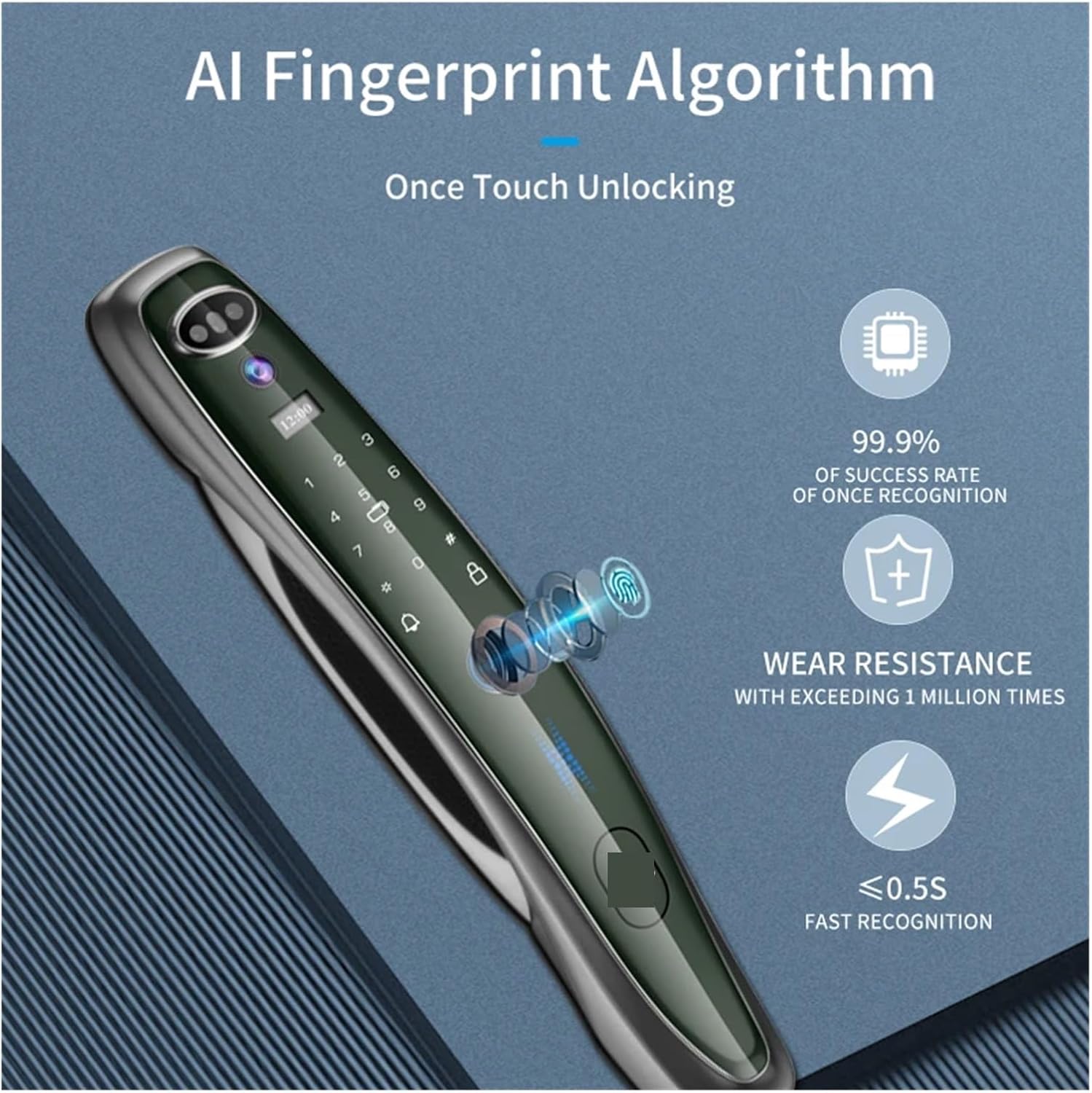
Figure 4: The Wide Angle Cat's Eye Lens provides binocular recognition and intelligent light filling, ensuring clear visibility and security monitoring even in low-light conditions.
Installation Guide
Proper installation is crucial for the optimal performance and security of your smart door lock. This lock is designed for easy installation on various door types. Ensure your door thickness is between 40mm and 90mm. The mortise type is 6068.

Figure 5: Detailed dimensions for the lock body and mortise (6068), essential for accurate door preparation and installation.
Pre-installation Checks:
- Verify door thickness and material compatibility.
- Ensure all components are present as per the packing list.
- Determine the correct handle direction (reversible).
General Installation Steps:
- Prepare the door according to the provided mortise dimensions.
- Install the mortise into the door.
- Mount the front and rear panels, connecting the necessary cables.
- Secure the lock with screws.
- Install the battery and test the lock's functionality.
For detailed step-by-step instructions, please refer to the physical manual included with your product.
Operating Instructions
The Tuya Smart 3D Face Door Lock offers multiple convenient ways to unlock your door.
1. Face Recognition Unlock:
Stand directly in front of the lock at an appropriate distance. The 3D infrared sensor will scan your face. Upon successful recognition, the lock will automatically unlock. Ensure your face is clear and unobstructed.
2. Fingerprint Unlock:
Place your registered finger on the fingerprint sensor. The lock will verify your fingerprint and unlock. Ensure your finger is clean and dry for optimal recognition.
3. Password Unlock:
Enter your registered password on the keypad, followed by the '#' key. The lock will verify the password and unlock. Use the anti-peep function by entering random numbers before or after your actual password.
4. IC Card Unlock:
Present your registered IC card to the card reader area on the lock. The lock will read the card and unlock.
5. Mechanical Key Unlock:
In case of emergency or battery depletion, insert the mechanical key into the keyhole and turn to unlock the door manually.
6. Tuya Smart APP Control:
Download the Tuya Smart Life APP from your device's app store. Follow the in-app instructions to pair your lock. Through the APP, you can:
- Remotely unlock the door.
- Generate temporary passwords for guests or service providers.
- Manage user access (add/delete fingerprints, faces, passwords, IC cards).
- Query unlock records and monitor door status in real-time.

Figure 6: The Tuya APP provides comprehensive control over the smart lock, enabling remote management and monitoring without the need for an external gateway.
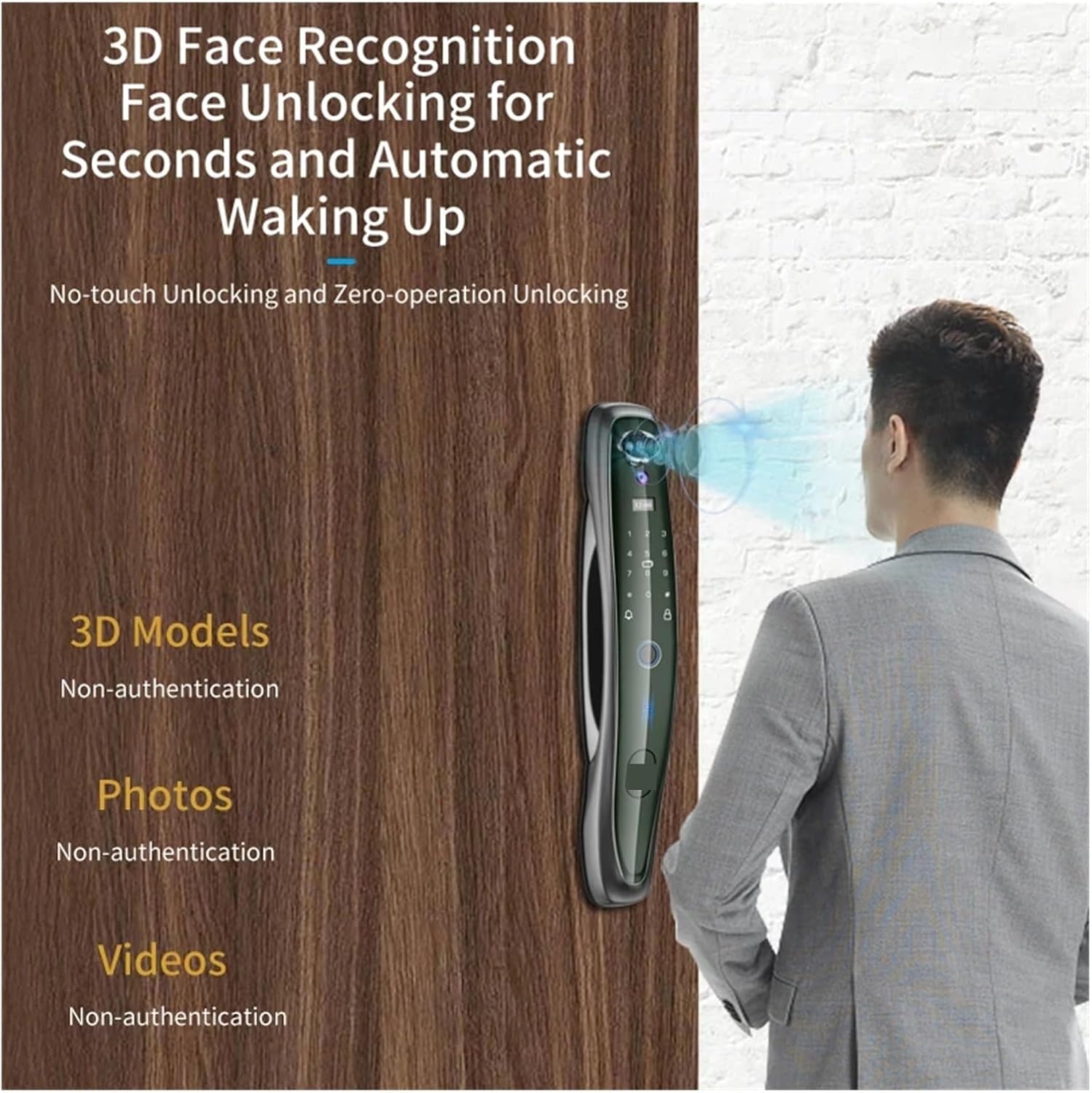
Figure 7: The built-in high-definition screen and camera allow for real-time security monitoring, enabling users to see outside the door even when it is closed.
Maintenance
To ensure the longevity and optimal performance of your Tuya Smart 3D Face Door Lock, follow these maintenance guidelines:
- Battery Charging: The lock is equipped with a built-in rechargeable lithium battery. When the low battery warning is issued, connect a USB cable to the emergency charging port to recharge. A full charge typically lasts about 3 months.
- Cleaning: Use a soft, dry cloth to clean the lock's surface. Avoid using abrasive cleaners, solvents, or harsh chemicals, as these can damage the finish and electronic components.
- Sensor Care: Keep the fingerprint sensor, face recognition camera, and keypad clean and free from dust or debris to ensure accurate recognition.
- Mechanical Key: Store the mechanical keys in a safe, accessible location outside your home for emergency use.
- Firmware Updates: Periodically check the Tuya Smart Life APP for any available firmware updates for your lock to ensure you have the latest features and security enhancements.
Troubleshooting
If you encounter issues with your smart door lock, refer to the following common problems and solutions:
- Lock Not Responding: Check the battery level. If the battery is depleted, use the emergency USB charging port or the mechanical key to open the door.
- Fingerprint/Face Recognition Failure: Ensure the sensor/camera is clean and your finger/face is positioned correctly. Re-register your fingerprint/face if the issue persists.
- Password Not Working: Verify that you are entering the correct password. Ensure the keypad is clean and responsive.
- APP Connectivity Issues: Ensure your home WiFi network is stable and the lock is within range. Restart the lock and your router if necessary. Re-pair the lock with the APP if connection is lost.
- Door Not Locking/Unlocking Properly: Check for any obstructions in the door frame or latch. Ensure the lock is installed correctly and aligned with the strike plate.
- Voice Prompts in Wrong Language: Access the lock's menu (via keypad or APP) to change the voice language to English.
For more complex issues, consult the detailed troubleshooting section in the full product manual or contact customer support.
Product Specifications
| Specification | Value |
|---|---|
| Brand | FJZKTEG |
| Model Number | Q8R-Gray-30-300-6068 |
| Material | Aluminium Alloy |
| Unlock Methods | 3D Face, Fingerprint, Password, IC Card, Mechanical Key, APP |
| Connectivity | WIFI (Tuya Smart Life APP) |
| Suitable Door Thickness | 40-90mm |
| Suitable Mortise | 6068 |
| Power Supply | Built-in Rechargeable Battery |
| Emergency Charging | USB Charge |
| Special Features | Built-in Doorbell, Built-in Camera, Built-in Peephole, Built-in Screen |
| Language | English Voice and Menu |
| Item Weight | 1.76 ounces |
| Package Dimensions | 1.18 x 0.79 x 0.39 inches |
| Country of Origin | China |
Warranty and Support
This product is manufactured by f17heceecc90. For specific warranty details, including coverage period and terms, please refer to the warranty card included with your product or contact the manufacturer directly. Keep your purchase receipt as proof of purchase.
For technical support, troubleshooting assistance, or inquiries regarding parts and service, please contact the manufacturer's customer service. Contact information can typically be found on the product packaging, the official brand website, or within the Tuya Smart Life APP's support section.


