
Introduction
The NEUTYPECHIC Kids Bluetooth Alarm Clock is a versatile device designed to assist children in developing healthy sleep habits and understanding time. It integrates multiple functions including a Bluetooth speaker, night light, alarm clock, recording, snooze, and a timer. This manual provides detailed instructions for its setup, operation, and maintenance.

Image: The NEUTYPECHIC Kids Bluetooth Alarm Clock, showcasing its digital display and colorful light ring.
Setup
1. Charging the Device
Before first use, fully charge the alarm clock. The device is equipped with a 2000mAh lithium-ion battery and uses a USB Type-C charging port.
- Connect the provided USB Type-C cable to the charging port on the back of the alarm clock.
- Plug the other end of the cable into a compatible USB power adapter (not included).
- The charging indicator will show the charging status. Ensure the device is fully charged for optimal performance.

Image: Detail of the USB Type-C charging port located on the back of the alarm clock.

Image: Visual representation of the 2000mAh battery capacity.
2. Powering On/Off
Locate the 'Switch On' button on the back of the device to power it on or off.

Image: Rear view of the alarm clock highlighting the power switch and control buttons.
3. Bluetooth Pairing
The alarm clock features a Bluetooth speaker for audio playback and calls.
- Ensure the alarm clock is powered on.
- Activate Bluetooth on your mobile device.
- Search for available devices and select "NEUTYPECHIC Clock" (or similar name) to pair.
- A confirmation sound will indicate successful pairing.
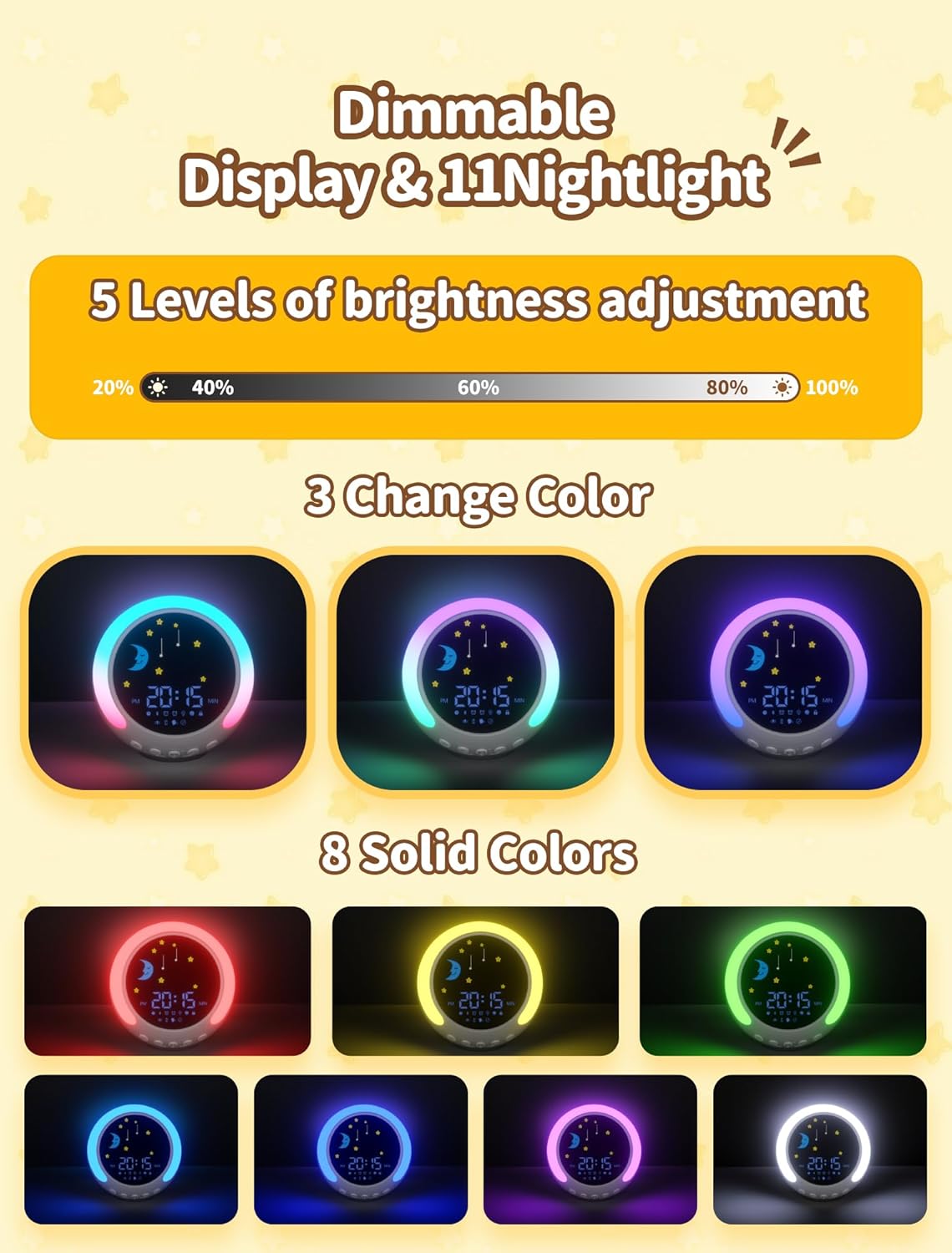
Image: The alarm clock, its packaging, and a smartphone demonstrating Bluetooth pairing.
Operating Instructions
1. Setting Time and Alarm
The clock supports both 12-hour and 24-hour time formats. Refer to the included multi-language instructions for specific button presses to set the time and alarm. Generally, a dedicated 'Set' or 'Mode' button is used to cycle through settings, and '+' / '-' buttons adjust values.
2. Sunrise and Sunset Simulation
This feature helps children understand wake-up and sleep times visually.
- When it's time to wake up, a sun icon will appear on the display, signaling it's time to get out of bed.
- When it's time for bed, a moon icon will appear, indicating it's time to sleep.
- Note: Some users have reported that the sun/moon display may require manual activation. Please refer to the detailed manual for specific settings.

Image: The alarm clock showing the sun icon for morning and the moon icon for evening, assisting with sleep training.
3. Night Light Functions
The alarm clock offers 11 light colors and 5 brightness levels.
- Color Selection: Tap the designated light control button (often a touch-sensitive area on top) to cycle through 8 solid colors and 3 dynamic color-changing modes.
- Brightness Adjustment: Use the brightness control to select one of the 5 available brightness levels.

Image: Visual guide to the 11 light colors and 5 brightness settings available on the alarm clock.
4. White Noise and Sleep Sounds
Choose from 8 types of sleep music to help children relax and fall asleep.
- Available sounds include: Ocean waves, forest, running water, birdsong, creek water, rain, cricket chirps, and sound of springs.
- Press the 'Sleep Sound' button to cycle through the options.
- Note: Some users have reported that the sleep sounds may not loop perfectly.

Image: The alarm clock interface showing the selection of 8 calming sleep sounds.
5. Countdown Timer
The unique countdown timer can be used for various activities, helping children manage their time.
- Set timers for playtime (e.g., 15 minutes), homework (e.g., 30 minutes), or naps (e.g., 60 minutes).
- Consult the manual for specific instructions on setting and activating the countdown timer.
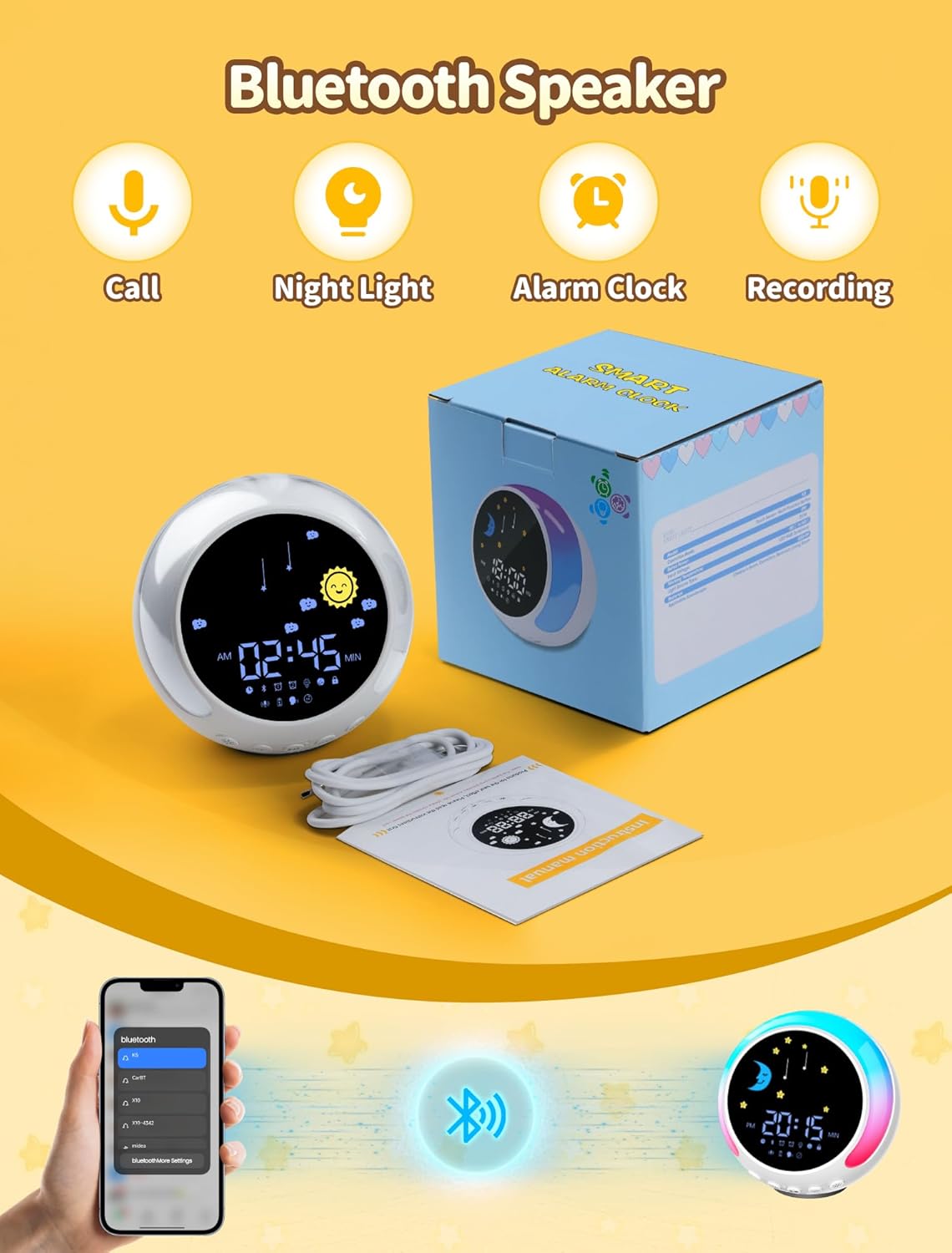
Image: Examples of the countdown timer in use for various children's activities.
Maintenance
Proper care ensures the longevity of your NEUTYPECHIC Kids Bluetooth Alarm Clock.
- Cleaning: Use a soft, dry cloth to wipe the surface of the device. Avoid abrasive cleaners or solvents.
- Water Exposure: This device is not waterproof. Keep it away from water and high humidity.
- Storage: When not in use for extended periods, store the device in a cool, dry place.
- Battery Care: To maintain battery health, avoid completely draining the battery frequently. Charge it regularly.

Image: The alarm clock, emphasizing its safe and durable design.
Troubleshooting
If you encounter issues with your alarm clock, refer to the following common problems and solutions:
- Short Battery Life: The device's battery life can be limited, especially with continuous use of lights and sound. For consistent operation, it is recommended to keep the alarm clock connected to a power source via the USB Type-C cable.
- Alarm Sounds Identical for Different Alarms: If multiple alarms are set with different sounds, but they all play the same sound, check the alarm settings in the manual. Ensure each alarm's sound is correctly assigned and saved. A factory reset might be necessary if the issue persists.
- Sunrise/Sunset Icons Not Changing Automatically: The sun/moon icons for wake-up and sleep may require manual activation or specific settings to transition automatically. Consult the detailed instruction manual for the correct procedure to enable automatic display changes.
- Alarm Not Repeating Sufficiently: If the alarm only repeats a few times, review the alarm settings for repetition duration or snooze intervals. Some models may have a limited number of repetitions before turning off.
- Difficulty Setting 24-Hour Format: If you are unable to switch to or from the 24-hour time format, refer to the specific instructions in the product manual. There is usually a dedicated button or a combination of buttons to toggle between 12-hour and 24-hour display modes.
Specifications
| Brand | NEUTYPECHIC |
| Model Number | Kids Bluetooth Clock-01 |
| Dimensions | 10 x 3.81 x 12 cm |
| Weight | 346 grams |
| Display Type | Digital |
| Special Features | 11 Night Lights, Sleep Trainer, Digital Clock |
| Power Source | Electric Current |
| Battery Type | 1 Lithium-ion battery (required) |
| Color | Multicolor |