
1. Introduction
This manual provides comprehensive instructions for the installation, operation, and maintenance of your Panasonic Water Purifier TK-CS500. Please read this manual thoroughly before using the product to ensure safe and efficient operation. Keep this manual for future reference.
2. Product Overview and Key Features
The Panasonic TK-CS500 is designed to provide easy access to purified water in your home. It features an economical 12,000-liter capacity cartridge and a high flow rate for daily use.
- Easy Access to Pure Water: Designed for convenient access to clean drinking water.
- Long-Life Cartridge: Features an economical 12,000-liter capacity cartridge, reducing the frequency of replacements.
- High Flow Rate: Delivers water at a rate of 2.5 liters per minute, suitable for cooking and washing vegetables.
- Advanced Filtration: The 4-stage micro-filtration cartridge removes 19 harmful substances from tap water and eliminates over 99.999% of bacteria as small as 0.1 micrometers.
- Simple Installation: Designed for easy setup without requiring special installation work.
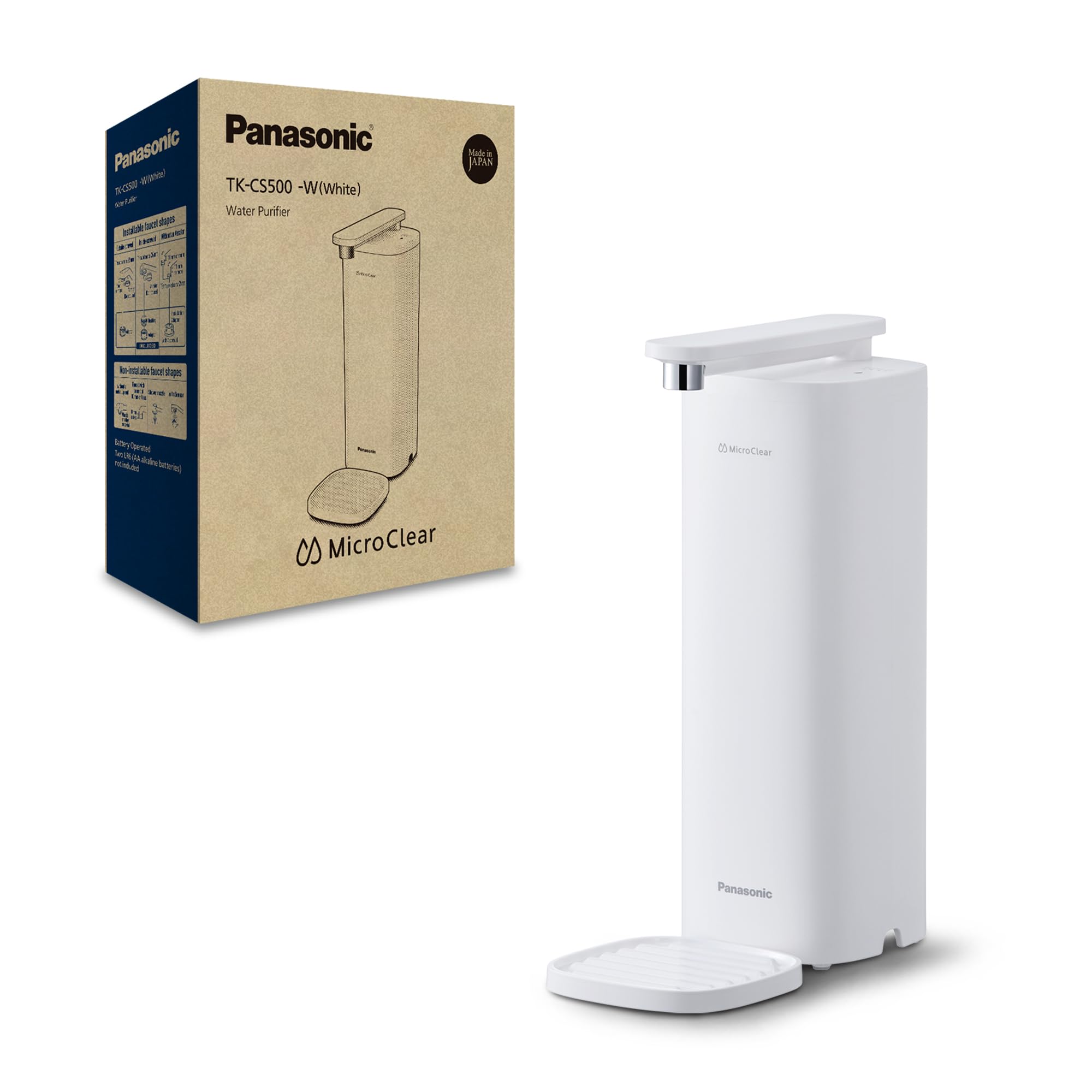
Image 2.1: The Panasonic TK-CS500 Water Purifier, a compact and efficient unit designed for countertop use.
3. Setup and Installation
The TK-CS500 water purifier is designed for freestanding installation and does not require complex plumbing. Follow these steps for proper setup:
- Unpack the Unit: Carefully remove all components from the packaging. Ensure all parts listed in the packing list are present.
- Position the Purifier: Place the purifier on a stable, flat surface near your kitchen sink. Ensure there is enough space for the faucet and water flow.
- Connect to Tap: Attach the water inlet hose to your kitchen faucet. Use the provided adapters if necessary to ensure a secure, leak-free connection.
- Install Cartridge: Insert the filter cartridge into the designated compartment. Refer to the markings on the cartridge and unit for correct orientation.
- Flush the System: Before first use, run water through the purifier for approximately 5-10 minutes to flush out any carbon dust or air from the new cartridge.

Image 3.1: The purifier features a faucet that rotates 180 degrees for ease of use and flexible positioning.
4. Operating Instructions
Operating your Panasonic TK-CS500 water purifier is straightforward:
- Turn on Water Supply: Open your kitchen faucet to allow water to flow to the purifier.
- Select Water Flow: Use the water flow switch on the unit to select between purified water and unpurified tap water.
- Dispense Water: Position your glass or container under the faucet and select the purified water setting. The purifier will dispense clean water at a rate of up to 2.5 liters per minute.
- Monitor Cartridge Life: The unit is equipped with indicators to help you monitor the remaining life of your filter cartridge. Replace the cartridge when indicated to maintain optimal filtration performance.

Image 4.1: The water flow switch allows users to easily toggle between purified and unpurified water.

Image 4.2: The water purifier delivers clean water at a flow rate of 2.5 liters per minute.
5. Maintenance
Regular maintenance ensures the longevity and effectiveness of your water purifier.
- Cartridge Replacement: The filter cartridge has a capacity of 12,000 liters. Replace the cartridge when the indicator lights signal it, or when water flow significantly decreases, to maintain filtration quality.
- Cleaning the Exterior: Wipe the exterior of the unit with a soft, damp cloth. Do not use abrasive cleaners or solvents.
- Faucet Cleaning: Periodically clean the faucet nozzle to prevent mineral buildup.
6. Troubleshooting
If you encounter issues with your water purifier, refer to the following common problems and solutions:
| Problem | Possible Cause | Solution |
|---|---|---|
| Slow water flow | Clogged filter cartridge | Replace the filter cartridge. |
| Water leakage | Loose connections | Check and tighten all hose connections. Ensure rubber gaskets are properly seated. |
| Unpleasant taste/odor | Expired cartridge or initial flushing not complete | Replace cartridge if expired. Flush the system for 5-10 minutes if new. |
| No water flow | Water supply off or severely clogged filter | Check household water supply. Replace filter cartridge. |
7. Specifications
| Specification | Detail |
|---|---|
| Brand Name | Panasonic |
| Model Name | TK-CS500-WEG |
| Product Dimensions (L x W x H) | 24.9 cm x 11 cm x 30.2 cm |
| Capacity | 12000 Liters (Cartridge) |
| Included Components | Water Purifier, Cartridge |
| Installation Type | Freestanding |
| Power Source | Manual (Water Pressure) |
| Item Weight | 1.47 Kilograms |
| Maximum Flow Rate | 2.5 Liters per Minute |
| Manufacturer | Panasonic |
| ASIN | B0DNQFMJTD |
8. Warranty and Support
This product comes with a manufacturer's warranty. Please refer to the warranty card included with your purchase for specific terms and conditions. For technical support, replacement parts, or service inquiries, please contact Panasonic customer service or visit the official Panasonic website.
You can find more information and support on the Panasonic Store.


