1. Introduction
The Waveshare RP2350-Zero Mini Development Board is a compact and powerful microcontroller board designed for a wide range of embedded applications. It integrates the Raspberry Pi RP2350A microcontroller, featuring a unique dual-core and dual-architecture design with an ARM Cortex-M33 processor and a Hazard3 RISC-V processor, allowing for flexible development scenarios. This manual provides essential information for setting up, operating, and maintaining your RP2350-Zero board.
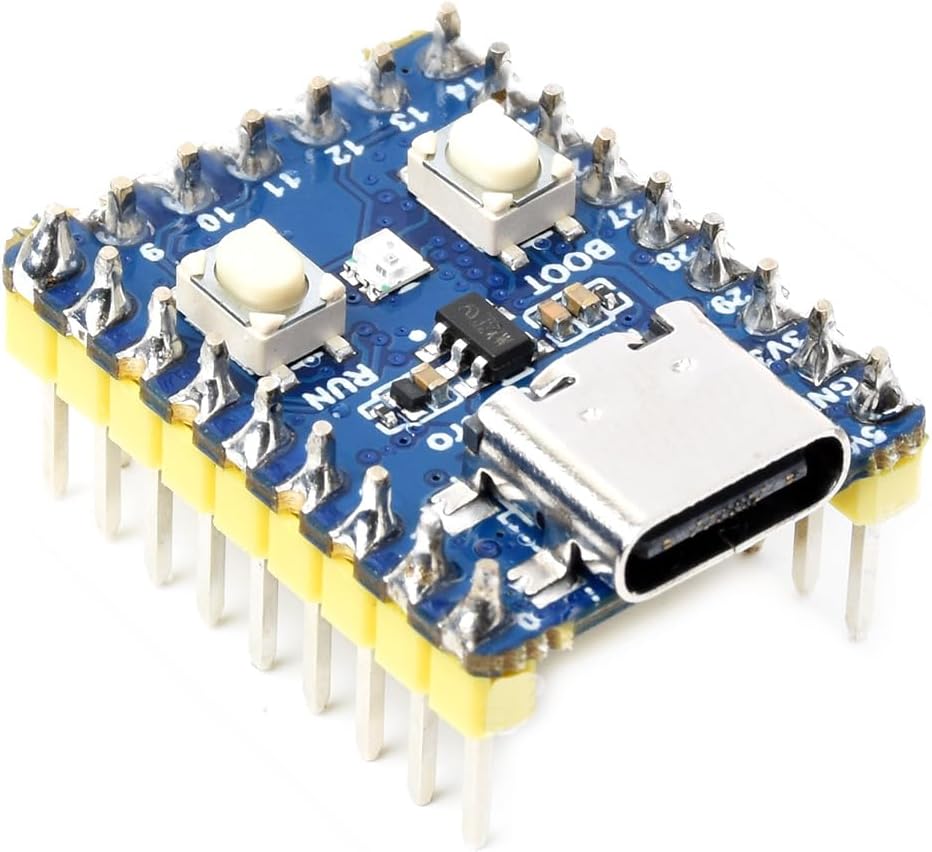
Figure 1: Waveshare RP2350-Zero Mini Development Board
This image displays the Waveshare RP2350-Zero Mini Development Board, showcasing its compact size, pre-soldered headers, USB-C port, and two push buttons (BOOT and RUN). The board is blue with various electronic components visible.
2. Package Contents
Verify that all items listed below are included in your package:
- 1x Waveshare RP2350-Zero Mini Development Board with Pre-Solder Header

Figure 2: Package Content - RP2350-Zero with pre-soldered header
This image shows the Waveshare RP2350-Zero board with its pre-soldered headers, indicating it is ready for immediate use. The text "RP2350-Zero with pre-soldered header x1" is displayed above the board.
3. Key Features
- Microcontroller: RP2350A chip designed by Raspberry Pi.
- Processor: Dual-core ARM Cortex-M33 and dual-core Hazard3 RISC-V processor, flexible clock up to 150 MHz.
- Memory: 520KB SRAM and 4MB on-board Flash memory.
- Connectivity: Type-C connector for power and data, USB 1.1 with device and host support.
- GPIO: 29 multi-function GPIO pins (20 via edge pinout, others via solder points).
- Peripherals: 2x SPI, 2x I2C, 2x UART, 4x 12-bit ADC, 16 controllable PWM channels.
- Additional Features: Low-power sleep and dormant modes, drag-and-drop programming via mass storage over USB, accurate clock and timer on-chip, temperature sensor, accelerated floating-point libraries on-chip, 12 Programmable I/O (PIO) state machines.
- Form Factor: Castellated module, suitable for SMD applications.
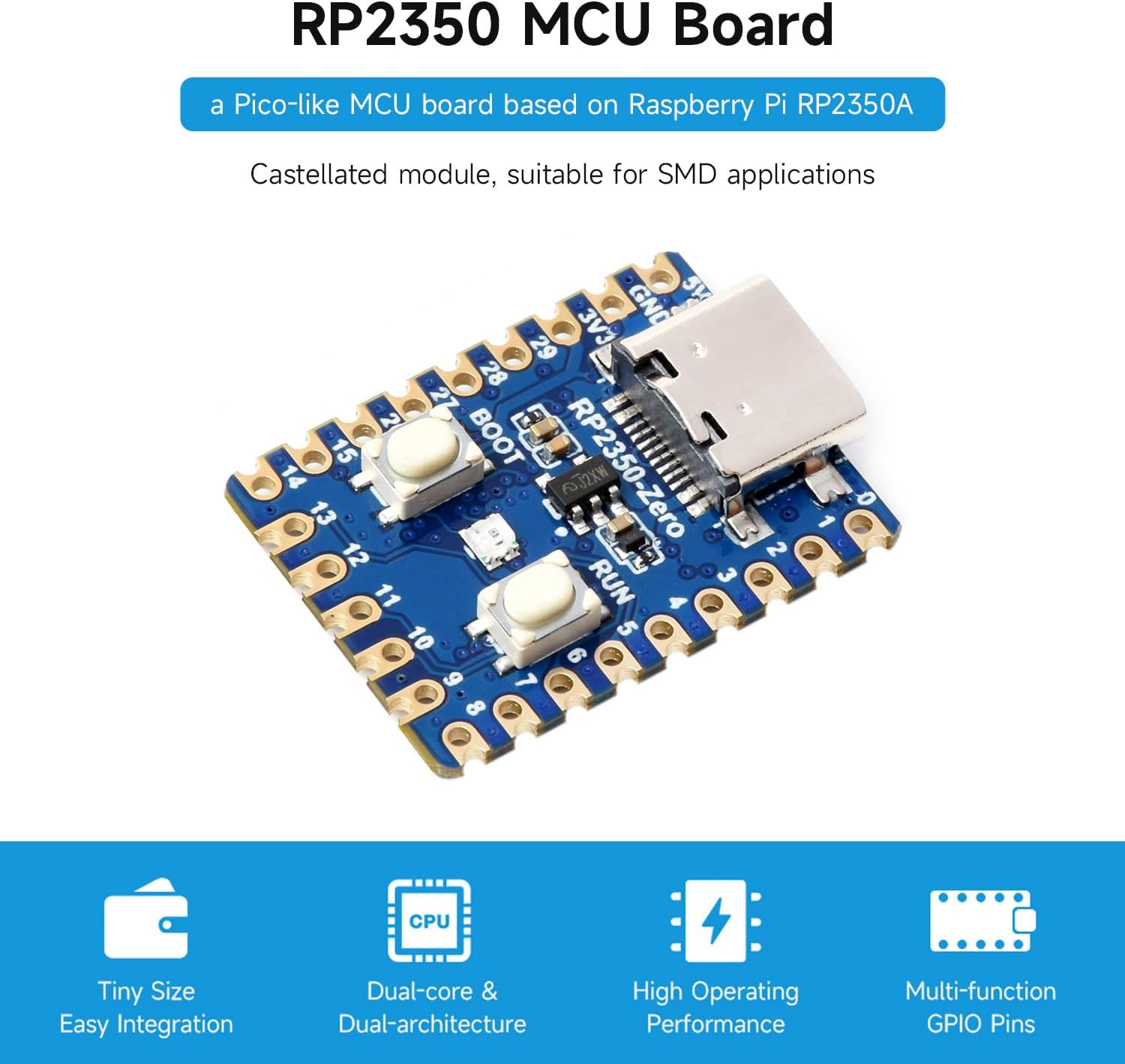
Figure 3: RP2350-Zero MCU Board Key Features
This image highlights the main features of the RP2350-Zero MCU board, including its tiny size for easy integration, dual-core and dual-architecture design, high operating performance, and multi-function GPIO pins. The board itself is shown in the center.
4. Board Overview and Pinout
Understanding the layout and pin assignments of the RP2350-Zero is crucial for development. The board features a USB Type-C connector, various GPIO pins, and control buttons.
4.1. What's On Board

Figure 4: RP2350-Zero Board Component Diagram
This diagram illustrates the key components of the RP2350-Zero board. Numbered labels point to: 1. USB Type-C connector, 2. ME6217C33M5G (low dropout regulator), 3. BOOT button, 4. RUN reset button, 5. WS2812 (RGB LED), 6. P25Q32SH-UXH-IR (4MB NOR-Flash), 7. RP2350A chip, 8. RP2350A pins, 9. Debug pins. A dimension diagram is also included.
4.2. GPIO Pinout
The RP2350-Zero provides 29 multi-function GPIO pins. Refer to the diagram below for detailed pin assignments and functions.

Figure 5: RP2350-Zero GPIO Pinout
This image provides a comprehensive pinout diagram for the RP2350-Zero, detailing the functions of each of the 29 multi-function GPIO pins, including power, ground, UART, SPI, I2C, ADC, and PWM capabilities. It also shows the SWCLK and SWDIO pins and the WS2812 RGB LED pin (GP16).
5. Technical Specifications
Below are the detailed technical specifications for the Waveshare RP2350-Zero Mini Development Board:
| Feature | Detail |
|---|---|
| Brand | Waveshare |
| Model Name | RP2350-Zero Mini |
| Microcontroller | RP2350A (designed by Raspberry Pi) |
| Processor | Dual-core ARM Cortex-M33, Dual-core Hazard3 RISC-V |
| Clock Speed | Up to 150 MHz |
| SRAM | 520KB |
| Flash Memory | 4MB on-board NOR-Flash |
| USB Interface | USB Type-C (USB 1.1 Host/Device support) |
| GPIO Pins | 29 multi-function (20 via edge pinout) |
| Peripherals | 2x SPI, 2x I2C, 2x UART, 4x 12-bit ADC, 16x PWM channels, 12x PIO state machines |
| Operating System | Linux (supported development environment) |
| Item Weight | 0 ounces |
| Package Dimensions | 2.76 x 1.97 x 0.87 inches |

Figure 6: RP2350-Zero Board Specifications and Pinheader Options
This image provides a list of board specifications, including details about the RP2350A microcontroller, memory, USB, GPIO, and other peripherals. It also shows two versions of the board: RP2350-Zero (without pinheader) and RP2350-Zero-M (with pre-soldered pinheader).
6. Setup Guide
Follow these steps to get your Waveshare RP2350-Zero Mini Development Board ready for use:
- Power Supply: Connect the RP2350-Zero to your computer using a USB Type-C cable. The board will draw power from the USB connection.
- Driver Installation: For initial setup, your operating system may require specific drivers. Refer to the Waveshare Wiki for the RP2350-Zero for detailed driver installation instructions.
- Initial Programming Mode: To enter bootloader mode for initial firmware upload, press and hold the BOOT button while connecting the USB cable to your computer. Release the BOOT button after connection. The board will appear as a mass storage device.
- Firmware Upload: Drag and drop the appropriate UF2 firmware file onto the mass storage device representing your RP2350-Zero. The board will automatically reboot and run the new firmware.
- Resetting the Board: To reset the board during operation, press the RUN button.
7. Operating the Board
Once the firmware is loaded, the RP2350-Zero operates according to the programmed instructions. Interaction typically involves:
- GPIO Control: Utilize the GPIO pins for digital input/output, analog readings, and various communication protocols (SPI, I2C, UART, PWM) as defined by your program.
- USB Communication: The USB Type-C port can be used for serial communication with a host computer, allowing for debugging, data transfer, and command input.
- External Peripherals: Connect external sensors, displays, and other modules to the GPIO pins to expand the board's functionality.
- Power Management: The board supports low-power sleep and dormant modes, which can be utilized in your code to optimize energy consumption for battery-powered applications.
8. Development Environment
The Waveshare RP2350-Zero supports a variety of development environments and programming languages, offering flexibility for developers.
- Pico C/C++ SDK: The official Raspberry Pi C/C++ SDK provides a comprehensive set of tools and libraries for low-level programming. It can be used with command-line tools or integrated development environments (IDEs) like Visual Studio Code and Eclipse.
- MicroPython: A full implementation of the Python 3 programming language optimized for embedded hardware like the Raspberry Pi Pico. This allows for rapid prototyping and easier development with a high-level language.
- Arduino IDE: The Arduino IDE can also be used with the RP2350-Zero, providing a familiar environment for many microcontroller developers.

Figure 7: C/C++ and MicroPython Development Support
This image illustrates the development support for the RP2350-Zero, highlighting compatibility with the Pico C/C++ SDK and MicroPython. It shows icons representing code editors and the MicroPython logo, emphasizing the comprehensive SDK, dev resources, and tutorials available.
8.1. Official Product Video: RP2350 Pi Zero Overview
Video 1: RP2350 Pi Zero Overview
This video provides an overview of the Waveshare RP2350-Zero Mini Development Board, detailing its features, dual-core architecture, storage capabilities, and various interfaces. It demonstrates the board's versatility and ease of use for different development scenarios, including its support for C/C++ and MicroPython.
9. Maintenance
To ensure the longevity and optimal performance of your RP2350-Zero board, consider the following maintenance guidelines:
- Handle with Care: Avoid dropping the board or subjecting it to excessive physical stress.
- Static Electricity: Always handle the board in an ESD-safe environment to prevent damage from electrostatic discharge.
- Cleanliness: Keep the board free from dust, dirt, and moisture. Use a soft, dry brush or compressed air for cleaning. Avoid using liquids directly on the board.
- Storage: Store the board in its original anti-static packaging or a similar protective enclosure when not in use.
- Power Supply: Use a stable and appropriate 5V power supply via the USB-C port. Avoid using power sources that exceed the recommended voltage.
10. Troubleshooting
If you encounter issues with your RP2350-Zero board, refer to the following common problems and solutions:
- Board Not Powering On:
- Ensure the USB Type-C cable is securely connected to both the board and a powered USB port on your computer or power adapter.
- Try a different USB cable or USB port.
- Board Not Recognized by Computer:
- Verify that the board is in bootloader mode (hold BOOT button while connecting USB).
- Install the necessary drivers for your operating system. Refer to the Waveshare Wiki for driver links.
- Try a different computer or operating system.
- Firmware Upload Failure:
- Ensure the UF2 file is valid and not corrupted.
- Confirm the board is in bootloader mode (mass storage device should appear).
- Check for sufficient power supply during the upload process.
- Program Not Running as Expected:
- Review your code for errors.
- Ensure the correct firmware is loaded.
- Check all physical connections to peripherals and GPIO pins.
- Consult the Waveshare Wiki or community forums for similar issues.
11. Warranty and Support
For detailed warranty information, technical support, and additional resources, please visit the official Waveshare website or their product Wiki page for the RP2350-Zero. The Waveshare Wiki provides extensive documentation, tutorials, and example code to assist you with your projects.
Waveshare Official Website: www.waveshare.com
For specific product support, search for "RP2350-Zero" on the Waveshare Wiki.


