
1. Introduction
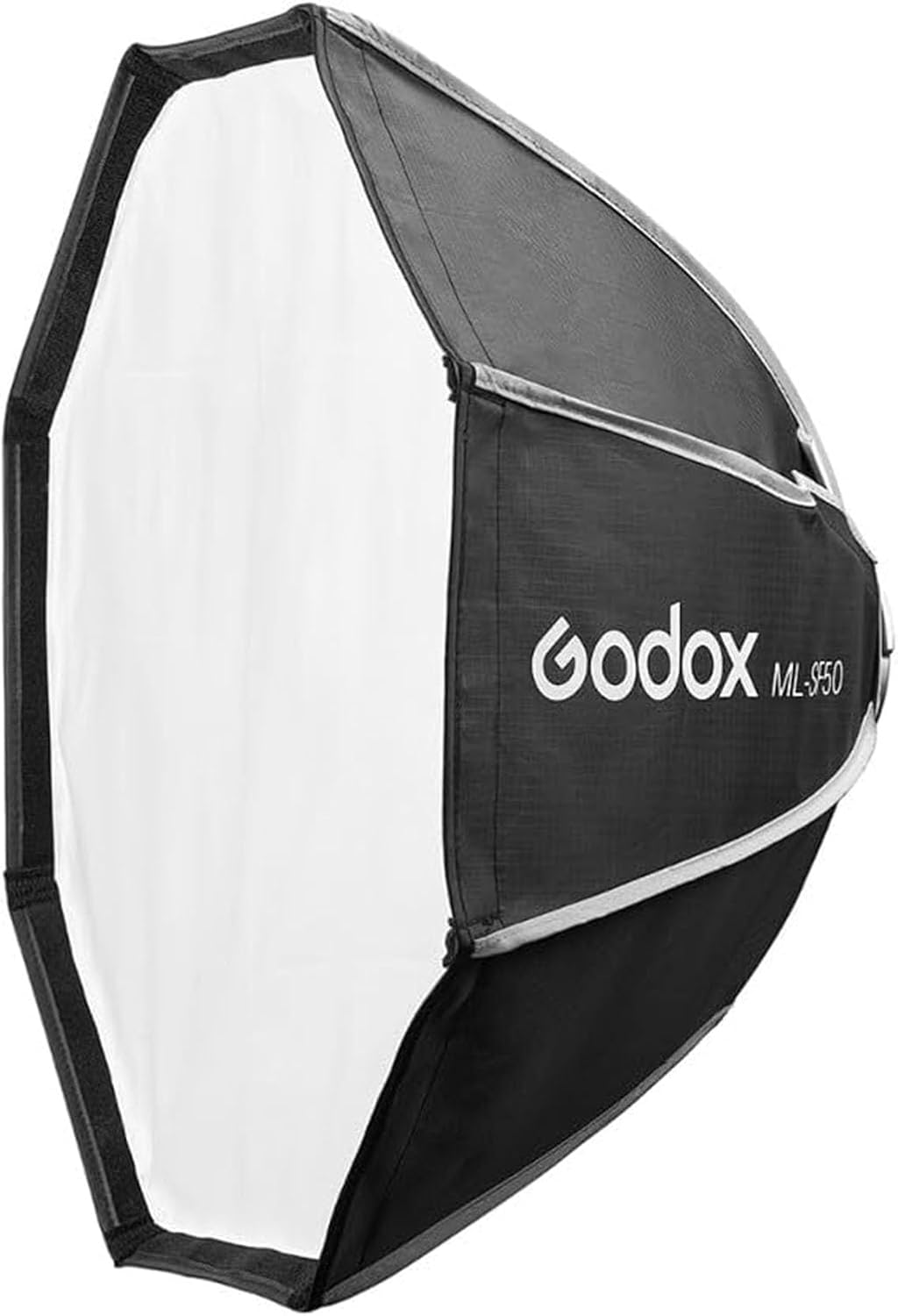
The Godox ML-SF50 Octagon Softbox is a light modifier designed to soften and diffuse the light output from compatible Godox ML series LED video lights. Its octagonal shape creates natural-looking catchlights and provides a broad, even spread of light, making it suitable for various photography and videography applications.
This softbox features a Godox mount for easy attachment to lights such as the Godox ML100Bi, ML60IIBi, ML60Bi, ML60, ML30Bi, and ML30. Its quick-folding design ensures portability and convenient setup.
2. What's in the Box
Please verify that all components are present upon unpacking:
- 1x ML-SF50 Octagon Softbox
- 1x Storage Bag
- 1x Cleaning Cloth
- 1x Inner Diffuser
- 1x Outer Diffuser
- 1x Honeycomb Grid

3. Setup Instructions
Follow these steps to assemble and attach your Godox ML-SF50 Octagon Softbox:
- Unfold the Softbox: Carefully remove the softbox from its storage bag. The softbox is designed for quick setup; gently push the central rod mechanism until it locks into an open, octagonal shape.
- Attach to Light: Align the Godox mount on the rear of the softbox with the Godox mount on your compatible LED video light (e.g., ML100Bi, ML60Bi). Push the softbox onto the light's mount until it clicks securely into place. Ensure it is firmly attached to prevent accidental detachment.
- Install Inner Diffuser: If desired, attach the inner diffuser. This white fabric panel typically attaches to the internal rods or Velcro strips inside the softbox. It provides an initial layer of diffusion for softer light.
- Install Outer Diffuser: Attach the outer diffuser to the front edge of the softbox using the integrated Velcro strips. This provides the primary diffusion layer, creating a broad and soft light source.
- Install Honeycomb Grid (Optional): For more directional light and to control light spill, attach the honeycomb grid to the outer edge of the softbox, over the outer diffuser, using its Velcro strips.

4. Operating the Softbox
The ML-SF50 softbox is a passive light modifier. Its operation primarily involves selecting the appropriate diffusion and light shaping accessories for your desired lighting effect.
- Soft and Even Light: For the softest and most even light distribution, use both the inner and outer diffusers. This setup is ideal for portraits, interviews, and general fill light.
- Controlled Light with Direction: To achieve a softer light while maintaining more control over light spill and direction, use both diffusers along with the honeycomb grid. The grid narrows the beam angle, preventing light from spreading to unwanted areas.
- Increased Contrast/Output: For a slightly harder light with more contrast or to maximize light output, you may choose to use only the outer diffuser, or no diffusers at all (though this is less common for a softbox).

5. Maintenance
Proper care will extend the lifespan of your softbox:
- Cleaning: Use the provided cleaning cloth or a soft, dry, lint-free cloth to wipe down the exterior fabric. For diffusers, gentle spot cleaning with a damp cloth and mild soap may be used, but ensure they are completely dry before storage. Do not use harsh chemicals or abrasive materials.
- Storage: After use, carefully fold the softbox back into its compact form and store it in the included carrying bag. This protects it from dust, dirt, and physical damage during transport and storage.
- Handling: Avoid applying excessive force when opening or closing the softbox. Keep it away from sharp objects, open flames, and extreme temperatures.
6. Troubleshooting
If you encounter any issues with your ML-SF50 softbox, consider the following:
- Difficulty Opening/Closing: Ensure you are applying even pressure when collapsing or expanding the softbox. The mechanism may require a few uses to become smoother. Avoid forcing it.
- Uneven Light: Verify that the inner and outer diffusers are correctly and smoothly attached, without wrinkles or folds that could obstruct light. Ensure the light source is centered within the softbox.
- Softbox Not Attaching Securely: Confirm that the softbox mount is properly aligned with the Godox mount on your LED light and that it is pushed in until it locks. Check for any obstructions on either mount.
7. Specifications
| Feature | Specification |
|---|---|
| Model Number | ML-SF50 |
| Dimensions (L x W x H) | 1.97 x 19.69 x 19.69 inches (approx. 5 x 50 x 50 cm) |
| Mount Type | Godox Mount |
| Shape | Octagonal |
| Included Accessories | Inner Diffuser, Outer Diffuser, Honeycomb Grid, Carrying Bag, Cleaning Cloth |
| UPC | 721820778718 |
8. Warranty and Support
For information regarding warranty coverage, technical support, or service, please refer to the official Godox website or contact your authorized dealer. Keep your purchase receipt as proof of purchase.
You can find more information and contact details on the official Godox store page: GODOX Official Store