WOTIMILON Nugget Ice Maker Countertop User Manual
Model: WTM-30A | Brand: WOTIMILON
1. Introduction
Thank you for choosing the WOTIMILON Nugget Ice Maker. This manual provides important information regarding the safe operation, installation, maintenance, and troubleshooting of your new ice maker. Please read this manual thoroughly before using the appliance and retain it for future reference.
What's in the Box:
- 1x WOTIMILON Nugget Ice Maker
- 1x User Manual
- 1x Water Basket
2. Safety Instructions
To ensure safe operation and prevent damage, please observe the following safety precautions:
- Always use pure or distilled water. Do not use tap water or water with impurities, as this can lead to black stains and damage the machine.
- Ensure the ice maker is placed on a stable, level surface away from direct sunlight and heat sources.
- Do not immerse the appliance, cord, or plug in water or other liquids.
- Unplug the ice maker from the power outlet before cleaning or when not in use for extended periods.
- Keep children away from the ice maker during operation.
- Do not operate the appliance with a damaged cord or plug.
- Do not block ventilation openings.
3. Product Overview
Familiarize yourself with the main components and features of your WOTIMILON Nugget Ice Maker.
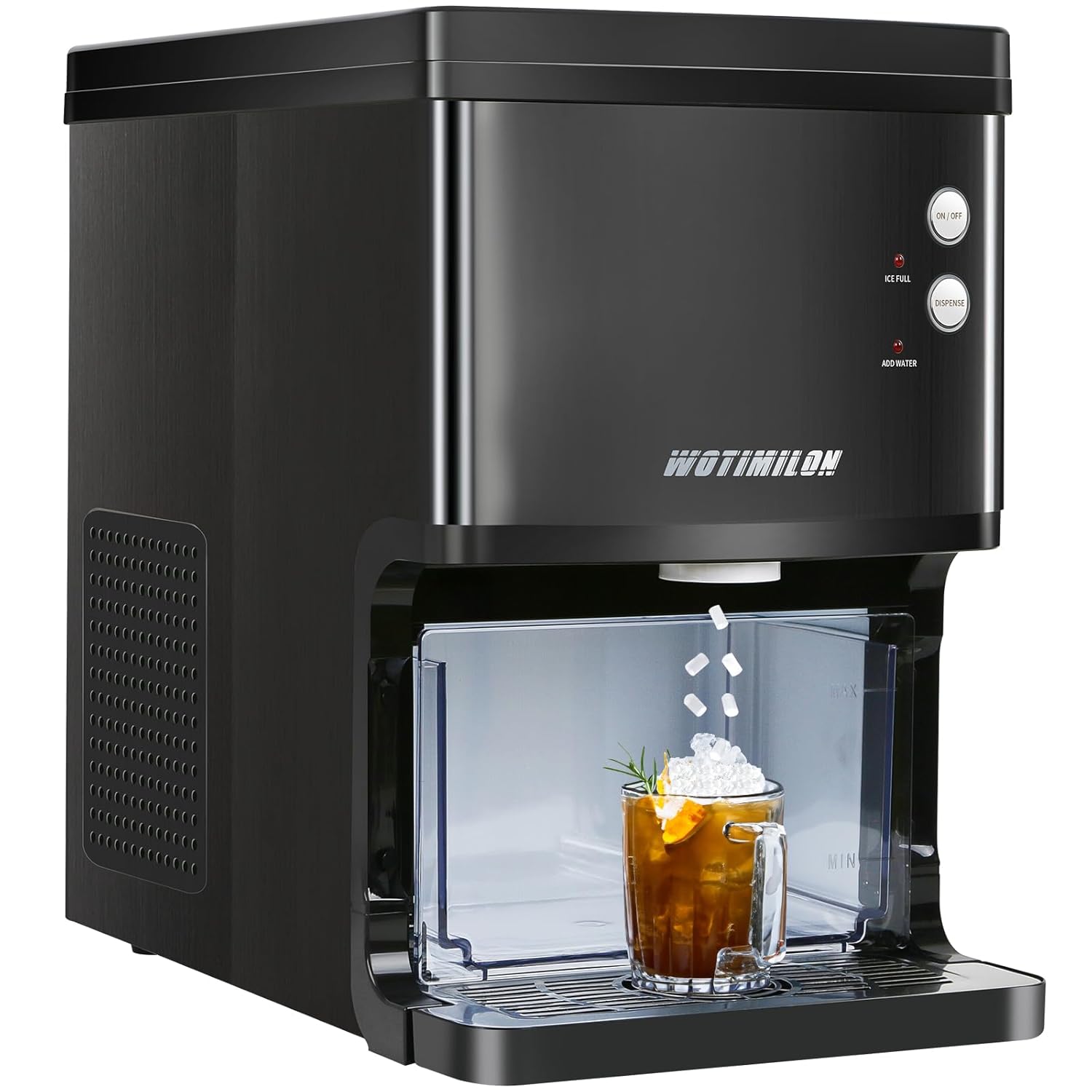
Figure 3.1: Front view of the WOTIMILON Nugget Ice Maker, showing the ice dispensing area and control panel.

Figure 3.2: Key features and specifications of the ice maker, including ice production capacity and water tank size.
Dimensions:
The compact size makes it suitable for various locations.

Figure 3.3: Product dimensions for placement consideration.
4. Setup
Follow these steps for the initial setup of your ice maker:
- Unpack: Carefully remove the ice maker and all accessories from the packaging.
- Placement: Place the ice maker on a flat, stable, and dry surface. Ensure there is adequate ventilation around the unit.
- Clean: Before first use, clean the interior of the ice maker following the cleaning instructions in Section 6.
- Add Water: Open the top lid and add pure or distilled water to the water tank. Ensure the water tank is fully pushed in. Do not exceed the MAX fill line.
- Connect Power: Plug the power cord into a grounded electrical outlet.
5. Operation
Making Ice:
The WOTIMILON Nugget Ice Maker is designed for quick and efficient ice production.

Figure 5.1: Simple steps to begin ice production.
- Add Water: Ensure the water tank is filled with pure or distilled water.
- Power On: Press the ON/OFF button to start the ice making process. The button will illuminate.
- Wait: The first batch of nugget ice will be ready in approximately 6 minutes. The machine will continue to make ice until the ice basket is full or the water tank is empty.
Dispensing Ice:
The ice maker features a convenient dispenser design for hygienic ice retrieval.

Figure 5.2: Dispensing ice by pressing the 'Dispense' button.
- Place your cup or container under the ice dispenser outlet.
- Press and hold the DISPENSE button to release ice. Release the button to stop dispensing.
Indicator Lights:
The control panel features indicator lights to inform you of the ice maker's status.

Figure 5.3: Explanation of control panel indicators.
- ICE FULL: This red indicator light turns on when the infrared sensor detects that the ice basket is full. Ice production will automatically stop. The light will turn off approximately 30 seconds after ice is removed, and production will resume.
- ADD WATER: This red indicator light illuminates when the water tank is low or empty. Refill the water tank to continue ice production.
- ON/OFF Button: Press to turn on. Press and hold for 3 seconds in working mode to turn off. Press and hold for 3 seconds in standby mode to enter cleaning mode.

Figure 5.4: Illustration of the infrared sensor's ice full detection and auto-restart function.
6. Maintenance & Cleaning
Regular cleaning and maintenance will ensure the longevity and optimal performance of your ice maker.
Self-Cleaning Function:
The ice maker is equipped with an automatic self-cleaning feature.
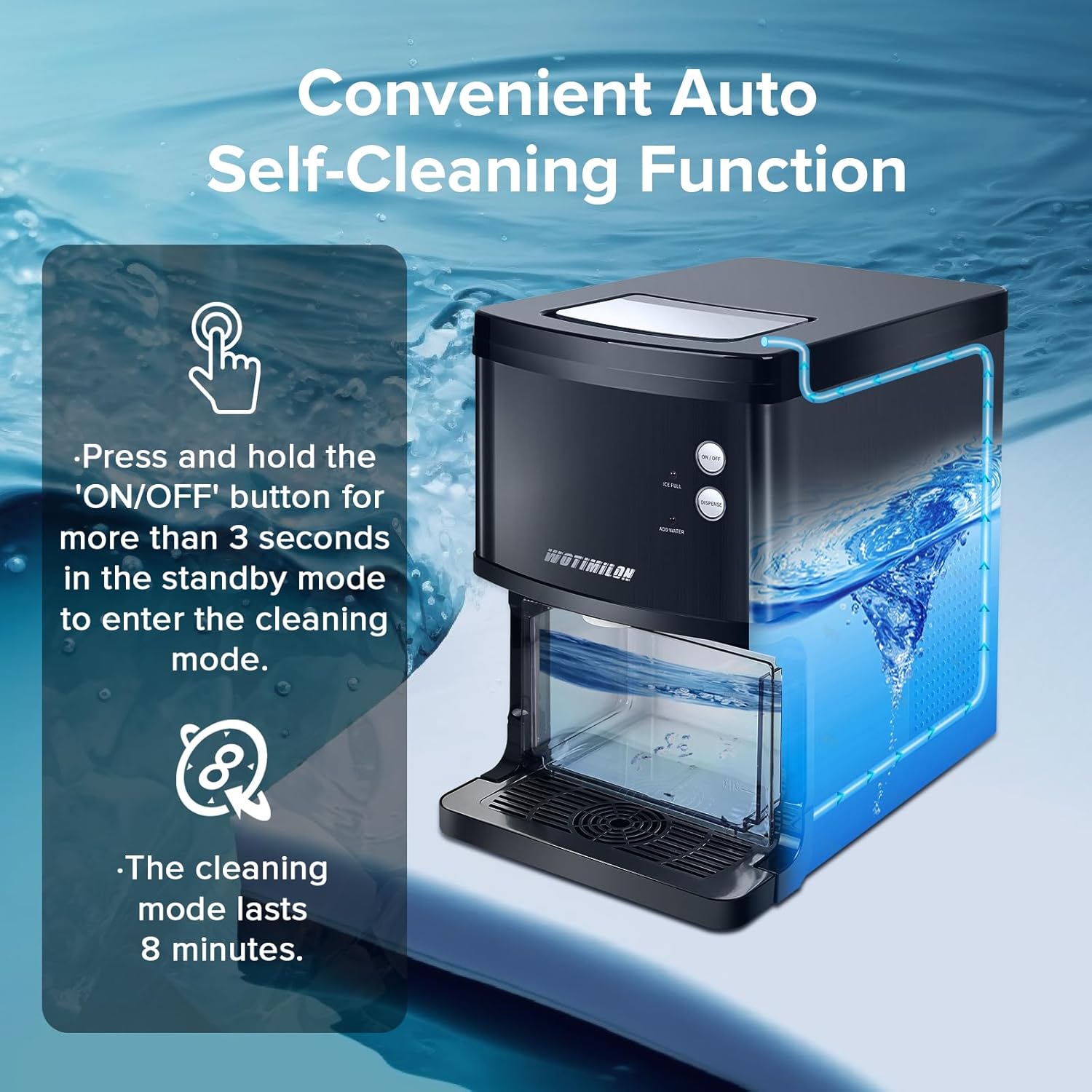
Figure 6.1: Activating the self-cleaning function.
- In standby mode, press and hold the ON/OFF button for more than 3 seconds.
- The button will blink in red and blue light alternately, indicating the cleaning mode is active.
- The cleaning cycle lasts for 8 minutes.
Draining Water:
It is important to drain the water from the machine when not in use or for thorough cleaning.

Figure 6.2: Steps for draining the ice maker.
- Unhook Drain Hoses: Locate and unhook the drain hoses at the back of the unit.
- Position for Drainage: Lay the hoses down to drain into a sink or a bucket that is below the level of the ice maker.
- Open Drain Cap: Open the drain cap to allow water to flow out completely.
General Cleaning Tips:
- Wipe the exterior with a soft, damp cloth.
- Regularly clean the ice storage basket and water tank with a mild detergent and rinse thoroughly.
- Ensure all parts are completely dry before reassembling and operating the ice maker.
7. Troubleshooting
If you encounter issues with your ice maker, refer to the following common problems and solutions:
| Problem | Possible Cause | Solution |
|---|---|---|
| Ice maker not producing ice. | No water in the tank. Power not connected. Ambient temperature too high. |
Fill water tank. Check power connection. Move to a cooler location. |
| "ADD WATER" indicator is on. | Water tank is empty or low. | Refill the water tank with pure or distilled water. |
| "ICE FULL" indicator is on. | Ice basket is full. | Remove ice from the basket. Production will resume automatically. |
| Ice melts quickly in the basket. | Ice maker is not a freezer. | Transfer ice to a freezer for long-term storage. |
| Black stains or impurities in ice. | Using tap water or water with impurities. | Only use pure or distilled water. Perform a self-cleaning cycle. |
If the problem persists after trying these solutions, please contact customer support.
8. Specifications
| Feature | Detail |
|---|---|
| Model Name | WOTIMILON WM30 Nugget Ice Maker Countertop Pebble Ice Maker Machine Dispenser |
| Item Model Number | WTM-30A |
| Product Dimensions | 18.1"D x 12.9"W x 18.9"H (46cm D x 32.8cm W x 48cm H) |
| Weight | 36.53 Pounds (16.57 kg) |
| Daily Ice Output | Up to 34 lbs (15.4 kg) |
| Ice Basket Capacity | 3.3 Pounds (1.5 kg) |
| Water Tank Capacity | 2.8 Liters |
| First Batch Ice Time | Approx. 6 minutes |
| Refrigerant | R600a |
| Wattage | 190 watts |
9. Warranty and Support
WOTIMILON provides a limited warranty for this product. For detailed warranty information, please refer to the warranty card included with your purchase or contact WOTIMILON customer support.
If you have any questions, require technical assistance, or need to report an issue, please contact our customer support team through the retailer's platform or the official WOTIMILON website.
Please note: Using non-pure or non-distilled water may void your warranty due to potential damage from mineral buildup.


