
Losfom WD9
Losfom WD9 2K Body Mounted Camera User Manual
Model: WD9
1. Introduction
This manual provides detailed instructions for the operation and maintenance of your Losfom WD9 2K Body Mounted Camera. Please read this manual thoroughly before using the device to ensure proper function and to maximize its capabilities. The Losfom WD9 is designed for various applications, including outdoor activities, travel, and law enforcement, offering high-definition video recording and robust features.
2. Package Contents
Verify that all items listed below are included in your package. If any items are missing or damaged, please contact customer support.
- 1x Losfom WD9 Body Camera (128GB built-in storage)
- 1x Remote Control
- 1x USB Cable
- 1x Short Clip
- 1x Long Clip
- 1x Charging Dock
- 1x User Manual (this document)

Image 2.1: Losfom WD9 Body Mounted Camera, charging dock, and remote control.
3. Product Overview
The Losfom WD9 is a versatile body-mounted camera featuring 2K resolution video recording, 48MP photo capabilities, and a 140-degree wide-angle lens. It includes a built-in 128GB memory, GPS functionality, night vision, and a remote control for convenient operation.
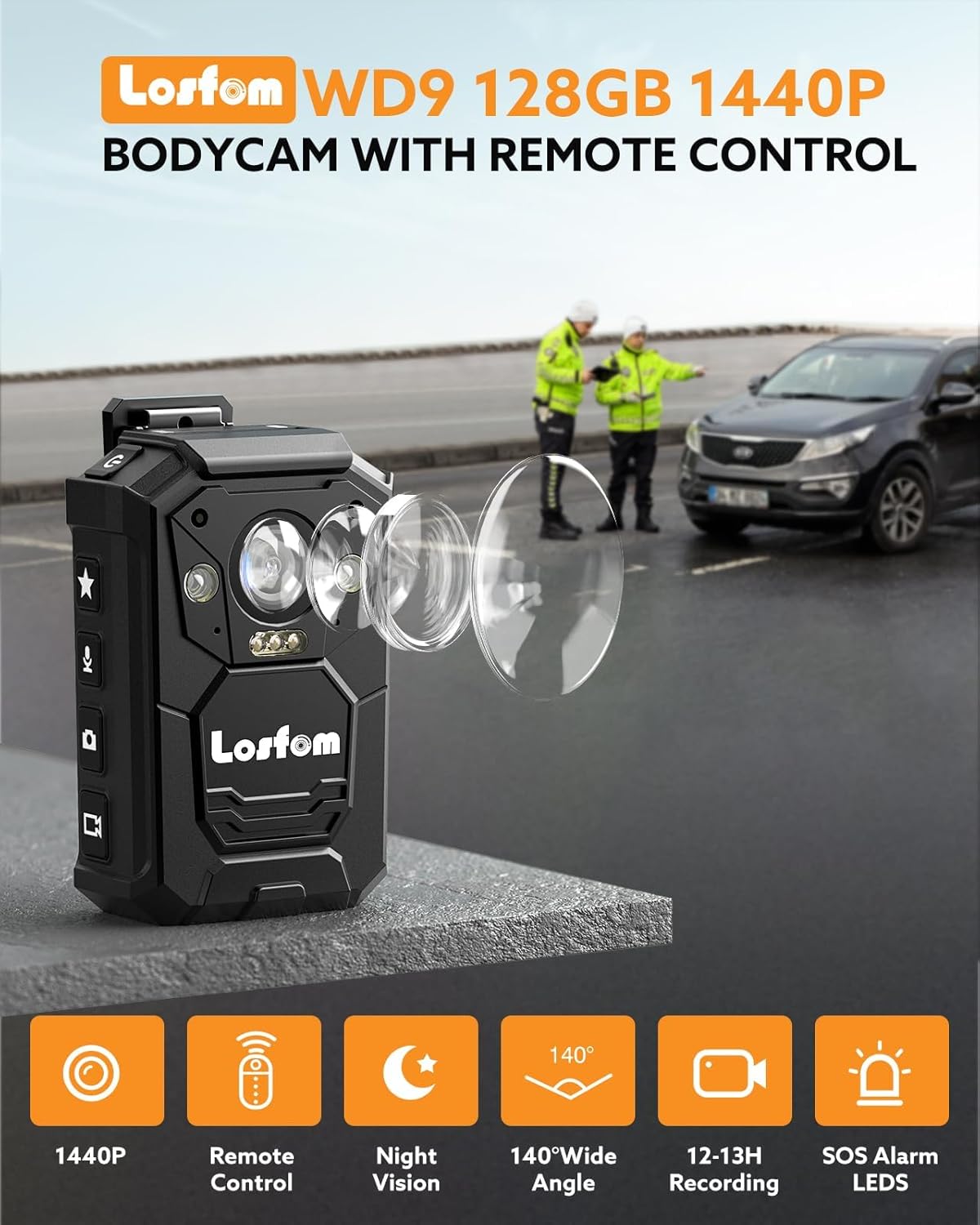
Image 3.1: Overview of the Losfom WD9 Bodycam highlighting key features such as 1440P resolution, remote control, night vision, 140-degree wide angle, 12-13 hours recording, and SOS alarm LEDs.
Key Features:
- 2K/1440P Ultra HD Recording: Captures clear video footage and 48MP photos.
- Long Battery Life: 3500mAh battery provides 11-12 hours of continuous recording.
- Remote Control: Operates the camera from up to 5 meters away for hands-free recording.
- GPS Enabled: Records moving routes and allows playback with a dedicated GPS player.
- IP66 Waterproof: Durable ABS shell designed to withstand heavy rains.
- Built-In 128GB Storage: Ample storage for extended footage.
- Night Vision: Enhanced recording in low-light conditions.
- 2-Inch Colorful Display: For live view and playback.
4. Setup
4.1 Charging the Camera
Before first use, fully charge the camera. Use the provided USB cable and charging dock.
- Place the WD9 camera into the charging dock.
- Connect the USB cable to the charging dock and then to a power source (e.g., USB wall adapter, computer USB port).
- The charging indicator on the camera will show charging status. A full charge typically takes approximately 4 hours.

Image 4.1: The Losfom WD9 camera placed in its charging dock, connected via USB-C cable. The image also indicates a 3500mAh battery, 4-hour charging time, and 12-hour recording capability.
4.2 Powering On/Off
- To Power On: Press and hold the Power button until the screen illuminates.
- To Power Off: Press and hold the Power button until the shutdown prompt appears, then confirm.
4.3 Attaching Clips
The camera comes with a short clip and a long clip for various mounting options.
- Shoulder Clip: Attach the long clip to the back of the camera and secure it to a shoulder strap or pocket. The clip allows 180-degree rotation.
- Rotate Clip: The short clip provides 360-degree rotation for flexible positioning on clothing or gear.

Image 4.2: Demonstrates the 180-degree shoulder clip and the 360-degree rotate clip for mounting the Losfom WD9 body camera.
5. Operating Instructions
5.1 Video Recording
- From the main screen, press the Video Record button to start recording.
- Press the button again to stop recording.
- The camera supports 2K/1440P resolution. Settings can be adjusted in the camera menu.
5.2 Photo Capture
- From the main screen, press the Photo button to take a still image.
- The camera captures photos at up to 48MP resolution.
5.3 Using the Remote Control
The remote control allows you to start/stop video recording or take photos from a distance of up to 5 meters.
- Ensure the camera's Bluetooth function is enabled in the settings.
- Pair the remote control with the camera according to the on-screen instructions.
- Use the designated buttons on the remote to control recording and photo capture.

Image 5.1: A hand holding the remote control for the Losfom WD9 body camera, demonstrating its use for hands-free operation. The camera's screen shows recording in progress.
5.4 GPS Functionality
The built-in GPS module records location data along with your video footage.
- Ensure GPS is enabled in the camera settings.
- After recording, connect the camera to a computer.
- Use the seller-provided GPS Player software to view videos with synchronized route tracking.

Image 5.2: The Losfom WD9 camera connected to a computer, displaying video playback alongside a GPS map showing the recorded route. This illustrates the GPS tracking feature.
5.5 Night Vision
The camera is equipped with infrared (IR) lights for enhanced recording in low-light or nighttime conditions.
- Night vision can be activated manually or set to automatic mode in the camera settings.
- The camera detects objects up to 10 feet away using its 6 IR lights.
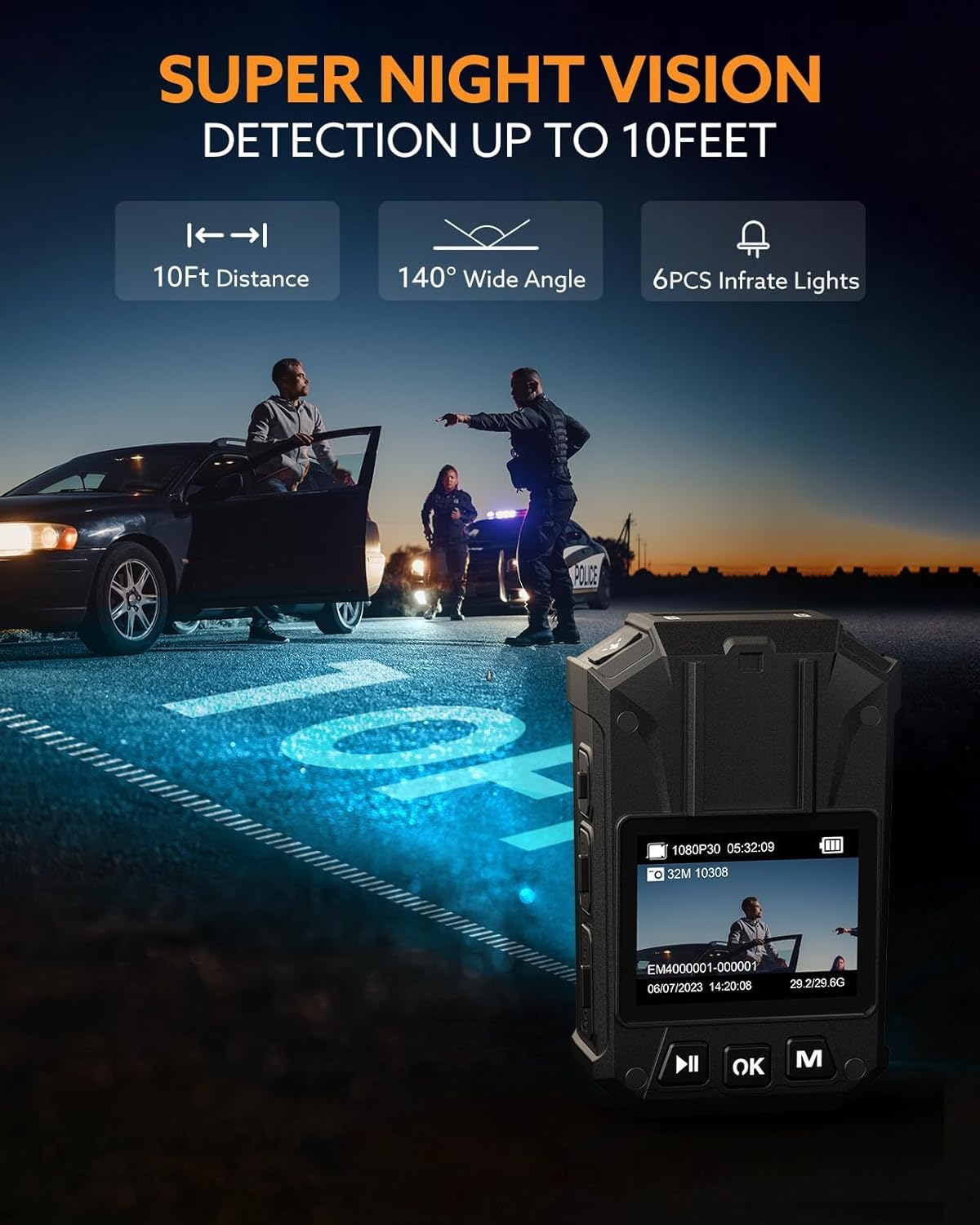
Image 5.3: The Losfom WD9 camera demonstrating its night vision capabilities, showing a clear view of a scene at night with police officers and a vehicle.
5.6 Display and Playback
The 2-inch colorful display allows for live viewing and playback of recorded content.
- Navigate through menus and recorded files using the camera's control buttons.
- Connect the camera to a computer to transfer and view files on a larger screen.

Image 5.4: Close-up of the Losfom WD9's 2-inch colorful display, showing a recorded image of a dog and displaying video resolution, photo count, and file information.
6. Maintenance
6.1 Cleaning
- Wipe the camera body with a soft, dry cloth.
- For the lens, use a specialized lens cleaning cloth and solution to avoid scratches.
- Do not use harsh chemicals or abrasive materials.
6.2 Storage
- Store the camera in a cool, dry place away from direct sunlight and extreme temperatures.
- Ensure the camera is fully charged before long-term storage to preserve battery health.
6.3 Waterproof Protection
The camera has an IP66 waterproof rating, meaning it is protected against powerful water jets. While it can sustain heavy rains, it is not designed for submersion. Always ensure the charging port cover is securely closed to maintain water resistance.

Image 6.1: The Losfom WD9 body camera shown in a rainy environment, illustrating its IP66 waterproof capability. It is important to protect the charging IC from water.
7. Troubleshooting
- Camera not powering on: Ensure the battery is charged. Connect to the charging dock and check if the charging indicator lights up.
- Cannot record video/take photos: Check if the built-in storage is full. Transfer files to a computer to free up space.
- Remote control not working: Verify that the camera's Bluetooth is enabled and the remote is paired. Replace the remote control battery if necessary.
- GPS not tracking: Ensure GPS is enabled in the camera settings and that the camera has a clear view of the sky for satellite reception.
- Poor video quality: Ensure the lens is clean and free from smudges. Check video resolution settings in the camera menu.
8. Specifications
| Feature | Specification |
|---|---|
| Model | WD9 |
| Video Capture Resolution | 2K (1440P) |
| Photo Resolution | Up to 48MP |
| Battery Capacity | 3500mAh |
| Recording Time | 11-12 hours (1080P, IR Off, GPS Off) |
| Charging Time | Approx. 4 hours |
| Internal Storage | 128GB |
| Waterproof Rating | IP66 |
| Remote Control Distance | Up to 5 meters |
| Screen Size | 2 Inches |
| Connectivity | USB (Type-C, Micro USB) |
| Special Features | GPS, Night Vision (6 IR lights, 10ft detection) |
| Item Weight | Approx. 1.09 pounds |
| Package Dimensions | 5.67 x 3.83 x 3.5 inches |
9. Warranty and Support
For warranty information, please refer to the documentation included with your product or visit the official Losfom website. For technical support, troubleshooting assistance, or to inquire about replacement parts, please contact Losfom customer service through their official channels.
Online Resources:
- Losfom Official Website: Visit Losfom Store on Amazon
Ask a question about this manual
Ask about setup, troubleshooting, compatibility, parts, safety, or missing instructions. Manuals+ will review the question and use this page’s manual context to help answer it.