
1. Product Overview
The AILINKE MFS-JSQ-2303P is a versatile humidifier designed for maintaining optimal humidity levels in environments for plants, reptiles, and other specialized habitats. It features smart controls, an expandable hose system, and a large capacity water tank for extended operation.

Image: AILINKE MFS-JSQ-2303P Humidifier in a home environment.
2. Package Contents
Verify that all items are present in the package:
- Main Humidifier Unit
- Water Tank
- User Manual
- Remote Control
- Cleaning Cloth
- Sensor Probe
- Flexible Hoses (Short and Long)
- 3-Way Nozzle
- Hose Clamps (x5)
- Screwdriver
- Tool Bag
- Straps (x3)

Image: Complete package contents.
3. Setup Instructions
3.1 Connecting the Water Pump and Main Unit
Connect the two ends of the water pipe to the water pump and the main unit's inlet. Ensure a secure connection.
Video: Connecting the water pipe to the humidifier.
3.2 Assembling the Humidifier
Place the main unit onto the water tank, ensuring it is seated correctly.
3.3 Water Refilling
The humidifier offers two refilling options: top-filling or by removing the water tank. The 8L (2.1 Gal) tank allows for continuous operation for up to 48 hours.

Image: Simplified design illustrating top-filling, tank-filling, and essential oil diffuser.
3.4 Hose Installation
Attach the flexible hoses and 3-way nozzle using the provided stainless steel hose clamps and screwdriver. Ensure all connections are secure to prevent leaks.
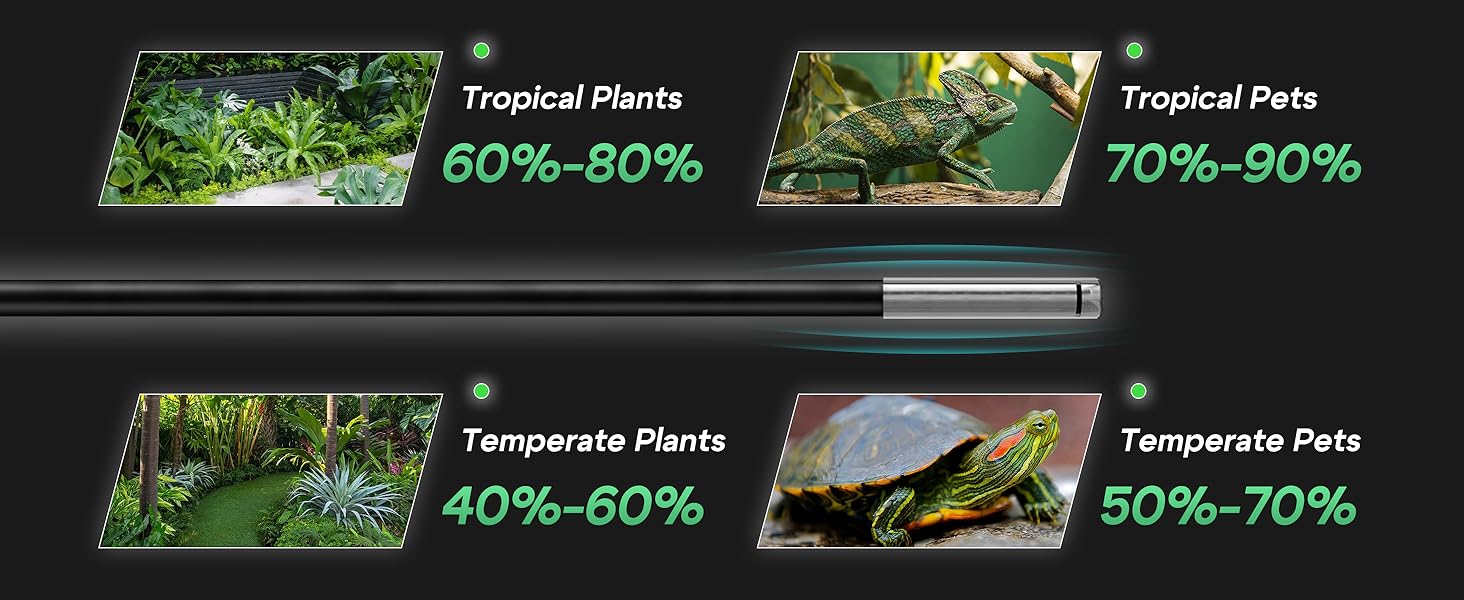
Image: Hose Usage Instructions.
3.5 Placement for Grow Tents/Terrariums
For grow tents or terrariums, place the humidifier unit outside the enclosure. Position the other end of the extension tube inside the tent or terrarium to effectively distribute moisture where needed. Use the provided straps to secure the hoses.

Image: Humidifier setup for plants and reptiles.
4. Operating Instructions
4.1 Control Modes
The humidifier can be controlled via the touch panel on the unit or the included remote control.
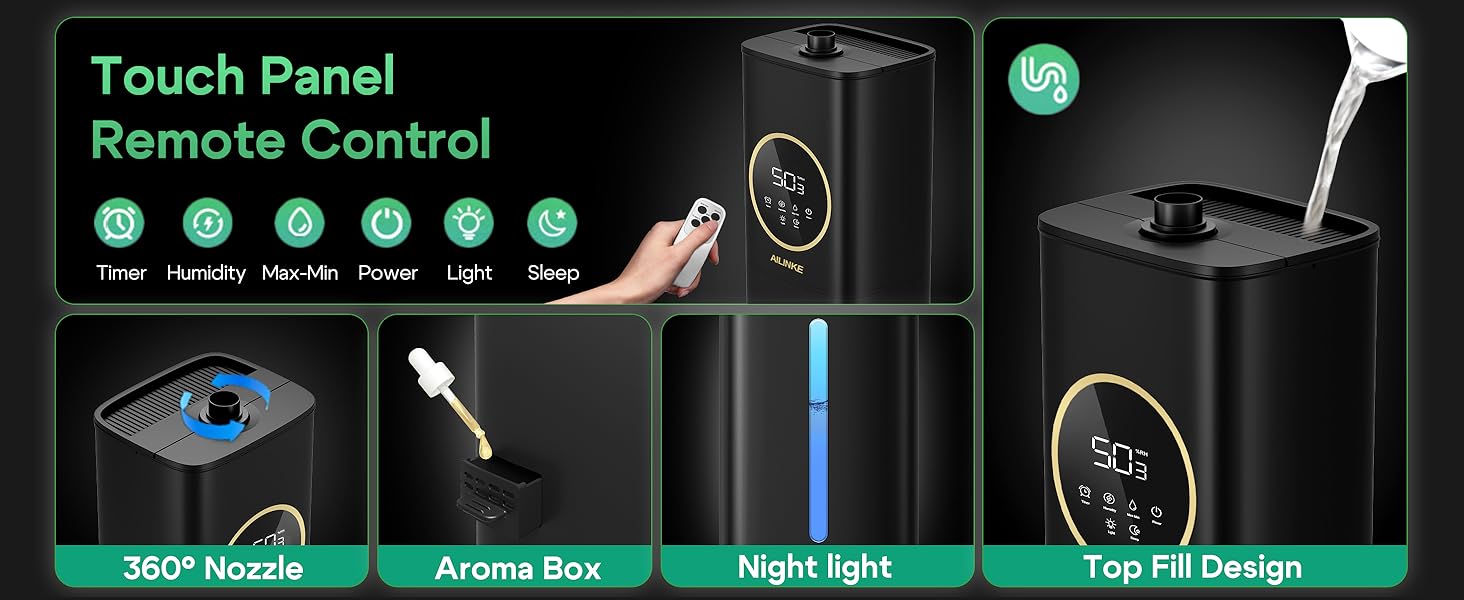
Image: Touch Panel and Remote Control features.
4.2 Mist Levels
Select from three mist levels: Low, Medium, or High, to suit your specific humidity requirements.
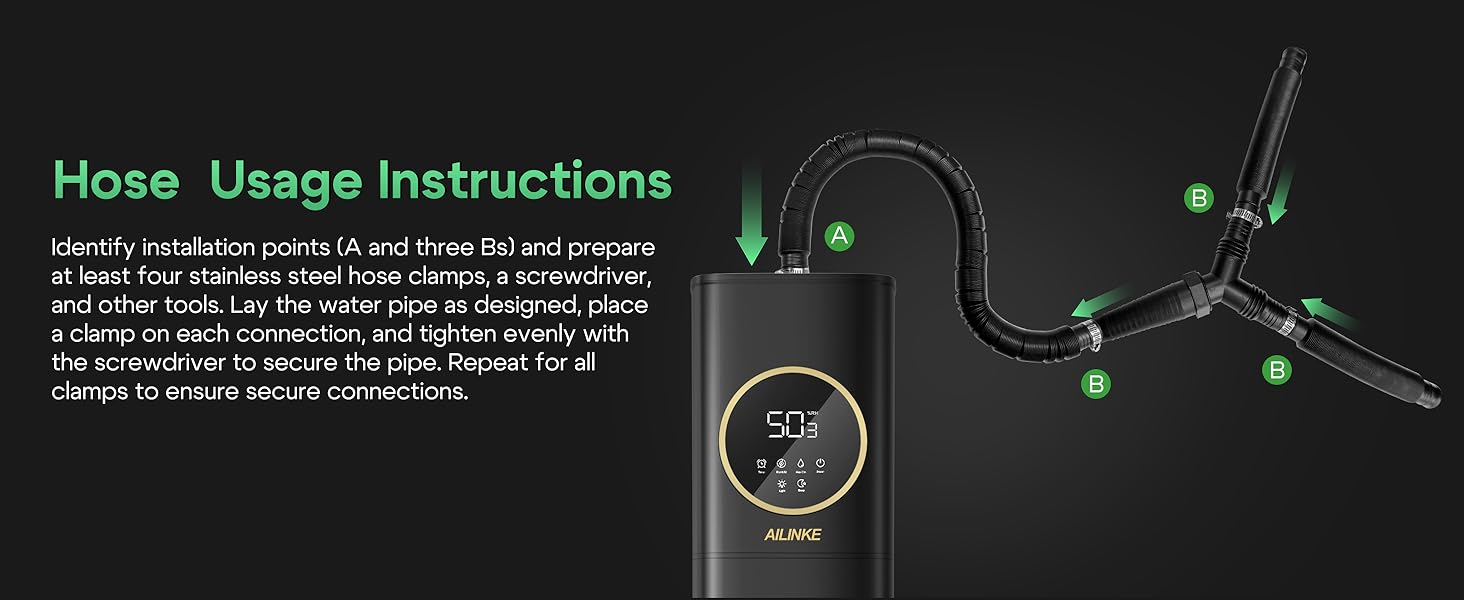
Image: 3-Level Adjustable Mist.
4.3 Humidity Control
Set a target humidity level between 35% and 95% in 5% increments. The humidifier will automatically stop misting when the preset level is reached and resume when humidity drops.
4.4 Timer Function
Utilize the 1-12 hour timer to customize operation duration.
4.5 Sleep Mode
Activate sleep mode to turn off all display lights for undisturbed use.
4.6 Auto Restart
The humidifier retains previous settings and automatically resumes operation after a power outage.

Image: Auto Restart After Power Outage.
4.7 Aroma Diffuser
Add 1-2 drops of essential oils to the designated tray at the back of the unit for a pleasant aroma.
4.8 Sensor Probe
The sensor probe accurately monitors ambient temperature and humidity levels, providing real-time data for precise humidification adjustments.

Image: Precision Monitoring for Optimal Plant Care.
5. Maintenance
5.1 Cleaning
The humidifier is designed with a detachable water pump and suction pipe for easy cleaning. Regularly clean these components to ensure optimal performance and prevent mineral buildup.
5.2 Water Tank Care
The top-filling design simplifies refilling and reduces the risk of leaks. Periodically clean the water tank to maintain hygiene.
6. Troubleshooting
6.1 Red Blinking Indicator
If the red light on the display is blinking, follow these steps:
- Check if the water tank is empty. Refill if necessary.
- Check the water pump: Ensure the hose and inlet port are not cracked or damaged. Verify both ends of the hose are connected to the water pump's inlet and the main unit's inlet up to the root. Confirm that any packing material has been removed from the water pump.
- Remove the cover and check the unit: Ensure the float is floating in the water. Turn on the power and check if water is pumping from the water tank to the upper head. Verify the atomizer is working properly.
Video: Troubleshooting for Red Blinking.
6.2 Weak Mist or No Mist Output
If the humidifier produces little to no mist, perform the following checks:
- Remove any packaging bag from the water pump.
- Check the water pump: Ensure the hose and inlet port are not cracked or damaged. Verify both ends of the hose are connected to the water pump's inlet and the main unit's inlet up to the root. Confirm that any packing material has been removed from the water pump.
- Check the upper part: Press to turn the humidifier on. Open the upper cover and take out the filter. Check if water can be sucked up. Under normal circumstances, water will come out of the water outlet.
Note: For first-time use, it may take about 60 seconds to generate mist. If the ambient humidity exceeds the set value, the humidifier will stop spraying mist automatically.
7. Specifications
- Brand: AILINKE
- Model Name: MFS-JSQ-2303P
- Capacity: 8L (2.1 Gallons)
- Mist Levels: 3 (Low, Medium, High)
- Adjustable Humidity Range: 35-95% (in 5% increments)
- Timer Setting: 1-12 hours
- Noise Level: Below 35dB
- Power: 25 watts
- Voltage: 120 Volts
- Product Dimensions: 5.1"D x 5.7"W x 27"H
- Item Weight: 4.8 Pounds
- Special Features: Adjustable Humidity Control, Aroma Diffuser, Auto Shut Off, Digital Display, Humidistat, Expandable Hose, Remote Control
8. Warranty & Support
The product comes with a 1-YEAR warranty. You can apply for a 6-month extended warranty by registering on our website.
For any inquiries or support, please contact us via the order details page or email us at service@keecoon.com.
