
1. Product Overview
The ASUS Prime LC 240 ARGB is an all-in-one (AIO) liquid CPU cooler designed to provide efficient thermal management for your desktop processor. It features a specially engineered CPU contact area, pre-installed Addressable RGB (ARGB) fans, and a customizable infinity mirror on the water block. This cooler is compatible with a wide range of Intel and AMD CPU sockets, offering both robust cooling performance and aesthetic customization.
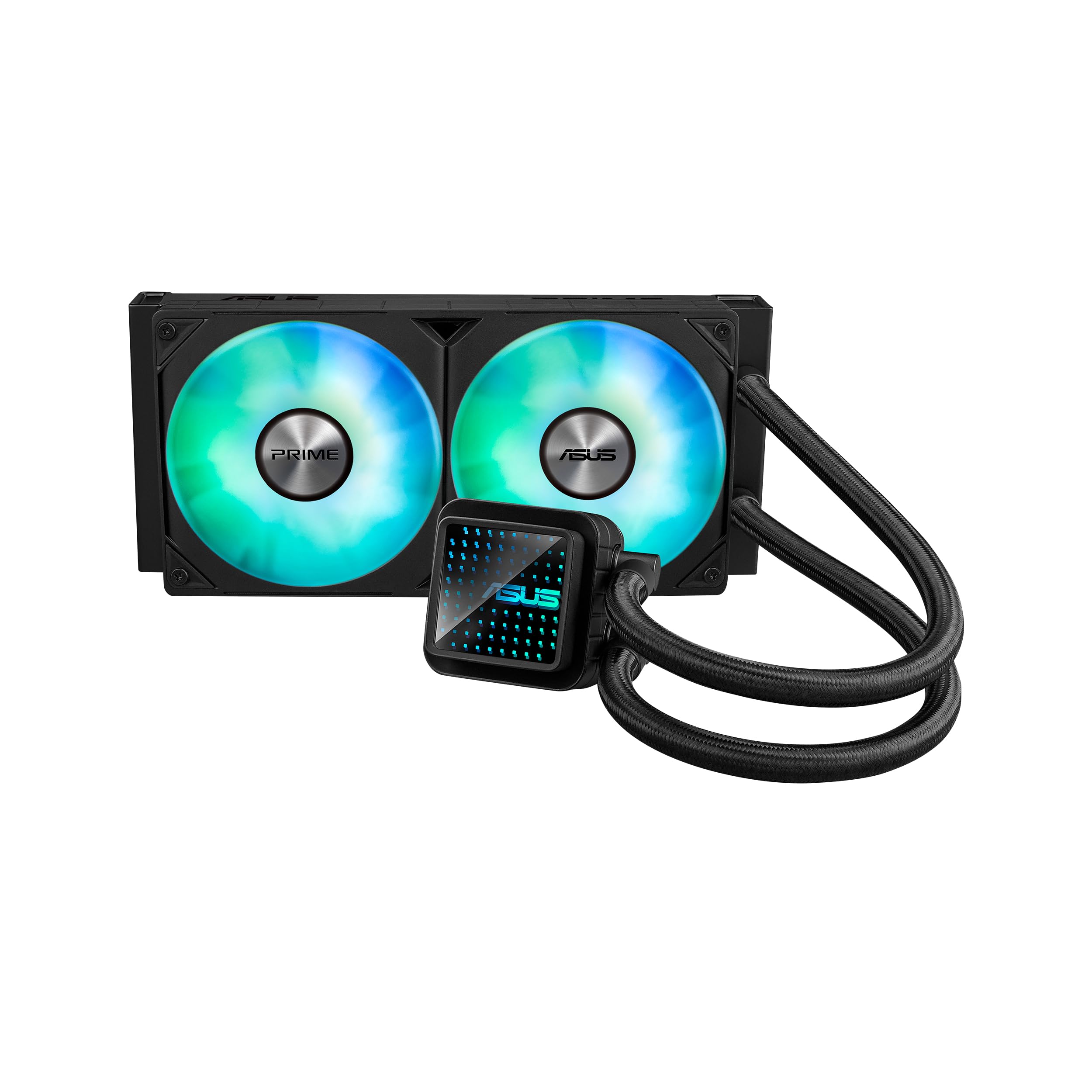
Figure 1: The ASUS Prime LC 240 ARGB AIO Liquid Cooler.
2. Key Features
- Specially Designed CPU Contact Area: Ensures powerful and effective heat dissipation from the CPU.
- Customizable Infinity Mirror Lenses: The water block features an infinity mirror design that can be customized to enhance your PC's aesthetics.
- High-Performance Pre-Installed ARGB Fans: Two 120mm ARGB fans are pre-installed on the radiator, providing efficient airflow and vibrant lighting.
- Prime Motherboard Aesthetic Complement: Designed to visually integrate seamlessly with ASUS Prime series motherboards.
- Reinforced, Sleeved Tubing: Durable tubing with a braided sleeve protects against wear and tear, ensuring longevity and a clean look.

Figure 2: Specially designed CPU contact area for optimal heat transfer.

Figure 3: Customizable infinity mirror on the water block.

Figure 4: High-performance pre-installed ARGB fans.
3. Package Contents
Verify that all components are present in the package before proceeding with installation:
- ASUS Prime LC 240 ARGB AIO Liquid Cooler (Radiator with 2x 120mm ARGB Fans, Water Block/Pump Unit, and Tubing)
- Mounting Bracket Kit for Intel Sockets (LGA 1851, 1700, 1200, 115x)
- Mounting Bracket Kit for AMD Sockets (AM5, AM4)
- Accessory Bag (screws, standoffs, cables)
- User Manual / Installation Guide
4. Setup and Installation
This section provides general guidance for installing your ASUS Prime LC 240 ARGB cooler. For detailed, step-by-step instructions, please refer to the included physical installation guide or the official ASUS support website.
4.1. Compatibility
The cooler supports the following CPU sockets:
- Intel: LGA 1851, 1700, 1200, 115x (1150, 1151, 1155, 1156)
- AMD: AM5, AM4

Figure 5: CPU Socket Support Overview.
4.2. Installation Steps (General)
- Prepare Motherboard: Install the appropriate backplate and standoffs for your CPU socket type.
- Mount Radiator: Secure the radiator and pre-installed fans to an available mounting location in your PC case (e.g., top, front).
- Apply Thermal Paste: The cooler typically comes with pre-applied thermal paste. If not, apply a thin, even layer to the CPU's integrated heat spreader (IHS).
- Install Water Block: Carefully place the water block onto the CPU, aligning it with the standoffs, and secure it with the provided thumb screws.
- Connect Cables: Connect the pump power cable to the designated CPU_FAN or AIO_PUMP header on your motherboard. Connect the ARGB fan cables to an available ARGB header (5V 3-pin) on your motherboard or an ARGB controller.
Video 1: Official product video showcasing the ASUS Prime LC 240 ARGB AIO liquid cooler's features, including its specially designed CPU contact area, customizable infinity mirror, pre-installed ARGB fans, and reinforced tubing. This video provides a visual overview of the product and its components.
5. Operating Instructions
5.1. Power On and Initial Check
After installation, power on your PC. The pump and fans should begin operating. Observe the CPU temperature in your system's BIOS or a monitoring software to ensure proper cooling.
5.2. ARGB Lighting Control
The ARGB fans and infinity mirror are compatible with ASUS Aura Sync. Download and install the ASUS Armoury Crate software from the official ASUS website to customize lighting effects, synchronize them with other Aura Sync-compatible components, and adjust fan speeds.
5.3. Fan Speed Control
Fan speeds can be controlled via your motherboard's BIOS settings or through software like ASUS Armoury Crate. Adjust fan curves to balance cooling performance and noise levels according to your preference.
6. Maintenance
Regular maintenance helps ensure optimal performance and longevity of your liquid cooler.
- Dust Cleaning: Periodically clean dust from the radiator fins and fan blades using compressed air or a soft brush. Excessive dust can impede airflow and reduce cooling efficiency.
- Inspect Tubing: Occasionally check the reinforced tubing for any signs of kinks, damage, or leaks. While the tubing is designed for durability, visual inspection is recommended.
- Thermal Paste: Reapplying thermal paste is generally not required unless the cooler is removed from the CPU. If you reinstall the cooler, clean off old thermal paste and apply new paste.
7. Troubleshooting
If you encounter issues with your ASUS Prime LC 240 ARGB, consider the following common troubleshooting steps:
- High CPU Temperatures:
- Ensure the water block is securely mounted to the CPU and thermal paste is properly applied.
- Check that the pump is receiving power and operating (you may feel a slight vibration or hear a low hum).
- Verify that the fans are spinning and not obstructed.
- Clean any dust buildup on the radiator fins.
- Excessive Fan Noise:
- Adjust fan speed curves in your motherboard BIOS or ASUS Armoury Crate software to a quieter profile.
- Ensure fans are securely mounted and not vibrating against the case.
- Check for any cables or obstructions hitting the fan blades.
- ARGB Lighting Not Working:
- Verify that the ARGB cables are correctly connected to a 5V 3-pin ARGB header.
- Ensure ASUS Armoury Crate software is installed and updated, and that lighting effects are configured.
- Check for any loose connections.
8. Specifications
| Feature | Detail |
|---|---|
| Brand | ASUS |
| Model | Prime LC 240 ARGB |
| Cooling Method | Liquid (All-in-One), Fan |
| Radiator Size | 240mm |
| Fan Size | 2 x 120mm ARGB Fans |
| CPU Socket Support | Intel: LGA 1851, 1700, 1200, 115x AMD: AM5, AM4 |
| Power Connector Type | 4-Pin |
| Material | Metal, Plastic |
| Item Weight | 3.3 Pounds |
| Compatible Devices | Desktop |
9. Warranty and Support
9.1. Warranty Information
The ASUS Prime LC 240 ARGB AIO CPU Liquid Cooler comes with a 6-year warranty. This warranty covers defects in materials and workmanship under normal use. Please retain your proof of purchase for warranty claims.
9.2. Customer Support
For technical assistance, troubleshooting, or warranty inquiries, please visit the official ASUS support website or contact their customer service. You can find detailed support resources, FAQs, and contact information at www.asus.com/support/.