
1. Introduction
This manual provides essential information for the safe and effective use of your PKPOWER AC Power Cord Cable. This cable is designed as a replacement power cord for various Technics audio systems, including models SA-AX720, SA-AX810, SA-AX910, SA-AX920, and SA-CH455. Please read these instructions carefully before use and retain them for future reference.
2. Product Overview
The PKPOWER AC Power Cord Cable is a durable and flexible power solution for compatible audio equipment. It features a standard 2-prong AC plug on one end and a C7 (figure-8) connector on the other, designed to fit specific Technics models.
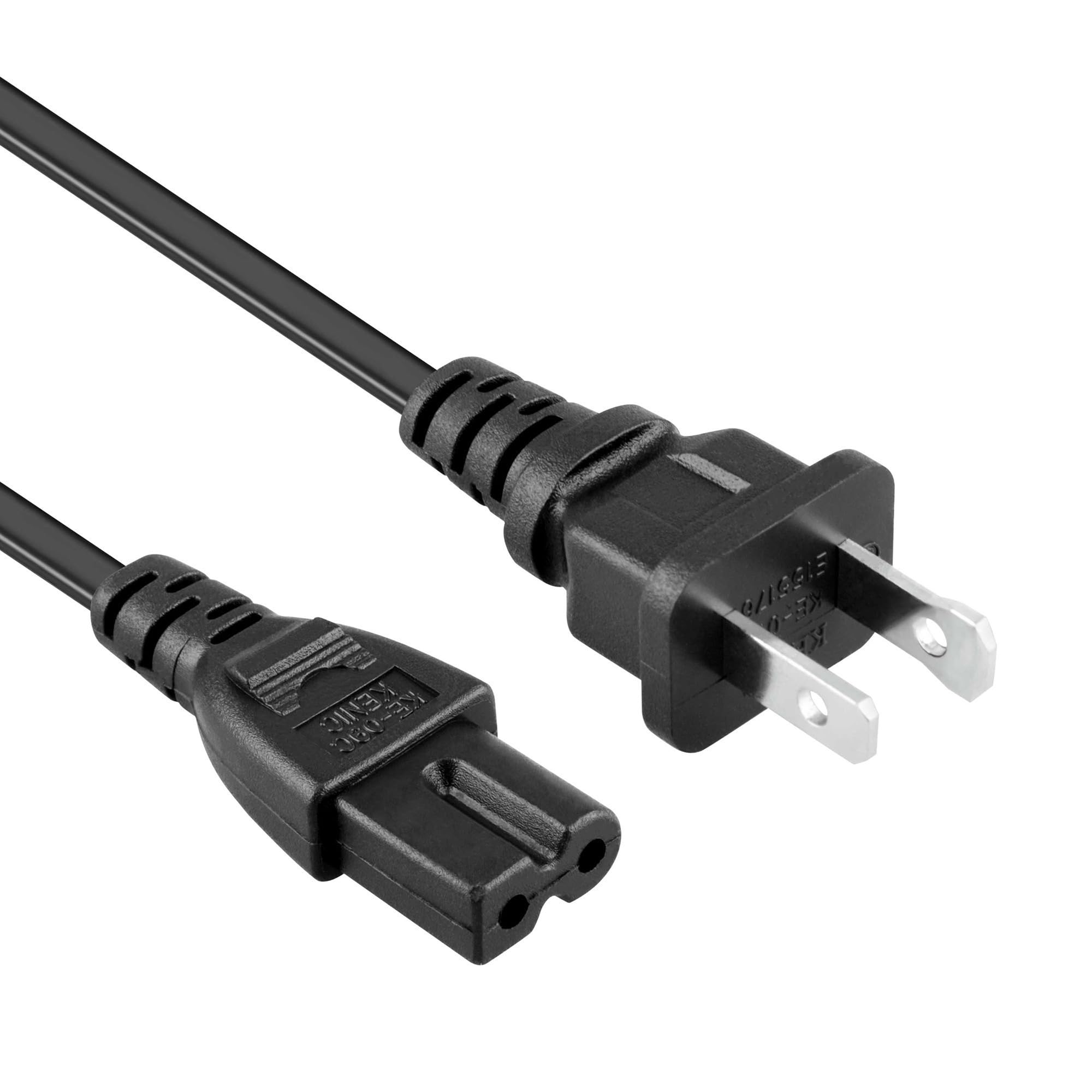
Image 2.1: The PKPOWER AC Power Cord Cable, coiled for storage. This image shows the overall length and the two types of connectors.
Key Features:
- Cable Length: Approximately 6 feet (1.8 meters).
- Input Voltage: Supports 100-240V AC.
- Compatibility: Specifically designed for Technics SA-AX720, SA-AX810, SA-AX910, SA-AX920, SA-CH455.
- Safety: Passed FCC testing, ensuring safety and reliability.
- Durability: Constructed from high-quality materials for extended lifespan and flexibility.

Image 2.2: A close-up view of the male-to-female connectors of the power cord, showing the standard US 2-prong plug and the C7 (figure-8) connector.
3. Setup
Follow these steps to properly connect your PKPOWER AC Power Cord Cable to your Technics audio system:
- Ensure Power Off: Before connecting, ensure your Technics audio system is turned off and unplugged from any power source.
- Identify Connectors: Locate the power input port on your Technics audio system. This port is typically a figure-8 shape.
- Connect to Device: Insert the C7 (figure-8) connector end of the PKPOWER cable firmly into the power input port of your Technics audio system.
- Connect to Power Outlet: Plug the standard 2-prong AC plug end of the PKPOWER cable into a compatible wall outlet or surge protector.
- Verify Connection: Ensure both ends of the cable are securely connected.
Your audio system is now ready for operation.
4. Operating
Once the power cord is securely connected, you can power on your Technics audio system as per its own operating instructions. The PKPOWER AC Power Cord Cable provides the necessary electrical connection for your device to function. No specific operational steps are required for the cable itself beyond proper connection.
5. Maintenance
To ensure the longevity and safe operation of your PKPOWER AC Power Cord Cable, follow these maintenance guidelines:
- Cleaning: Disconnect the cable from all power sources before cleaning. Wipe the cable and connectors with a dry, soft cloth. Do not use liquid cleaners or abrasive materials.
- Storage: When not in use, coil the cable loosely. Avoid tight coiling or kinking, which can damage the internal wires. Store in a cool, dry place away from direct sunlight and extreme temperatures.
- Inspection: Periodically inspect the cable for any signs of damage, such as cuts, fraying, or bent prongs. If damage is observed, discontinue use immediately and replace the cable.
- Avoid Strain: Do not pull the cable by the cord itself when unplugging. Always grasp the plug firmly. Avoid placing heavy objects on the cable or running it through high-traffic areas where it could be tripped over or damaged.
6. Troubleshooting
If your audio system is not receiving power after connecting the PKPOWER AC Power Cord Cable, consider the following:
- No Power to Device:
- Ensure both ends of the power cord are fully and securely inserted into the device and the wall outlet.
- Check if the wall outlet is functional by plugging in another device.
- Verify that the power switch on your Technics audio system is in the 'ON' position.
- Inspect the cable for any visible damage (cuts, kinks, bent prongs). If damaged, replace the cable.
- Intermittent Power:
- Ensure connections are tight and not loose.
- Avoid bending or stressing the cable near the connectors.
If issues persist after following these steps, please refer to the support information in Section 8.
7. Specifications
| Feature | Detail |
|---|---|
| Brand | PKPOWER |
| Model Compatibility | Technics SA-AX720, SA-AX810, SA-AX910, SA-AX920, SA-CH455 |
| Cable Length | 6 feet (approx. 1.8 meters) |
| Input Voltage | 100-240V AC |
| Connector Gender | Male-to-Female (US 2-prong to C7 figure-8) |
| Color | Black |
| Product Dimensions | 3 x 2 x 0.5 inches (packaging/coiled) |
| Item Weight | 2 ounces |
| ASIN | B0DNP3Z567 |
8. Warranty and Support
PKPOWER stands behind the quality of its products. If you encounter any issues or have questions regarding your AC Power Cord Cable, please contact PKPOWER customer support. Refer to the product packaging or the retailer's website for specific contact information.
For general inquiries or support, you may visit the PKPOWER store on Amazon: PKPOWER Amazon Store.