1. Introduction
This manual provides essential information for the HP 15.6 inch FHD Laptop, model 15-FD0131WM. It covers initial setup, operational guidelines, maintenance tips, and troubleshooting steps to ensure optimal performance and longevity of your device. Your laptop is equipped with an Intel i3-N305 processor, 8GB DDR4 RAM, and a 256GB PCIe NVMe M.2 solid-state drive, designed for reliable everyday computing.
Key features include a 15.6-inch micro-edge Full HD IPS anti-glare display, Windows 11 Home operating system, Intel UHD Graphics, a fingerprint reader for secure access, a camera privacy shutter, and a mic mute key for enhanced privacy. The HP True Vision HD camera facilitates clear video communication.
2. Setup
2.1 Unpacking
Carefully remove all components from the packaging. Ensure the following items are present:
- HP 15.6 inch FHD Laptop
- AC Power Adapter
- Documentation (including this manual)
2.2 Connecting Power
Connect the AC power adapter to the laptop's power port and then plug it into a wall outlet. It is recommended to fully charge the battery before initial use.
2.3 Initial Boot and Windows Setup
Press the power button to turn on the laptop. Follow the on-screen instructions to complete the Windows 11 Home setup process. This includes selecting your region, connecting to a Wi-Fi network, creating a user account, and accepting the license agreement.
3. Operating Your Laptop
3.1 Display
Your laptop features a 15.6-inch Full HD (1920 x 1080) IPS anti-glare display. Adjust brightness using the function keys (usually F2/F3 or similar icons) on the keyboard.
3.2 Keyboard and Touchpad
The laptop includes a full-size keyboard and a precision touchpad. Use the touchpad for navigation and gestures. External mice can be connected via USB ports.
3.3 Camera and Privacy Features
The HP True Vision HD camera is located at the top of the display. For privacy, slide the camera privacy shutter to cover the lens when not in use. A dedicated mic mute key is available on the keyboard to quickly disable the microphone.
3.4 Fingerprint Reader
For enhanced security and quick login, configure the integrated fingerprint reader through Windows Settings > Accounts > Sign-in options.
3.5 Ports and Connectivity
Your laptop is equipped with various ports for connecting peripherals:
- USB 3.0 Ports: Two ports are available for high-speed data transfer with compatible devices.
- HDMI Port: For connecting to external displays or projectors.
- Audio Jack: For headphones or external speakers.
- Power Connector: For the AC adapter.

Figure 1: HP 15.6 inch Laptop with screen and keyboard visible.
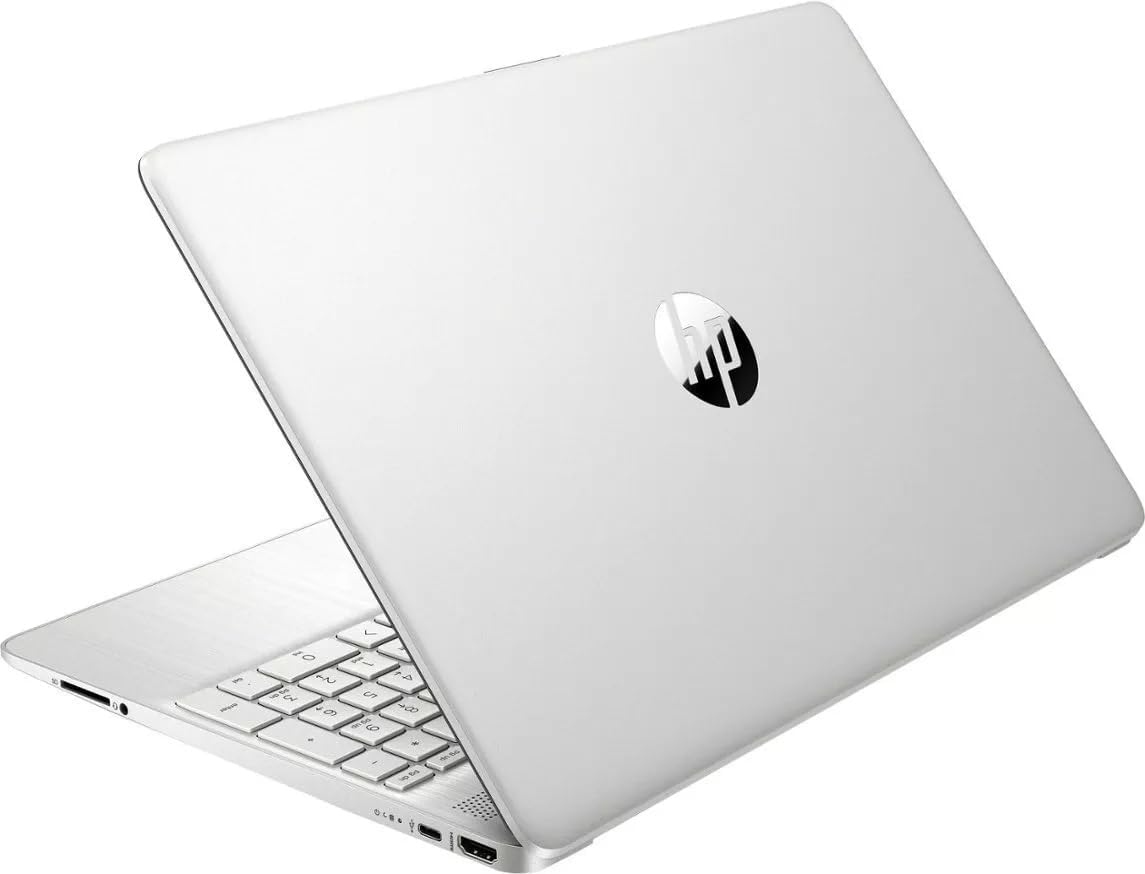
Figure 2: HP 15.6 inch Laptop closed, displaying the top cover.
4. Maintenance
4.1 Cleaning Your Laptop
To clean the display, use a soft, lint-free cloth lightly dampened with water or a screen cleaner. For the keyboard and chassis, use a soft, dry cloth. Avoid harsh chemicals or abrasive materials.
4.2 Battery Care
The laptop features a long-lasting battery with HP Fast Charge capability. To maximize battery lifespan:
- Avoid extreme temperatures.
- Do not fully discharge the battery frequently.
- Store the laptop with a partial charge (around 50%) if not used for extended periods.
4.3 Software Updates
Regularly update your Windows operating system and drivers to ensure optimal performance, security, and compatibility. Windows Update can be accessed via Settings > Windows Update.
5. Troubleshooting
If you encounter issues with your laptop, try the following basic troubleshooting steps:
- No Power: Ensure the AC adapter is securely connected to both the laptop and a working power outlet. Try a different outlet.
- Screen Issues: If the screen is blank, try adjusting the brightness. If an external monitor is connected, ensure it is properly configured.
- System Unresponsive: Press and hold the power button for 10-15 seconds to force a shutdown, then restart the laptop.
- Connectivity Problems: For Wi-Fi issues, restart your router and check network settings on the laptop.
For more complex issues, refer to the HP support website or contact HP customer service.
6. Specifications
- Model Name:
- 15-FD0131WM
- Screen Size:
- 15.6 Inches
- Screen Resolution:
- 1920 x 1080 pixels (Full HD)
- Processor:
- Intel Core i3-N305
- RAM:
- 8 GB DDR4 SDRAM
- Storage:
- 256 GB PCIe NVMe M.2 Solid-State Drive
- Graphics:
- Intel UHD Graphics (Integrated)
- Operating System:
- Windows 11 Home
- Wireless Type:
- 802.11bgn
- USB Ports:
- 2 x USB 3.0 Ports
- Average Battery Life:
- 8 Hours
- Item Weight:
- 3.5 pounds
- Product Dimensions (LxWxH):
- 12.82 x 8.42 x 0.65 inches
7. Warranty and Support
Your HP laptop comes with a standard manufacturer's warranty. For detailed information regarding warranty terms, coverage, and duration, please refer to the warranty card included in your product packaging or visit the official HP support website. Keep your proof of purchase for warranty claims.
For technical assistance, driver downloads, or further support, please visit the official HP support portal. You can typically find support contact information and resources by searching for your specific model number (15-FD0131WM) on the HP website.