
JERDON PS0022-2
Jerdon Handheld Clothing Steamer Instruction Manual
Model: PS0022-2
Product Overview
The Jerdon Handheld Clothing Steamer, model PS0022-2, is a 1600-watt portable garment steamer designed for quick and efficient wrinkle removal from various fabrics. It features a self-cleaning function and an automatic shut-off for safety.

Angled view of the Jerdon Handheld Clothing Steamer, showcasing its ergonomic design and water tank.

Front view of the steamer, highlighting the steam plate and water level indicators.
Important Safety Information
Please read all instructions carefully before using the steamer. Failure to follow these instructions may result in electric shock, fire, or serious injury.
- Always unplug the steamer from the electrical outlet when filling with water, emptying, or when not in use.
- Do not operate the steamer with a damaged cord or plug, or if the appliance has been dropped or damaged.
- Keep the steamer and its cord out of reach of children.
- Use only distilled or demineralized water to prevent mineral buildup.
- Do not direct steam at people, pets, or electrical appliances.
- The steamer heats up quickly; allow it to cool completely before storing.
- This steamer is equipped with an automatic shut-off feature for safety.
Parts and Features
Familiarize yourself with the components of your Jerdon Handheld Clothing Steamer.

The two included attachments: a fabric brush for better steam penetration and a pad attachment for gentle steaming.

Visual representation of the steamer and its two attachments, highlighting their purpose.
Key Features:
- 1600-Watt Power: Ensures fast heating and powerful steam output.
- Quick Heat-Up: Ready to use in approximately 30 seconds.
- Automatic Shut-Off: Enhances safety by turning off when water runs low or unit overheats.
- Lock Switch: Allows for continuous steam without holding the trigger.
- 8.5 Fluid Ounce Water Tank: Provides ample capacity for extended steaming sessions.
- Self-Cleaning Function: Simplifies maintenance and prolongs product life.
- Two Attachments: Includes a fabric brush and a pad attachment for versatile use on different fabrics.
Setup and First Use
- Unpack: Carefully remove the steamer and all accessories from the packaging.
- Inspect: Check the steamer for any visible damage. Note: Small water droplets may be present in the reservoir due to factory testing for quality assurance.
- Fill Water Tank: Ensure the steamer is unplugged. Open the water tank cap and fill the tank with distilled or demineralized water up to the "MAX" line (8.5 fluid ounces capacity). Do not overfill.
- Attach Accessories: Select the desired attachment (fabric brush or pad) and securely attach it to the steam head.
- Plug In: Plug the 6-foot power cord into a standard 120V AC electrical outlet.
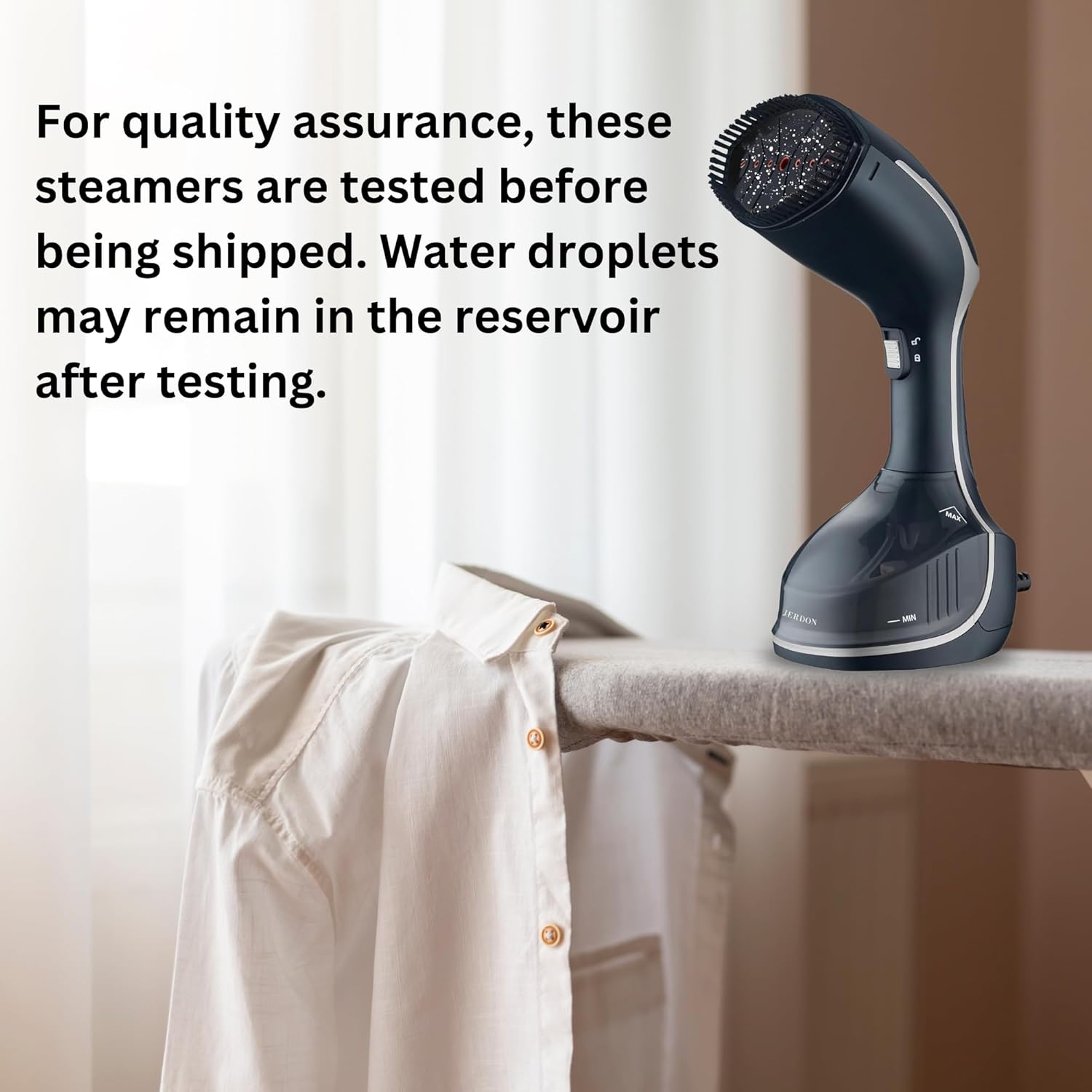
Image illustrating the steamer on an ironing board, with a note about factory testing and potential water residue.
Operating Instructions
Follow these steps to effectively steam your garments and fabrics.
- Power On: Press the power button. The indicator light will illuminate, signaling that the steamer is heating up.
- Heat Up: Allow approximately 30 seconds for the steamer to heat up and produce steam.
- Steam Garment: Hold the steamer upright and gently press the steam trigger. For continuous steam, slide the lock switch to the locked position.
- Steaming Technique:
- Hang the garment on a hanger.
- Hold the fabric taut with one hand.
- Move the steam head slowly over the fabric, from top to bottom.
- For stubborn wrinkles, pass the steamer over the area multiple times.
- Power Off: When finished, press the power button to turn off the steamer. Unplug the unit from the outlet.

Visual representation of the steamer's fast and efficient operation, ready in 30 seconds.
Tips for Best Results:
- Always test on an inconspicuous area of the fabric first.
- For delicate fabrics, use the pad attachment and hold the steamer slightly away from the fabric.
- For heavier fabrics, use the fabric brush attachment to help lift fibers and allow steam to penetrate deeper.
- Empty the water tank after each use to prevent mineral buildup.
Care and Maintenance
Proper care ensures the longevity and optimal performance of your steamer.
Cleaning:
- Empty Water Tank: After each use, ensure the steamer is cool and unplugged. Empty any remaining water from the tank.
- Wipe Exterior: Wipe the exterior of the steamer with a soft, damp cloth. Do not use abrasive cleaners.
- Self-Cleaning Function: The steamer features a self-cleaning function. Refer to the specific instructions in your full manual for detailed steps on how to activate this feature to remove mineral deposits.
Storage:
- Ensure the steamer is completely cool and dry before storing.
- Store the steamer in a cool, dry place, away from direct sunlight.
- Keep the power cord neatly wrapped and avoid kinking.

The compact design of the steamer makes it ideal for travel and easy storage.
Troubleshooting
| Problem | Possible Cause | Solution |
|---|---|---|
| No steam produced | Water tank empty; Steamer not plugged in; Not heated up sufficiently; Mineral buildup. | Fill water tank; Plug in steamer; Allow 30 seconds to heat; Perform self-cleaning. |
| Water spitting/leaking | Overfilled water tank; Mineral buildup; Steamer not hot enough. | Do not overfill; Perform self-cleaning; Allow full heat-up time. |
| Steamer automatically shuts off | Water tank empty; Overheating protection activated. | Refill water tank; Allow steamer to cool down before restarting. |
Product Specifications
- Model: PS0022-2
- Brand: JERDON
- Power: 1600 Watts
- Voltage: 120 Volts (AC)
- Heat Time: Approximately 30 seconds
- Water Tank Capacity: 8.5 Fluid Ounces
- Product Dimensions: 6"L x 4"W x 11.5"H
- Item Weight: 2 Pounds
- Color: Black
- UPC: 874479003738
Support and Warranty
For product support, troubleshooting beyond this manual, or warranty information, please contact Jerdon customer service.
Please refer to the product packaging or the official Jerdon website for the most up-to-date contact and warranty details.
Related documentsPS0022-2

Ask a question about this manual
Ask about setup, troubleshooting, compatibility, parts, safety, or missing instructions. Manuals+ will review the question and use this page’s manual context to help answer it.