
1. Introduction
This manual provides essential information for the safe and effective use of your HART 20V Charger, Model CGH002. This charger is designed to charge all HART 20V Lithium-Ion batteries. Please read these instructions carefully before operating the charger and retain them for future reference.
2. Safety Information
Always observe basic safety precautions when using electrical appliances to reduce the risk of fire, electric shock, and personal injury.
- Indoor Use Only: This charger is designed for indoor use in dry conditions. Do not expose to rain or wet conditions.
- Proper Voltage: Ensure the power supply voltage matches the rating specified on the charger. Input Voltage: 120 Volts.
- Unplug When Not in Use: Disconnect the charger from the power outlet when not in use or before cleaning.
- Use Only HART 20V Batteries: This charger is specifically designed for HART 20V Lithium-Ion batteries. Do not attempt to charge other battery types, as this could lead to personal injury or damage to the charger and battery.
- Inspect Charger and Battery: Before each use, inspect the charger, cord, and battery for any signs of damage. Do not use if damaged.
- Avoid Overcharging: The charger is designed to prevent overcharging. However, do not leave batteries on the charger for extended periods after they are fully charged.
- Ventilation: Ensure adequate ventilation around the charger during operation. Do not cover the charger.
3. Package Contents
Your HART 20V Charger package includes:
- 1 x HART 20V Charger (Model CGH002)
Note: A HART 20V Lithium-Ion battery is not included with this charger and must be purchased separately.
4. Setup
Follow these steps to set up your HART 20V Charger:
- Choose a Location: Select a dry, well-ventilated area with a stable surface for the charger. Ensure it is away from direct sunlight, heat sources, and moisture.
- Connect to Power: Plug the charger's power cord into a standard 120V AC electrical outlet. The charger's LED indicator may briefly illuminate.
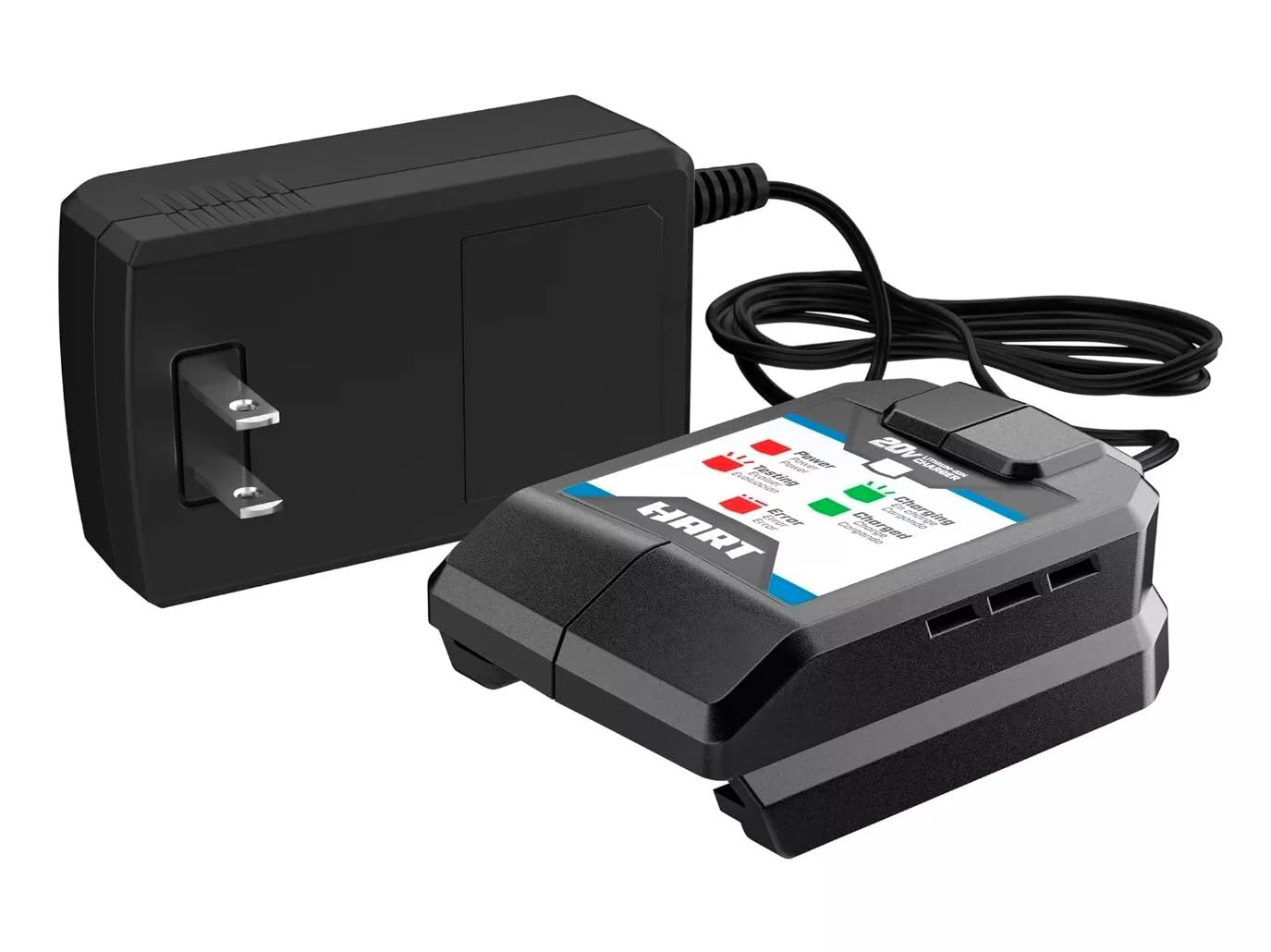
Image shows the HART 20V Charger (Model CGH002) with a HART 20V Lithium-Ion battery inserted, illustrating how the battery connects to the charger.
5. Operating Instructions
To charge a HART 20V Lithium-Ion battery:
- Insert Battery: Align the battery with the charger's port and slide it firmly into place until it clicks.
- Monitor Charging: The charger features external LED lights to indicate the charging status.
- Solid Red: Battery is charging.
- Solid Green: Battery is fully charged.
- Flashing Red: Error condition (e.g., battery too hot/cold, faulty battery). Remove battery and consult troubleshooting.
- Remove Battery: Once the LED indicator shows solid green, the battery is fully charged. Press the battery release button (if applicable) and slide the battery out of the charger.
- Unplug Charger: For safety and energy conservation, unplug the charger from the power outlet when not in use.
6. Maintenance
Proper maintenance ensures the longevity and safe operation of your charger.
- Cleaning: Disconnect the charger from the power supply before cleaning. Use a soft, dry cloth to wipe the exterior. Do not use abrasive cleaners or solvents.
- Storage: Store the charger in a dry, indoor location, away from extreme temperatures and direct sunlight. Ensure the power cord is not kinked or damaged during storage.
- Inspection: Regularly inspect the charger, power cord, and battery contacts for any signs of wear, damage, or corrosion. If any damage is found, discontinue use and contact customer support.
7. Troubleshooting
If you encounter issues with your HART 20V Charger, refer to the following common problems and solutions:
| Problem | Possible Cause | Solution |
|---|---|---|
| Charger LED does not illuminate. | No power to the charger. | Check if the charger is securely plugged into a working 120V AC outlet. Test the outlet with another device. |
| Battery not charging (LED flashing red). | Battery too hot/cold, or faulty battery. | Remove the battery from the charger and allow it to reach room temperature. Re-insert the battery. If the issue persists, the battery may be faulty. |
| Battery not fully seating in charger. | Obstruction or incorrect alignment. | Ensure there are no obstructions in the battery port. Align the battery correctly and push firmly until it clicks into place. |
If these solutions do not resolve the issue, please contact HART customer support.
8. Specifications
| Feature | Specification |
|---|---|
| Brand | HART |
| Model Number | CGH002 |
| Input Voltage | 120 Volts AC |
| Output Voltage | 20 Volts DC |
| Connector Type | Hart proprietary connector |
| Number of Ports | 1 |
| Product Dimensions (D x W x H) | 2.5" x 3" x 1" |
| Manufacturer | Techtronics |
| Safety Certification | UL Listed |
9. Warranty and Support
This HART 20V Charger (Model CGH002) is covered by a manufacturer's warranty. For specific warranty terms and conditions, please refer to the documentation provided with your purchase or contact the manufacturer directly.
For technical assistance, troubleshooting beyond this manual, or to inquire about warranty service, please contact HART customer support. Contact information can typically be found on the product packaging or the official HART website.