
Introduction
Thank you for choosing Wolezek 2 in 1 Grow Lights. This manual provides essential information for the proper setup, operation, and maintenance of your new grow lights. Designed to support the healthy growth of your indoor plants, these lights offer versatile installation options, full-spectrum illumination, and customizable settings.
Product Features
- Two Installation Options: This grow light can be securely clamped onto a pot or inserted directly into the soil, offering flexible placement without scene limitations.
- Full Spectrum & 3 Lighting Modes: Equipped with 48 LEDs, including 660NM red light and 6500K white light, these lights provide full spectrum illumination. Three color temperature options allow adaptation to different plant growth stages while ensuring comfortable viewing.
- 360° Flexible Gooseneck: The flexible gooseneck design allows for 360° rotation, enabling precise adjustment of lighting angles to optimize coverage for your plants.
- 6/12/16H Timer & 5 Dimmable Brightness: Features multiple timer options (6, 12, and 16 hours) and five adjustable brightness levels, providing full control over lighting duration and intensity.
- Efficient Heat Dissipation: The aluminum alloy lamp housing ensures faster heat dissipation, contributing to a longer lifespan and safe operation of the unit.
- Long Cord Length: An 80.7-inch long power cord offers greater flexibility in placement and convenient access to power sources.
Setup and Installation
Method 1: Clamp Installation
Attach the clamp accessory to the base of the gooseneck. Securely clip the unit onto the rim of your plant pot or a suitable surface nearby. Adjust the gooseneck to direct light towards your plant.

Image: Wolezek Grow Light demonstrating clamp installation on a plant pot.

Image: Step-by-step guide for clipping the grow light onto a pot and powering it on.
Method 2: Soil Stake Installation
Screw the soil stake accessory onto the base of the gooseneck. Insert the stake firmly into the soil of your plant pot. Position the gooseneck to illuminate your plant effectively.

Image: Step-by-step guide for inserting the grow light stake into soil and powering it on.
Power Connection
Connect the USB plug to the provided power adapter, then plug the adapter into a standard electrical outlet. Ensure the connection is secure.
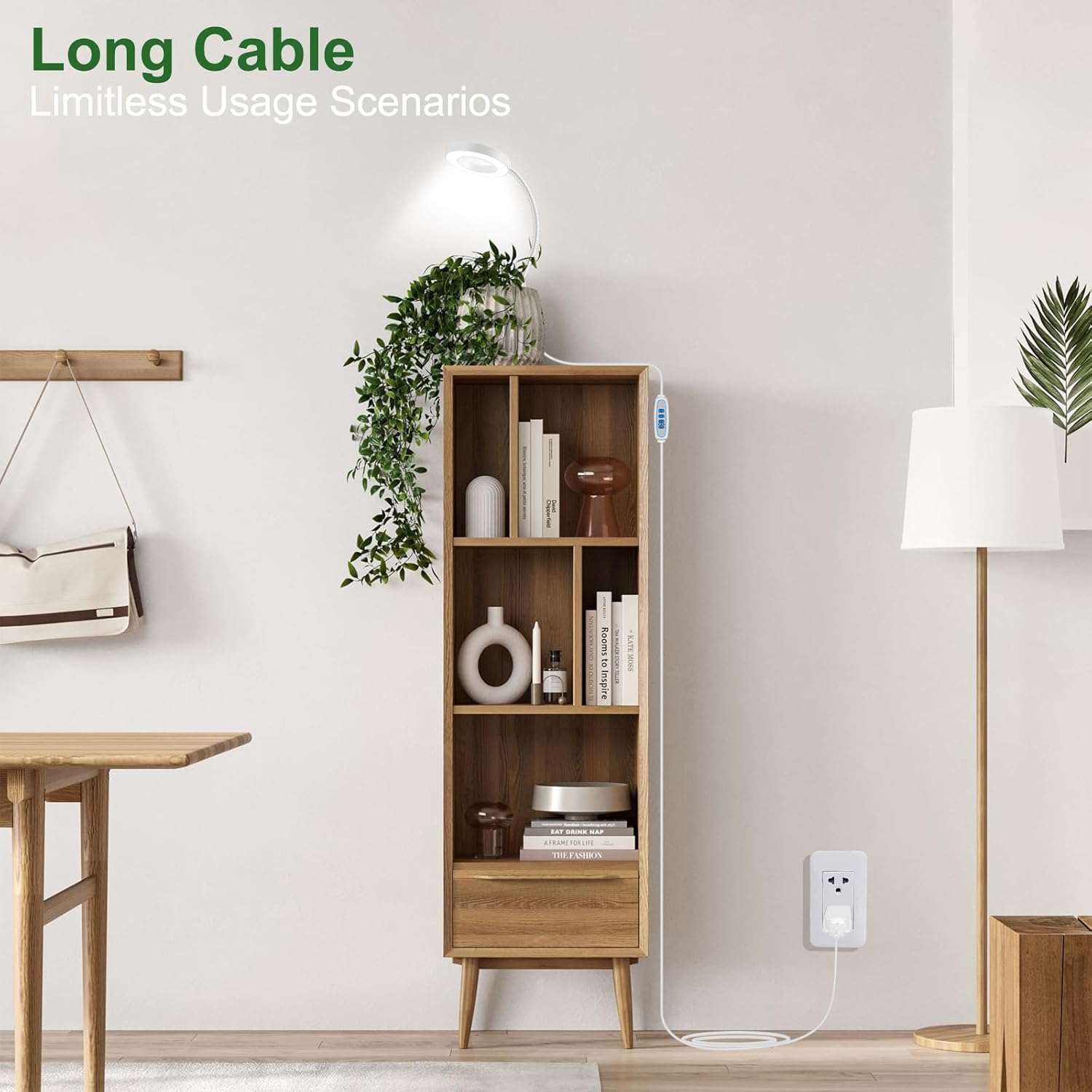
Image: The grow light's long cable connected to a wall outlet, highlighting its reach.
Operating Instructions
Control Panel Overview
The inline controller features buttons for power, light mode selection, brightness adjustment, and timer settings.

Image: Detailed view of the grow light's control panel.
Power On/Off
Press the power button (⏻) to turn the light on or off.
Light Mode Selection
Press the light mode button (💡) to cycle through the three available lighting modes: Natural White (6500K), Warm White & Red (3000K), and All Light On (5000K).

Image: Visual representation of the three distinct light color modes.
Brightness Adjustment
Use the brightness adjustment button (🔆) to select from five dimmable brightness levels (20%, 40%, 60%, 80%, 100%).

Image: Illustration of the five adjustable brightness levels.
Timer Settings
Press the timer button (⏱) to activate the automatic timer. Choose between 6, 12, or 16 hours. The light will automatically turn off after the selected duration and turn on again at the same time the next day.

Image: The grow light's auto-timer function with 6, 12, and 16-hour settings.
Specifications
| Feature | Description |
|---|---|
| Model Name | Plant Lights for Indoor Growing |
| Light Source Type | LED (48 LEDs) |
| Color Temperature | 660NM (Red), 6500K (White), 5000K (All Light On) |
| Brightness Levels | 5 (20%, 40%, 60%, 80%, 100%) |
| Timer Options | 6H, 12H, 16H |
| Gooseneck Rotation | 360° Flexible |
| Installation Type | Clamp-on or Soil Stake |
| Power Source | Corded Electric (USB) |
| Cord Length | 80.7 inches |
| Material | Aluminum |
| Product Dimensions | 3.5 x 3.5 x 16.5 inches |
| Item Weight | 2.01 pounds |
Maintenance
- Cleaning: Gently wipe the LED ring and gooseneck with a soft, dry cloth to remove dust. Do not use abrasive cleaners or immerse the unit in water.
- Placement: Ensure the light is positioned at an appropriate distance from your plants to prevent leaf burn, typically 6-12 inches depending on plant type and light intensity.
- Cord Care: Regularly inspect the power cord for any signs of damage. Avoid bending or twisting the cord excessively.
Troubleshooting
- Light Not Turning On: Check if the power adapter is securely plugged into the wall outlet and the USB cable is properly connected to the light. Ensure the power button on the controller is pressed.
- Timer Not Working: Verify that the timer function is correctly set (6H, 12H, or 16H) and that the light was initially turned on via the controller.
- Inconsistent Brightness: Use the brightness adjustment button to cycle through the five levels. If issues persist, ensure the power supply is stable.
- Plant Health Concerns: Adjust the distance of the light from the plant, or experiment with different light modes and brightness levels to find the optimal setting for your specific plant species.
Warranty and Support
Wolezek provides a comprehensive 12-month warranty for this product, covering manufacturing defects and malfunctions under normal use. We also offer lifetime customer support and personalized assistance for any inquiries or issues you may encounter. For support, please refer to the contact information provided in your product packaging or visit the official Wolezek website.
Official Product Videos
Wolezek Halo Grow Lights for Indoor Plants Full Spectrum
Video: An overview of the Wolezek Halo Grow Lights, demonstrating features like adjustable brightness, timer settings, and flexible gooseneck for various plant setups.
Wolezek Grow Lights for Indoor Plants Full Spectrum
Video: A detailed look at the full spectrum capabilities of Wolezek Grow Lights, showing how different light modes can benefit plant growth stages.
Wolezek Clip On Grow Lights for Indoor Plants
Video: Demonstrates the clip-on installation method and the flexibility of the gooseneck for directing light to various indoor plants.
Wolezek Clip On 3 Colors Grow Light
Video: Highlights the three color modes available with the Wolezek Clip On Grow Light and their application for different plant needs.