
1. Introduction
This manual provides essential information for the safe and effective installation, operation, and maintenance of your CHUNYE XS2N18NC410 Inductive Sensor. Please read this manual thoroughly before using the product and retain it for future reference.
The CHUNYE XS2N18NC410 is an inductive proximity sensor designed for non-contact detection of metallic objects. Its robust brass construction and reliable performance make it suitable for various industrial automation applications.
2. Safety Information
WARNING: Failure to follow these safety instructions could result in injury or equipment damage.
- Ensure power is disconnected before installation, wiring, or maintenance to prevent electric shock.
- Only qualified personnel should perform installation and wiring.
- Do not exceed the specified voltage and current ratings.
- Avoid installing the sensor in environments with excessive vibration, extreme temperatures, or corrosive gases unless specifically rated for such conditions.
- Do not disassemble or modify the sensor.
3. Product Features
The CHUNYE XS2N18NC410 Inductive Sensor offers several key advantages:
- Non-contact Detection: Operates without physical contact with the target object, minimizing mechanical wear and extending service life.
- High Reliability: Designed for consistent performance even in challenging industrial environments.
- Fast Response: Provides quicker detection compared to traditional mechanical switches.
- Good Durability: Long lifespan due to the absence of moving parts and mechanical wear.
- Wide Range of Applications: Suitable for automated production lines, conveying equipment, processing machinery, and other industrial fields.
4. Package Contents
Verify that all items are present and undamaged upon unpacking:
- 1 x CHUNYE XS2N18NC410 Inductive Sensor (M18, L37mm, Brass, Sn8mm, 12..24VDC, 2m Cable)
- Mounting nuts (typically two)
5. Setup and Installation
Follow these steps for proper installation of the inductive sensor:
5.1 Mounting
- Select a suitable mounting location where the sensor can detect the target object without obstruction and is protected from physical damage.
- Mount the sensor using the provided nuts onto a stable surface. Ensure the sensor head is positioned correctly relative to the target object.
- Maintain the specified sensing distance (Sn8mm) between the sensor face and the metallic target for optimal performance. Avoid direct contact.
5.2 Wiring
The sensor operates on 12-24VDC. Refer to the sensor's wiring diagram (typically on the product label or datasheet) for specific connections. A common wiring configuration for an NPN or PNP sensor is as follows:
- Brown wire: +VDC (Positive power supply)
- Blue wire: 0VDC (Negative power supply / Ground)
- Black wire: Output signal (Connect to controller input)
Ensure all connections are secure and insulated. Double-check wiring before applying power.
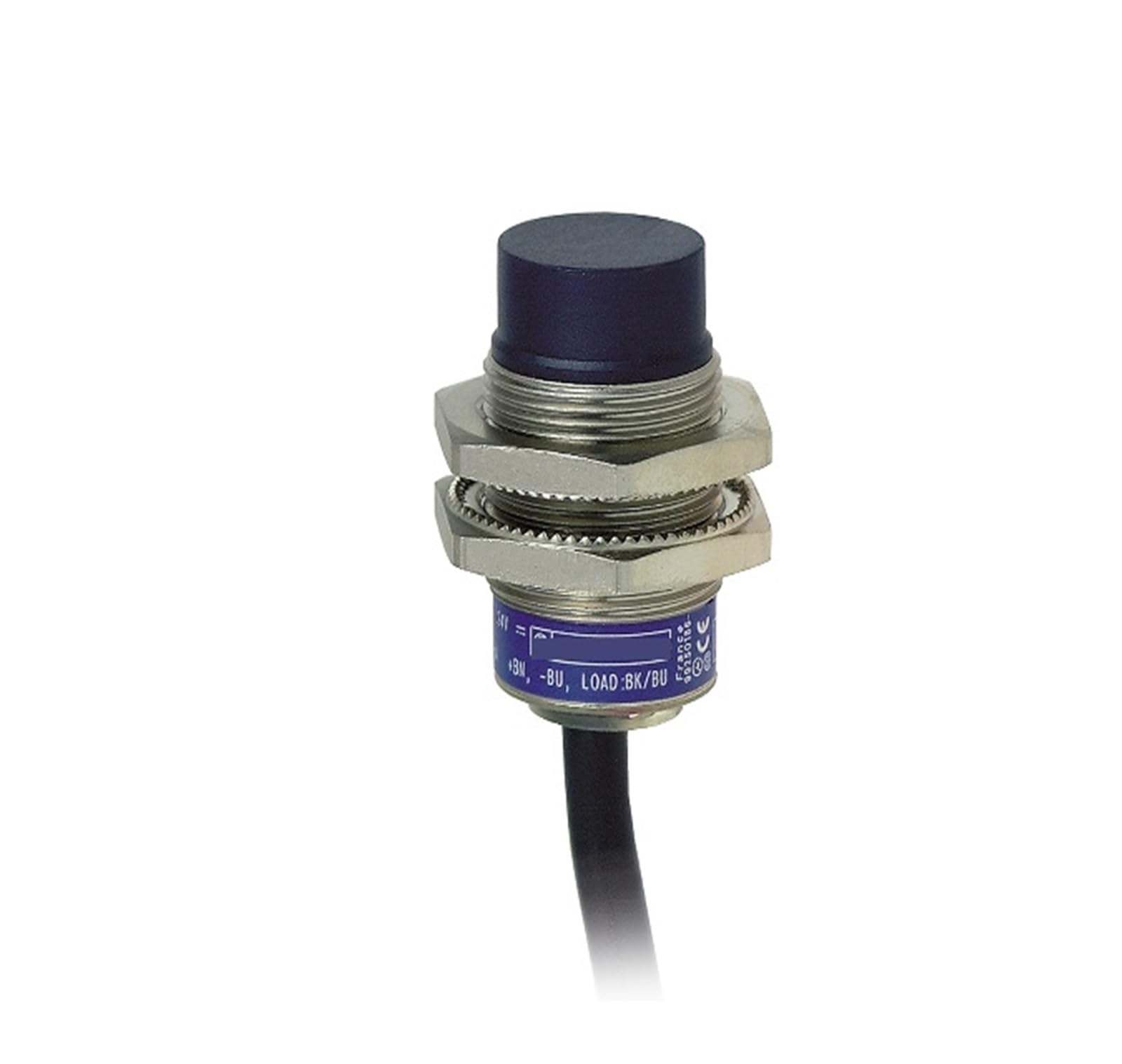
Image of the CHUNYE XS2N18NC410 Inductive Sensor, showing its cylindrical brass body, M18 threading, and attached cable.
6. Operating Instructions
Once properly installed and wired, the CHUNYE XS2N18NC410 Inductive Sensor operates automatically:
- Apply the specified 12-24VDC power supply to the sensor.
- When a metallic object enters the sensor's detection field (within 8mm sensing distance), the sensor's internal oscillator circuit is damped.
- This damping causes a change in the sensor's output state (e.g., switching from OFF to ON or vice-versa, depending on NC/NO configuration).
- The output signal (black wire) can then be read by a PLC, microcontroller, or other control device to trigger an action.
Observe the indicator LED (if present) on the sensor, which typically illuminates when a target is detected.
7. Maintenance
The CHUNYE XS2N18NC410 Inductive Sensor requires minimal maintenance:
- Cleaning: Periodically clean the sensor face to remove dust, dirt, or debris that may interfere with detection. Use a soft, dry cloth. Do not use abrasive cleaners or solvents.
- Inspection: Regularly inspect the sensor cable for any signs of damage, fraying, or wear. Check mounting for tightness.
- Environmental Check: Ensure the operating environment remains within the sensor's specified temperature and humidity ranges.
8. Troubleshooting
If the sensor is not functioning as expected, consider the following:
| Problem | Possible Cause | Solution |
|---|---|---|
| Sensor not detecting target | Incorrect wiring Target too far Non-metallic target Sensor damaged | Verify wiring connections Adjust sensing distance Ensure target is metallic Replace sensor if damaged |
| Sensor always ON/OFF | Target permanently in range Sensor faulty Incorrect NC/NO type | Reposition sensor or target Test with multimeter; replace if faulty Verify sensor type matches application |
| Intermittent detection | Unstable mounting Electrical noise Target vibration | Securely mount sensor Shield cables; use filtered power supply Stabilize target movement |
9. Specifications
| Parameter | Value |
|---|---|
| Model Number | XS2N18NC410 |
| Type | Inductive Proximity Sensor |
| Body Diameter | M18 |
| Body Length | 37mm |
| Housing Material | Brass |
| Nominal Sensing Distance (Sn) | 8mm |
| Operating Voltage | 12-24VDC |
| Cable Length | 2m |
| Package Dimensions | 1.18 x 0.79 x 0.39 inches |
| Item Weight | 6.61 pounds |
10. Warranty and Support
For warranty information and technical support, please refer to the product packaging or contact your vendor directly. Keep your purchase receipt as proof of purchase.