Introduction
This manual provides detailed instructions for the safe operation, maintenance, and troubleshooting of your S151 Drone. Please read this manual thoroughly before operating the drone to ensure proper usage and to maximize your flying experience.
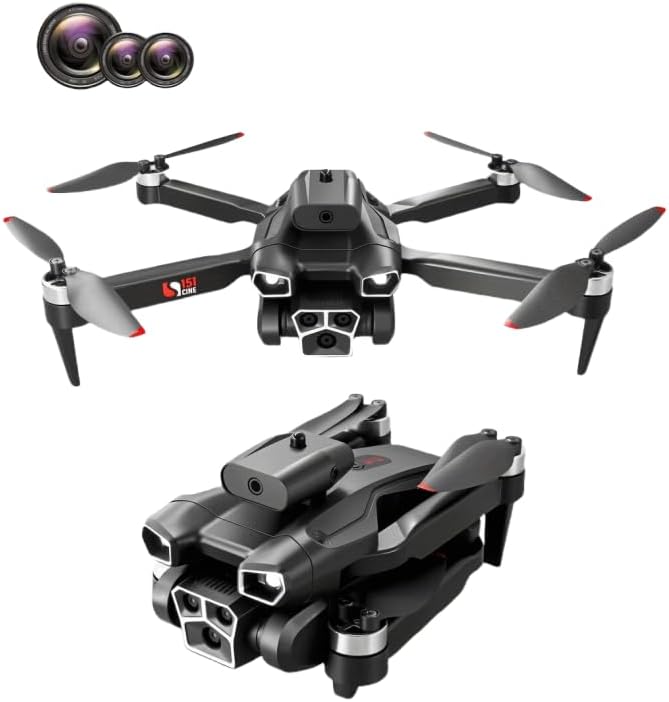
The S151 Drone, shown here in both its compact folded state and ready-to-fly unfolded configuration, highlights its portability and design.
Key Features
- HD Camera & Live Video: Equipped with an upgraded HD camera and advanced FPV transmission technology for immersive real-time viewing and instant sharing.
- Multifunctional Flight Modes: Features include One Key Take Off/Landing for beginners, 360° Flip for aerial maneuvers, and definable flight routes via the App map.
- Foldable Design: Compact and portable design with a convenient carrying case for easy transport.
- Long Battery Life: Includes a rechargeable lithium battery for extended flight times.
- Optical Flow Positioning: Built-in optical flow positioning for stable hovering.
- Four-Sided Obstacle Avoidance: Enhances flight safety by detecting and avoiding obstacles from multiple directions.
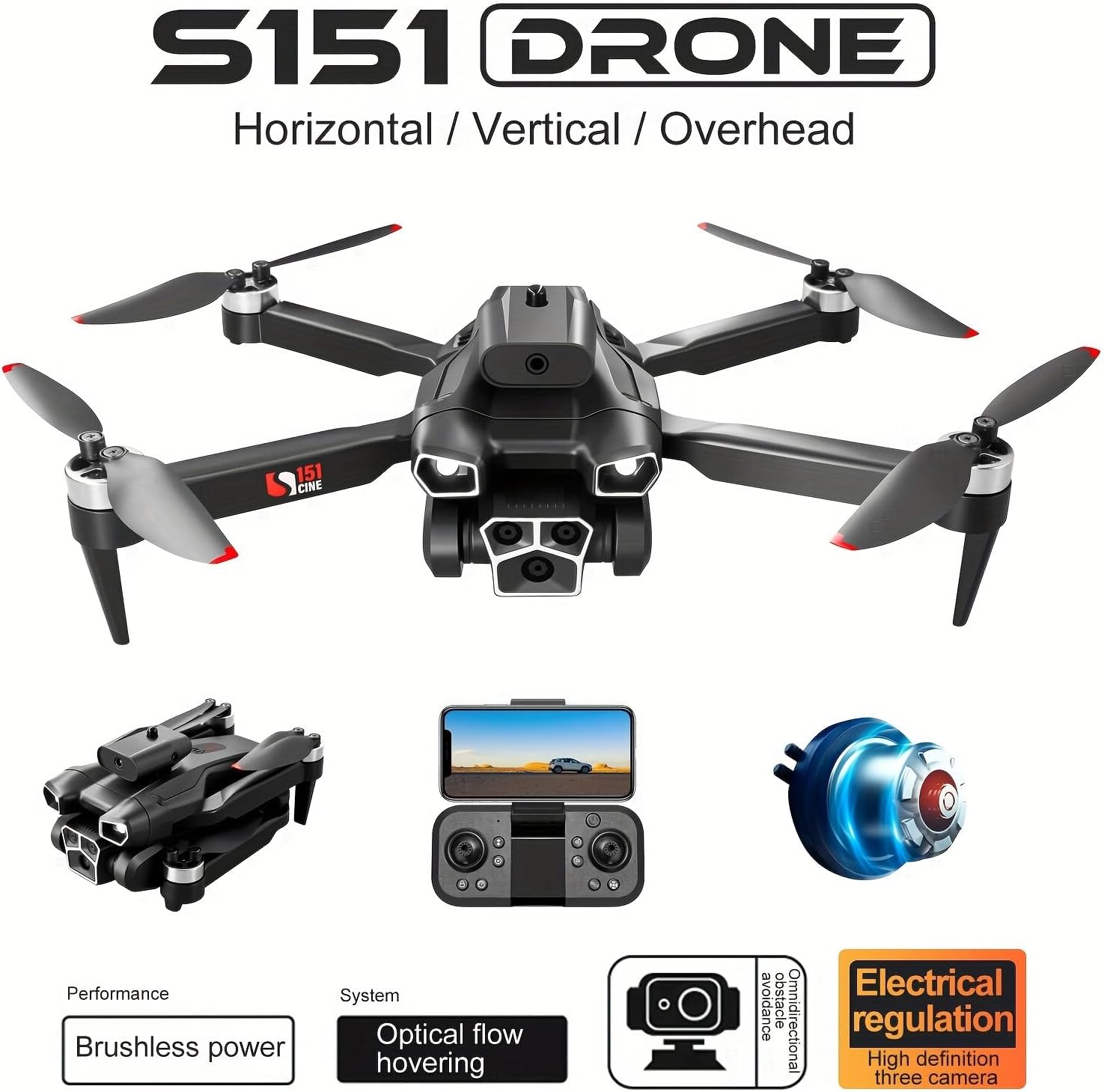
An overview of the S151 Drone's core features, including its brushless power system, optical flow hovering capability, and electrically adjustable high-definition three-camera system.
What's in the Box
The S151 Drone package includes the following components:
- S151 Drone
- Remote Control
- Rechargeable Lithium Battery
- Camera (integrated)
- Carrying Case
- Charging Cable
- User Manual (this document)

The S151 Drone and its carrying case, illustrating their compact dimensions for portability.
Setup Guide
1. Unfolding the Drone
- Carefully remove the S151 Drone from its carrying case.
- Gently unfold the front arms of the drone until they click into place.
- Unfold the rear arms of the drone. Ensure all arms are fully extended and locked.
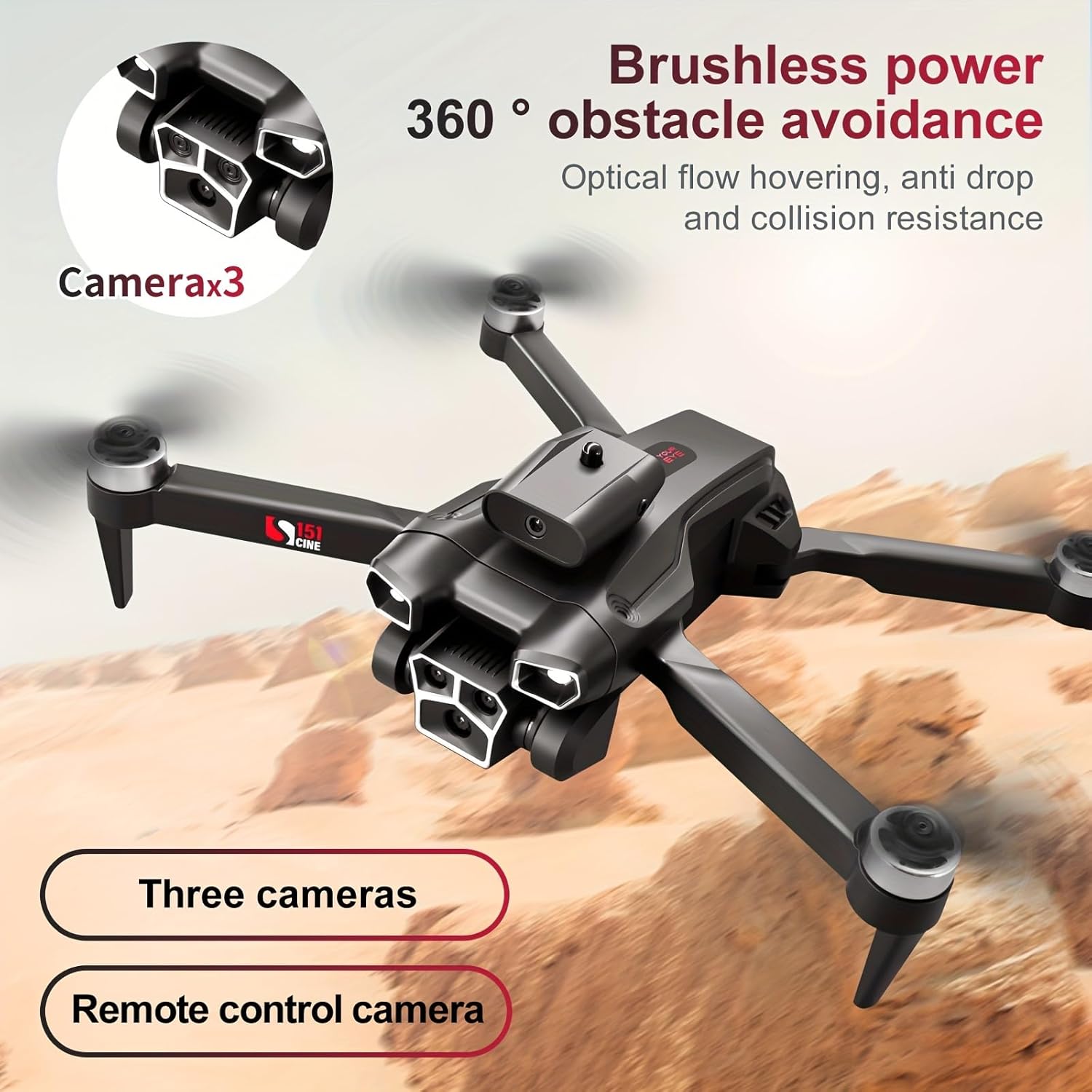
The S151 Drone features three cameras, including a remote-controlled camera, for versatile shooting angles.
2. Battery Installation and Charging
- Locate the battery compartment on the drone.
- Insert the rechargeable lithium battery firmly into the compartment until it is secure.
- To charge the battery, connect the charging cable to the drone's charging port and a suitable USB power source. The indicator light will show charging status.
Official S151 Drone video demonstrating various features including setup, flight, and camera capabilities. This video provides a visual guide to the drone's operation.
3. Remote Control Setup
- Install 1 AAA battery into the remote control (included).
- Mount your smartphone onto the remote control's holder.
- Download and install the official S151 Drone application from your device's app store.
- Power on the remote control and the drone.
- Connect your smartphone to the drone's Wi-Fi network (usually named "S151_XXXX").
- Open the S151 Drone application to establish a connection and view the live feed.
Operating Instructions
Pre-Flight Checklist
- Ensure drone and remote control batteries are fully charged.
- Verify all propellers are securely attached and undamaged.
- Choose an open, clear area for flight, away from obstacles, people, and animals.
- Check weather conditions; avoid flying in strong winds.
Basic Flight Controls
Familiarize yourself with the remote control layout and functions:
- Left Joystick: Controls altitude (up/down) and rotation (left/right).
- Right Joystick: Controls forward/backward and left/right movement.
- One Key Take Off/Landing: Press this button for automatic take-off or landing.
- 360° Flip: Execute aerial flips (ensure sufficient altitude).
- Speed Adjustment: Adjust flight speed according to your skill level and wind conditions.

The S151 Drone features 360-degree obstacle avoidance and optical flow hovering for stable and safe flight.
Advanced Features
- Optical Flow Positioning: Provides stable hovering indoors and in areas with clear ground patterns.
- Four-Sided Obstacle Avoidance: Utilizes infrared induction to automatically detect and avoid obstacles, enhancing flight safety, especially for beginners.
- Trajectory Flight: Draw a flight path on the app map, and the drone will automatically follow it.
- Electrically Adjustable Camera: Adjust the camera angle remotely for optimal photo and video capture.

The S151 Drone's intelligent obstacle avoidance system uses infrared induction to prevent collisions during flight.

The S151 Drone's electric adjustment camera allows for versatile vertical, horizontal, and overhead shots, complemented by optical flow hovering and a beauty filter.
Maintenance
- Cleaning: Use a soft, dry cloth to clean the drone body and camera lens. Avoid using liquids or solvents.
- Propeller Inspection: Regularly check propellers for cracks, bends, or damage. Replace damaged propellers immediately using genuine S151 parts.
- Battery Care: Store batteries in a cool, dry place. Do not overcharge or over-discharge. If storing for extended periods, charge to approximately 50%.
- Storage: When not in use, fold the drone and store it in its dedicated carrying case to protect it from dust and physical damage.
Troubleshooting
| Problem | Possible Cause | Solution |
|---|---|---|
| Drone does not power on. | Battery not charged or improperly installed. | Ensure battery is fully charged and correctly inserted. |
| No live video feed on app. | Wi-Fi not connected or app not open. | Verify phone is connected to drone's Wi-Fi. Restart app and drone. |
| Drone drifts during flight. | Not calibrated or strong wind interference. | Perform gyroscope calibration. Adjust flight speed in windy conditions. |
| Obstacle avoidance not working. | Sensors obstructed or feature disabled. | Ensure sensors are clean. Check app settings to confirm feature is active. |
If you encounter issues not listed here, please refer to the "Warranty and Support" section for assistance.
Specifications
- Brand: LinkBest
- Model Name: S151 Drone
- Color: Black
- Product Dimensions: 11.81"L x 10.63"W x 3.15"H (unfolded)
- Item Weight: 1.06 pounds (480 Grams)
- Video Capture Resolution: 480p
- Video Output Resolution: 480p
- Video Capture Format: MP4
- Supported Image Format: JPEG
- Connectivity Technology: Wi-Fi
- Remote Control Technology: Wi-Fi
- Maximum Range: 40 Meters
- Battery Capacity: 2000 Milliamp Hours (Lithium Polymer)
- Control Type: Remote Control
- Optical Sensor Technology: Optical Flow
- Included Components: Carrying Case, Remote Control, Battery, Camera
Warranty and Support
LinkBest provides comprehensive support for your S151 Drone.
- Warranty: The product comes with an 18-month quality warranty.
- Money Back Guarantee: A 30-day money-back guarantee is offered for any reason.
- Technical Support: For any issues during flight or with the drone, remote control, or app, please email the seller for 24-hour technical support.
For further assistance, please contact LinkBest customer service through the platform where you purchased the product.