
1. Introduction
Thank you for purchasing the MEIYA Digital Kitchen Scale. This high-precision scale is designed for accurate measurement in various applications such as baking, cooking, food weighing, coffee preparation, and more. Featuring a large LCD backlit display, USB charging, and a durable stainless steel pan, it offers convenience and reliability for your daily needs.
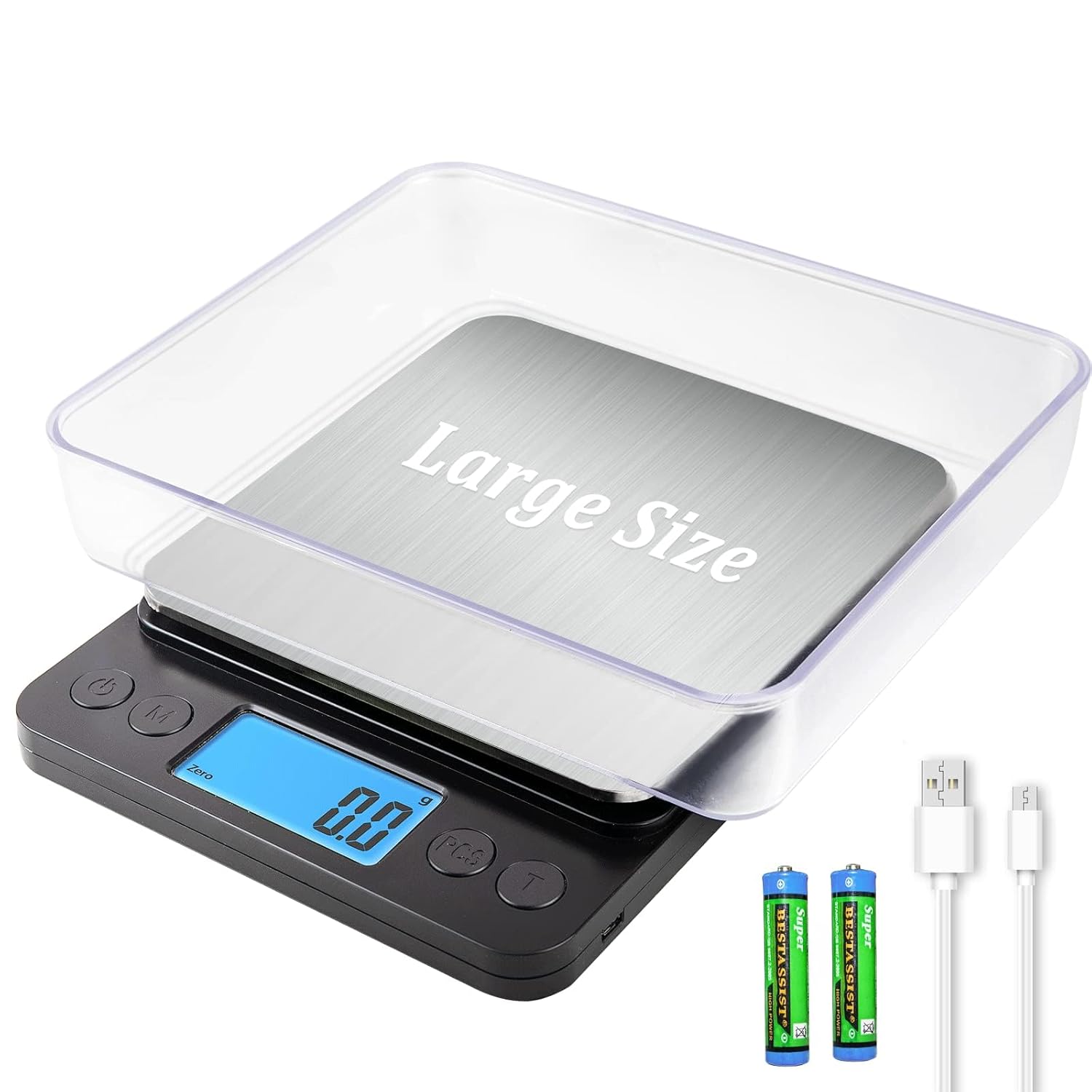
Image: The MEIYA Digital Kitchen Scale, showcasing its main unit, clear weighing tray, USB charging cable, and AAA batteries.
2. Important Safety Information
- Do not overload the scale beyond its maximum capacity of 5kg (11 lbs).
- Avoid exposing the scale to extreme temperatures or humidity.
- Keep the scale away from strong electromagnetic fields.
- Clean the scale with a soft, damp cloth. Do not immerse it in water.
- This device is for household use only.
- Handle with care to prevent damage to the precision sensors.
3. Package Contents
Please check the package for the following items:
- 1 x MEIYA Digital Kitchen Scale
- 1 x USB Charging Cable
- 2 x AAA Batteries (for optional use)
- 2 x BPA-free Weighing Trays
- 1 x Product Description (User Manual)
4. Setup
4.1 Power Supply Options
The MEIYA Digital Kitchen Scale offers three power supply options:
- USB-Lithium Battery Charging: Connect the provided USB cable to the scale and a USB power source (e.g., power bank, wall adapter, computer USB port) to charge the internal lithium battery. A full charge can provide up to 90 days of use.
- Direct USB Power: The scale can be used continuously while plugged in via the USB cable.
- AAA Batteries: Insert the 2 included AAA batteries into the battery compartment at the bottom of the scale. Ensure correct polarity. This option allows for standalone use without USB connection.

Image: The scale connected via USB-C for charging, illustrating compatibility with power banks, power strips, and computer USB ports.
4.2 Initial Placement
Place the scale on a hard, flat, and stable surface to ensure accurate readings. Avoid soft or uneven surfaces.
4.3 Using the Trays
The two BPA-free trays can be used as containers for weighing ingredients and also serve to protect the weighing platform when not in use. Place a tray on the stainless steel pan before powering on or after using the Tare function.
5. Operating Instructions
5.1 Power On/Off
- Press the "ON/OFF" button to turn the scale on.
- Press and hold the "ON/OFF" button for a few seconds to turn the scale off.
- The scale features an auto shut-off function to save energy after a period of inactivity (typically 180 days standby time).
5.2 Unit Conversion
The scale supports 9 different units of measurement. Press the "UNIT" or "M" button to cycle through the available units:
- Grams (g)
- Ounces (oz)
- Pounds (lb)
- Milliliters (ml)
- Carats (ct)
- Pennyweights (dwt)
- Troy Ounces (ozt)
- Grains (gn)
- Kilograms (kg)

Image: The scale showing various unit options (g, oz, lb, ml, ct, dwt, ozt, gn, kg) with baked goods on the platform.
5.3 Tare Function
The Tare function allows you to subtract the weight of a container, ensuring only the weight of the ingredients is measured.
- Place an empty container on the scale platform.
- Wait for the display to stabilize and show the container's weight.
- Press the "TARE" or "T" button. The display will reset to zero.
- Add your ingredients to the container. The display will now show only the weight of the ingredients.
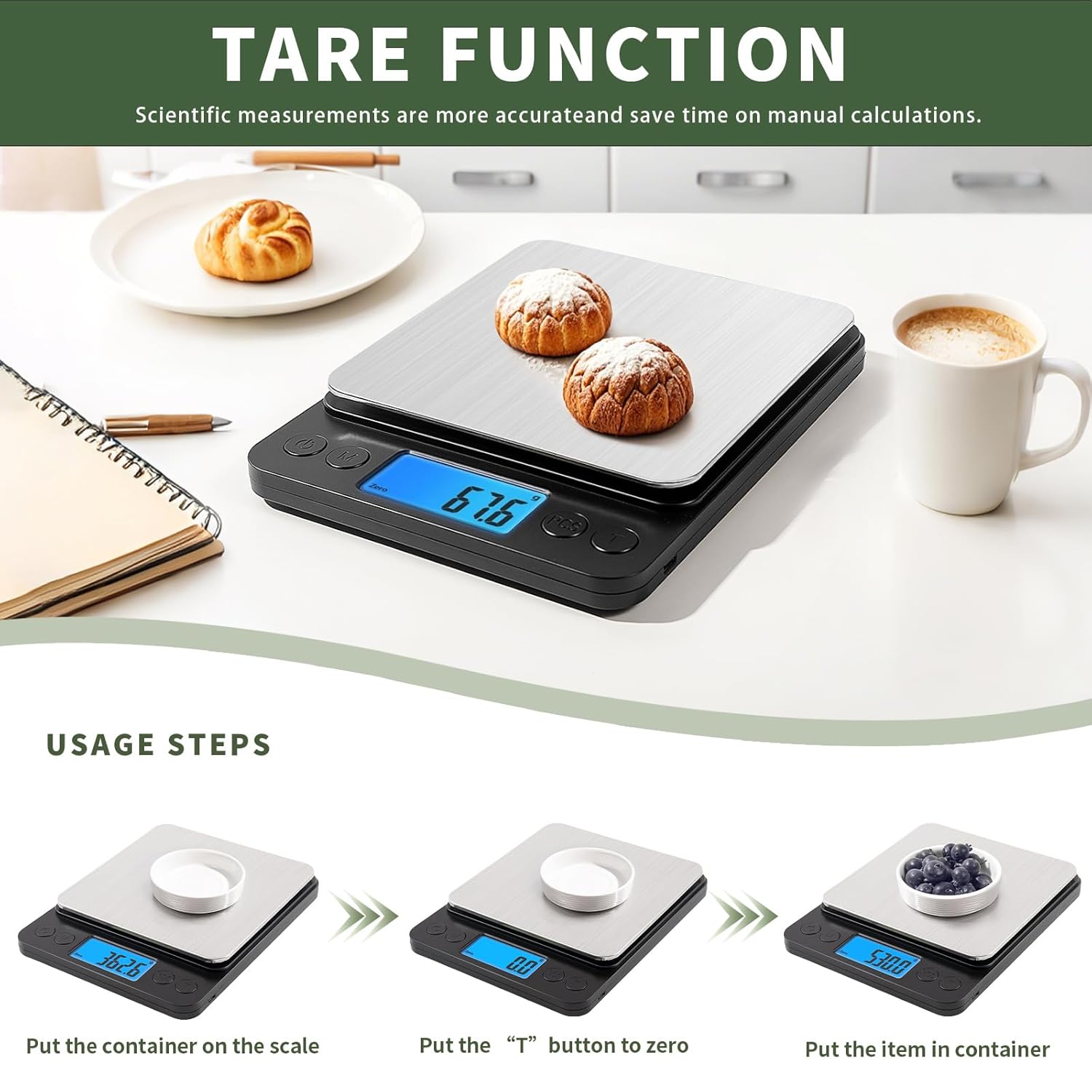
Image: A visual guide demonstrating the tare function: placing a container, pressing the 'T' button to zero, and then adding items to weigh.
5.4 PCS Function (Counting)
The PCS function allows you to count small items such as beads, screws, or other small components.
- Turn on the scale.
- Place a sample quantity of items (e.g., 25, 50, 75, or 100 pieces) on the platform.
- Press and hold the "PCS" button until "PCS" appears on the display.
- Press the "UNIT" or "M" button to select the sample quantity you placed (e.g., "25", "50").
- Press "PCS" again to confirm. The scale is now calibrated for counting.
- Add the items you wish to count. The display will show the total number of items.
5.5 Weighing Procedure
- Ensure the scale is on a flat, stable surface and powered on.
- If using a container, place it on the platform and use the Tare function.
- Select your desired unit of measurement using the "UNIT" button.
- Gently place the item(s) to be weighed onto the center of the platform or into the tared container.
- Read the stable weight displayed on the LCD screen.

Image: A person weighing flour on the scale, demonstrating its 0.1g high accuracy and 5kg/11lb large range.
6. Maintenance
6.1 Cleaning
The stainless steel pan is designed for easy cleaning. Wipe the scale surface with a soft, slightly damp cloth. For stubborn stains, a mild detergent can be used. Ensure no liquid enters the internal components. Do not use abrasive cleaners or immerse the scale in water.
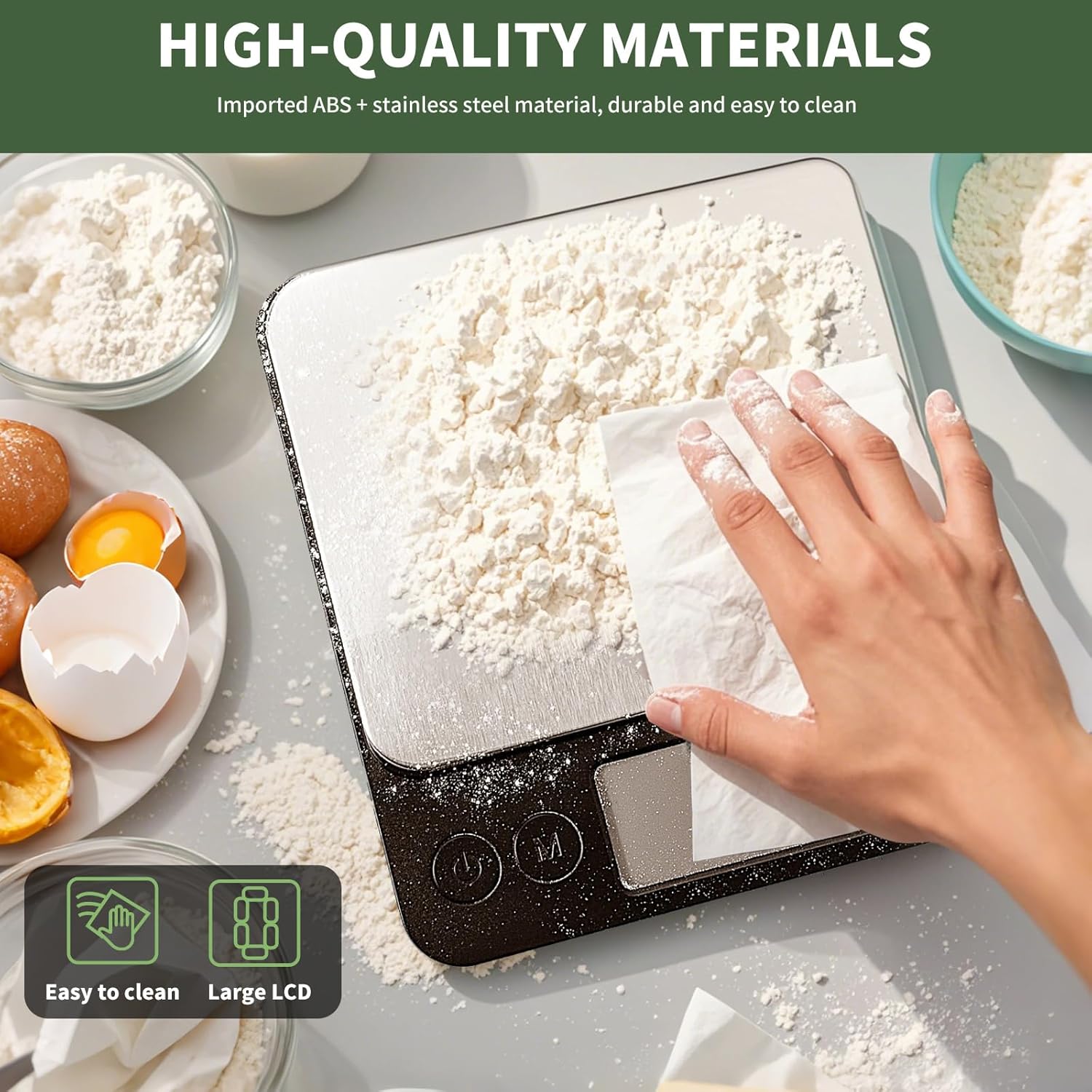
Image: A hand wiping flour off the stainless steel platform of the scale, illustrating its easy-to-clean surface.
6.2 Storage
Store the scale in a cool, dry place away from direct sunlight and extreme temperatures. If not in use for an extended period, it is recommended to remove the AAA batteries (if used) to prevent leakage.
7. Troubleshooting
| Problem | Possible Cause | Solution |
|---|---|---|
| Scale does not turn on. | Low battery or no power. | Charge the internal lithium battery via USB or replace/install AAA batteries. |
| Inaccurate readings. | Uneven surface, overloaded, or interference. | Place on a flat, stable surface. Do not exceed 5kg capacity. Avoid strong electromagnetic fields. Recalibrate if necessary (refer to advanced settings if available, or power cycle). |
| "EEEE" or "O_Ld" error message. | Overload indication. | Remove items immediately to prevent damage. Ensure weight is within 5kg limit. |
| Display shows "Lo". | Low battery. | Charge the internal lithium battery or replace AAA batteries. |
8. Product Specifications
| Feature | Detail |
|---|---|
| Brand | MEIYA |
| Model | Digital Kitchen Scale 5kg/0.1g |
| Measurement Range | 0.5g - 5kg (11 lbs) |
| Accuracy | 0.1g |
| Units | g, kg, oz, lb, ct, dwt, ozt, gn, ml |
| Display | LCD Backlit Display |
| Power Supply | USB-C Rechargeable Lithium Battery, 2x AAA Batteries (included) |
| Material | Imported ABS, Stainless Steel Pan |
| Product Dimensions | 8.3 x 6.5 x 1.1 inches |
| Platform Dimensions | 6.5 x 6.3 inches |
| Special Features | Tare Function, PCS Counting Function, Auto Shut-off, Low Battery Indicator, Overload Indicator |

Image: The MEIYA Digital Kitchen Scale with its dimensions (8.3in x 6.5in x 1.2in) clearly marked, demonstrating its large size and platform suitable for bigger containers.
9. Warranty and Support
MEIYA is committed to providing high-quality and reliable products. For any questions, concerns, or technical support regarding your MEIYA Digital Kitchen Scale, please refer to the contact information provided with your purchase or visit the official MEIYA website. Please retain your proof of purchase for warranty claims.
The product typically comes with a standard manufacturer's warranty covering defects in materials and workmanship. Specific warranty terms and conditions may vary and are usually detailed in the product packaging or on the manufacturer's website.
