Introduction
The Grandstream GWN7661E is an advanced in-wall AX3000 Wi-Fi 6 access point designed for seamless wireless connectivity in various environments, including offices, hotels, homes, and apartments. This device is optimized for voice-over-Wi-Fi deployments and integrates smoothly with Grandstream's Wi-Fi capable IP phones, providing a robust and reliable network infrastructure.
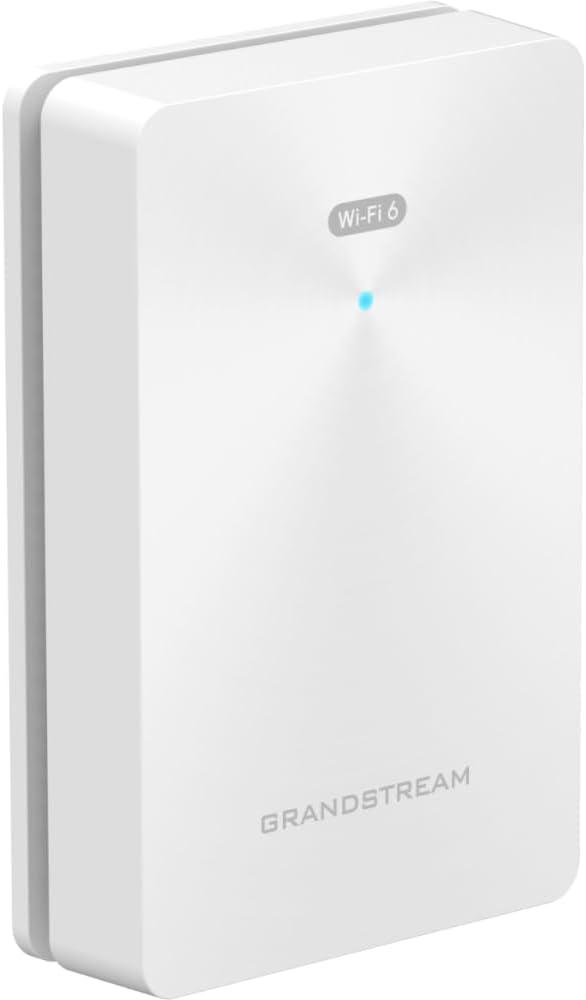
Image: An angled view of the Grandstream GWN7661E In-Wall Wi-Fi 6 Access Point, showcasing its compact and discreet design.
What's in the Box
Verify that all components are present in the package:
- GWN7661E In-Wall Wi-Fi 6 Access Point
Note: Additional mounting hardware or power adapters may be sold separately or included depending on the specific product bundle.
Setup
Physical Installation
The GWN7661E is designed for in-wall installation, typically replacing a standard wall plate or network jack. Ensure the installation location provides adequate ventilation and is within reach of necessary network cabling.

Image: The GWN7661E access point shown alongside its mounting plate, illustrating how the device attaches to the wall for a clean, integrated look.
To install:
- Carefully remove the existing wall plate or prepare the wall box for installation.
- Connect the Ethernet cable from your network to the PoE IN port on the back of the GWN7661E.
- Secure the mounting plate to the wall box.
- Attach the GWN7661E unit to the mounting plate, ensuring it clicks securely into place.

Image: A detailed view of the PoE IN port located on the back of the GWN7661E, where the main network and power connection is made.
Network Connectivity and Power
The GWN7661E supports Power over Ethernet (PoE) or PoE+ for power. Connect a network cable from a PoE-enabled switch or injector to the "PoE IN" port on the access point. The device will automatically adapt to the power source.

Image: The rear panel of the GWN7661E, displaying the three Gigabit LAN ports (LAN 1, LAN 2, LAN 3), with LAN 2 and LAN 3 also supporting PoE Out, and the reset button.
The GWN7661E features four Gigabit wireline ports. LAN 1 is the primary uplink. LAN 2 and LAN 3 support PoE Out, allowing you to power other devices like IP phones or cameras directly from the access point.
Operating the Access Point
Basic Functionality
Once powered on and connected to the network, the GWN7661E will broadcast Wi-Fi signals. It supports Wi-Fi 6 (802.11ax) with AX3000 speeds, utilizing 2x2:2 (2.4GHz) and 3x3:2 (5GHz) MU-MIMO and OFDMA technology for efficient multi-device communication. It can support up to 256 concurrent Wi-Fi client devices.

Image: The front face of the GWN7661E, showing the "Wi-Fi 6" logo and the central LED indicator which provides status information.
Network Management
The GWN7661E can be managed through several methods:
- Embedded Controller: The access point has an embedded controller capable of managing up to 50 local GWN access points.
- GDMS Networking: For larger deployments, Grandstream Device Management System (GDMS) offers unlimited cloud-based AP management.
- GWN Manager: An on-premise software solution for managing GWN access points.
Refer to the Grandstream GWN series documentation for detailed instructions on configuring and managing your network.
Maintenance
To ensure optimal performance and longevity of your GWN7661E access point, consider the following maintenance practices:
- Firmware Updates: Regularly check for and apply the latest firmware updates from Grandstream's official website. Firmware updates often include performance improvements, security patches, and new features.
- Cleaning: Periodically clean the exterior of the device with a soft, dry cloth. Avoid using liquid cleaners or aerosols.
- Environmental Conditions: Ensure the device operates within its specified temperature and humidity ranges. Avoid blocking ventilation openings.
Troubleshooting
If you encounter issues with your GWN7661E, try the following steps:
- No Power/LED Off: Verify the Ethernet cable is securely connected to the PoE IN port and that the PoE source (switch or injector) is functioning correctly.
- No Wi-Fi Signal: Check the device's status LED. If it's not indicating normal operation, try restarting the device by unplugging and re-plugging the Ethernet cable. Ensure the Wi-Fi is enabled in the device's configuration.
- Poor Performance: Check for potential sources of interference (e.g., other wireless devices, microwaves). Ensure the device is placed optimally and that firmware is up to date.
- Cannot Access Management Interface: Verify your computer is on the same network segment as the GWN7661E. Try resetting the device to factory defaults using the reset button (refer to the full manual for exact procedure and implications).
- Reset Button: A small reset button is located on the rear panel (see image in Setup section). Use a paperclip to press and hold for approximately 10 seconds to perform a factory reset.
For more complex issues, consult the comprehensive Grandstream GWN7661E documentation or contact Grandstream technical support.
Specifications
Key technical specifications for the Grandstream GWN7661E:
| Feature | Detail |
|---|---|
| Wireless Throughput | 3 Gbps |
| Wireline Ports | 4x Gigabit (LAN 1, LAN 2 PoE Out, LAN 3 PoE Out) |
| MIMO Technology | 2x2:2 (2.4G) and 3x3:2 (5G) MU-MIMO and OFDMA |
| Concurrent Clients | Up to 256 |
| Power Adaptation | Auto-detection of PoE or PoE+ |
| QoS | Advanced QoS for low-latency applications |
| Security | Anti-hacking secure boot, digital signatures, unique security certificate/random default password |
| Management | Embedded controller (up to 50 APs), GDMS Networking, GWN Manager |
| Package Dimensions | 7.09 x 4.72 x 2.76 inches |
| Item Weight | 13.4 ounces |
| Model Number | GWN7661E |
| Manufacturer | Grandstream |
Warranty and Support
For warranty information and technical support, please refer to the official Grandstream website or contact your authorized Grandstream reseller. Keep your purchase receipt as proof of purchase for warranty claims.
Manufacturer: Grandstream
Model: GWN7661E


