
Introduction
The Pyle Gear Pro Sports Action Camera GDV285SL.5 is designed for capturing high-quality video and photos in various environments. This manual provides instructions for setup, operation, maintenance, and troubleshooting to ensure optimal performance and longevity of your device.
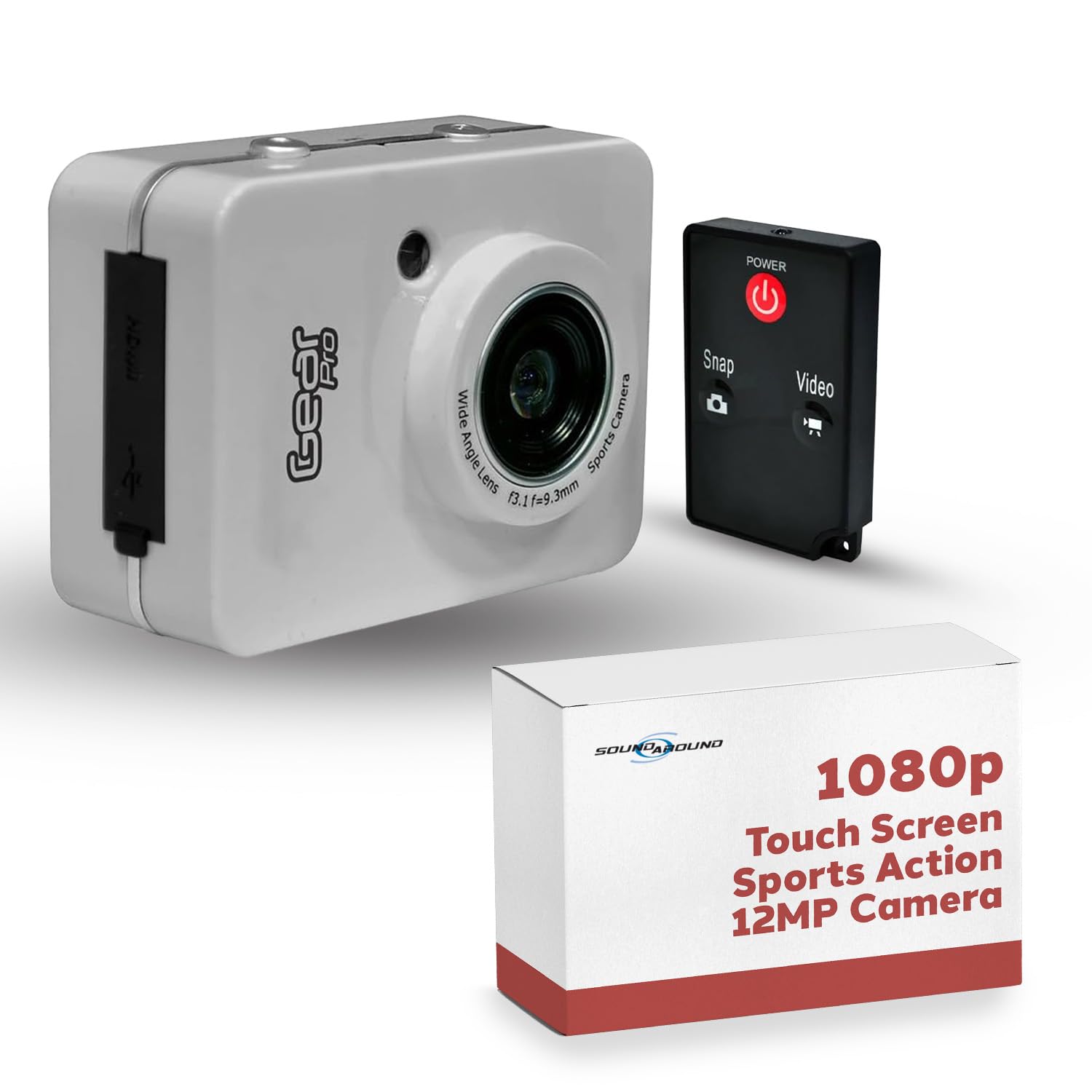
Image: The Pyle Gear Pro Sports Action Camera, a compact device for capturing action footage.
What's in the Box
- Gear Pro HD 1080P Action Cam
- Wireless Remote Control
- USB Charger Cable
- Waterproof Case (IPX8 rated)
- Mounting Clips for helmets, bikes, and other accessories

Image: Included accessories such as the wireless remote, USB cable, and mounting hardware.
Setup
1. Charging the Battery
The camera is equipped with a 1500mAh Lithium Battery. Connect the camera to a USB power source using the provided USB cable. The charging indicator will illuminate during charging and turn off when fully charged. Ensure the camera is fully charged before first use.
2. Inserting a Micro SD Card
The camera supports Micro SD cards up to 32GB. Insert the Micro SD card into the designated slot until it clicks into place. Ensure the card is inserted correctly to avoid damage. A Class 10 or higher speed rating is recommended for optimal video recording performance. The camera may require the card to be formatted before use; refer to the camera's settings menu for this option.
3. Powering On/Off
To power on, press and hold the Power button until the screen illuminates. To power off, press and hold the Power button again until the screen turns off.
4. Initial Settings
Upon first use or after a factory reset, you may need to set the date, time, and language. Navigate through the settings menu using the touch screen to configure these options for accurate timestamping and user interface language.
Operating the Camera
1. Basic Controls
The camera features a 2.4" touch screen for intuitive navigation through menus and settings. Physical buttons typically include a Power/Mode button and a Shutter/Record button for quick access to primary functions.
2. Video Recording
Select video mode from the main interface. Choose your desired resolution (1080p, 720p, or VGA) and frame rate (30, 60, or 120 FPS) from the video settings menu. Press the Shutter/Record button to start recording; press it again to stop.
3. Photo Capture
Switch to photo mode. Select your preferred picture resolution (12MP, 10MP, 8MP, or 5MP) from the photo settings. Press the Shutter/Record button to take a photo. A 10-second picture timer delay option is available in the settings for self-portraits or group shots.
4. Using the Waterproof Case
The included IPX8 waterproof case allows the camera to be submerged up to 30 meters (98 feet). Before each use in water, ensure the case is properly sealed and free of any debris around the rubber gaskets. It is recommended to test the case without the camera inside first to confirm its water integrity.

Image: The Pyle Gear Pro camera securely enclosed within its waterproof housing.
5. Wireless Remote Control
The included wireless remote control enables hands-free photo and video capture. Ensure the remote is paired with the camera according to the instructions provided in the remote's specific manual or the camera's on-screen pairing prompts.
6. Connecting to External Devices
- HDMI Output: Connect the camera to a TV or monitor using an HDMI mini cable (not included) to view your recorded footage. Note that the camera may automatically switch to playback mode when HDMI is connected.
- USB 2.0 Interface: Connect the camera to a computer using the provided USB cable to transfer files. The camera will typically appear as a removable storage device.
Maintenance
1. Cleaning
Wipe the camera body and lens with a soft, dry, lint-free cloth. For the waterproof case, rinse thoroughly with fresh water after saltwater use and allow it to air dry completely. Do not use harsh chemicals, solvents, or abrasive cleaners on any part of the camera or its accessories.
2. Battery Care
To prolong battery life, avoid exposing the camera to extreme temperatures (hot or cold). Charge the battery fully before extended storage and recharge periodically (every 3-6 months) if the camera is not used for long periods to prevent deep discharge.
3. Storage
Store the camera in a cool, dry place away from direct sunlight, high humidity, and dust. Remove the Micro SD card if storing for an extended period.
Troubleshooting
- Camera does not power on: Ensure the battery is fully charged. If the camera only operates when connected to a power source, the internal battery may require service or replacement.
- Micro SD card not recognized: Ensure the Micro SD card is inserted correctly and fully seated. Try formatting the card using the camera's settings menu (if available) or on a computer. Verify that the card is a Class 10 or higher and within the supported capacity (up to 32GB).
- No video output via HDMI: The camera may automatically switch to playback mode when an HDMI cable is connected. Check the camera's settings for specific HDMI output options or display modes.
- Poor video/photo quality: Ensure the camera lens is clean and free of smudges or debris. Check the selected resolution and frame rate settings. Ensure adequate lighting conditions for optimal capture.
- Water leakage in waterproof case: Immediately remove the camera from the case if leakage is suspected. Ensure the case is properly sealed and free of any foreign objects or damage to the rubber gaskets before each use in water.
Specifications
| Brand | Pyle |
| Model Number | GDV285SL.5 |
| Effective Still Resolution | 12 MP |
| Effective Video Resolution | 1080 Pixels (Full HD) |
| Screen Size | 2.4 Inches (Touch Screen) |
| Water Resistance Level | Waterproof (IPX8, up to 30 meters) |
| Flash Memory Type | Micro SD (up to 32GB) |
| Connectivity Technology | HDMI, USB |
| Battery | 1500mAh Lithium |
| Item Dimensions (D x W x H) | 1.36" x 2.03" x 2.74" |
| Color | Gray |
Warranty Information
This Pyle product comes with a 1-Year Warranty from the manufacturer. Please retain your proof of purchase, such as a receipt or order confirmation, for any warranty claims. The warranty covers manufacturing defects and issues arising from normal use. For specific terms and conditions, refer to the warranty card included with your product or visit the official Pyle website.
Support
For further assistance, technical support, or to inquire about replacement parts, please visit the official Pyle website at www.pyleusa.com or contact their customer service department. When contacting support, please have your product model number (GDV285SL.5) and purchase details readily available.