
AKAI AKTV407QM
AKAI AKTV407QM 40-inch HD Smart TV User Manual
Model: AKTV407QM
1. Introduction
This manual provides essential instructions for the setup, operation, and maintenance of your AKAI AKTV407QM 40-inch HD Smart TV. Please read this manual thoroughly before using your television to ensure proper functionality and safety. Keep this manual for future reference.
2. Safety Information
Always observe the following safety precautions to prevent electric shock, fire, or damage to the television.
- Do not expose the TV to rain or moisture.
- Do not open the TV casing; refer all servicing to qualified personnel.
- Ensure proper ventilation around the TV.
- Unplug the TV during lightning storms or when unused for long periods.
- Keep the TV away from direct sunlight and heat sources.
3. Package Contents
Verify that all items are present in the packaging:
- AKAI AKTV407QM 40-inch HD Smart TV
- Remote Control (with batteries)
- Power Cord
- Table Stand (2 pieces)
- Screws for Stand Installation
- User Manual (this document)
4. Setup
4.1 Unpacking
Carefully remove the television from its packaging. It is recommended to retain the packaging materials for future transport or servicing.
4.2 Stand Installation
To install the table stand:
- Place the TV face down on a soft, flat surface to prevent screen damage.
- Align each stand piece with the corresponding slots on the bottom of the TV.
- Secure the stands using the provided screws. Ensure they are tightened firmly.
4.3 Wall Mounting (Optional)
If you choose to wall mount your TV, remove the table stands. Use a VESA-compatible wall mount kit (not included) appropriate for a 40-inch television. Consult a professional for wall mounting to ensure safety and proper installation.
4.4 Connecting Peripherals
Connect your devices to the TV using the available ports:
- Antenna/Cable: Connect your DVB-T/T2 or DVB-S2 antenna/cable to the RF input ports.
- HDMI Devices: Use HDMI cables to connect Blu-ray players, game consoles, or other devices to the HDMI ports (3 available).
- USB Devices: Insert USB drives for media playback into the USB 2.0 ports (2 available).
- Ethernet: For a wired internet connection, connect an Ethernet cable to the RJ-45 port.
- Digital Audio Out: Connect a soundbar or audio receiver via the optical digital audio output.
4.5 Initial Power On and First-Time Setup
- Connect the power cord to the TV and then to a power outlet.
- Press the power button on the remote control or on the TV.
- Follow the on-screen instructions to complete the initial setup, which includes language selection, network connection (Wi-Fi or Ethernet), and channel scanning for DVB-T/T2 and DVB-S2 signals.
- The TV operates on the VIDAA operating system. During setup, you will be guided through connecting to your home network and accessing smart features.
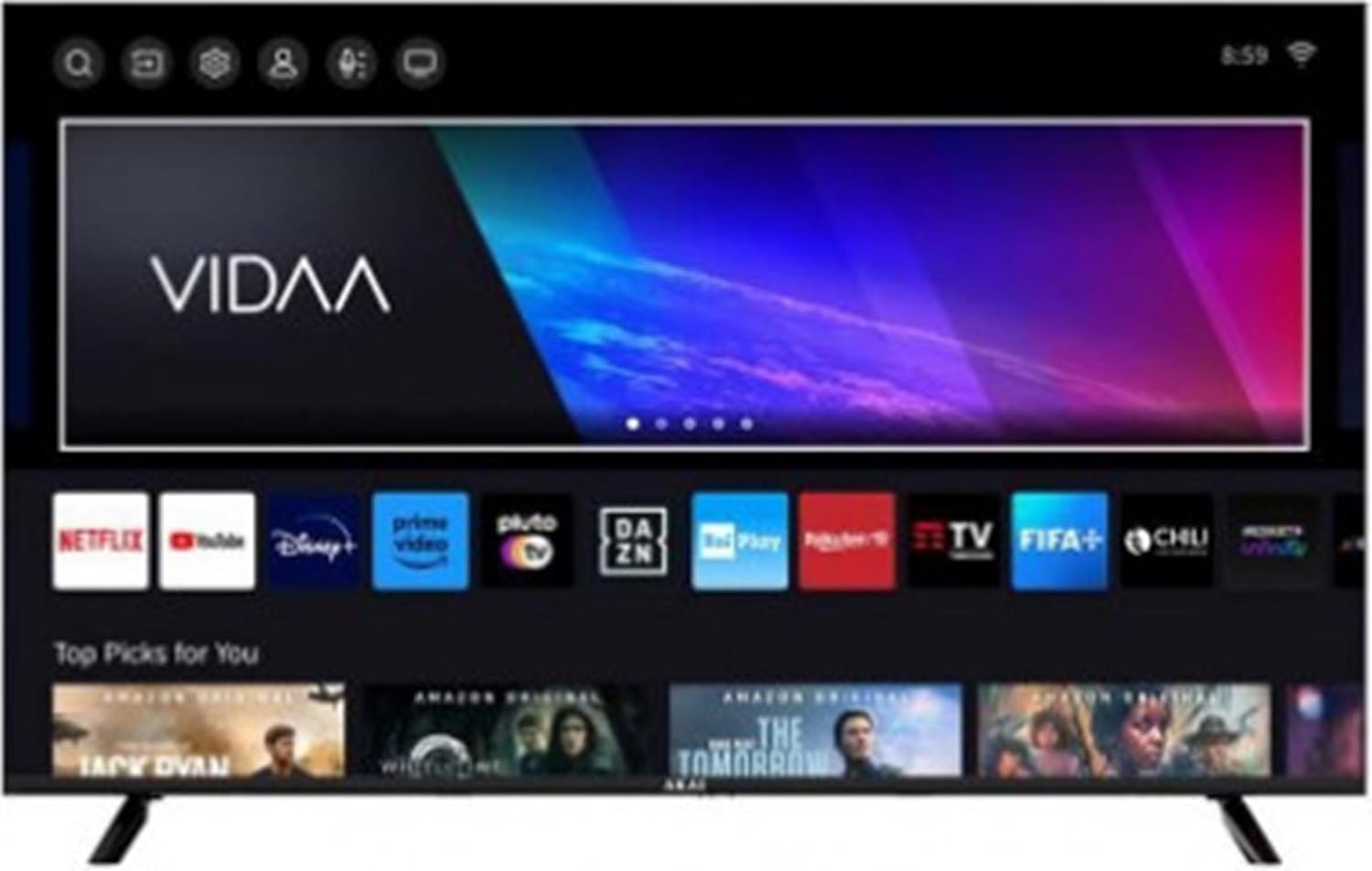
Image 1: The AKAI AKTV407QM Smart TV displaying its VIDAA operating system interface, showing various streaming application icons and content recommendations.
5. Operating Your TV
5.1 Remote Control Overview
Familiarize yourself with the remote control buttons for navigation and function access. Common buttons include Power, Volume Up/Down, Channel Up/Down, Input Source, Home (for Smart TV interface), Navigation (arrow keys), OK, Back, and dedicated app buttons (if present).
5.2 Basic Functions
- Power On/Off: Press the Power button.
- Volume Adjustment: Use the Volume +/- buttons.
- Channel Selection: Use the Channel +/- buttons or numeric keypad.
- Input Source: Press the Input button to switch between HDMI, TV, and other connected sources.
5.3 Smart TV Features (VIDAA OS)
Your AKAI AKTV407QM runs on the VIDAA operating system, providing access to various streaming services and applications.
- Home Screen: Press the Home button to access the main VIDAA interface, where you can find installed apps, recommended content, and settings.
- App Access: Navigate to and select applications like Netflix, YouTube, Amazon Prime Video, Disney+, DAZN, Rai Play, Rakuten TV, FIFA+, and Pluto TV.
- Web Browser: Use the integrated web browser to surf the internet.
- Network Connection: Ensure your TV is connected to Wi-Fi or Ethernet for full Smart TV functionality. Go to Settings > Network to manage connections.
5.4 Picture and Sound Settings
Customize your viewing and listening experience:
- Picture Modes: Adjust brightness, contrast, color, and sharpness. Select from preset modes (e.g., Standard, Dynamic, Movie) or customize your own.
- Sound Modes: Choose from various audio presets (e.g., Standard, Music, Movie, Speech) or adjust equalizer settings.
6. Maintenance
6.1 Cleaning the TV
- Always unplug the TV before cleaning.
- Use a soft, dry cloth to wipe the screen and cabinet.
- For stubborn marks, lightly dampen the cloth with water or a mild, non-abrasive screen cleaner. Do not spray cleaner directly onto the screen.
- Avoid using alcohol, benzene, thinners, or other volatile substances.
6.2 Software Updates
Your TV may receive software updates to improve performance and add new features. Ensure your TV is connected to the internet. You can usually check for updates in the Settings > System > Software Update menu.
7. Troubleshooting
Refer to this section for solutions to common issues. If the problem persists, contact customer support.
| Problem | Possible Solution |
|---|---|
| No power | Check if the power cord is securely connected to the TV and the power outlet. Ensure the outlet is functional. |
| No picture, but sound is present | Verify the correct input source is selected. Check cable connections to external devices. |
| No sound, but picture is present | Check the volume level and mute status. Ensure audio cables are correctly connected. |
| Remote control not working | Replace batteries. Ensure there are no obstructions between the remote and the TV's IR sensor. |
| Cannot connect to Wi-Fi | Ensure Wi-Fi is enabled on the TV. Check your router and modem. Re-enter the Wi-Fi password. |
| Smart TV apps not loading | Check your internet connection. Try restarting the TV. Ensure apps are updated. |
8. Specifications
Technical specifications for the AKAI AKTV407QM Smart TV:
- Model Name: AKTV407QM
- Screen Size: 40 inches (100 cm)
- Display Resolution: 1366 x 768 pixels (HD Ready)
- Display Technology: LED
- Screen Shape: Flat
- Aspect Ratio: 16:9
- Native Refresh Rate: 60 Hz
- Operating System: VIDAA
- Digital Tuner: DVB-T/T2, DVB-S2
- Audio Output: 2 x 8 W
- HDMI Ports: 3
- USB 2.0 Ports: 2
- Ethernet LAN (RJ-45) Ports: 1
- Digital Audio Output: 1 (Optical)
- Wi-Fi: Yes
- Power Consumption (Stand-by): 0.5 W
- Energy Efficiency Class: F (Scale A to G)
- AC Input Voltage: 100 - 240 V
- AC Input Frequency: 50/60 Hz
- Dimensions (with stand): 892 mm (W) x 207 mm (D) x 559 mm (H)
- Dimensions (without stand): 892 mm (W) x 85 mm (D) x 508 mm (H)
- Weight: 28 Kilograms
- Supported Internet Services: Netflix, YouTube, Amazon Prime Video
9. Warranty and Support
For warranty information and technical support, please refer to the warranty card included with your product or visit the official AKAI website. Keep your proof of purchase for warranty claims.
Related documentsAKTV407QM


Ask a question about this manual
Ask about setup, troubleshooting, compatibility, parts, safety, or missing instructions. Manuals+ will review the question and use this page’s manual context to help answer it.