
1. Important Safety Information
- Read all instructions before installation and use.
- Use only purified or filtered water to prevent mineral buildup and ensure optimal performance.
- This appliance produces a realistic flame effect using water vapor and LED lighting; it does not generate heat.
- Maintain a minimum clearance of 45cm (17.72 inches) between the fireplace top and any overhead cabinet or obstruction to allow proper mist atomization.
- Keep children and pets away from the unit during operation.
- Do not block ventilation openings.
- Ensure the power cord is not pinched or placed under heavy objects.
2. Product Overview
The Mexhom Water Vapor Fireplace BL-B80 creates a realistic, multicolour atomized flame effect without heat, offering a safe and energy-efficient ambiance. It features manual and automatic water control, remote control, and optional mobile app connectivity for enhanced user experience.
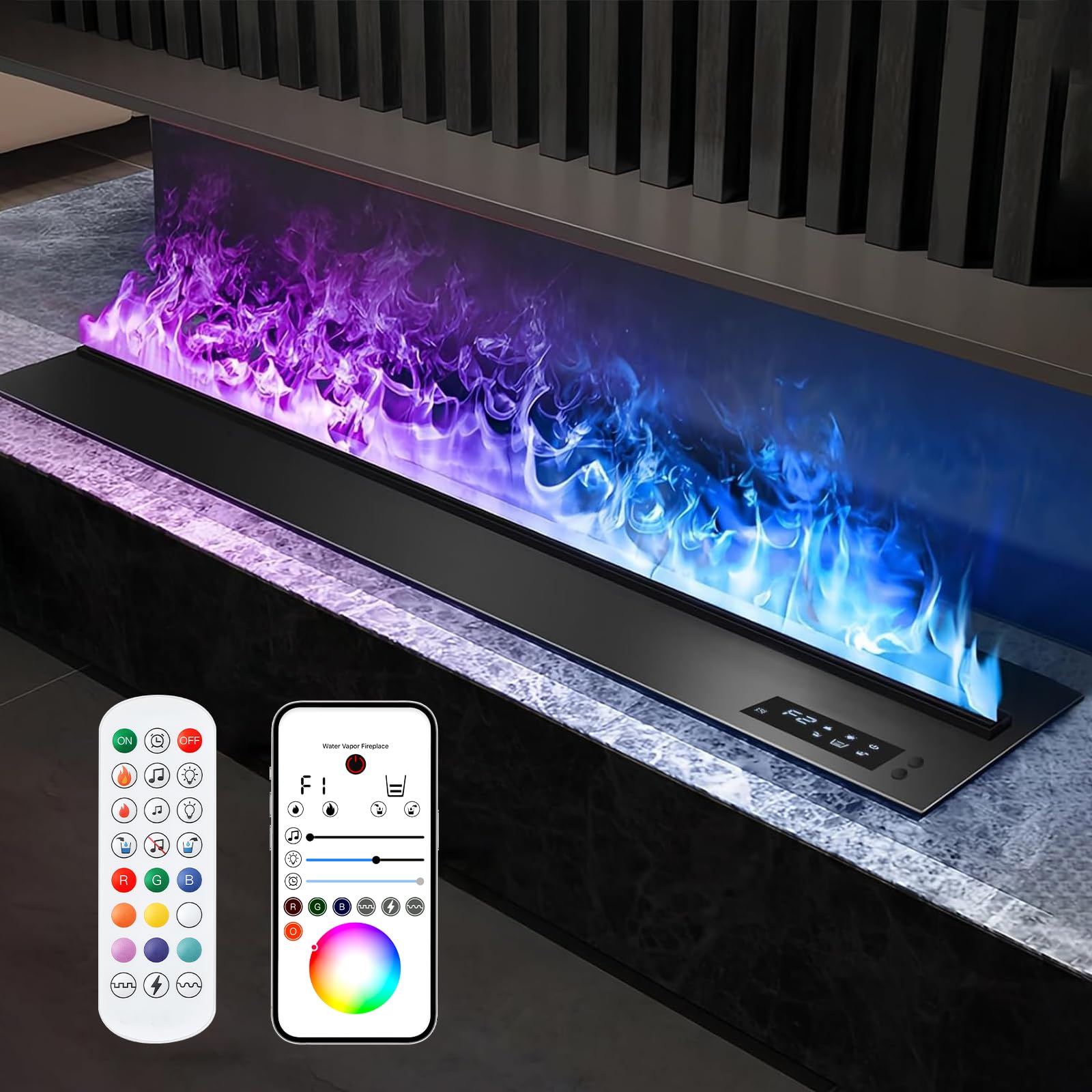
Figure 1: Mexhom Water Vapor Fireplace BL-B80
3. Package Contents
Verify that all items are included in the package:
- Mexhom Water Vapor Fireplace Unit
- Remote Control
- Water Hose for automatic water supply
- Instruction Manual
Video 1: Unboxing and overview of fireplace accessories, including remote control, hose, and instruction manual.
4. Specifications
| Feature | Description |
|---|---|
| Brand | Mexhom |
| Model Name | BL-B80 |
| Product Dimensions (L x W x H) | 31.5" x 7.87" x 7.48" |
| Item Weight | 33.1 Pounds |
| Power Source | AC (110V - 120V, 60Hz) |
| Material | Metal |
| Finish Type | Powder Coated |
| Installation Type | Embedded |
| Special Features | Atomization effect, Manual Water, Multicolor Flame |
| Color | Multicolor |
| Ventilation Type | Vent Free |
| Flame Colors | 9 color settings |
| UPC | 720707536281 |
5. Setup and Installation
5.1 Unpacking
Carefully remove the fireplace unit and all accessories from the packaging. Inspect for any damage during transit. Keep packaging materials for future transport or returns.
5.2 Placement Considerations
This recessed fireplace is designed for integration into a custom-built structure or existing fireplace opening. Ensure the chosen location provides adequate space and stability.
- For optimal atomization effect, maintain a 45cm (17.72 inches) gap between the fireplace top and any overhead cabinet. This prevents mist compression and allows natural flame dynamics.
- Ensure the power outlet is easily accessible.

Figure 2: Product dimensions and recommended cabinet slotting dimensions.
Video 2: Demonstration of placing the fireplace unit into a prepared opening.
5.3 Water Supply Options
The fireplace offers both manual and automatic water addition methods.

Figure 3: Dual water inlets for flexible water supply.
5.3.1 Manual Water Addition
- Prepare purified or filtered water in a container.
- Insert the provided water pipe into the water inlet at the top of the machine.
- Press and hold the water filling button on the screen for 3 seconds.
- Wait for the water addition to be completed. The mist will begin to generate slowly.

Figure 4: Visual guide for manual water filling.
5.3.2 Automatic Water Supply
- Insert the water pipe into the water supply opening at the bottom of the fireplace.
- Connect the other end of the pipe to a faucet or an external water source.
- Open the water pipe valve.
- Turn on the tap to allow water to flow into the fireplace.
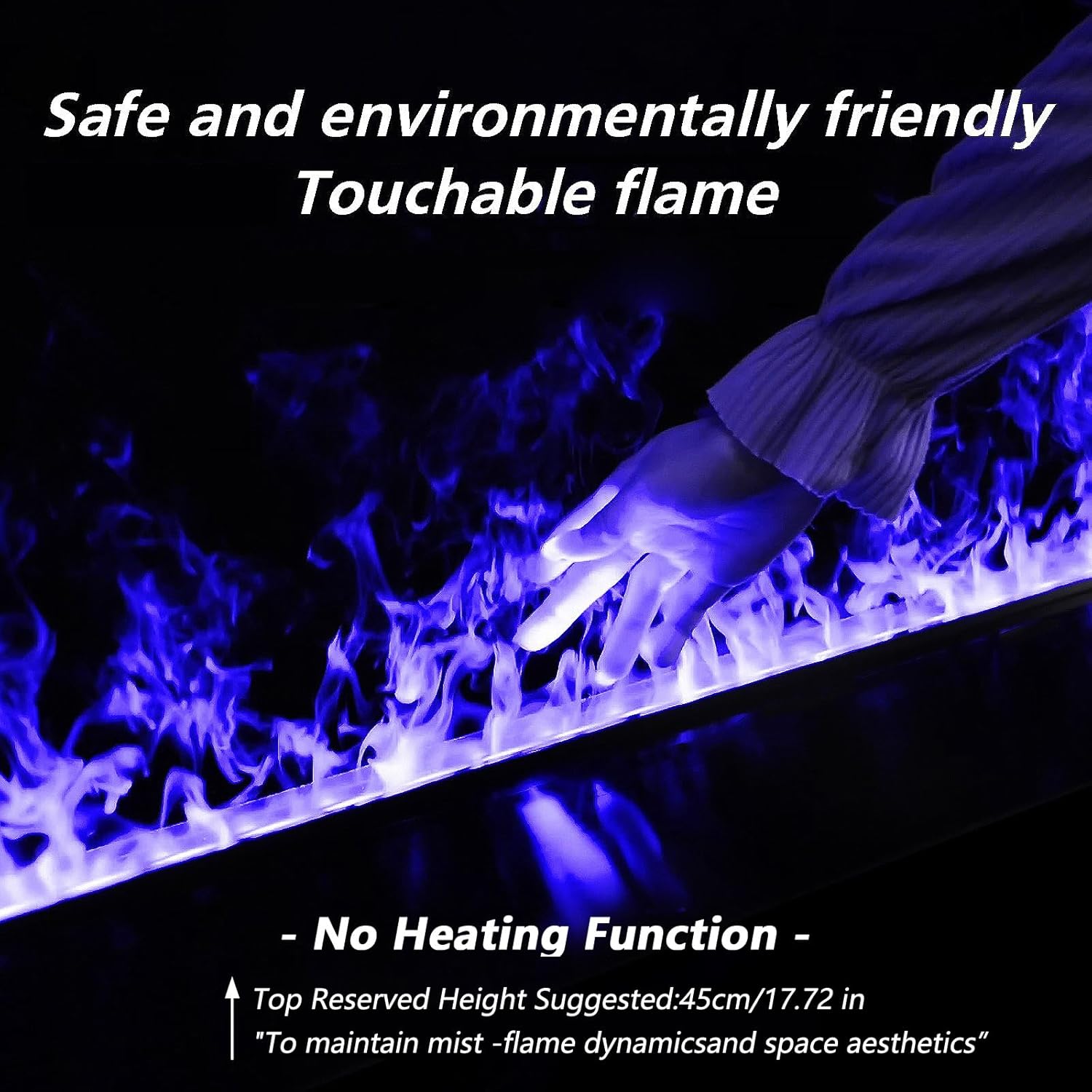
Figure 5: Visual guide for automatic water filling.
Video 3: Demonstration of the water filling process and initial flame generation.
Video 4: Overview of the dual water supply system and flame effects.
6. Operating Instructions
6.1 Power On/Off
Plug the power cord into a standard 110V-120V AC outlet. Press the power button on the unit or the remote control to turn the fireplace on or off.
6.2 Flame Color Adjustment
The fireplace features 9 multicolour flame settings. Use the remote control or the mobile app to cycle through the available colors and select your preferred ambiance.

Figure 6: The 9 available flame colors.
Video 5: Remote control demonstration for RGB flame color changes.
Video 6: Various multicolour atomized flame effects.
Video 7: Water vapor fireplace with dynamic multicolor flames.
6.3 Flame Brightness and Speed Adjustment
Adjust the flame brightness and speed using the dedicated buttons on the unit or remote control. There are 5 levels of flame brightness and speed to choose from.

Figure 7: Adjusting flame brightness and speed.
Video 8: Various flame displays and effects.
6.4 Timer Function
Set a shutdown timer from 1 to 9 hours using the remote control or mobile app. The fireplace will automatically turn off after the set time.
6.5 Remote Control Usage
The included remote control allows for convenient adjustment of all fireplace functions, including power, flame color, brightness, speed, and timer settings.
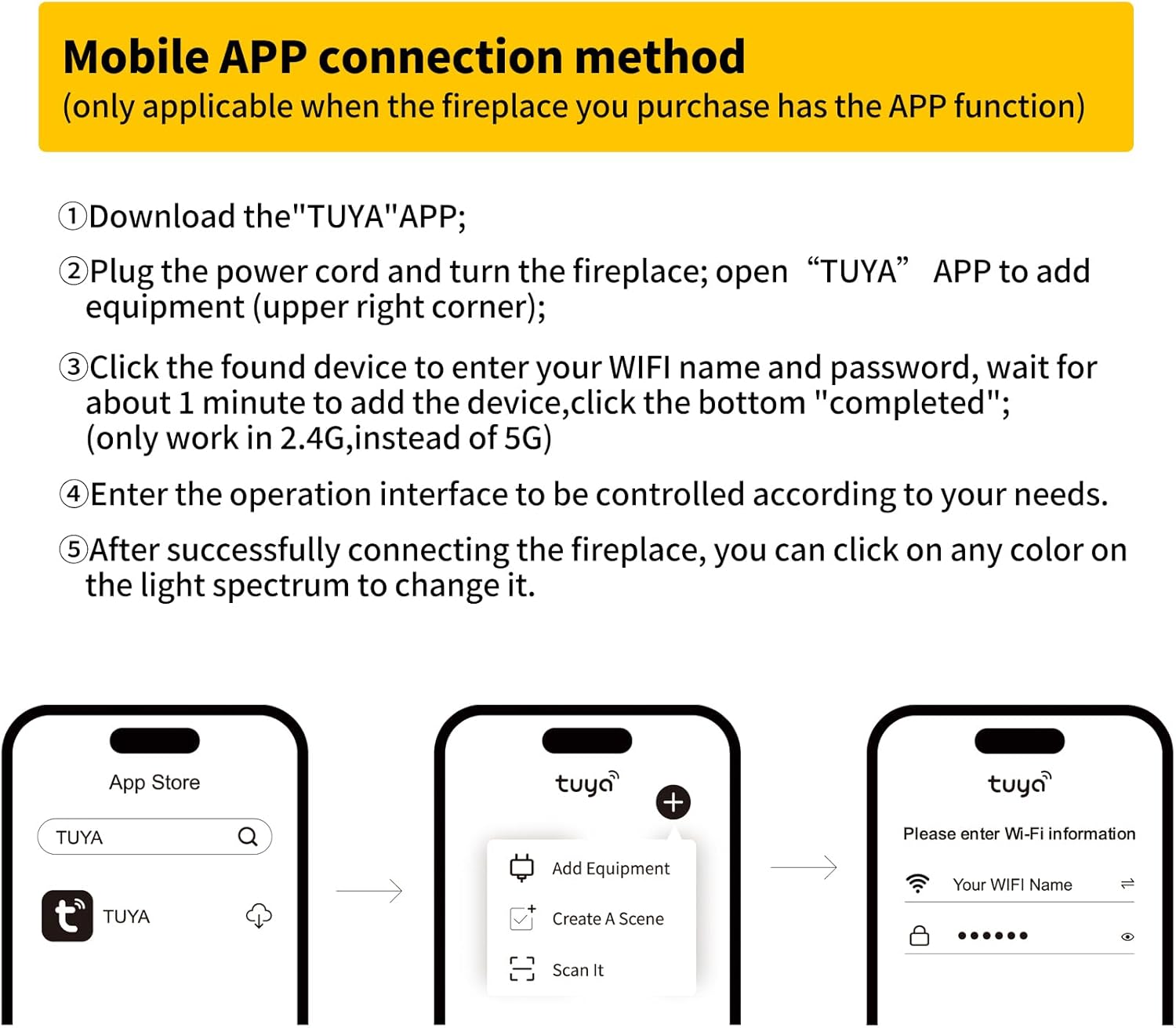
Figure 8: Remote control layout.
6.6 Mobile App Control (Optional)
If your fireplace model supports app control, follow these steps:
- Download the "TUYA" app from your app store.
- Plug in the power cord and turn on the fireplace. Open the "TUYA" app and select "Add Equipment" (usually in the upper right corner).
- Click on the found device, enter your WiFi name and password. Wait approximately 1 minute for the device to be added, then click "completed" (works only on 2.4G WiFi, not 5G).
- Enter the operation interface to control the fireplace according to your needs.
- After successfully connecting, you can click on any color on the light spectrum to change it.

Figure 9: Mobile app connection method.
Video 9: Demonstration of water supply and RGB flame control.
7. Maintenance
7.1 Water Quality
Always use purified or filtered water to prevent mineral deposits and ensure the longevity of the atomization components. Hard water can lead to buildup and reduce performance.
7.2 Draining Water
If the fireplace will not be used for an extended period, it is recommended to drain the water. Use the automatic drain function (if available) or manually remove water to prevent stagnation.
7.3 Cleaning
Regularly wipe the exterior surfaces with a soft, damp cloth. Do not use abrasive cleaners or solvents. Periodically clean the water tank and atomization components as per the detailed instructions in the full manual to prevent mineral buildup.
8. Troubleshooting
- No Mist/Flame Effect: Check water level. Ensure the unit is powered on and the water pump is functioning. Use purified water.
- Remote Control Not Responding: Check battery. Ensure no obstructions between remote and unit.
- Water Leakage: Verify all water pipe connections are secure. Ensure the unit is level.
- Unusual Noise: Check for foreign objects in the water tank or around the pump.
9. Warranty and Support
This Mexhom Water Vapor Fireplace comes with a limited warranty. Please refer to the warranty card included with your purchase for specific terms and conditions.
For technical support, troubleshooting assistance, or warranty claims, please contact Mexhom customer service through the channels provided in your product documentation.